Simple format icon

Simple format

Maintained by Mathieu Pelletier
Simple format is a modern, minimalist course format for Moodle 5.0+ that displays one section at a time with smooth crossfade transitions. Designed for distraction-free online learning, it replaces the standard course layout with a clean, content-first interface.
Price option: Free

Supports Moodle 5.0-5.1 See all versions
Latest release: 1 week ago
Installations: 162
Downloads (last 90 days): 236

Frankenstyle name: format_simple
Course formats

Description

Simple format

A modern, minimalist course format for Moodle 5.0+ that presents one unit at a time with smooth transitions and a distraction-free learning experience. Inspired by clean, content-first design principles, Simple format strips away visual clutter so students can focus on what matters.

Features Content display
  • Single-section display with smooth crossfade transitions between units — no page reloads
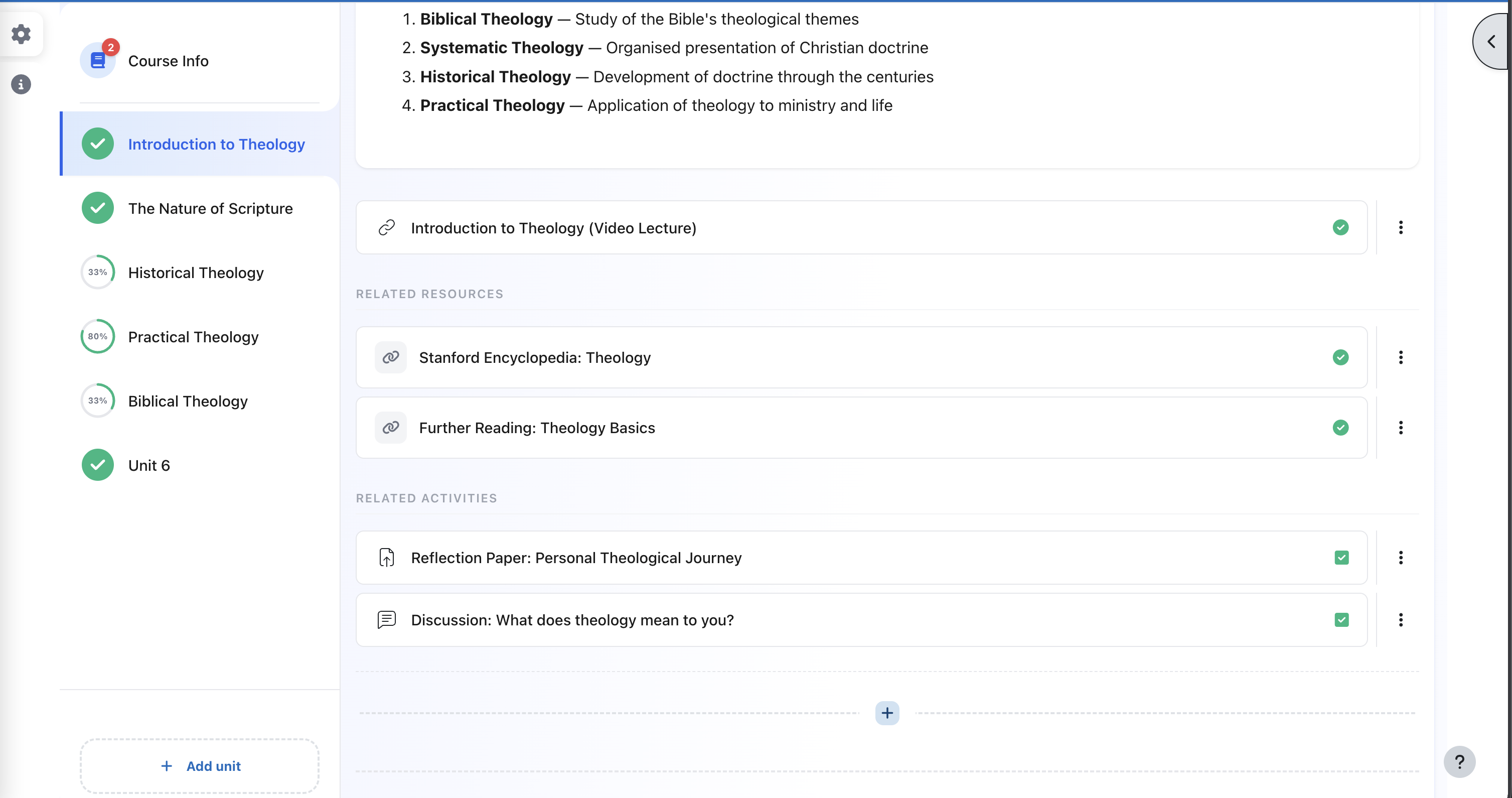
  • Three-zone layout automatically categorises activities into Learning Content, Related Resources, and Related Activities
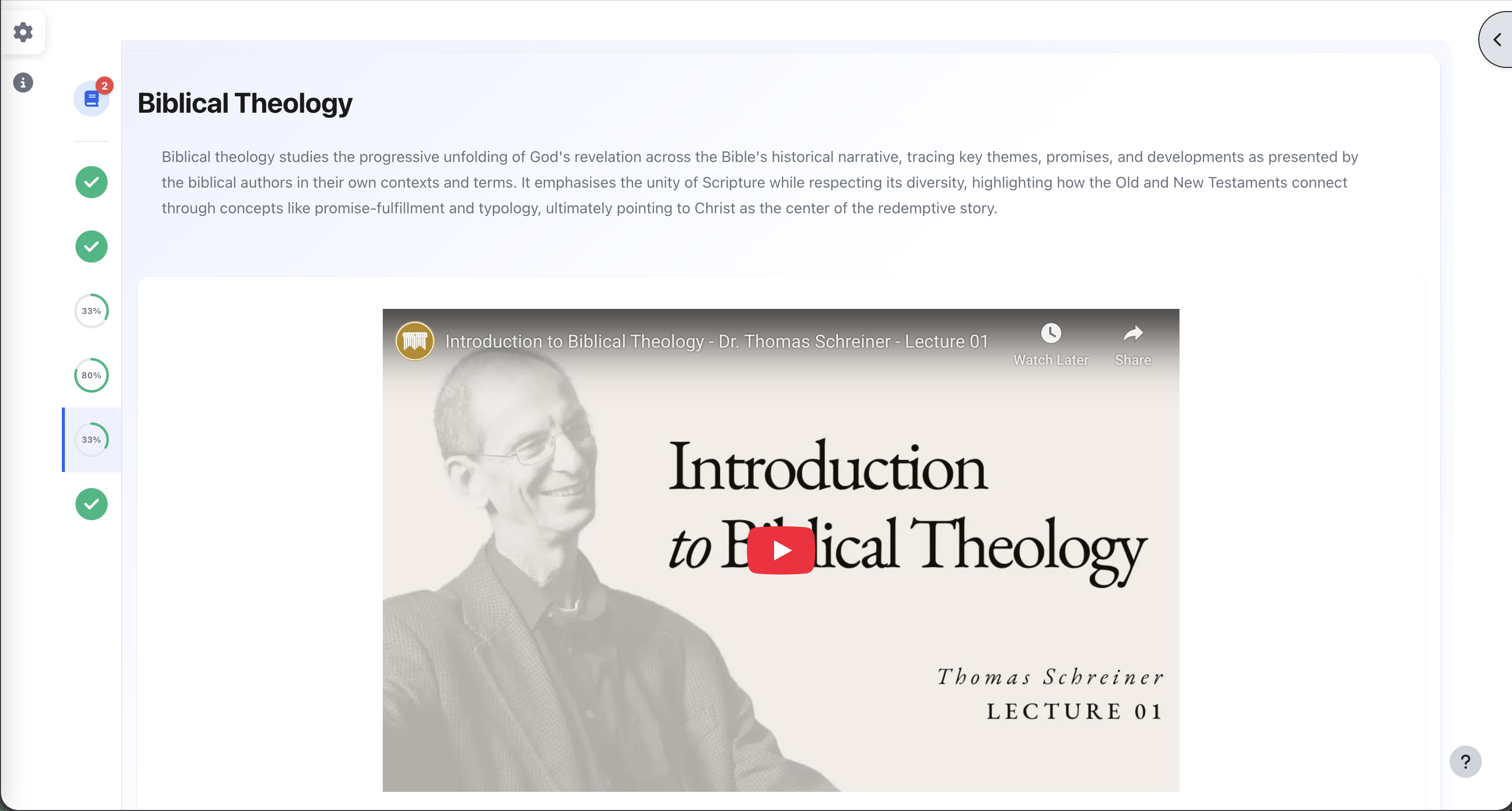
  • Inline content rendering — the primary learning item in each section (Page, Book, H5P, SCORM, YouTube/Vimeo) is embedded directly on the course page with a fullscreen toggle
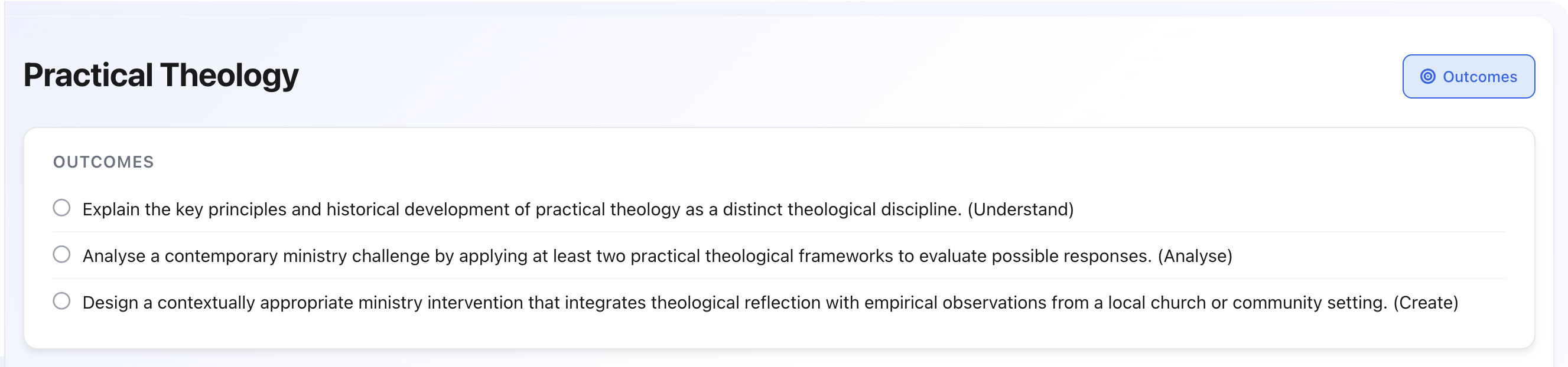
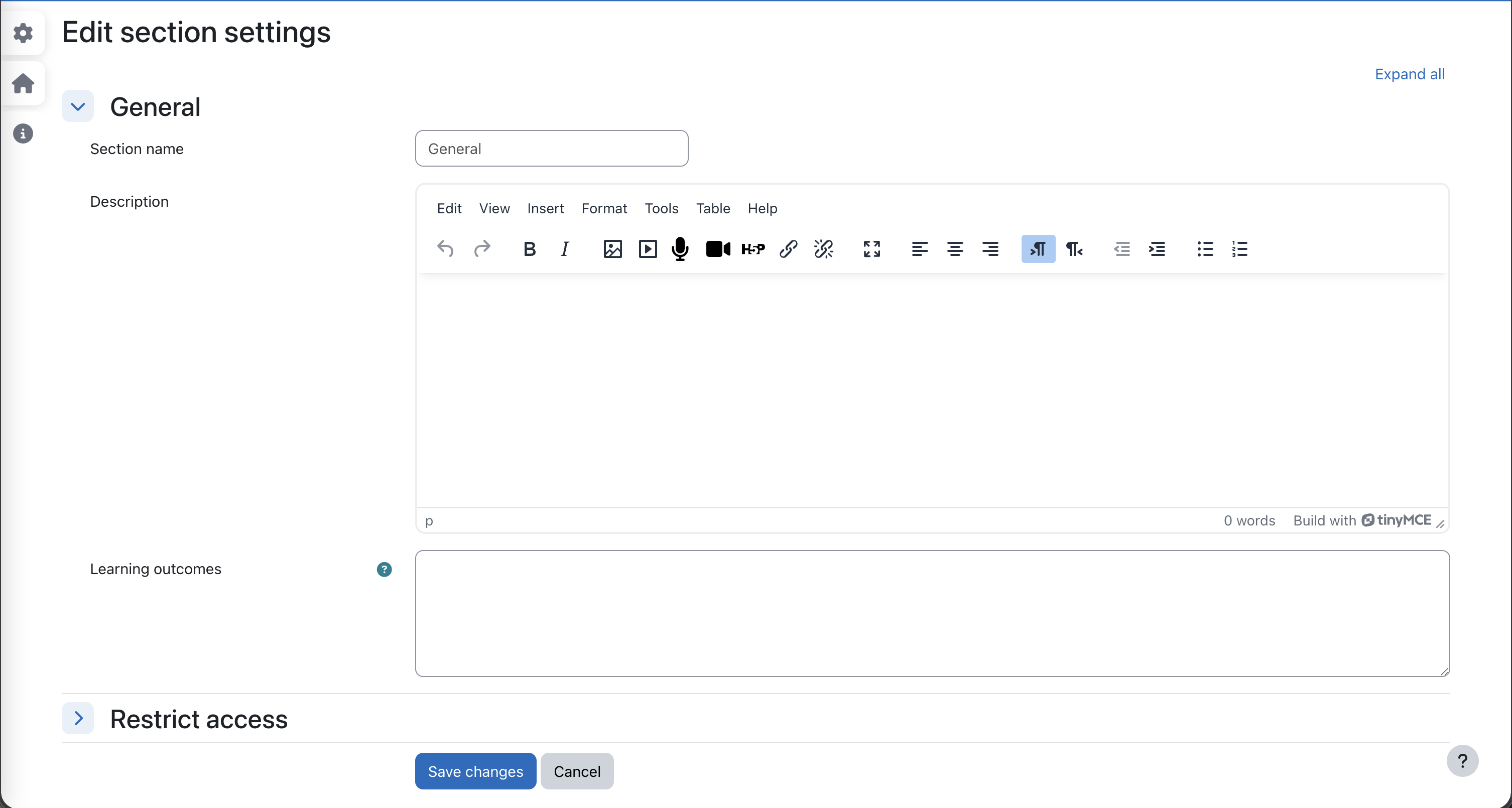
  • Learning outcomes configurable per section, displayed in a collapsible popout panel
Navigation
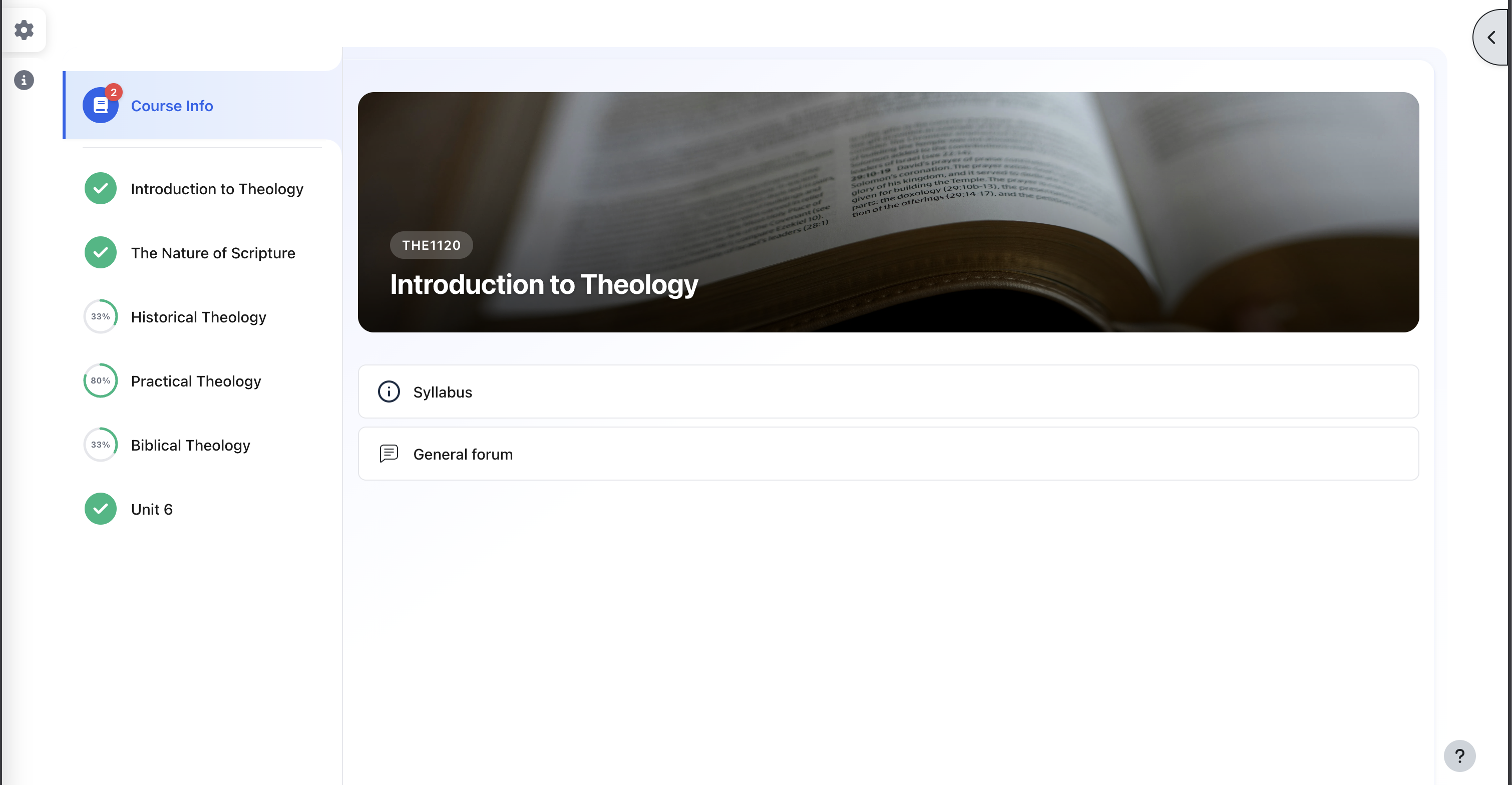
  • Custom navigation panel with SVG-based completion progress indicators — checkmarks, progress rings, and padlock icons for restricted sections (replaces Moodle's built-in course index)
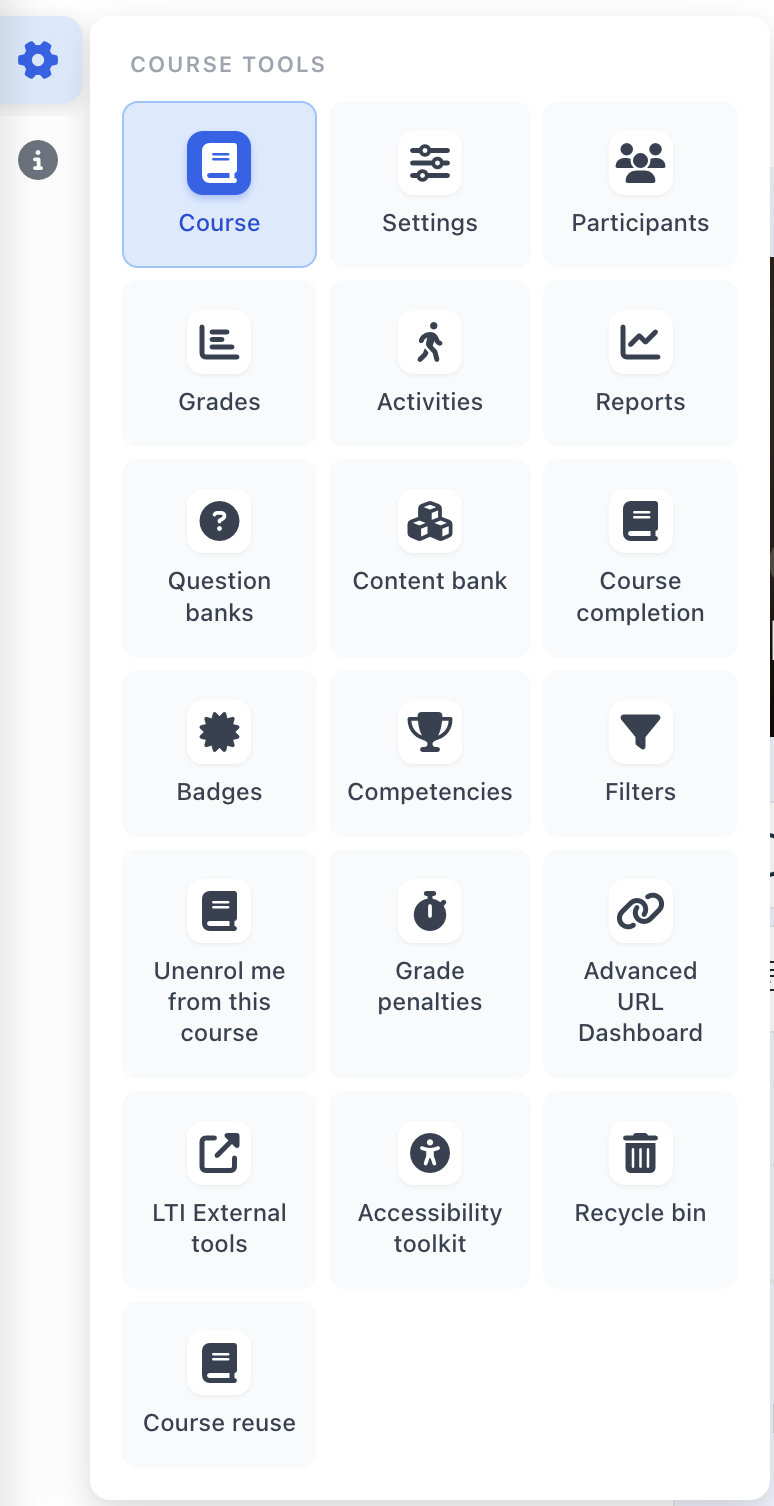
  • Cog navigation — a compact tile-grid popover replacing the secondary navigation bar, providing quick access to Participants, Grades, Settings, and 40+ other course tools with Font Awesome icons
  • Persistent home button for navigating back to the course from any activity page
  • Unread forum badge — displays a count of unread forum posts on the section 0 navigation button
Course info
  • Course banner (optional) — hero image with course name on section 0
  • Course Info overlay (optional) — displays section 0 content in a floating modal accessible from every page in the course, preserving interactive widget state
Responsive design
  • Desktop: side-by-side navigation and content layout
  • Tablet and mobile: stacked layout with animated hamburger drawer navigation
  • Keyboard and screen reader accessible — full ARIA support, keyboard navigation, and focus management throughout
How it works

Activities are automatically sorted into zones based on their module type:

Zone Module types
Learning Content Page, H5P, SCORM, LTI, Lesson, Label, video URLs, and any module providing inline content via cm_info
Related Resources URL, File, Book, Folder — with mimetype icons for PDFs, Word, Excel, PowerPoint, images, video, audio, and archives
Related Activities Assignment, Quiz, Forum, and all other activity types

The first learning content item in each section is rendered inline (embedded) rather than as a link. Completion tracking badges appear on every activity card, supporting both automatic and manual completion.

Requirements
  • Moodle 5.0 or later
  • Modern browser with CSS Grid and ES6 support
Installation
  1. Download or clone this repository into course/format/simple in your Moodle installation.
  2. Visit Site administration > Notifications to complete the installation.
  3. When creating or editing a course, select Simple format from the course format dropdown.
Configuration

Course-level settings (under Course settings > Course format):

Setting Description Default
Hidden sections Whether hidden sections are collapsed or invisible Invisible
Show course banner Display a hero banner on the Course Info section Yes
Show Course Info as overlay Display section 0 in a floating overlay instead of inline No

Section-level settings (under Edit section):

Setting Description
Learning outcomes One outcome per line, displayed in a collapsible popout panel
Testing PHPUnit
php vendor/bin/phpunit --testsuite format_simple_testsuite
Behat
php admin/tool/behat/cli/run.php --tags=@format_simple
Privacy

This plugin does not store any personal data.

License

This plugin is licensed under the GNU GPL v3 (or later).

Credits

Developed by the South African Theological Seminary (ICT Department).

Contributors

Awards

Privacy friendly
Automated testing support