Course Catalog
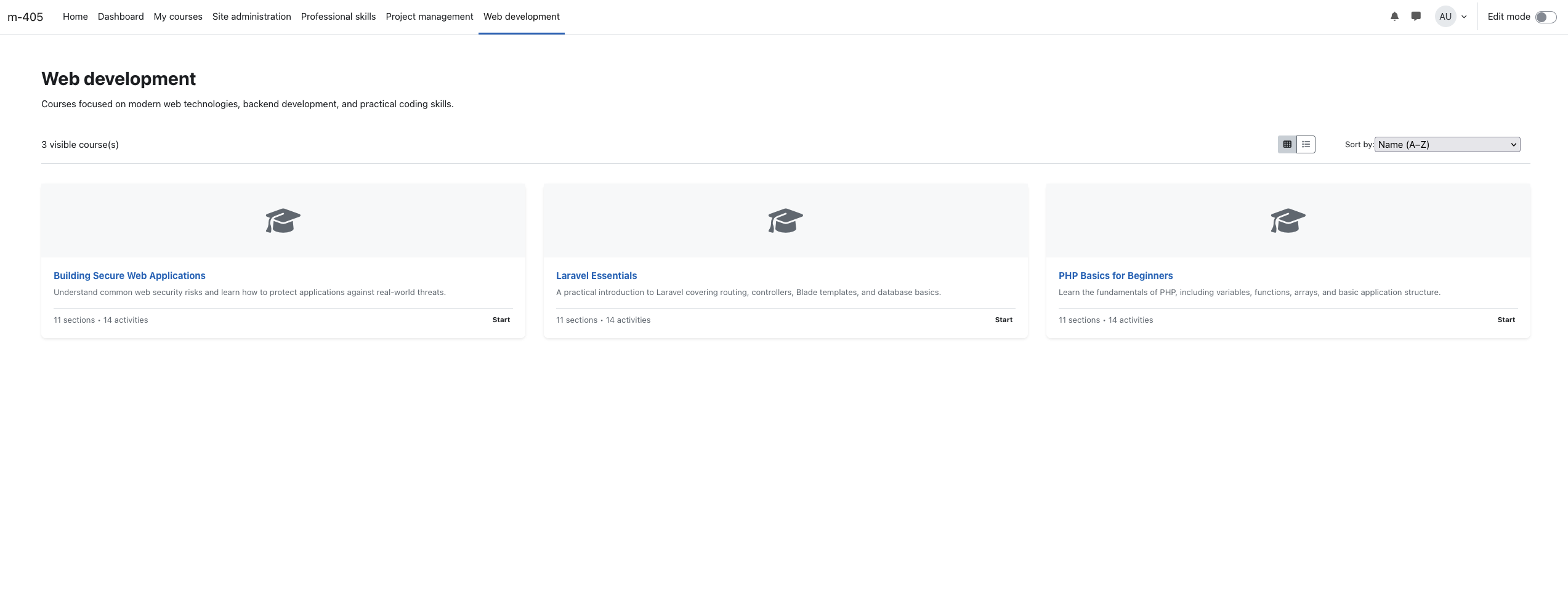
Course Catalog is a Moodle local plugin that lets administrators create multiple named course-listing pages, each scoped to a course category, and optionally surface them in the primary navigation. Learners browse courses as sortable cards (grid or list) with enrolment and start buttons — no block required, no theme changes needed.
Features
- Multiple catalog pages — create as many pages as you need, each tied to a different course category.
- Slug-based URLs — each page gets a clean, human-readable URL (
view.php?slug=your-slug).
- Rich-text page description — per-page intro text with full HTML editor support.
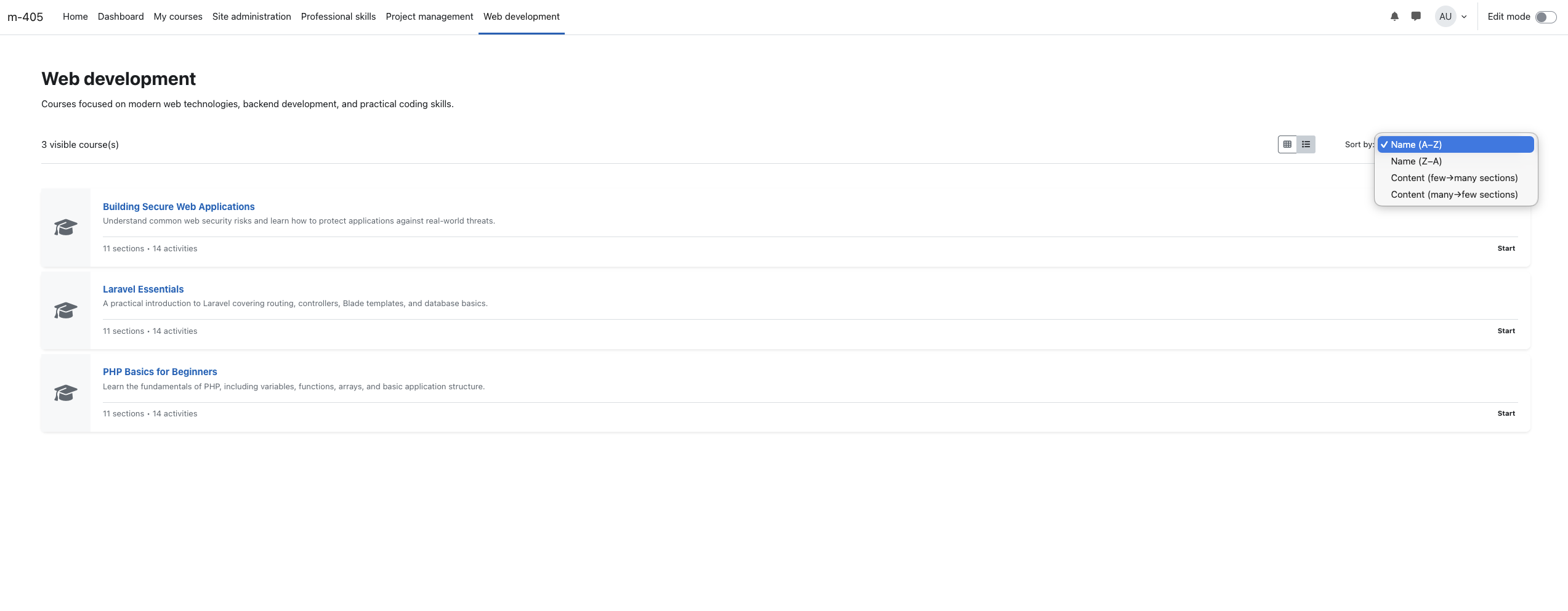
- Grid & list view toggle — learners can switch between card grid and compact list layout.
- Pagination — course listings are paginated with a configurable number of items per page.
- Sortable courses — sort by name (A–Z / Z–A) or section count (few'many / many'few).
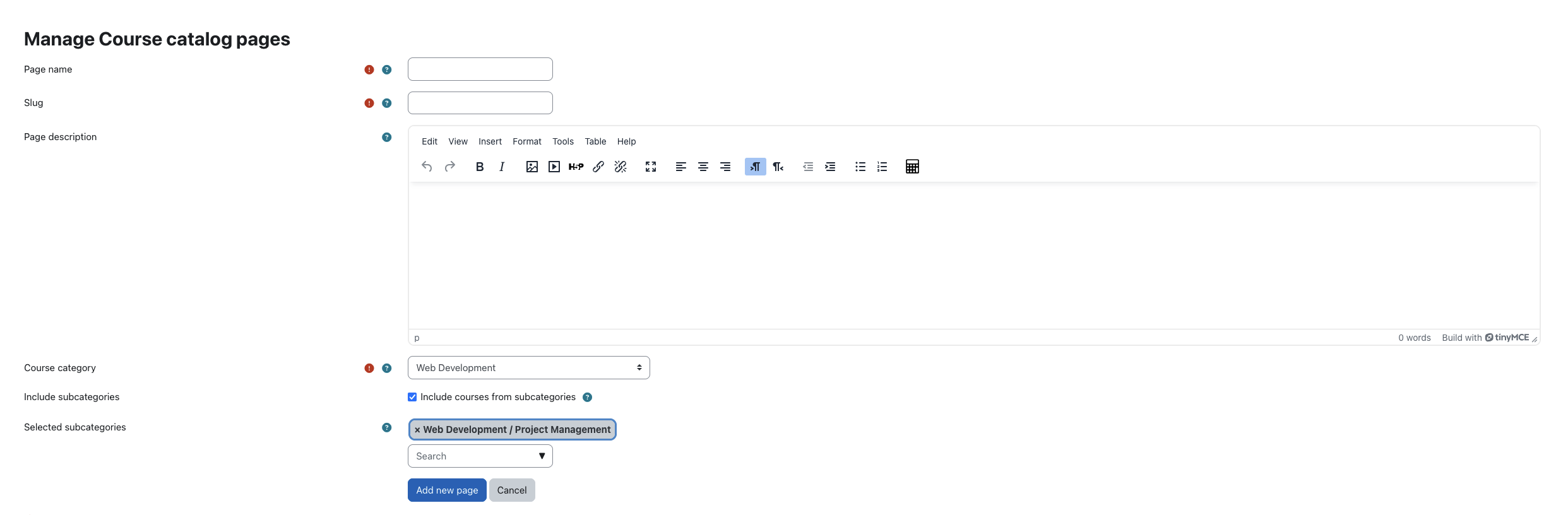
- Selective subcategory inclusion — optionally include courses from all or specific subcategories via an autocomplete multi-select.
- Application-level caching — course card data is cached and automatically invalidated when courses, sections, or modules change.
- Context-aware enrolment buttons — shows Start for already-enrolled users and Enroll for others.
- Section & activity counts on each course card (excludes quiz, feedback, and certificate-only sections from section count).
- Per-page enable/disable toggle — disabled pages show a friendly message to learners; managers see a preview banner.
- Guest access toggle — allow unauthenticated users to view specific pages without logging in.
- Primary navigation integration — optionally expose pages as top-level nav links.
- Page ordering — reorder pages with up/down controls from the admin list.
- Graceful deleted-category handling — pages whose category has been removed display a clear notice instead of crashing.
Requirements
Installation
Install via ZIP upload
- Go to Site administration ' Plugins ' Install plugins.
- Upload the ZIP file and complete validation.
- Finish installation with the on-screen prompts.
Install manually
Copy the plugin directory to:
{your/moodle/dirroot}/local/coursecatalog
Then visit Site administration ' Notifications to complete installation.
Or run:
$ php admin/cli/upgrade.php
Usage
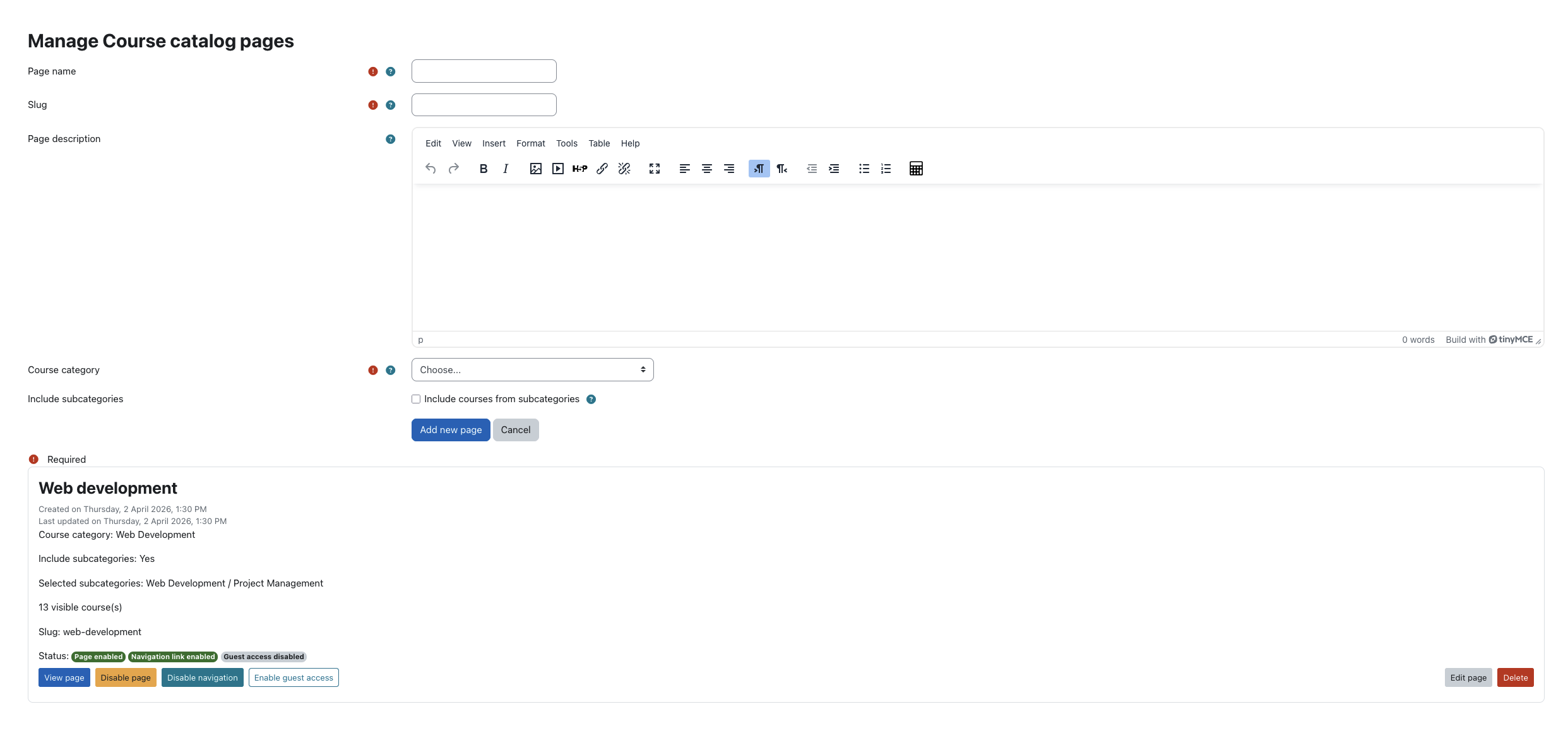
- Go to Site administration ' Local plugins ' Course catalog ' Manage Course catalog pages.
- Click Add new page.
- Enter a page name, slug, optional description, and select a course category.
- Optionally enable Include subcategories and select specific subcategories to include.
- Save, then use the toggle controls to enable the page, show it in navigation, or allow guest access.
Per-page controls (from the admin list)
- Enable / Disable page
- Show / Hide in primary navigation
- Enable / Disable guest access
- Move up / Move down (page ordering)
- Edit (name, slug, description, category)
- Delete
Notes
- Only visible courses within the selected category are displayed.
- Guest access is automatically blocked on disabled pages, even if the toggle is on.
- Navigation links are automatically hidden for disabled pages.
- The plugin respects Moodle's standard enrolment and visibility permissions.
Privacy
This plugin does not store personal data. It only reads existing course and enrolment data and implements the Moodle Privacy API as a null provider.
Support & Contribution
License
GNU GPL v3 or later.