Learning journey (Moodle course format)
Learning journey is a Moodle course format that presents the course as a sequence of sections—similar in spirit to "topics"—with optional time windows, cover images, and a card-based main page. It is aimed at guided learning paths, programmes with dated releases, and visually structured course home pages.
Requirements
- Moodle 4.1 or newer (
version.php uses $plugin->requires = 2022100100).
- Standard course format dependencies (sections, course index where the theme enables it).
Installation
- Copy the
learningjourney folder into course/format/learningjourney inside your Moodle root (or install via your deployment process).
- Visit Site administration ' Notifications and complete the upgrade.
- Purge caches if themes or CSS do not refresh immediately.
What the format does (overview)
| Area | Behaviour |
|------|------------|
| Sections | Each section can have a title, summary, activities, and format-specific options (dates, image, card behaviour). |
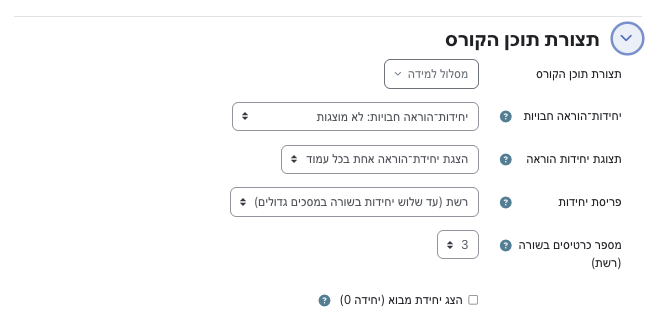
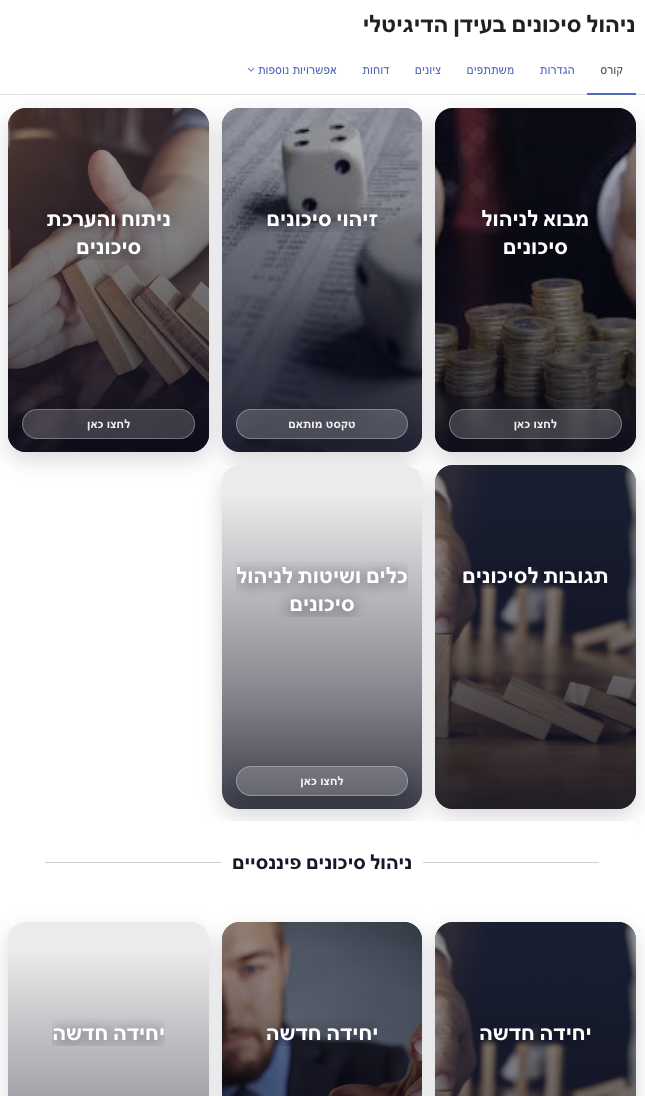
| Main page layout | List (one section per row, full width) or Grid (responsive cards; column count is configurable). |
| Section 0 | Optional: you can hide the general / introduction section (section 0) from the main page via a course setting. |
| Schedule | Optional start and end dates per section. Learners outside the window see a teaser (title, schedule line, image) but not the activities list. |
| Teachers / managers | Users with moodle/course:update ignore date restrictions for viewing content. |
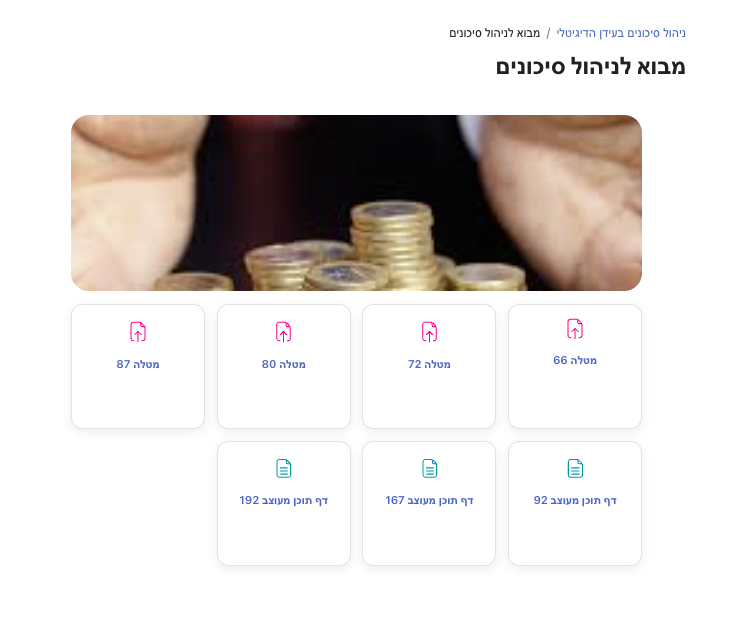
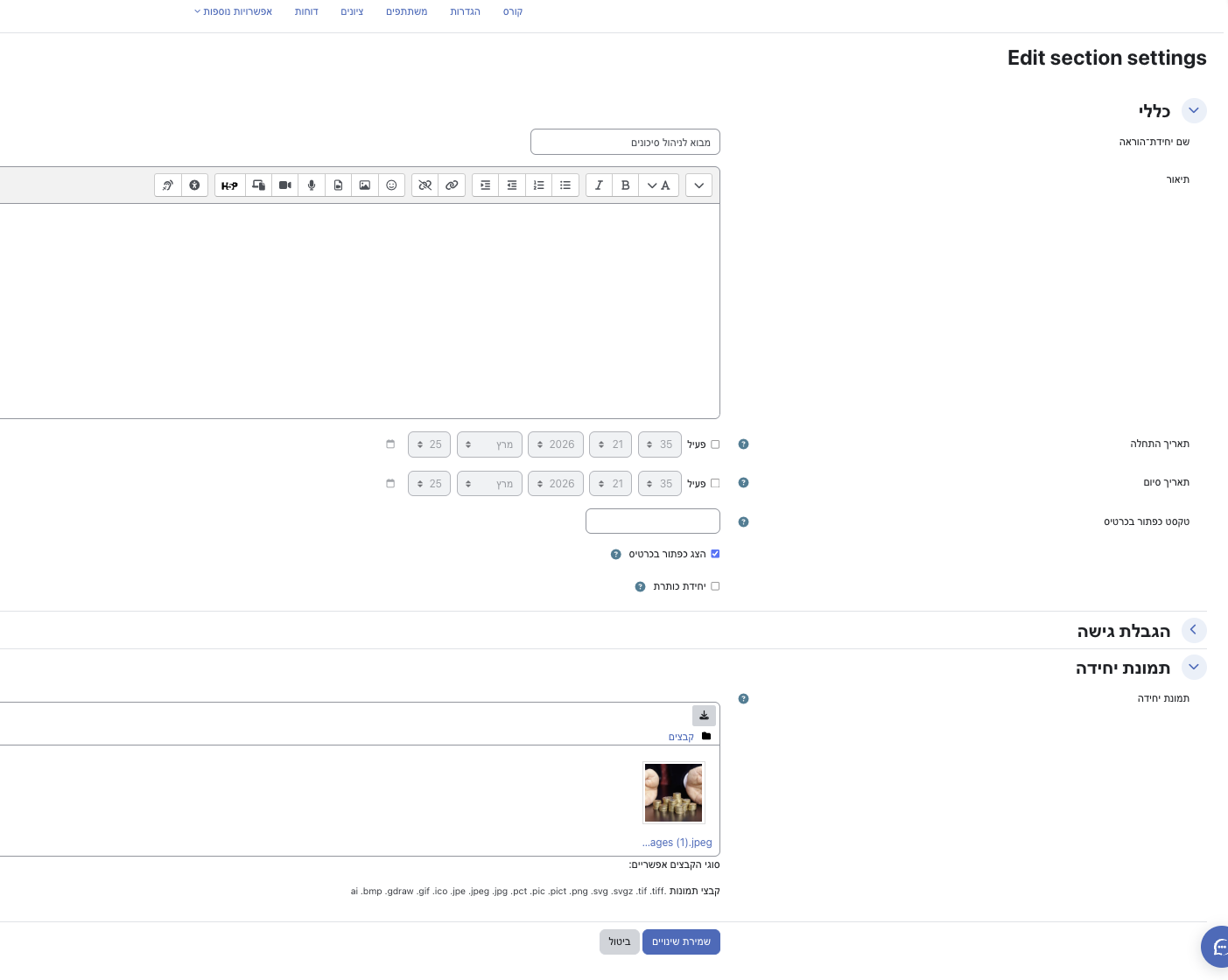
| Section image | One optional image per section, managed in Edit section. Shown on the course page and in card layouts. |
| Editing mode | On the course main page with editing on, the format uses a single column for easier rearranging, and hides the decorative card "go" button and section banner image so teachers focus on structure. |
| Activities | Activity lists are styled as cards in a responsive grid where supported; the theme works with both Moodle render variants data-for="cmitem" and data-for="cmlist". |
Course-level settings
Edit the course and open Course format settings (or the format options block, depending on your Moodle version).
Section layout
- Single column (full width) — sections stack vertically.
- Grid — sections appear as cards in a responsive grid on large screens; fewer columns on small screens.
Cards per row (grid)
Choose 2–6 columns on large screens (the layout still collapses on smaller breakpoints).
Show introduction section (section 0)
When disabled, section 0 is omitted from the main course page list (useful if you only want numbered "journey" sections).
Core options such as Course layout (single page vs one section per page) and Hidden sections still apply as in other formats.
Per-section settings
Open Edit section for any section (not section 0 specifics unless your workflow uses it).
Schedule (Section start / Section end)
- Optional date/time fields interpreted in the learner’s timezone, compared by calendar day (not only exact clock time).
- If the learner is before the start day or after the end day (and has no bypass capability), the section content is not available, but the section can remain visible as a preview: title, schedule text, and image—without the activity list.
Card appearance (grid / "all sections" view)
- Show card button — Shows a button linking into the section (label configurable).
- Card button text — Overrides the default label (e.g. "Click here").
- Header unit — Renders the section as a full-width header strip (title-focused), useful for grouping or milestones without a heavy card.
Section image
- Section image — File manager with one image file.
- Used as a banner on the section area and as part of the card background in grid view.
- Images use rounded corners aligned with card styling in normal view; they are hidden in editing mode on the main course page to reduce clutter.
Navigation and section URLs
The format uses Moodle’s APIs to open a section in a way that works across versions: where course/section.php exists, links use it; otherwise they fall back to course/view.php?id=…§ion=….
Language packs
English (lang/en) and Hebrew (lang/he) strings are included. You can add more languages under lang/xx/format_learningjourney.php.
Privacy
The plugin declares that it does not store personal data in its own tables; optional section images are files in the course context. See classes/privacy/provider.php for the formal privacy API implementation.
Customisation and support
- Styles live in
styles.css (card grid, activity cards, editing vs view mode, removal of the default theme "side line" on .course-section, etc.).
- Templates under
templates/local/ extend the core course format output for this plugin.
- JavaScript under
amd/src/ supports course format behaviour (e.g. mutations, section helpers, course index images where applicable).
For behaviour questions, inspect lib.php (format_learningjourney class) and the classes in classes/output/courseformat/.
Licence
GPL v3 or later, consistent with Moodle.