local_examnotice — Moodle Exam Reminder Modal Plugin
A Moodle local plugin that automatically shows a preparation checklist modal to
students when a quiz is opening within a configurable number of days. Built and tested
on Moodle 4.5 with the Adaptable theme.
Requirements
| Item | Version |
|-------------|-----------------------------------|
| Moodle | 4.5+ (build 2024042200 or higher) |
| PHP | 8.1+ (tested up to PHP 8.3) |
| Bootstrap | 4 or 5 (auto-detected) |
Installation
- Copy the
examnotice folder into your Moodle local/ directory:
<moodle_root>/local/examnotice/
The folder must be named examnotice — NOT local_examnotice.
Log in as site administrator and go to:
Site Administration ' Notifications
Moodle will detect the plugin and run the install script.
Navigate to:
Site Administration ' Plugins ' Local plugins ' Manage Exam Notice
to configure the plugin.
File Structure
local/examnotice/

"── amd/

│   "── src/

│   │   └── modal.js               ← AMD source (human-readable)

│   └── build/

│       "── modal.min.js           ← Compiled build file

│       └── modal.min.js.map       ← Source map stub

"── admin/

│   "── manage.php                 ← Admin UI (Settings + Live Preview tabs)

│   └── debug.php                  ← Diagnostic page (remove before production)

"── classes/

│   "── form/

│   │   └── notice_form.php        ← Moodle form with WYSIWYG editor

│   "── hook/

│   │   └── before_footer.php      ← Hook callback (injects modal into page footer)

│   └── privacy/

│       └── provider.php           ← GDPR Privacy API provider

"── db/

│   "── access.php                 ← Capabilities

│   "── hooks.php                  ← Registers hook callback

│   "── install.xml                ← Database schema

│   └── upgrade.php                ← DB upgrade steps

"── lang/

│   └── en/

│       └── local_examnotice.php   ← English language strings

"── templates/

│   └── modal.mustache             ← Mustache template for modal HTML

"── dismiss.php                    ← AJAX endpoint (confirm / dismiss actions)

"── lib.php                        ← Shared helpers

"── settings.php                   ← Registers admin menu link

"── styles.css                     ← Plugin CSS (auto-loaded by Moodle)

└── version.php
Database Table
mdl_local_examnotice_seen
| Column | Type | Description |
|--------------|---------|---------------------------------------------------|
| id | BIGINT | Primary key |
| userid | BIGINT | Student user id |
| quizid | BIGINT | The quiz the notice is for |
| courseid | BIGINT | Course the quiz belongs to |
| status | TINYINT | 0 = dismissed (remind later), 1 = confirmed |
| timecreated | BIGINT | Unix timestamp — first interaction |
| timemodified | BIGINT | Unix timestamp — last update |
- Unique index on
(userid, quizid) — one record per student per quiz.
- A confirmed record (
status = 1) is never downgraded back to dismissed.
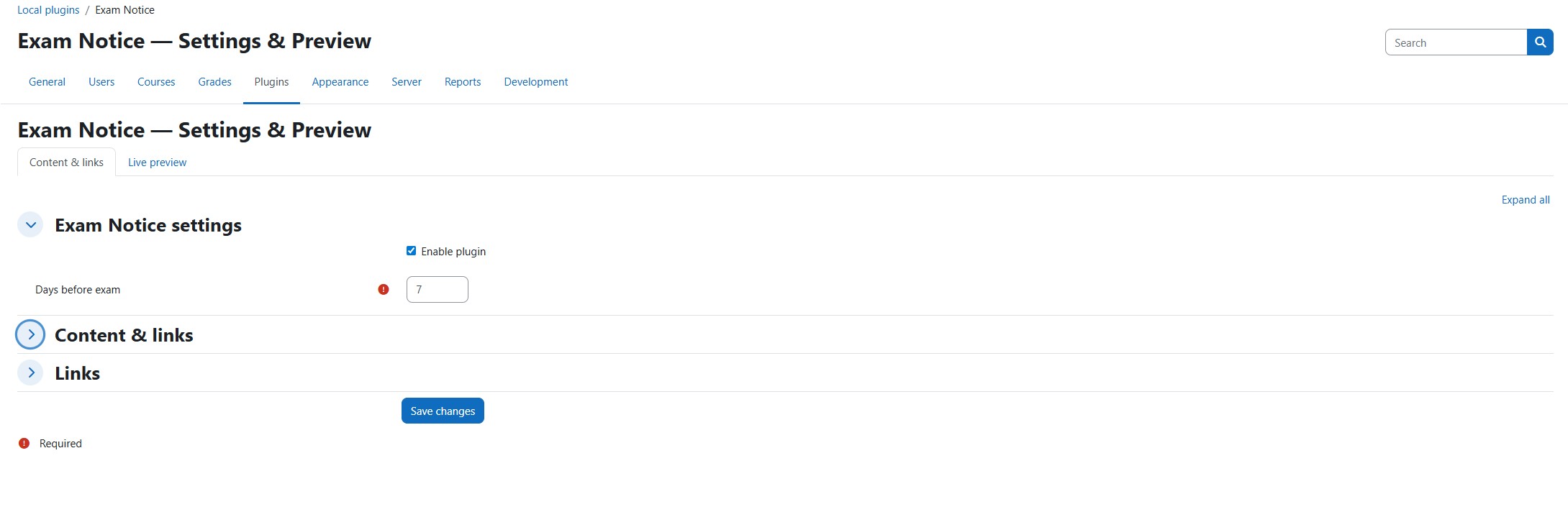
Admin UI
Site Administration ' Plugins ' Local plugins ' Manage Exam Notice
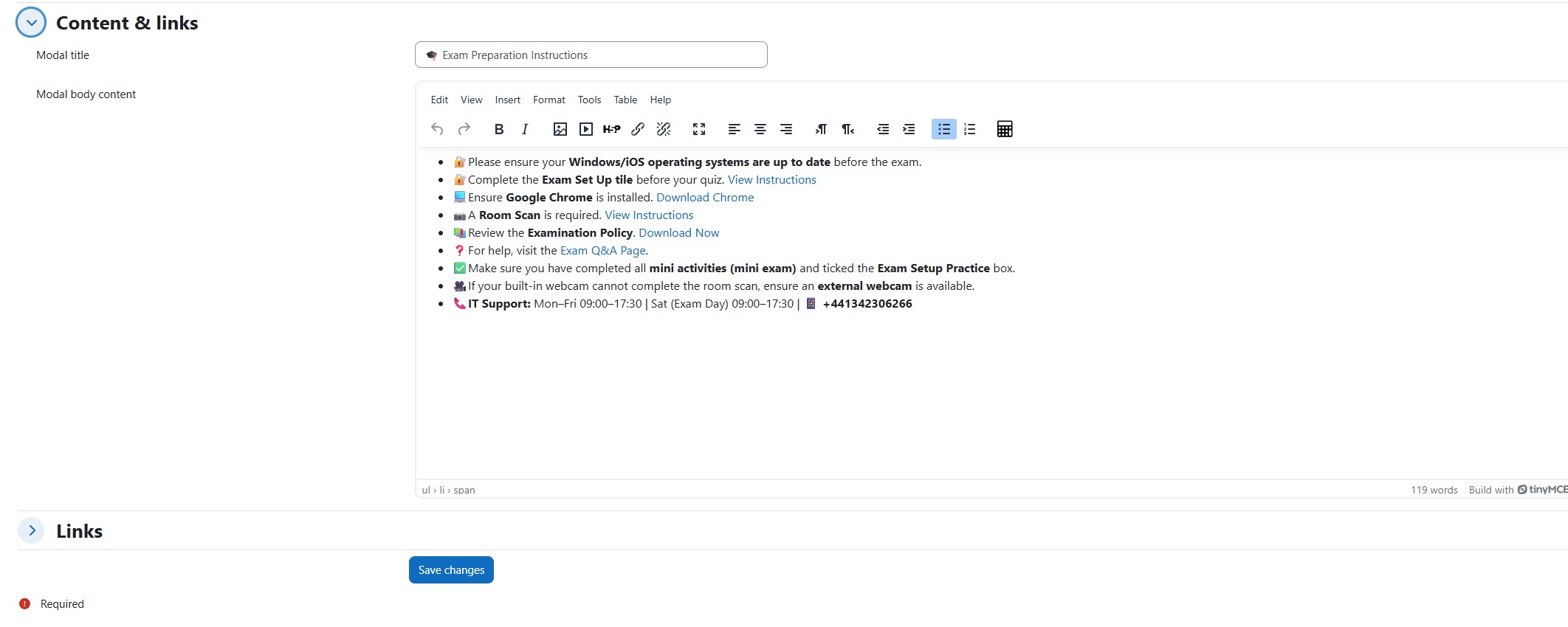
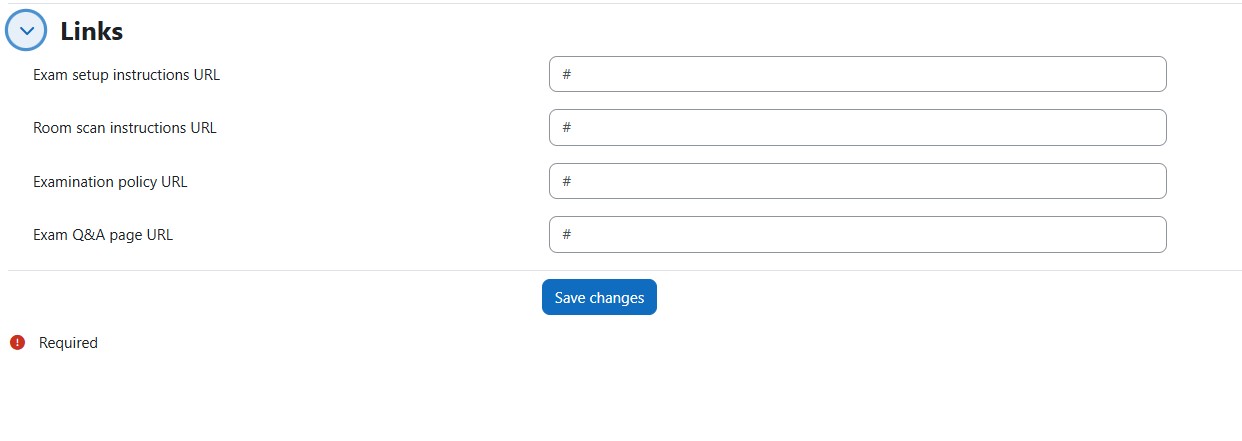
Content & Links tab
| Setting | Description |
|---------|-------------|
| Enable plugin | Show or hide the modal globally |
| Days before exam | How many days before quiz.timeopen to start showing the notice (default: 7, max: 90) |
| Modal title | Heading shown at the top of the modal |
| Modal body | Full Moodle WYSIWYG editor (TinyMCE / Atto) |
| Setup Instructions URL | Link for the Exam Set Up tile instructions |
| Room Scan URL | Link for the Room Scan instructions |
| Examination Policy URL | Link to download the policy PDF |
| Exam Q&A Page URL | Link to the help / Q&A page |
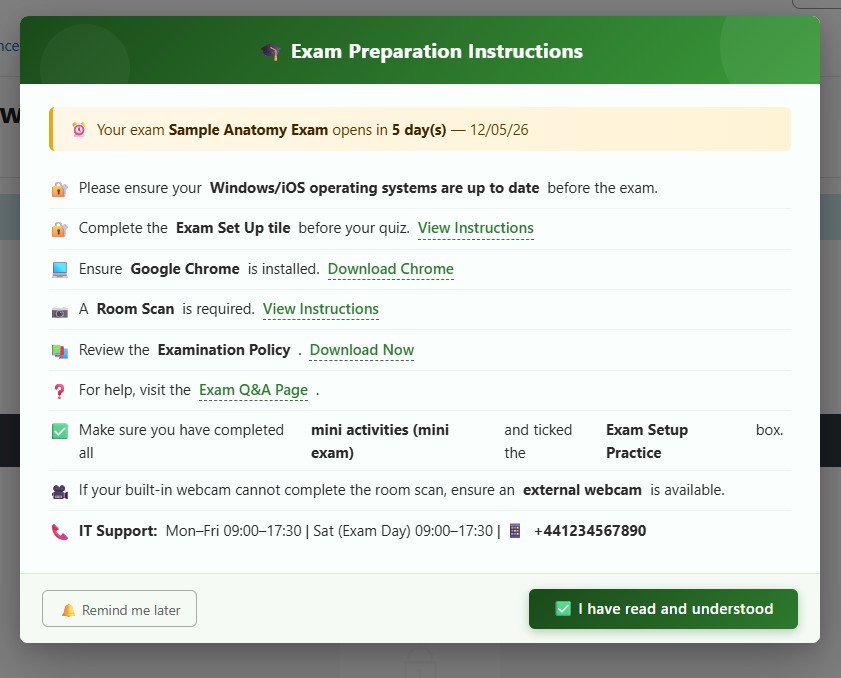
Live Preview tab
- Instantly opens a sample modal using your currently saved content.
- The "Open Preview Modal" button re-opens it after closing.
- Both buttons work in preview mode — no database writes occur.
Student Flow
- Student navigates to any page within an enrolled course.
- Plugin checks for visible quizzes in the course with
timeopen within the next N days.
- If an unconfirmed quiz is found the modal opens automatically.
- Student chooses:
| Button | Result | DB record |
|--------|--------|-----------|
| " I have read and understood | Confirmed | status = 1 — never shows again |
| 🔔 Remind me later | Dismissed | status = 0 — shows again next page load |
- Multiple upcoming quizzes — the earliest unconfirmed one is shown first.
- Once confirmed the modal never shows again for that quiz/student combination.
Capabilities
| Capability | Default role | Description |
|------------|-------------|-------------|
| local/examnotice:manage | Manager | Access the admin settings/preview page |
| local/examnotice:view | Student | See the exam notice modal |
Teachers, graders, and site admins never see the modal.
JavaScript / AMD
The modal uses Moodle's AMD (RequireJS) system via $PAGE->requires->js_call_amd().
No inline scripts are used. The module supports three Bootstrap detection methods
in order of preference:
- Bootstrap 5 global —
window.bootstrap.Modal (standard Moodle 4.4+ themes)
- Bootstrap 4 jQuery plugin —
$(el).modal() (older or custom themes)
- CSS fallback — manual show/hide with explicit z-index (themes like Adaptable
that bundle Bootstrap internally without exposing it globally)
To recompile amd/build/modal.min.js from source using Grunt:
cd <moodle_root>

npm install

npx grunt amd --plugin=local_examnotice
Privacy / GDPR
The plugin implements the full Moodle Privacy API in classes/privacy/provider.php:
- Metadata declared —
local_examnotice_seen table fields are described.
- Export — student interaction records are exported per course context.
- Deletion — records are deleted when a user requests data erasure or a course is deleted.
Upgrading
Bump version.php and add upgrade steps to db/upgrade.php:
if ($oldversion < 2026032702) {

    // schema changes here

    upgrade_plugin_savepoint(true, 2026032702, 'local', 'examnotice');

}
Troubleshooting
| Symptom | Check |
|---------|-------|
| Modal not showing | Plugin enabled? Student enrolled with active enrolment? Quiz has timeopen set and within the window? |
| Modal shows to teachers | Teacher role should not have local/examnotice:view — off by default |
| AMD module fails to load | Does amd/build/modal.min.js exist? Visit the file URL directly to confirm no 404 |
| Buttons unclickable | Z-index issue — ensure you are running the latest amd/build/modal.min.js |
| Dismiss AJAX 403 | Sesskey mismatch — check dismiss.php is called in the same Moodle session |
| WYSIWYG editor not loading | Check classes/form/notice_form.php namespace is local_examnotice\form |
| Modal unstyled | Confirm styles.css exists in the plugin root and Moodle's CSS cache has been purged |
Removing the Debug Page
Once everything is working, delete admin/debug.php from the server:
rm /var/www/html/moodle/local/examnotice/admin/debug.php
License
GNU GPL v3 — same as Moodle core.