
Jitsi
Maintained by
Sergio Comerón
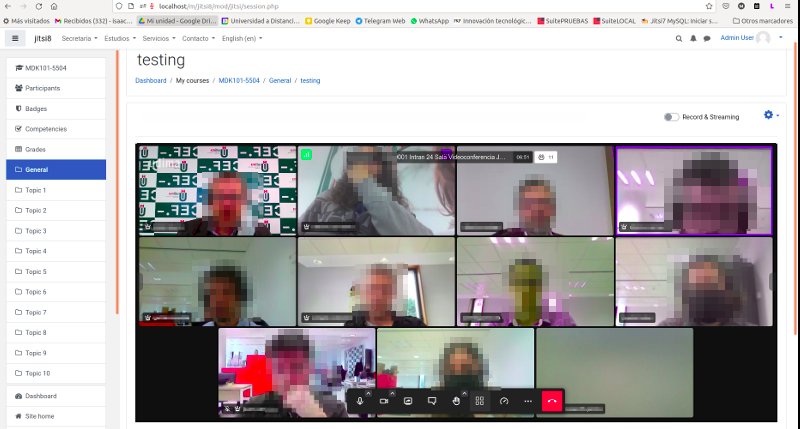
This module allows creating jitsi-meet videoconference sessions.
Comments
Product ratings and reviews are coming to Moodle Marketplace. Until then, existing comments remain available to read, but new posts have been disabled.
Have you tried installing the plugin before this error?
Tu Moodle funciona con http o https? Para que puedas usar el micro y la cámara necesitas tenerlo con el certificado en https
When installing the plugin at the time of updating the database, the following error occurs.
Error de ejecución DDL sql
Más información sobre este error
Información de depuración: ERROR: la relaci�n �mdl_jitsi� ya existe
BEGIN ISOLATION LEVEL SERIALIZABLE;
CREATE TABLE mdl_jitsi (
id BIGSERIAL,
course BIGINT NOT NULL,
name VARCHAR(255) NOT NULL DEFAULT '',
intro TEXT NOT NULL,
introformat SMALLINT NOT NULL DEFAULT 0,
timecreated BIGINT NOT NULL,
timemodified BIGINT NOT NULL DEFAULT 0,
timeopen BIGINT NOT NULL DEFAULT 0,
minpretime SMALLINT NOT NULL DEFAULT 0,
CONSTRAINT mdl_jits_id2_pk PRIMARY KEY (id)
)
;
COMMENT ON TABLE mdl_jitsi IS 'Default comment for jitsi, please edit me'
;
CREATE INDEX mdl_jits_cou2_ix ON mdl_jitsi (course)
; COMMIT
Error code: ddlexecuteerror
Trazado de la pila (stack):
line 492 of /lib/dml/moodle_database.php: ddl_change_structure_exception thrown
line 259 of /lib/dml/pgsql_native_moodle_database.php: call to moodle_database->query_end()
line 688 of /lib/dml/pgsql_native_moodle_database.php: call to pgsql_native_moodle_database->query_end()
line 77 of /lib/ddl/database_manager.php: call to pgsql_native_moodle_database->change_database_structure()
line 425 of /lib/ddl/database_manager.php: call to database_manager->execute_sql_arr()
line 370 of /lib/ddl/database_manager.php: call to database_manager->install_from_xmldb_structure()
line 790 of /lib/upgradelib.php: call to database_manager->install_from_xmldb_file()
line 532 of /lib/upgradelib.php: call to upgrade_plugins_modules()
line 1877 of /lib/upgradelib.php: call to upgrade_plugins()
line 694 of /admin/index.php: call to upgrade_noncore()
Another question:
do you know if I can generate a report/log for each videocall, with the list of participants and their ip address with the start time and the time they closed the call?
Integrated the plugin in the Moodle, users connect normally, BUT the presenter cannot publish the desktop - the message "Extension for displaying the screen is not installed"
I use public Meet.jit.si
at the same time, if I use Jitsi Meet not in Moodle, then the desktop is published normally
Does your moodle have an ssl certificate and do you access it through https?
if you want moderation you need config your own server with token configuration. If you use the public server (meet.jit.si) you can not have moderation
both cam and microphone are not accessible in jitsi while using your plugin. I receive the message "cannot read property 'GetUserMedia' of undefined'.
Outside moodle jitsi works with no problems.
Can you help me?
thanks
Thanks for the hint. I changed the short name of the course and it works now... "Test" must have been way too general :D
The name of the room is something like a mix of the short name of the course (eg "course short") an "order number", and the name of the activity (eg "activity name") . Therefore, if anybody type this name (eg "https://meet.jit.si/courseshort3activityname") he can join the session. Can this be a clue for your problem ?
I have been using this plugin successfully on my Moodle (3.8) and really like it. There has, however, been an issue since the last few plugin updates. It seems that whenever I create a new Jitsi meeting in my courses, they are linked to some other meeting of people who are unknown to me. I don't seem to get my own room any longer and I do not find any settings to influence this. Is there anything I can do to change it so I can have private Jitsi meetings with my students again?
Thanks for your help!
Can you give an example what this means? I want my trainers to be moderators in the conference and not the first one in the room?
Thanks a lot. Daniel