
Jitsi
Maintained by
Sergio Comerón
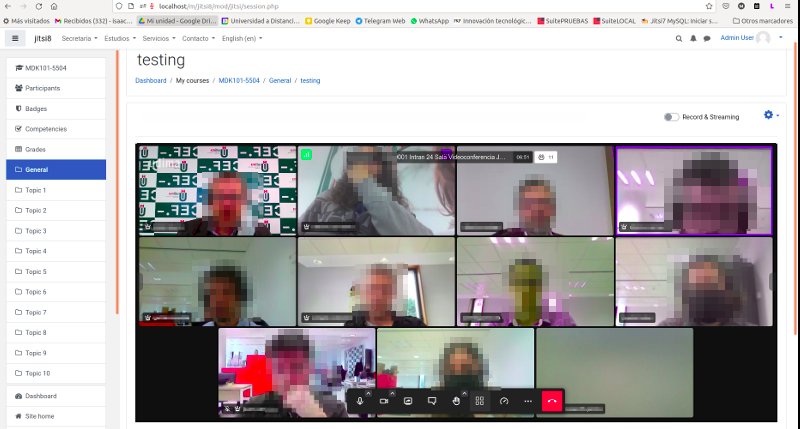
This module allows creating jitsi-meet videoconference sessions.
Comments
Product ratings and reviews are coming to Moodle Marketplace. Until then, existing comments remain available to read, but new posts have been disabled.
Thanks for this plugin.
When using the dfault jitsi server, all is OK in Moodle (using your plugin).
I'm trying to change the server. I've installed our own jitsi server with a great howto found on jitsi.org. The server is working (not completely, still have problem with more than 2 people) but when I change in Moodle (I've only changed the jitsi_domain), I got the error "Problem accessing /TSTSF-1-Test5 / Reason:Not Found" where TSTSF is the shortname of the course in Moodle, 1 is my id and Test5 is the name given in the activity.
Do you have any clue to solve this ?
Thanks again.
Translations must be done through the AMOS functionality of Moodle.org (https://lang.moodle.org/local/amos/view.php)
You can view documentation here: https://docs.moodle.org/dev/AMOS_manual
Anyway, I see in the statistics that it's translated into French by 68%
How to push a french language folder to your project ?
The add-on is not adapted for the app, the activity will appear in the app but then it will send you to the web version. Anyway, I don't see it difficult to adapt it. I think I'll work on it as soon as I can.
does the conference work from the mobile app ?
thank you
On your question of the number of users I can't tell you the exact number because it is something that does not depend on the plugin, it depends on jitsi. Remember that I only developed the plugin for Moodle. If you want you can get more info on https://jitsi.org/meet.
For the tests I have done with Jitsi with 50 users the behavior was as expected, but you can overcome that figure without any problem.
To translate the access button you can suggest translations in the Moodle translation tool https://lang.moodle.org/login/index.php
Thanks for your feedback!
I've installed plugin. It works properly, but I have a question.
Is there a limit of maximum users in one teleconference?
I also wanted to ask you how to change description in activity button (default is "Access" and i wanted to change it for other language) but I think I've found a solution.
At the begining I found in mod/jitsi/lang/jitsi.php, but when i changed description it didn't work. But when I ran CRON, it started - maybe this solution will help somebody
Best Regards
Wojtek
after installation you need add a Jitsi activity to the course, later you click on the jitsi activity on course to open the videoconference.
have you found an error?
Can You give me more information? What version Do You Have OF THE Plugin 1.2 or 1.3? And Moodle? Does It give You any error? Which one? Thank you