
Jitsi
Maintained by
Sergio Comerón
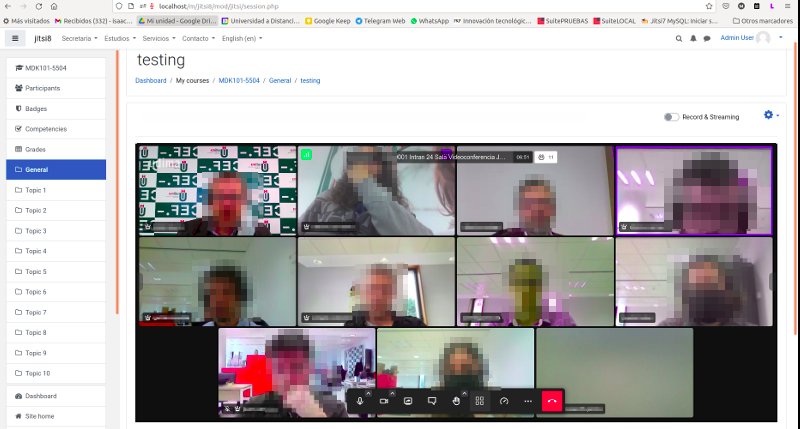
This module allows creating jitsi-meet videoconference sessions.
Comments
Product ratings and reviews are coming to Moodle Marketplace. Until then, existing comments remain available to read, but new posts have been disabled.
now there is no option implemented to support groups. But it is a great idea for a future feature.
One option now would be to create jitsi sessions with a different name and have a group access restriction applied to them. That could be worth now.
I have some groups doing the same course. If I put a Jitsi activity, averyone goes to the same meeting room, even if they are in diferent groups, because the jitsi URL is same for all.
Do any one knows any solution?
Thanks!
The problem also happens to you with the public server meet.jit.si?
This may be a problem that I have encountered with older versions of Moodle. (<3.6).
https://github.com/SergioComeron/moodle-mod_jitsi/issues/9
I think that you have the same problem of this issue: https://github.com/SergioComeron/moodle-mod_jitsi/issues/5
I'm going to investigate what can be.
The installed server works for me and opens the room to me with the connected users of my LAN.
I installed the jitsi plug-in in moodel 3.4.3, I configured the plugin, I created the activity in a lesson and everything is fine here.
When a moodle user logs in and enters the created activity, click on sign in and I have a white page with only the classic moodle menus.
I inspected the page with google and the same report signaled me an error, the following:
"Uncaught TypeError: Cannot read property 'appendChild' of null"
Viewing the inspection of the page takes me back to this code:
"this._frame = this._parentNode.appendChild (this._frame)} _ getAlwaysOnTopResources () {const e = this._frame.contentWindow, t = e.document; let n =" "; const r = t.querySelector (" base "); ......."
Can you help me solve it.
Also, if I don't want to use my own server but buy the service from a service provider, you can tell me who to contact.
Thank you.
Salvatore Campitiello (salvatcm@gmail.com)
ok, i think that error occurs when the user has no role in the course. Could that be your case?
I will correct it and along with other code corrections I will upload a new version soon.
Thanks a lot!
PHP Notice: Undefined variable: rolestr in /moodle/mod/jitsi/view.php on line 75
PHP Warning: in_array() expects parameter 2 to be array, null given in /moodle/mod/jitsi/view.php on line 75
/mod/jitsi/view.php
if (in_array('editingteacher', $rolestr)==1){
I have an issue with the plugin. Managed to resolve the .Dot. problem successfully.
Our jitsi conference as stand-alone works perfectly. We have the issue when connecting through Moodle instance.
The first person - moderator - can send audio but jitsi does not transmit audio from anyone else & no video cannot be transmitted from any member.
JVB.log is throwing these errors:
WARNING: [258302] org.jitsi.videobridge.EndpointMessageTransport.log() SCTP connection with 520f02dd not ready yet.
WARNING: [258302] org.jitsi.videobridge.EndpointMessageTransport.log() No available transport channel, can't send a message
Prosody & Jicofo logs are not showing any warnings/severe messages.
Do you have any idea what might be the issue here?
Thanks!!
Serge Fleussu: Thank you for solving the issue.
When you try to take the route and try to enter the room from outside Moodle, does it give you the same problem? It is possible that your error is related to the one reported on github:
https://github.com/SergioComeron/moodle-mod_jitsi/issues/10
Take a look and try the solution they give there.
And feel free to write there too.
Thanks again for the plugin.