STACK Math Editor
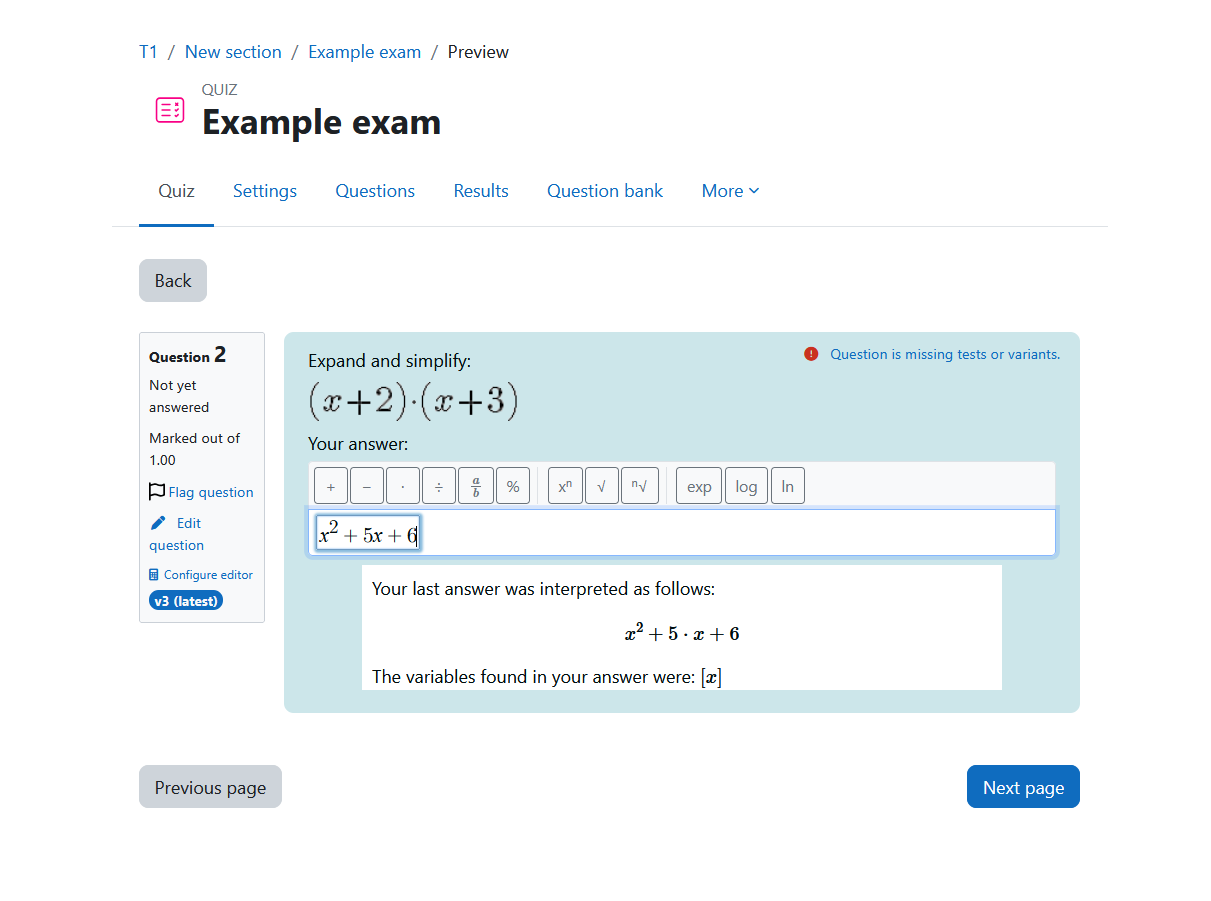
STACK Math Editor is a Moodle local plugin that adds a visual MathQuill-based formula editor to STACK question answer inputs in quiz attempts, quiz review, and STACK question preview contexts.
The plugin injects a configurable toolbar for mathematical input, supports LaTeX-style entry, and converts the entered expressions into a form suitable for STACK / Maxima processing. It also provides instance-level defaults and per-question configuration for the available toolbar groups and variable handling.
Key features
Version 1.0
- Adds a visual MathQuill editor to STACK answer inputs in supported quiz and preview pages.
- Supports automatic LaTeX-to-Maxima conversion for common mathematical notation.
- Provides configurable toolbar groups such as fractions, powers, roots, trigonometry, logarithms, constants, comparison operators, parentheses, calculus symbols, Greek letters, and matrices.
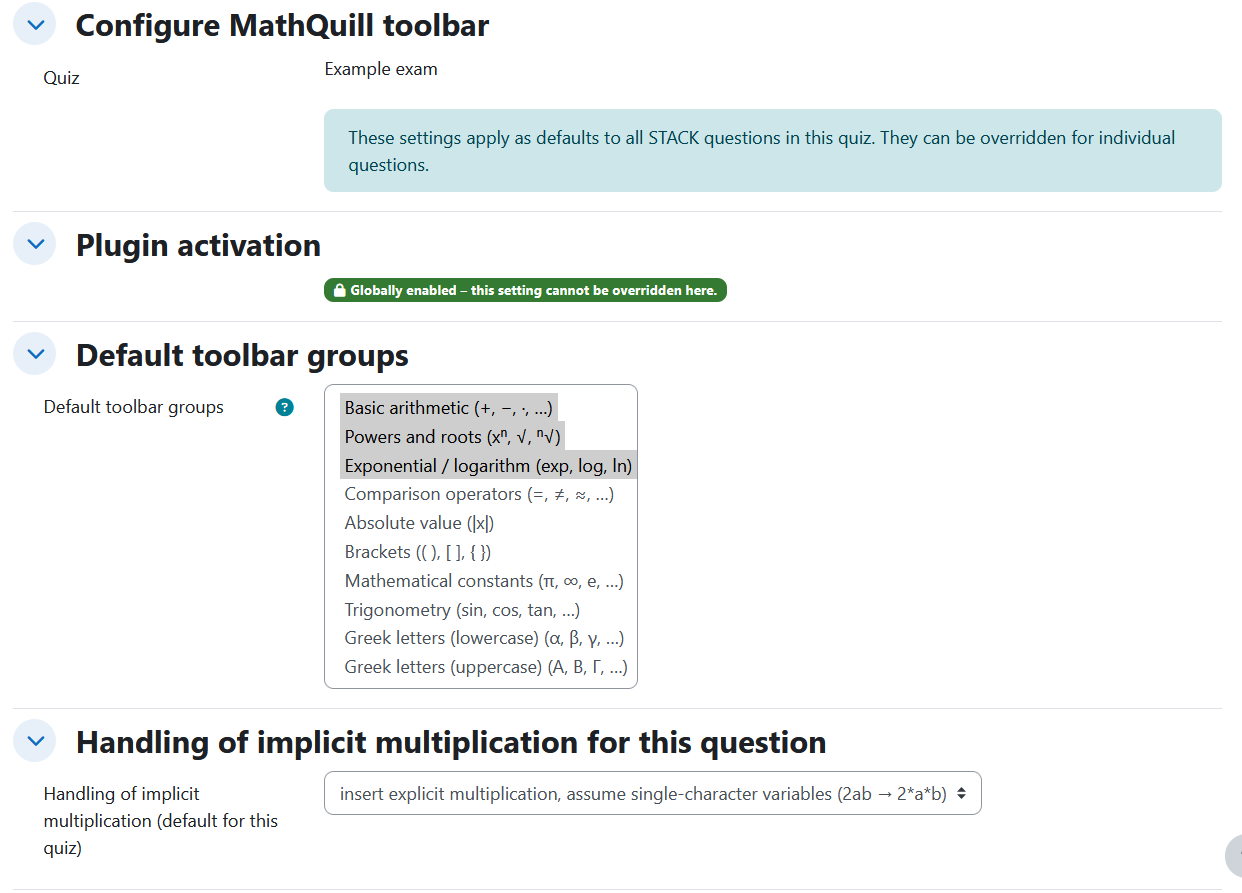
- Supports configurable variable modes with instance defaults and question-specific overrides.
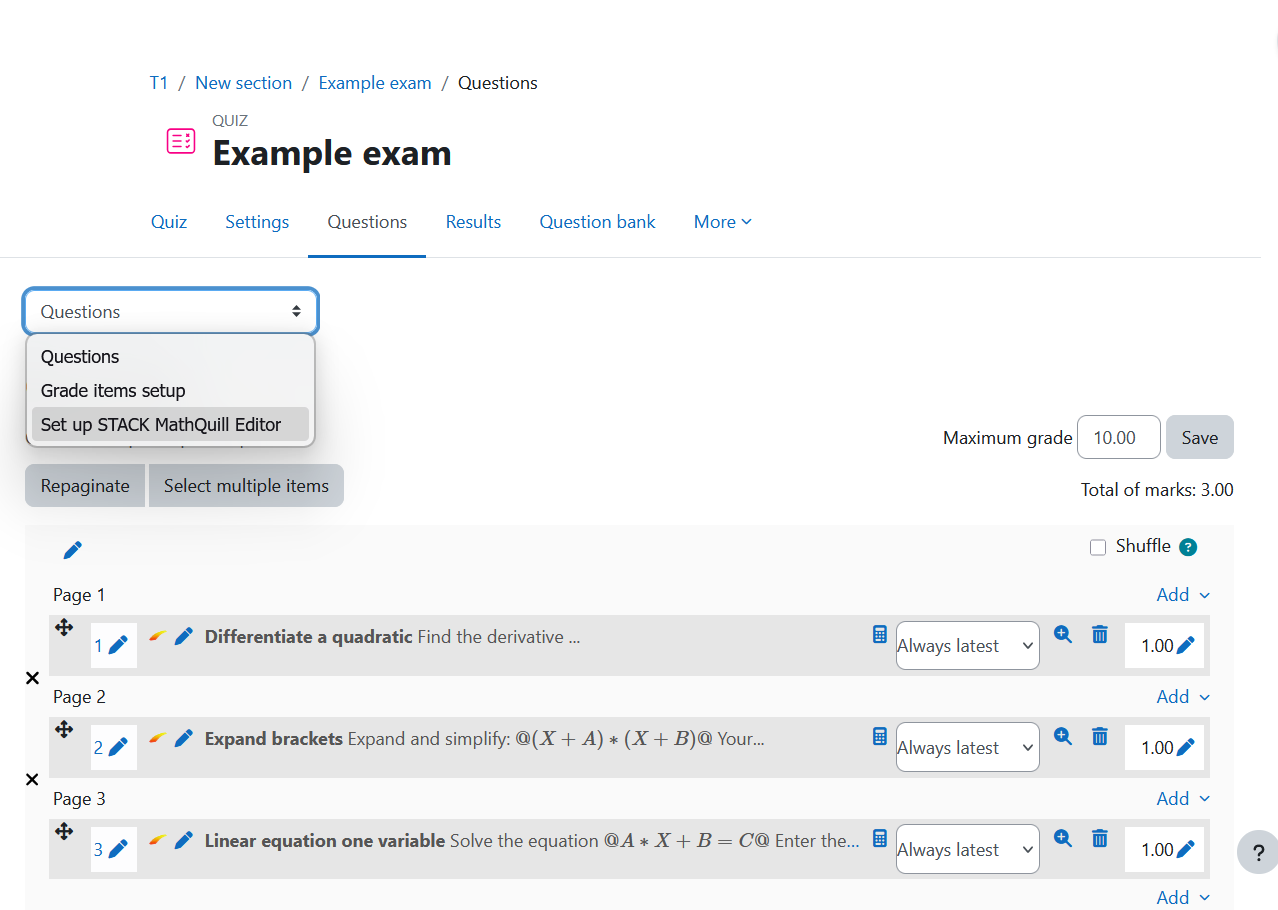
- Adds a dedicated configuration UI for individual STACK questions inside a quiz context.
- English and German language packs at the moment
Version 1.1
- support of small an mobile displays by automatic linebreaks of long blocks of buttons
- added plus/minus and minus/plus functionality
Requirements
- Moodle 4.5 or later
- recent qtype_stack installed
- a Moodle quiz context containing STACK questions for per-question configuration
Installation via uploaded ZIP file
- Log in to your Moodle site as an admin and go to Site administration > Plugins > Install plugins.
- Upload the ZIP file with the plugin code.
- Confirm that Moodle detects the plugin as
local_stackmatheditor.
- Complete the installation.
- Visit Site administration > Notifications if Moodle prompts you to finish the upgrade.
Installing manually
The plugin can also be installed by placing the contents of this directory into
{your/moodle/dirroot}/local/stackmatheditor
Afterwards, log in to your Moodle site as an admin and go to Site administration > Notifications to complete the installation.
Alternatively, you can run
$ php admin/cli/upgrade.php
to complete the installation from the command line.
Configuration
This plugin works with mod_quiz and mod_adaptivequiz.
Global settings
Global plugin settings are available at
Site administration > Plugins > Local plugins > STACK Math Editor
The plugin currently provides at least these site-wide settings:
- Enable / disable plugin
- Default variable mode
- Default enabled toolbar groups
Configuration
The plugin also supports question-specific configuration for STACK questions in a quiz context.
A dedicated configuration page is available at:
- the question page in a quiz (for STACK questions)
- at the attempt pages in the question info boxes (for STACK questions)
- additionally it may be manually retrieved by the following URL
/local/stackmatheditor/configure.php?cmid=<CourseModuleID>&qbeid=<QuestinBankEntryID>
Depending on the calling context, the plugin resolves the question bank entry automatically and lets authorized users configure:
- the enabled toolbar groups for the question
- the variable mode for that question
The configuration form also shows the quiz name, question name including version, and a collapsible question preview.
Limitations
- Works with mod_quiz and mod_adaptivequiz only
- The plugin is specifically built around STACK and is not a general-purpose editor for arbitrary Moodle question types.
- Question-specific configuration is tied to quiz / question-bank entry resolution in the supported contexts.
Support
Please use your normal project support and issue-tracking workflow for bug reports, feature requests, and local adaptations.
License
2026 Ralf Erlebach
This program is free software: you can redistribute it and/or modify it under
the terms of the GNU General Public License as published by the Free Software
Foundation, either version 3 of the License, or (at your option) any later
version.
This program is distributed in the hope that it will be useful, but WITHOUT ANY
WARRANTY; without even the implied warranty of MERCHANTABILITY or FITNESS FOR A
PARTICULAR PURPOSE. See the GNU General Public License for more details.
You should have received a copy of the GNU General Public License along with
this program. If not, see https://www.gnu.org/licenses/.