Luca Bösch
Lead maintainer
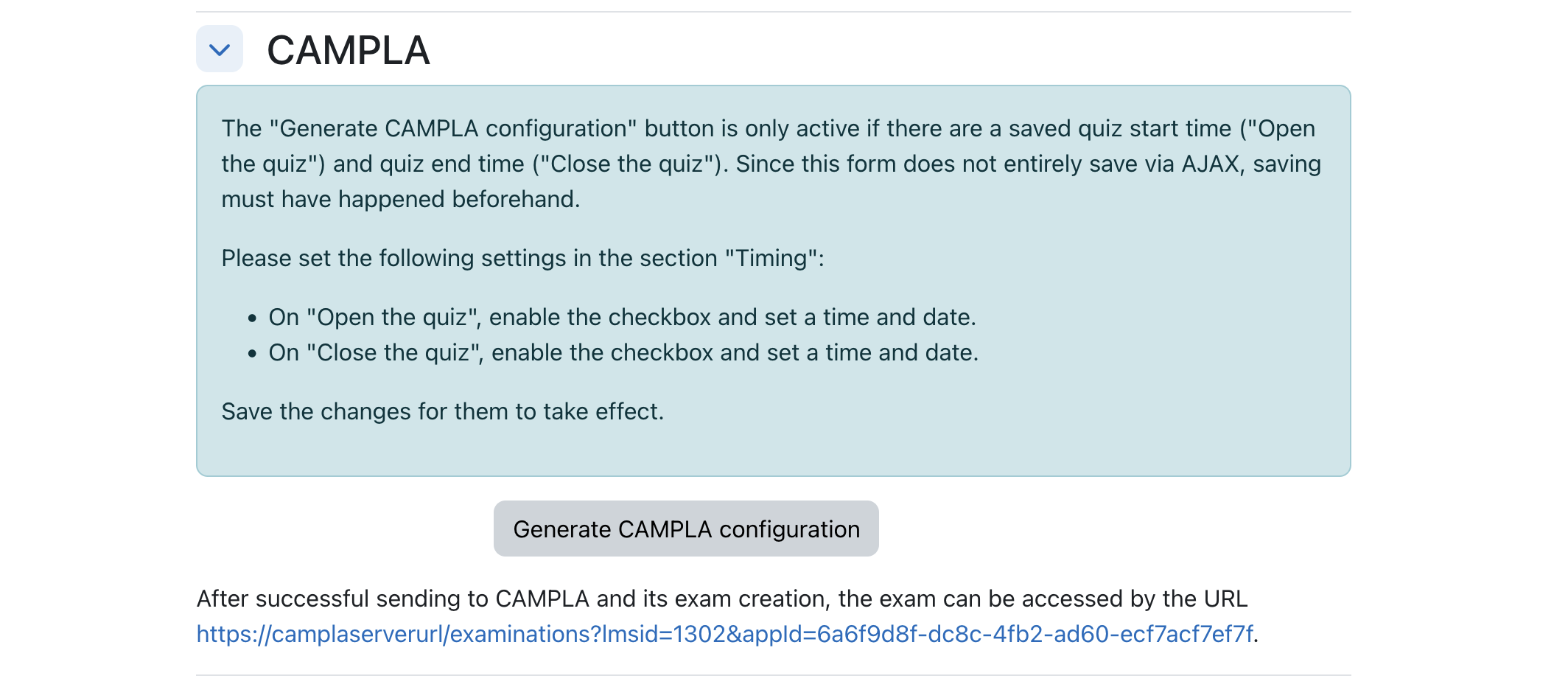
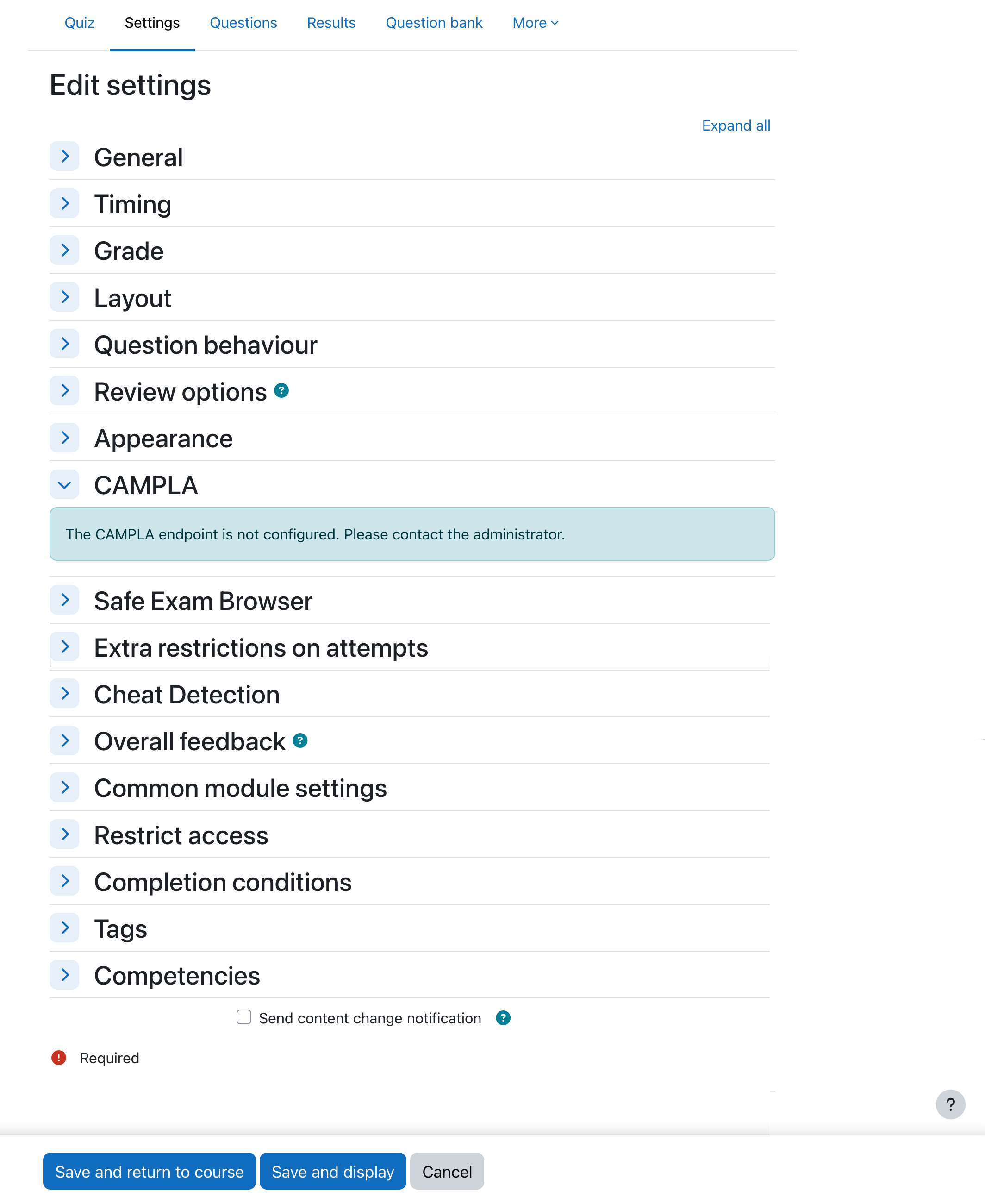
When the quizaccess_campla plugin is installed, persons with the corresponding capabilities have access to the section "CAMPLA" in quiz settings:
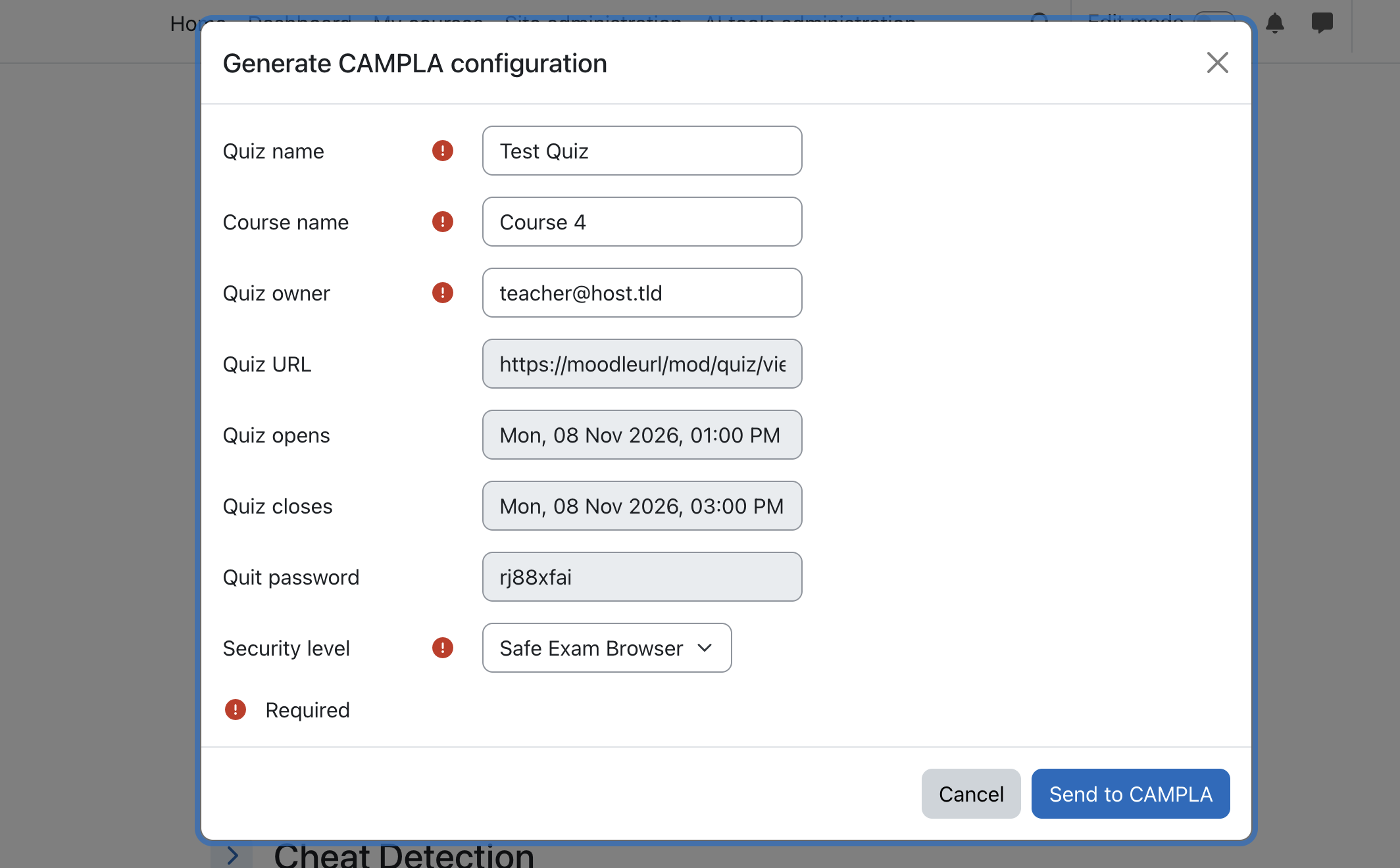
The button "Generate CAMPLA configuration" opens a modal communicating with the CAMPLA endpoint and waiting to send the quiz parameters, in order to create an equivalent exam with the given values title, course name and the list of users. Already set "Allowed browser exam keys" are also submitted for use in conjunction with Safe Exam Browser or CAMPLA-Lernstick.
CAMPLA is an infrastructure service that institutions host themselves.
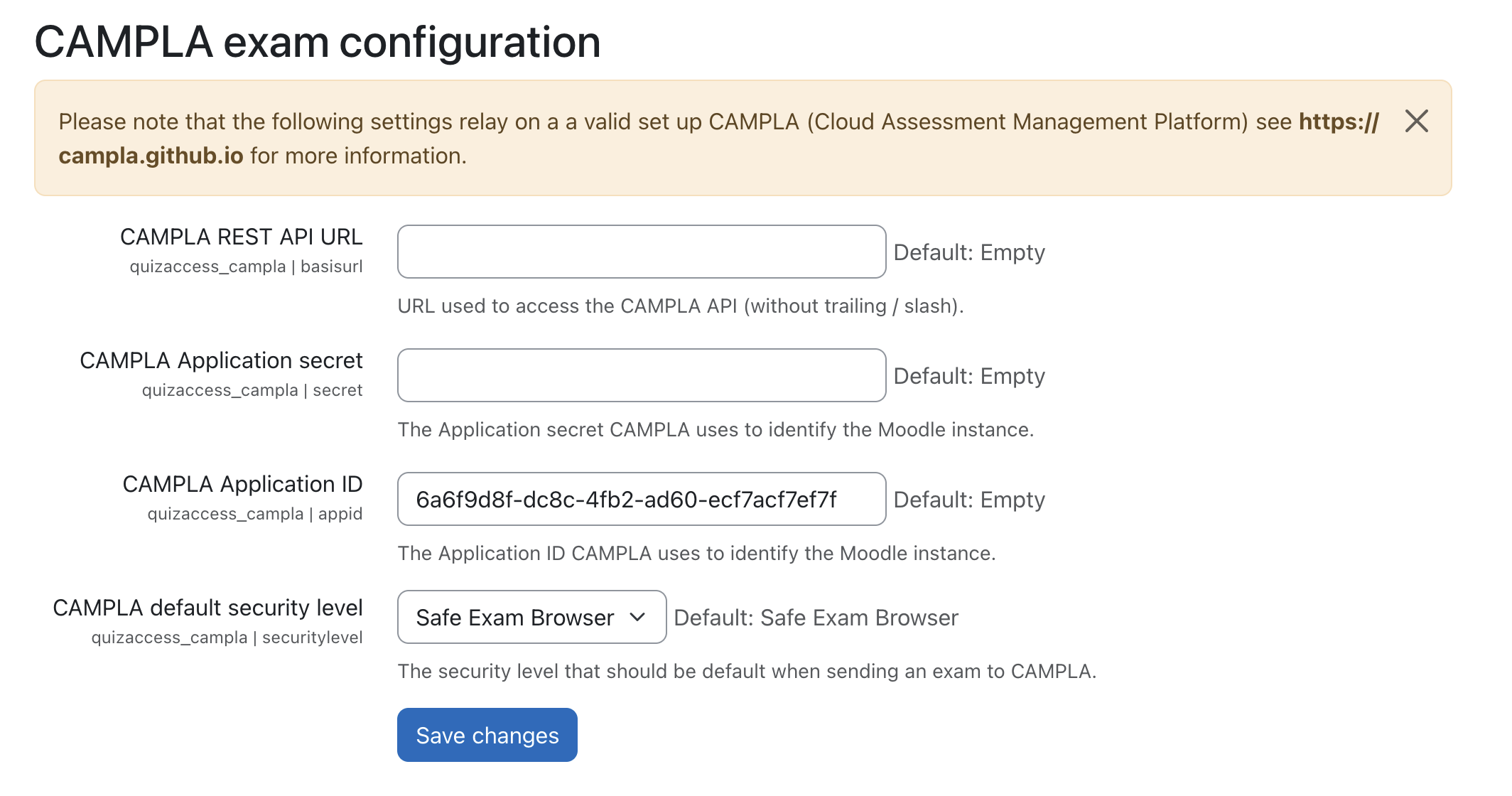
It is their duty to set up credentials and secrets correctly in CAMPLA and Moodle to make this quiz settings button function properly.
The inital configuration is shown in a document on github (also available in german).


