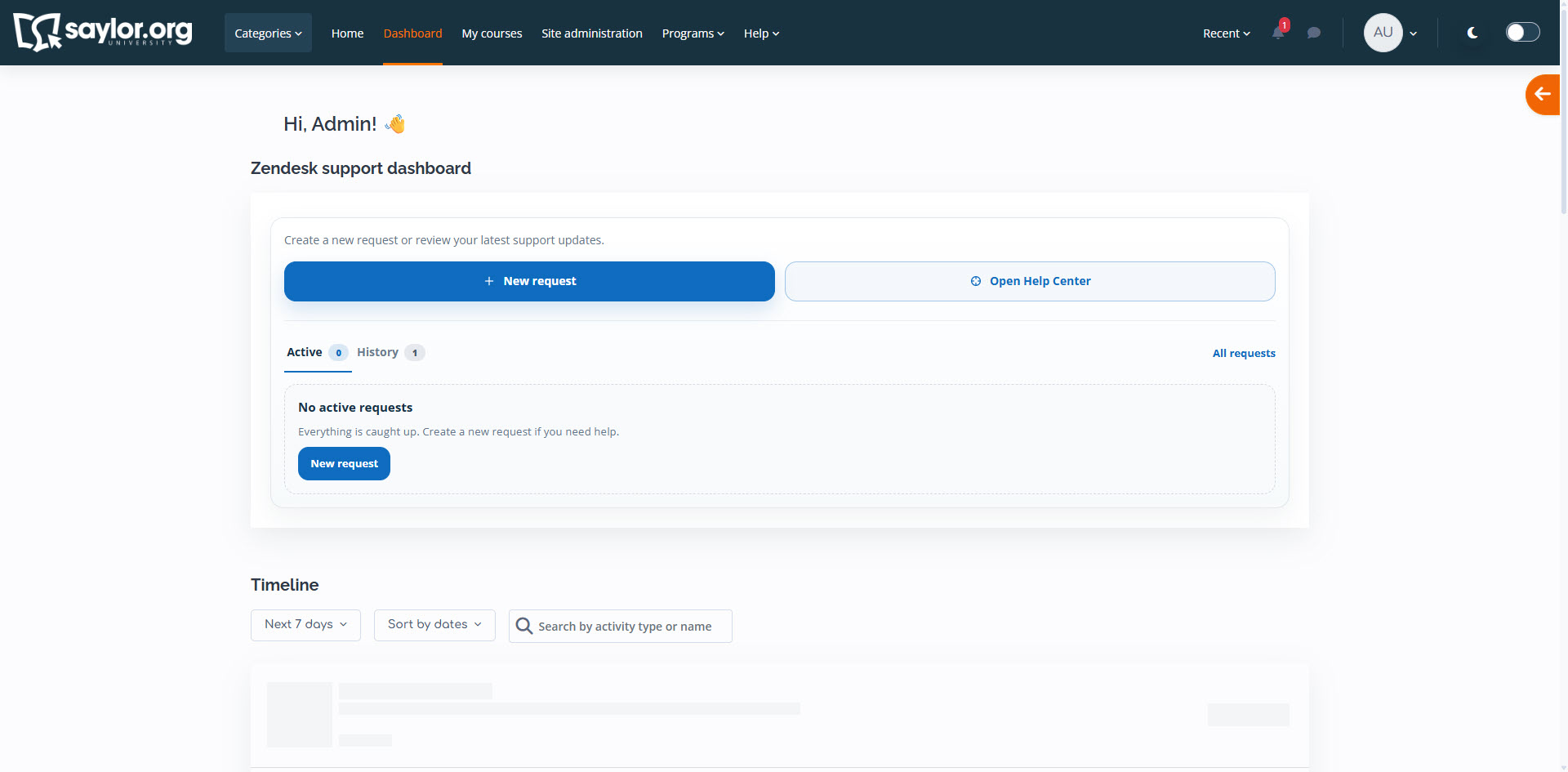
Zendesk support dashboard

Maintained by David Ta
The Zendesk support dashboard is a Moodle block that provides a centralized, card-based interface for users to track and manage their active and historical support tickets. It streamlines the support workflow by integrating real-time ticket statuses and counts directly into Moodle.
Price option: Free

Supports Moodle 4.5 See all versions
Latest release: 3 months ago
Installations: 2
Downloads (last 90 days): 80

Frankenstyle name: block_zendesk_dashboard
Blocks

Description

The Zendesk support dashboard is a companion block for the Zendesk Support Integration local plugin. It provides a centralized, card-based interface that allows users to monitor their support activity at a glance.

Key Features

  • Visual Oversight: A clean dashboard showing active and historical tickets directly on the Moodle interface.
  • Status Badges: Real-time ticket counts for "Active" and "History" tabs to help users prioritize their inquiries.
  • Integrated Workflow: Quick access to view public help desk replies and track ticket progress without navigating away from the LMS.
  • Moodle 4.5 Optimized: Fully compatible with the latest Moodle UI standards, including responsive design and Privacy API support.

Requirements

This block requires the Zendesk Support Integration (local_zendesk) plugin to be installed and configured on your site.

Contributors