Quiz Download (quiz_downloadquiz)
Overview
Quiz Download is a Moodle quiz report sub-plugin that enables authorized teaching staff to export a quiz, including its correct answers, as a professionally formatted PDF.
The plugin is designed for:
- internal quality assurance
- external accreditation and audit processes
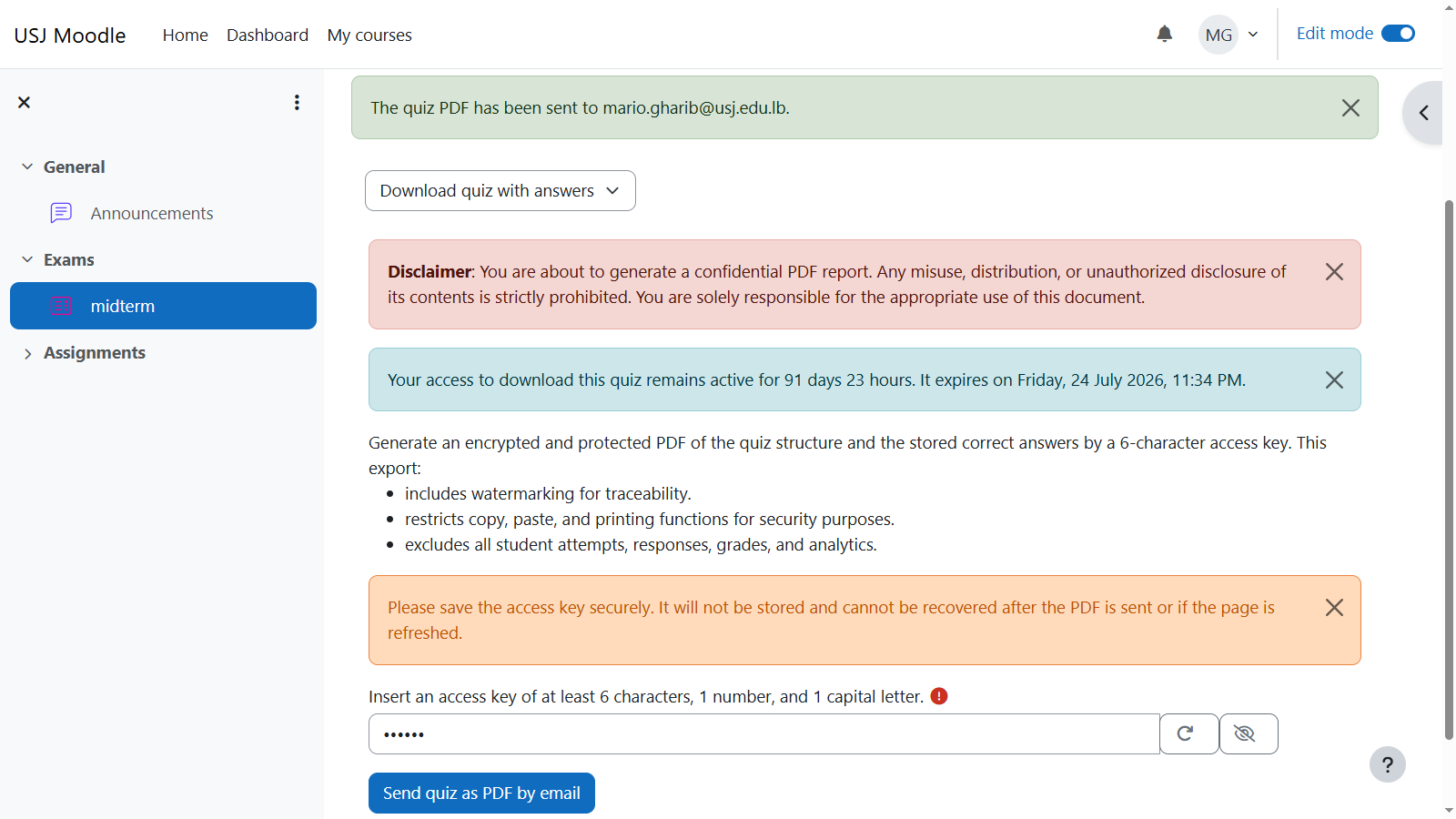
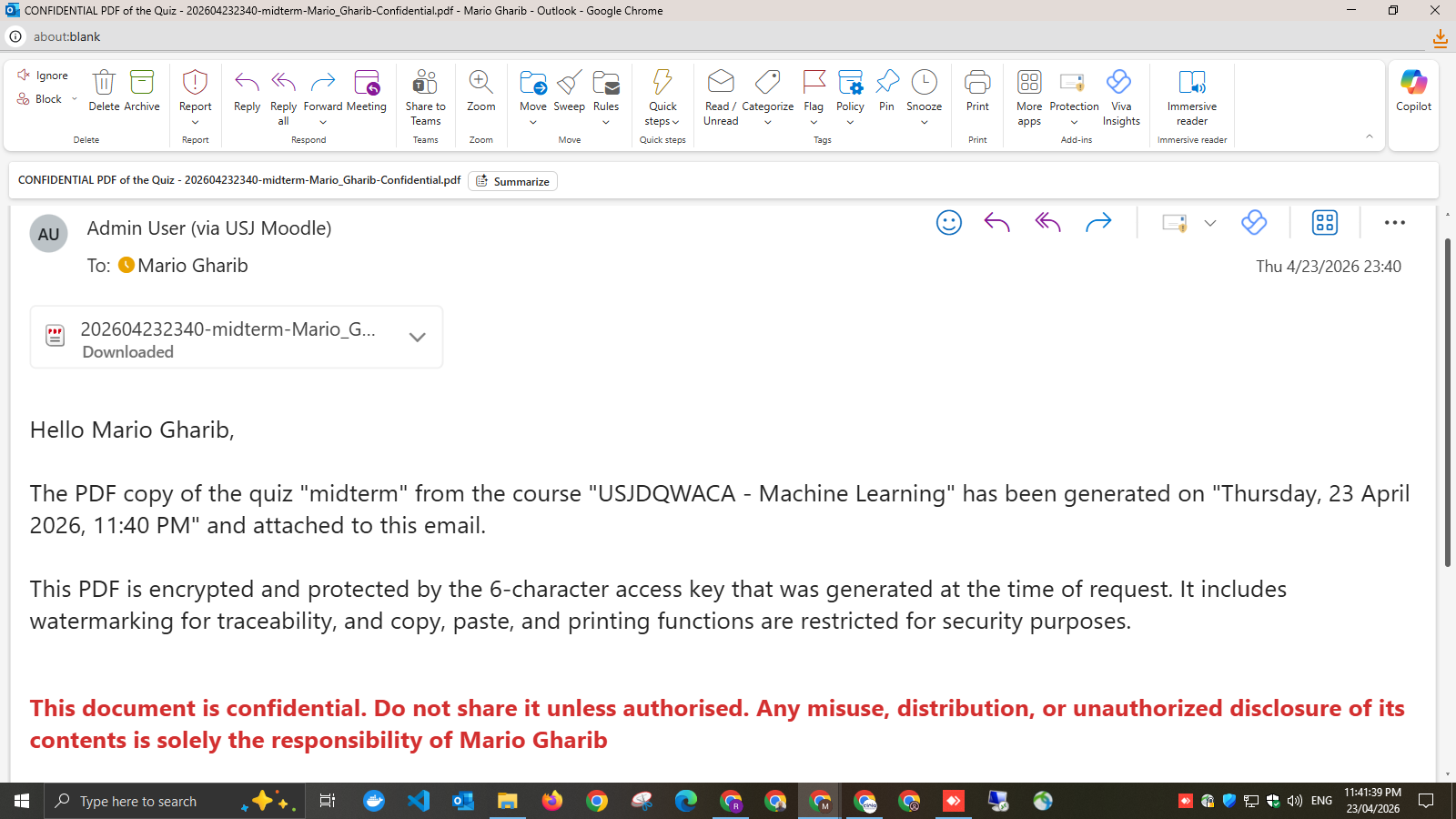
It is designed to generate an encrypted and protected PDF of the quiz structure and the stored correct answers by a 6-character access key. This export:
- includes watermarking for traceability,
- restricts copy, paste, and printing functions for security purposes, and
- excludes all student attempts, responses, grades, and analytics.
Key Features
- Integrated as a Quiz Report(()) within Moodle
- Allows authorized users to download a quiz with correct answers
- Generates an encrypted and protected PDF document
- Supports multiple common Moodle question types
- Implements strict access control via capabilities
- Includes quiz structure, metadata, and answer keys
- Supports time-limited user access (grant system)
- Applies PDF protection, watermarking, and confidentiality notices
- Fully Unicode and RTL (Arabic/French) compatible
Intended Use
This plugin is intended for:
- Academic coordinators reviewing assessments
- Institutional audit and accreditation processes
- Secure internal sharing of assessment structures
What Is Included in the PDF
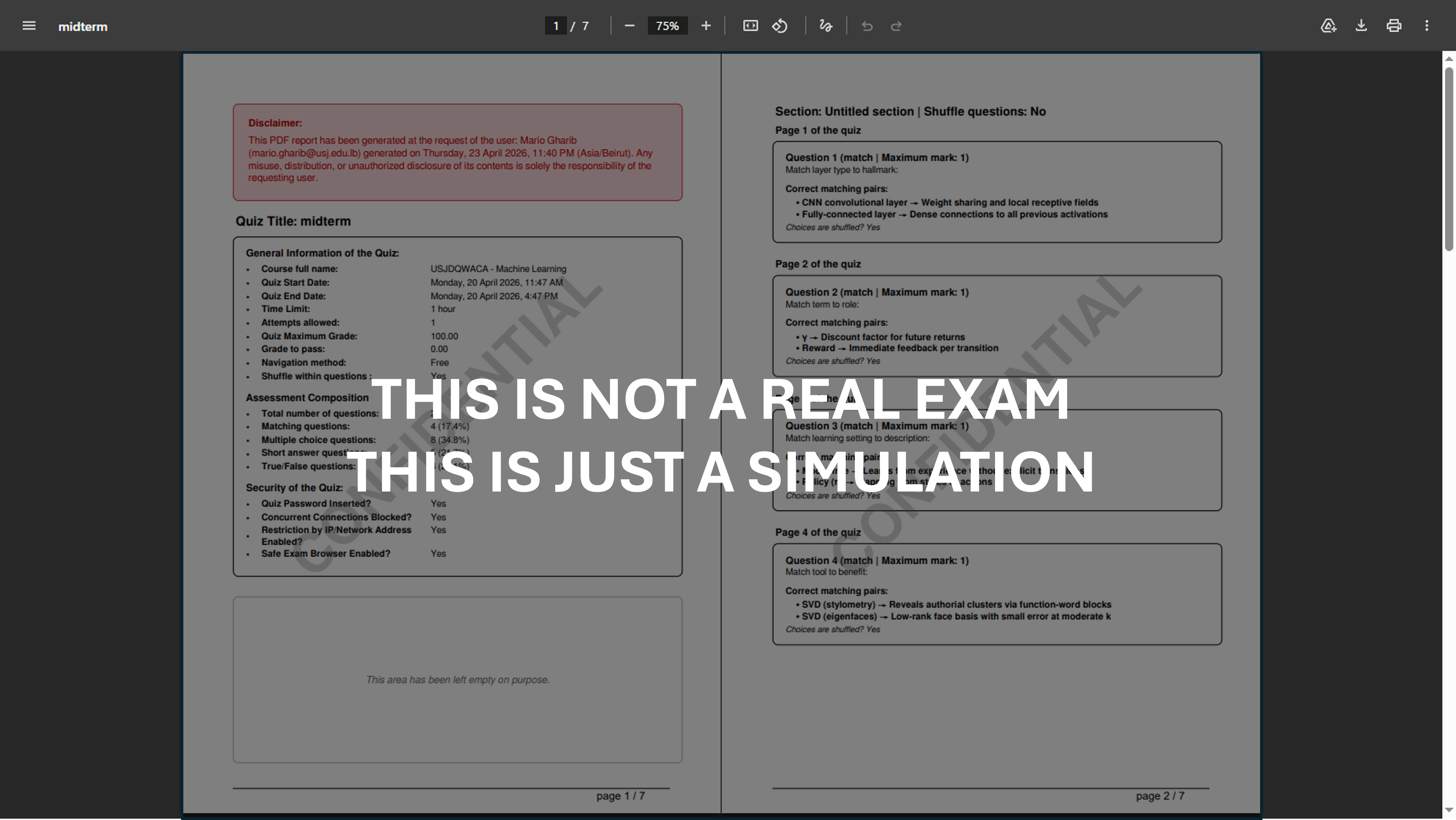
- Course name
- Quiz name
- Quiz metadata (timing, grading, structure, etc.)
- Assessment composition breakdown
- Section and page organization
- Question text
- Answer options (where applicable)
- Correct answers
What Is Explicitly Excluded
The plugin never includes:
- student attempts
- submitted responses
- grades or scores
- user-identifiable learner data
- analytics or statistics
Access Control
Access is strictly enforced using Moodle’s capability system:
- Capability: quiz/downloadquiz:view
- Default access: Managers only
- Additional access via:
- Assigned roles
- Time-limited access grants
Timed Access Grants
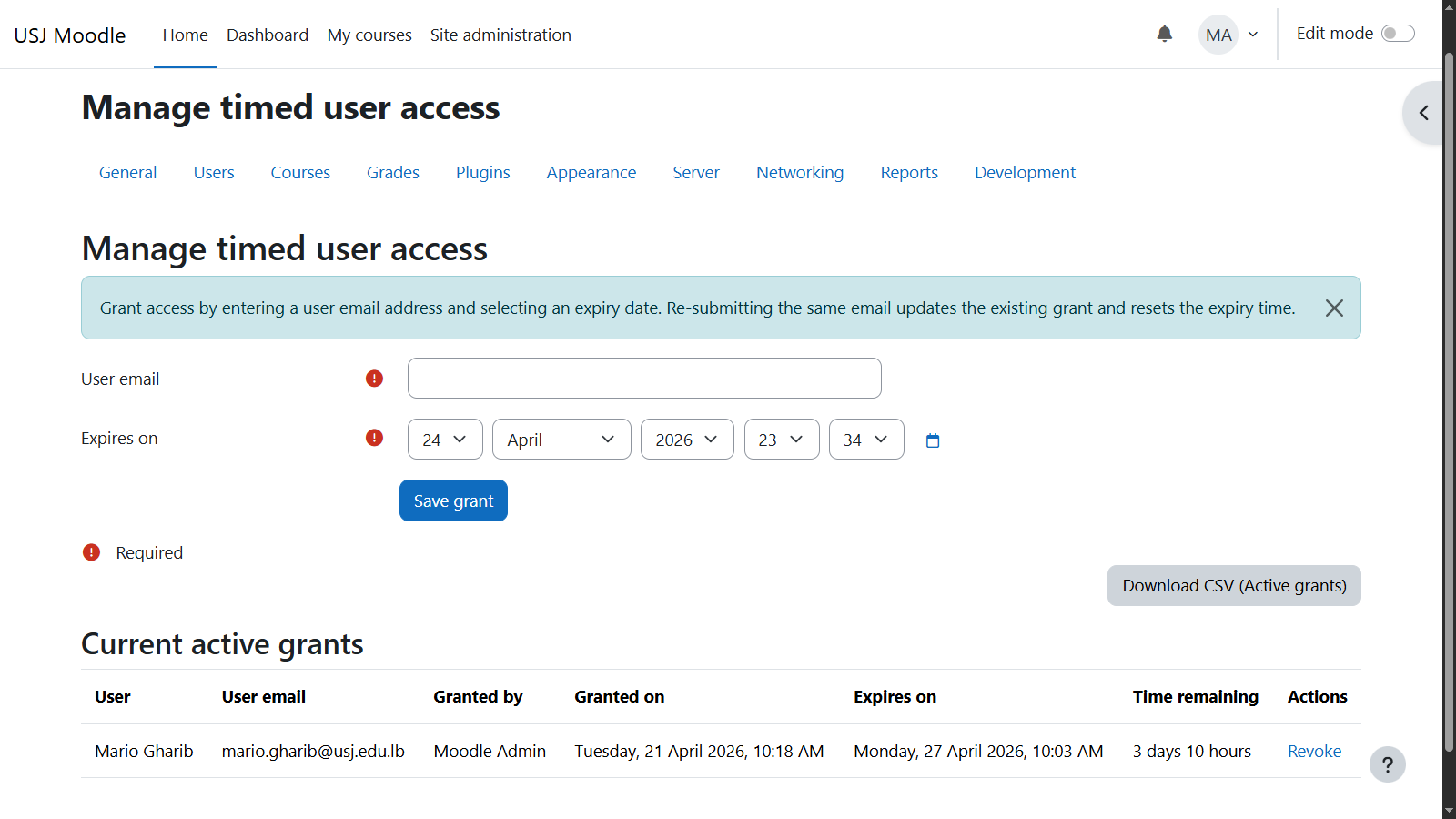
- Administrators can grant temporary access to users
- Access expires automatically
Installation
Place the plugin in: /mod/quiz/report/downloadquiz
Log in as administrator
Navigate to: Site administration ' Notifications
Complete the installation process
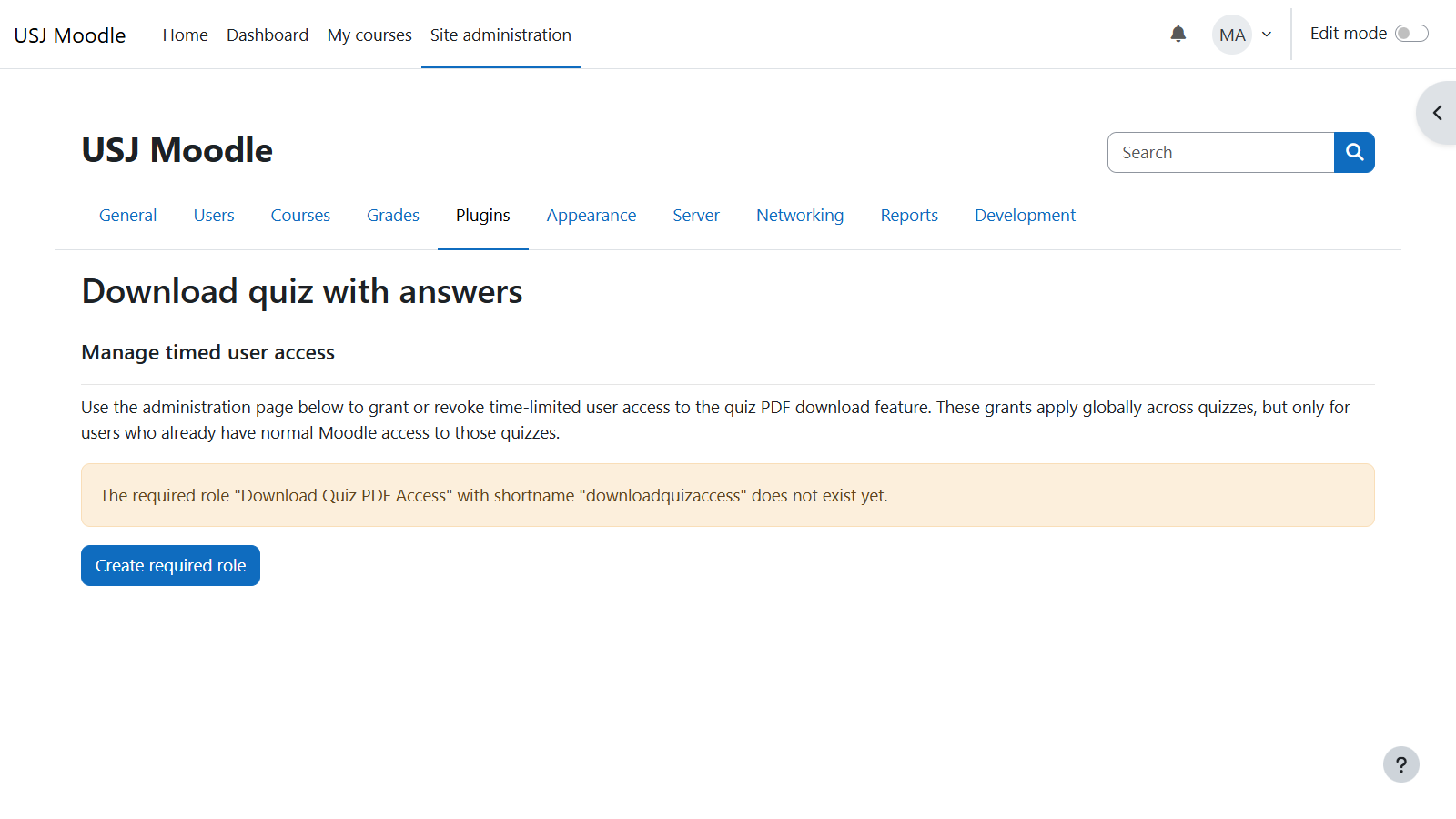
Navigate to: Site administration ' Plugins ' Activity Modules ' Quiz ' Download quiz with answers ' click "Create required role"
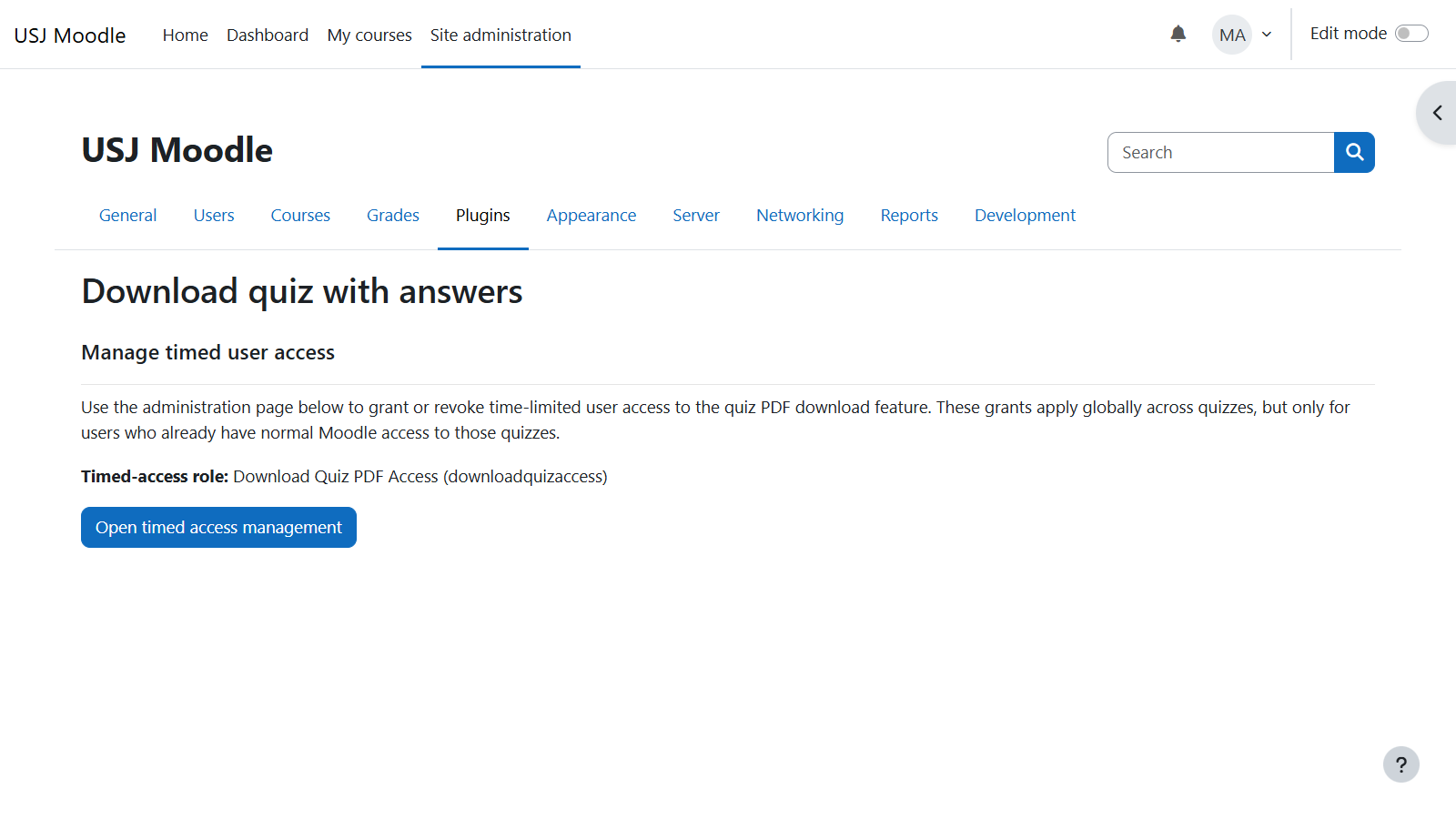
Click on: "Open time access management"
Usage
Open a quiz in Moodle
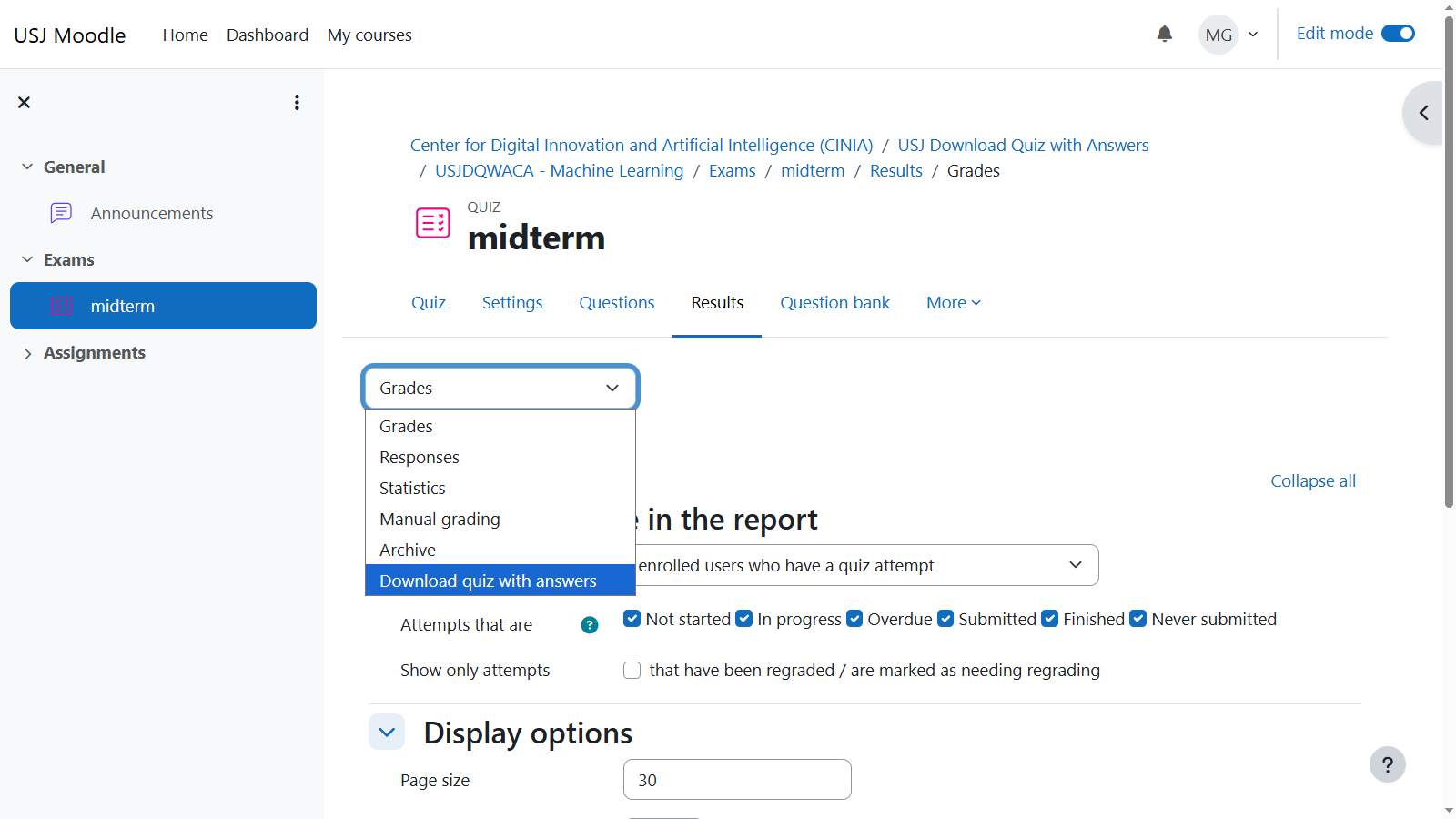
Navigate to: Quiz ' Results
If authorized, choose Download Quiz with answers
- Insert an access key of at least 6 characters, 1 number, and 1 capital letter
- Click on Send quiz as PDF by email
The PDF will be generated securely, email to the user and protected with the access key.
P.S. If user is not authorized, the report will not be visible or accessible
PDF Characteristics
The plugin may include administrative settings such as:
- Structured and print-ready layout
- Includes:
- Cover page
- Metadata section
- Questions grouped by sections/pages
- Supports:
- RTL (Arabic) layout
- Unicode fonts
- Security:
- Password-protected (user-defined key)
- Watermarked ("CONFIDENTIAL")
- Copy/print restrictions (configurable)
Supported Question Types
- Multiple choice
- True/False
- Short answer
- Numerical
- Calculated
- Essay (question text only)
- Matching
- Embedded answers (Cloze)
- Calculated multichoice
- Calculated simple
- Drag and drop into text
- Drag and drop markers
- Drag and drop onto image
- Ordering
- Select missing words
Unsupported question types are handled gracefully without fabricating answers.
Security and Compliance
- Enforces Moodle capability checks at runtime
- Uses proper context validation (CONTEXT_MODULE)
- No dependency on student attempt data
- PDF content generated strictly from:
- Quiz structure
- Question definitions
Events and Logging
The plugin logs download activity:
- user ID
- quiz ID
- course ID
- timestamp
Event: quiz_downloadquiz\event\quiz_downloaded
This supports audit and traceability requirements.
Configuration
Available via:
Site administration ' Plugins ' Activity Modules ' Quiz ' Download quiz with answers
Options include:
- Managing timed access grants
- Role configuration
- CSV export of active grants
Development Notes
- Implemented as a Quiz Report sub-plugin within Moodle
- Built using Moodle core subsystems and standard services, including:
- Quiz and question engine for retrieving quiz structure and content
- Access control system for enforcing permissions and roles
- Database layer for managing timed access grants
- File handling system for generating and delivering downloadable content
- Output and navigation framework for integration within the quiz interface
- PDF generation is handled internally using TCPDF, fully embedded within Moodle
- Designed to be fully upgrade-safe, with no modifications to Moodle core code
Acknowledgements
This plugin was developed with the assistance of ChatGPT (OpenAI) as a code generation and design support tool.
All generated code was reviewed, validated, and adapted to comply with Moodle development standards, institutional requirements, and security practices. Final responsibility for the design, implementation, and correctness of the plugin remains with the developer(s) and the institution.
Limitations
- Does not replicate interactive behavior of questions
- Does not include student-specific data
- Some complex question types may have limited answer representation
Version
- Version: 1.0.0
- Moodle compatibility: 5.0.6+
License
GNU GPL v3 or later
http://www.gnu.org/copyleft/gpl.html
Maintainers
Center for Digital Innovation and Artificial Intelligence, contributors, and collaborators as listed in version.php