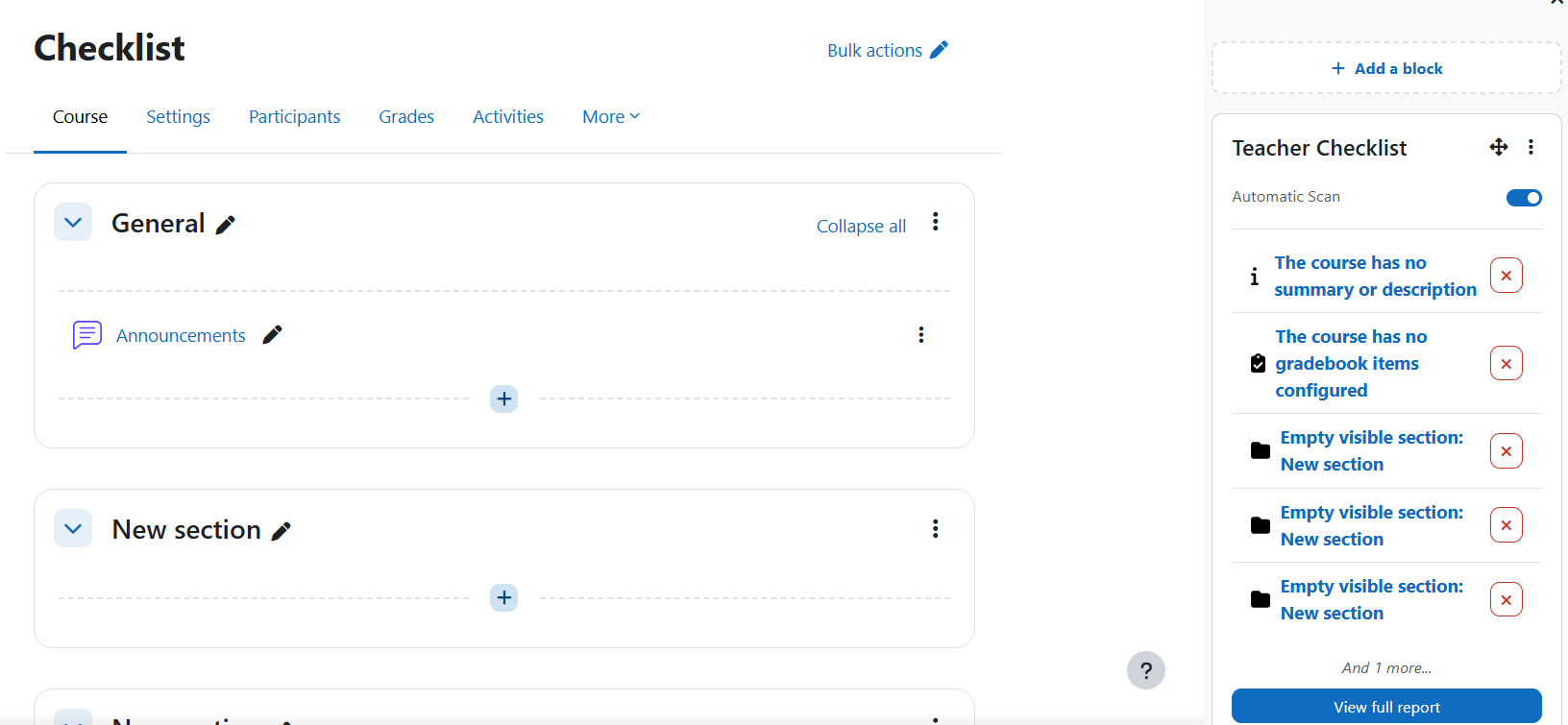
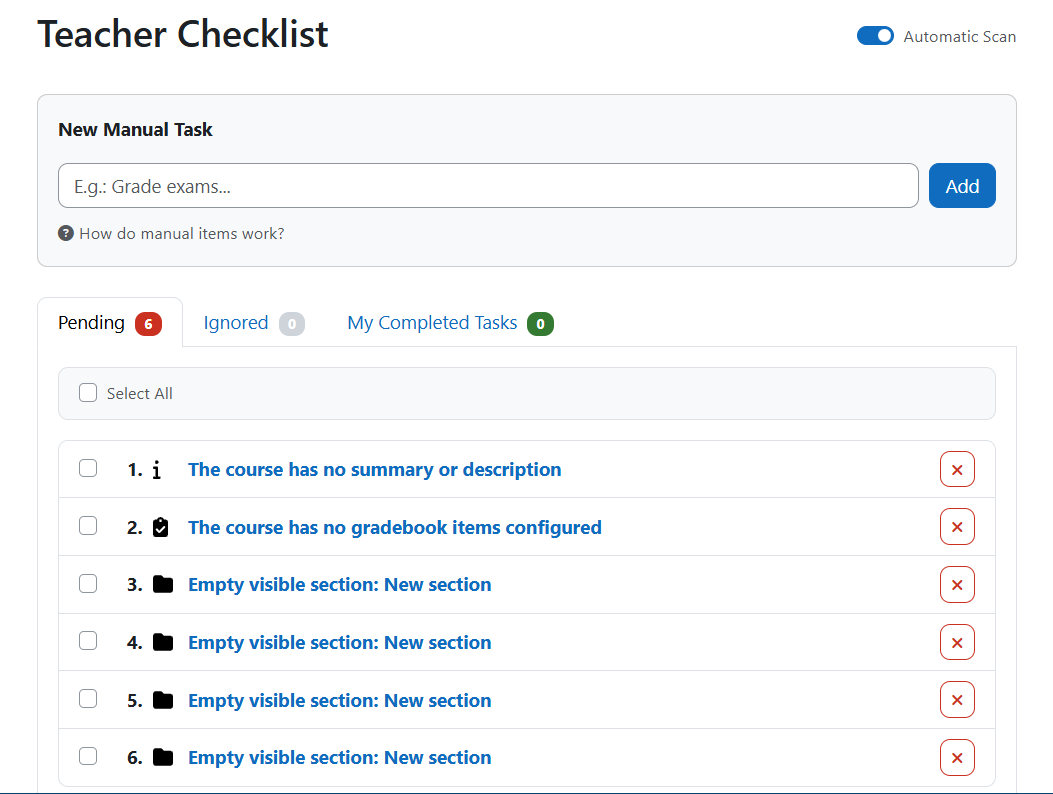
Teacher Checklist is a Moodle block that helps teachers track the quality of their course setup. It combines automatic issue detection with a manual to-do list so nothing slips through the cracks before students arrive.
" Features
- 🔍 Automatic Scanning: Detects common course configuration problems without any manual work.
- 📋 Manual Items: Teachers can add custom tasks that the system cannot detect automatically.
- - Smart Linking: If a manual task title matches an existing activity name, a clickable link is created automatically.
- '️ Status Tracking: Each item can be marked as Done, Ignored, or restored to Pending.
- ⚡ Bulk Actions: Mark or ignore multiple items at once with a single click.
- ' Backup Safe: Manual items are preserved during course backup/restore; automatic issues are recalculated dynamically.
- 🔄 Toggle Scan: Automatic scanning can be disabled to use the block as a pure manual checklist.
⚙️ Automatic checks
| # |
Check |
What it detects |
| 1 |
Course visibility |
Course is hidden from students |
| 2 |
Course summary |
Course has no summary or description |
| 3 |
Course end date |
Course has no end date configured |
| 4 |
Gradebook |
No grade items configured |
| 5 |
Assignments |
Missing due date, missing description, pending submissions |
| 6 |
Quizzes |
No questions, no time limit or close date, attempts awaiting manual grading |
| 7 |
Forums |
No discussion topics; no description (Announcements forum excluded) |
| 8 |
Completion tracking |
Visible activities with completion tracking disabled |
| 9 |
Empty sections |
Visible course sections with no content |
🎓 Educational Purpose
Teacher Checklist is designed to:
- Reduce course configuration errors before students access the course.
- Give teachers a single place to track both technical issues and personal reminders.
- Support quality assurance workflows at scale for course coordinators.
- Lower support requests caused by misconfigured courses.
Suitable for:
- Individual teachers who want a quality checklist before publishing their course.
- Course coordinators reviewing multiple courses.
- Institutions running Moodle with custom quality standards.
- Usage
- Add the Teacher Checklist block to your course page.
- The block immediately shows any pending issues detected automatically.
- Click View full report to open the dashboard with all tabs: Pending, Ignored, and Done.
- Add manual tasks via the text field at the top of the dashboard.
- Use the action buttons on each item to mark it as Done, Ignore it, or Restore it to Pending.
- Use Bulk Actions to update multiple items at once after selecting them with the checkboxes.
- Toggle Automatic Scan off if you want to use the block only as a manual checklist.
🔐 Security & Compliance
- Capability-based access control (
block/teacher_checklist:addinstance).
require_sesskey() on all state-changing form submissions.- Moodle External API compliant (AJAX via
core/ajax).
- Full Privacy API implementation — data export and deletion supported.
- Backup and restore support for manual items.