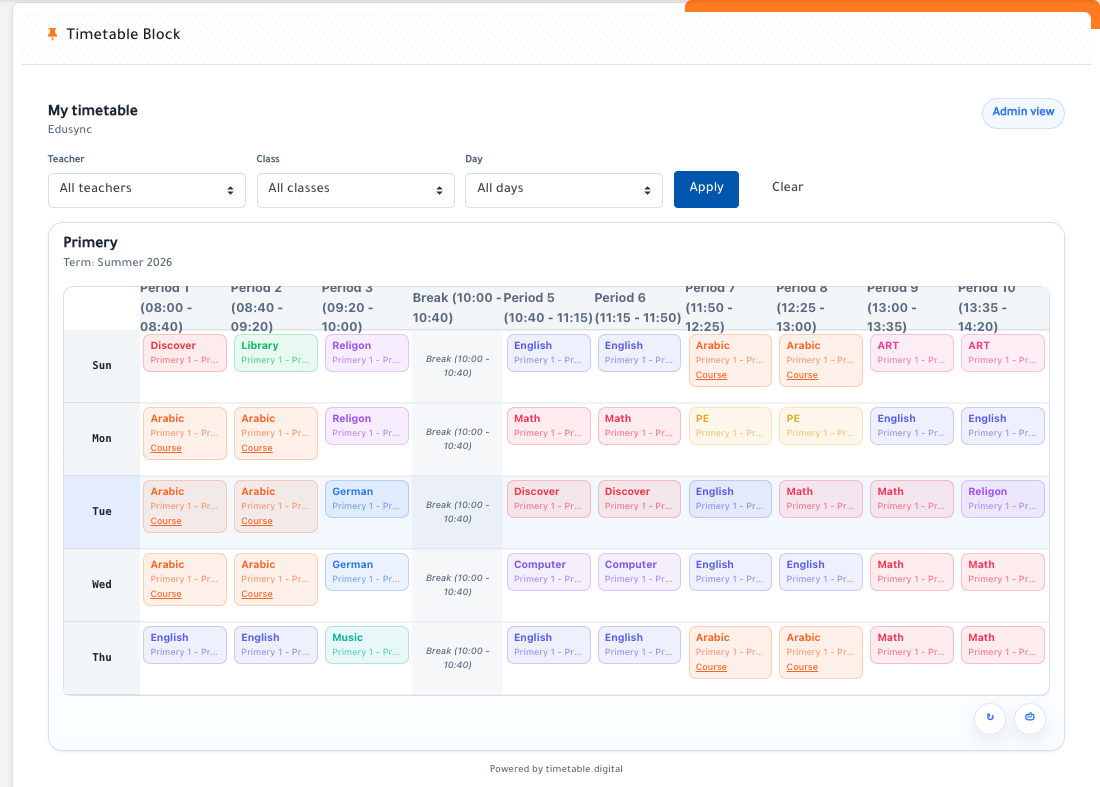
Timetable Block for Moodle
block_timetableblock is a Moodle dashboard block that displays timetable data provided by the Timetable Digital local plugin.
Timetable Digital is available at https://timetable.digital/.
This block does not connect to the timetable API by itself and does not store timetable data. It depends on the local plugin:
The local plugin handles:
- API communication with timetable.digital
- user filtering by email and cohorts
- caching and refresh logic
- timetable data preparation
The block simply renders that data in a dashboard-friendly format.
Purpose
Use this block when you want users to see their timetable directly on the Moodle Dashboard without visiting the full local plugin page first.
It is intended for:
- students viewing their personal timetable
- teachers viewing their own timetable
- admins viewing timetable data returned by the same Timetable Digital integration
Features
- Dashboard block for Moodle
- Reuses data from
local_timetable
- Safe fallback when no timetable data is available
- Supports Moodle App / mobile integration
- Supports both timetable layouts returned by the API:
- standard day-column layout
days_vertical layout
- Supports timetable links already resolved by the local plugin:
- meeting links
- Moodle course links
Supported Moodle Versions
Requirements
local_timetable installed and configured
Installation
- Install and configure
local_timetable first.
- Copy this plugin to:
blocks/timetableblock
- Run the Moodle upgrade process.
- Add the block to the Dashboard.
Configuration and Usage
This block has no separate API settings of its own.
Configuration is managed through local_timetable, including:
- API endpoint and API key
- cache and refresh behavior
- timetable matching and filtering logic
After local_timetable is configured, add this block to the Moodle Dashboard to show timetable data for the current user.
Moodle App Support
This block includes Moodle App support.
In the Moodle mobile app, the block can open a mobile-specific timetable view instead of relying only on the desktop web rendering. The mobile view is designed to work with the timetable payload generated by local_timetable.
Mobile support includes:
- full timetable display
- day filter
- admin filters when available in the payload
- support for meeting links and Moodle course links
PDF / print is intentionally not part of the mobile block experience.
Privacy
This block does not create its own timetable records and does not manage timetable API communication directly.
It depends on local_timetable for timetable retrieval, caching, and external-service integration. Privacy details for timetable data handling are therefore primarily documented in the local_timetable plugin.
Repository
Issue Tracker
Support and Maintenance
- Support and maintenance requests should be raised through the GitHub issue tracker.
- This block is maintained as a companion plugin to
local_timetable and is intended to be used with the Timetable Digital integration.
Notes
- This block is Dashboard-focused.
- If the timetable API is unavailable and no cached data exists, the block should fail gracefully and show a small fallback message instead of breaking the page.