Writer View icon

Writer View

Maintained by Joseph Thibault
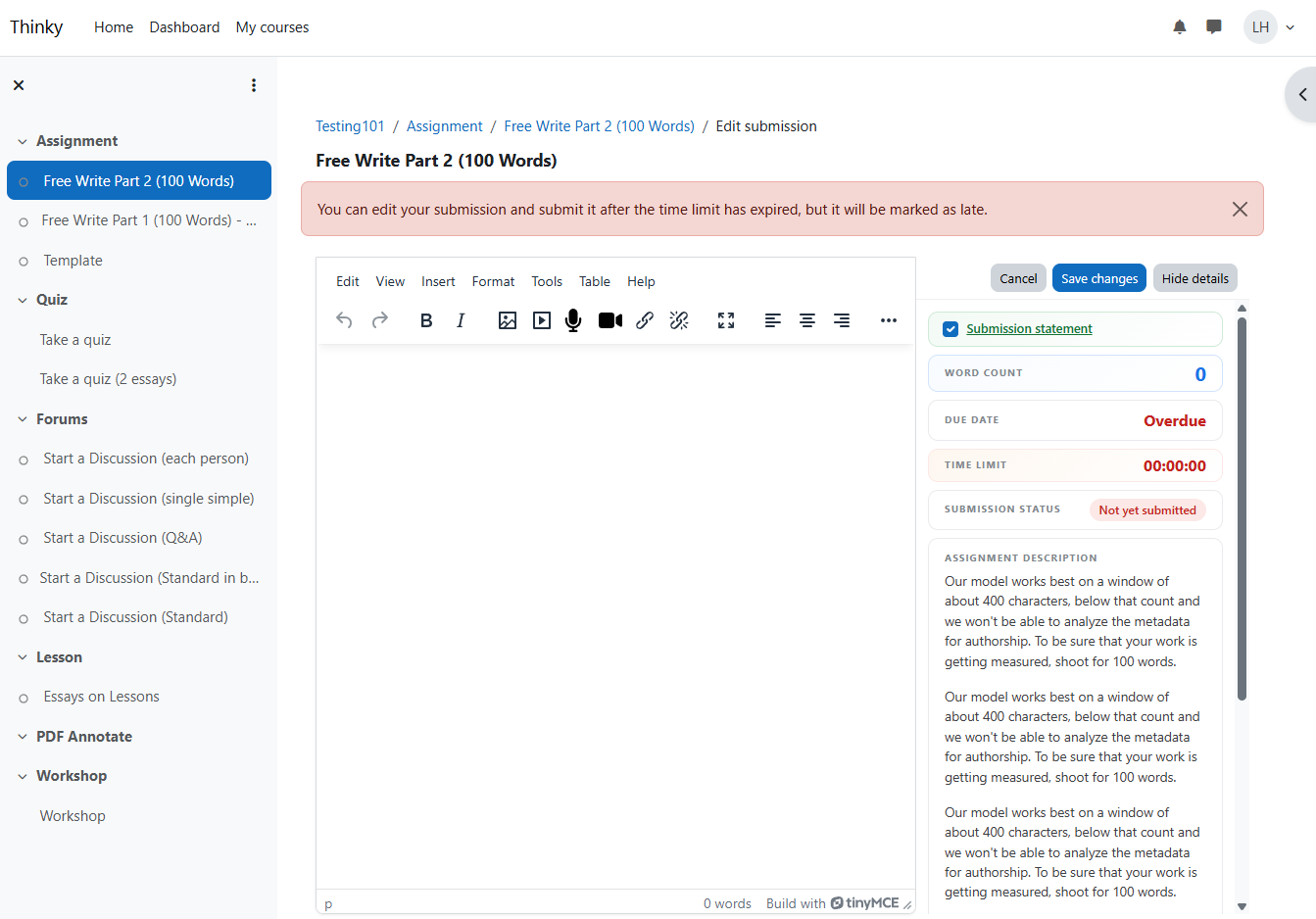
This plugin provides students a better writing environment that limits scrolling to the text editor while providing easy access to all relevant assignment details (including timer, rubrics, directions, due dates, etc.)
Price option: Free

Supports Moodle 4.5-5.0 See all versions
Latest release: 2 months ago
Installations: 1
Downloads (last 90 days): 68

Frankenstyle name: local_writerview
Local plugins

Description

Writer View for Moodle

A local plugin that transforms the Moodle assignment submission page into a focused writing experience with a Google Docs-ish layout that observes the constraints of Moodle core.

What it does

When enabled, Writer View replaces the default assignment submission page that centers focus on the writing canvas without hiding the important instructions or information from the student:

  • Maximized text editor (816px, centered, Google Docs-style)
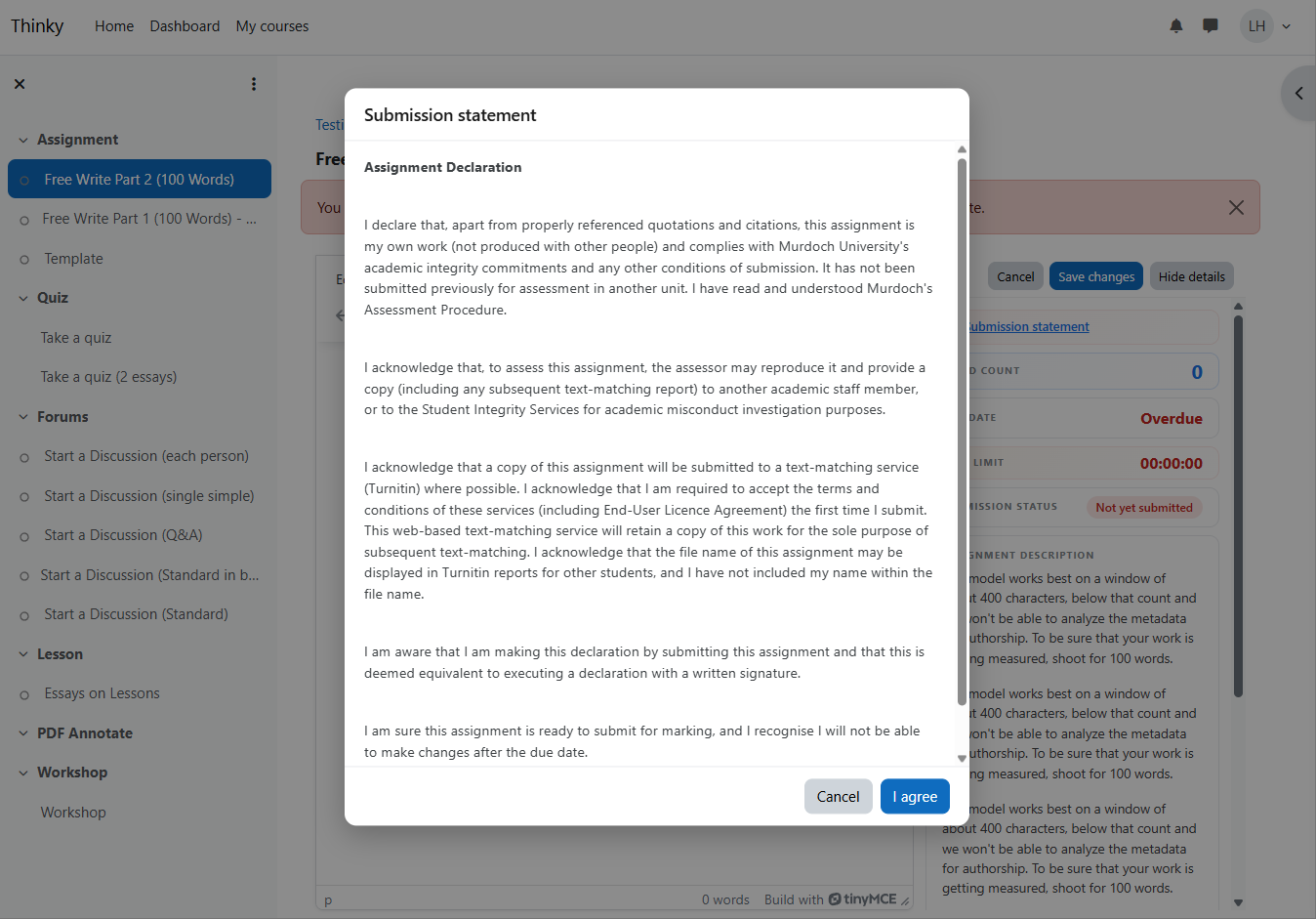
  • Sidebar with assignment details: word count, due date, time limit, submission status, assignment description, activity instructions, and rubric
  • No page scrolling — the editor fills the viewport, only the editor content scrolls
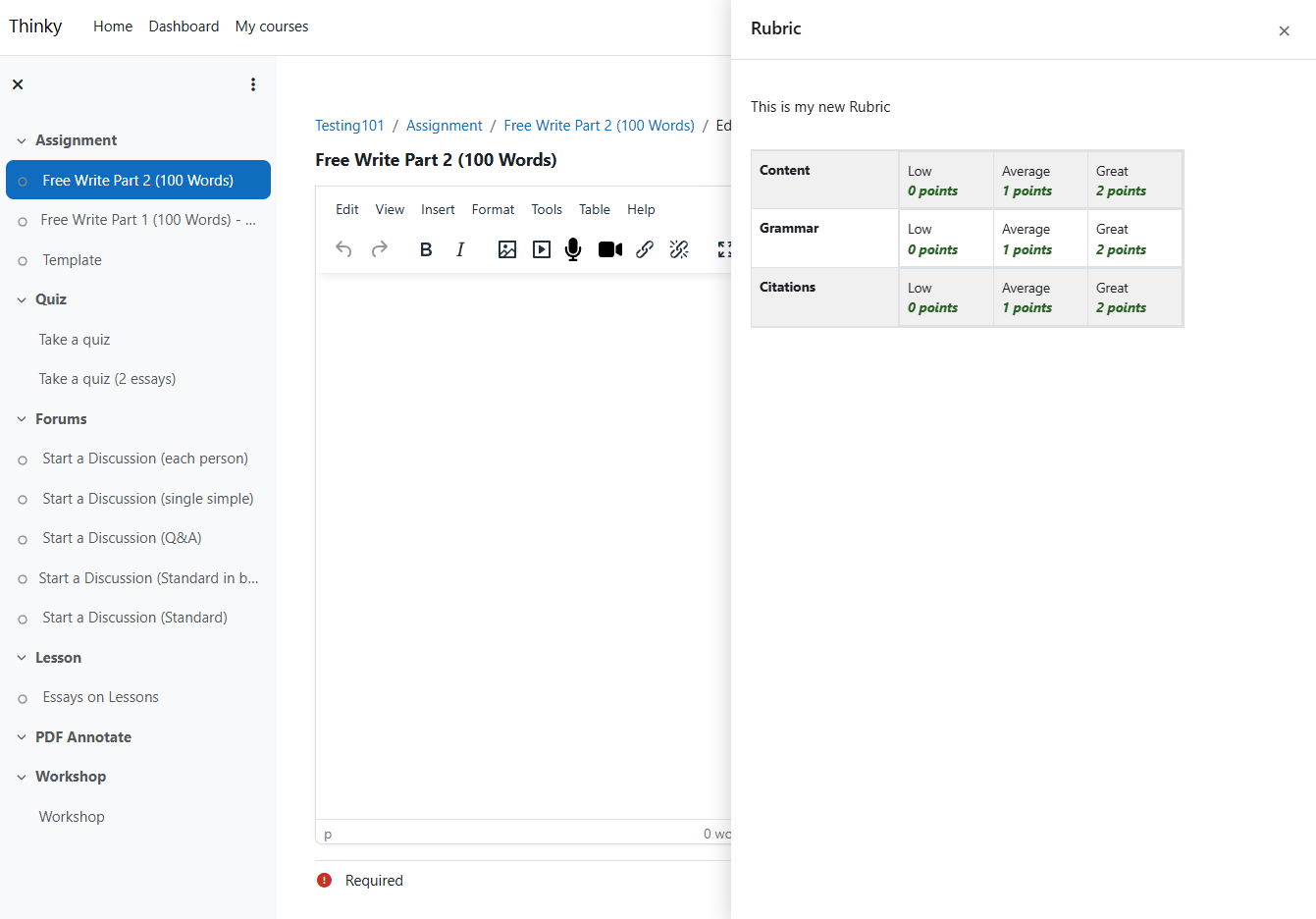
  • Rubric slide-over panel — full-width rubric view without cramping the sidebar
 

How to enable

Site-wide default

Site Administration > Plugins > Local plugins > Writer View

Toggle "Enable by default" to activate Writer View for all assignments. Teachers can override per-assignment.

Per-assignment toggle

  1. Navigate to any assignment as an editing teacher
  2. Open the assignment's settings gear menu (⚙)
  3. Click Enable Writer View or Disable Writer View

Students will see the enhanced layout on the submission page when enabled.

Features

Feature Description
Word count Live word count, updates as you type
Due date Countdown timer (e.g., "1d 4h 30m"), hidden if not set
Time limit Mirrors Moodle's assignment timer block, hidden if not set
Submission status Color-coded badge (red = not submitted, yellow = draft, green = submitted)
Assignment description Full description from assignment settings
Activity instructions Shown when set by teacher (separate from description)
Rubric Slide-over panel with full rubric table, triggered by Show button
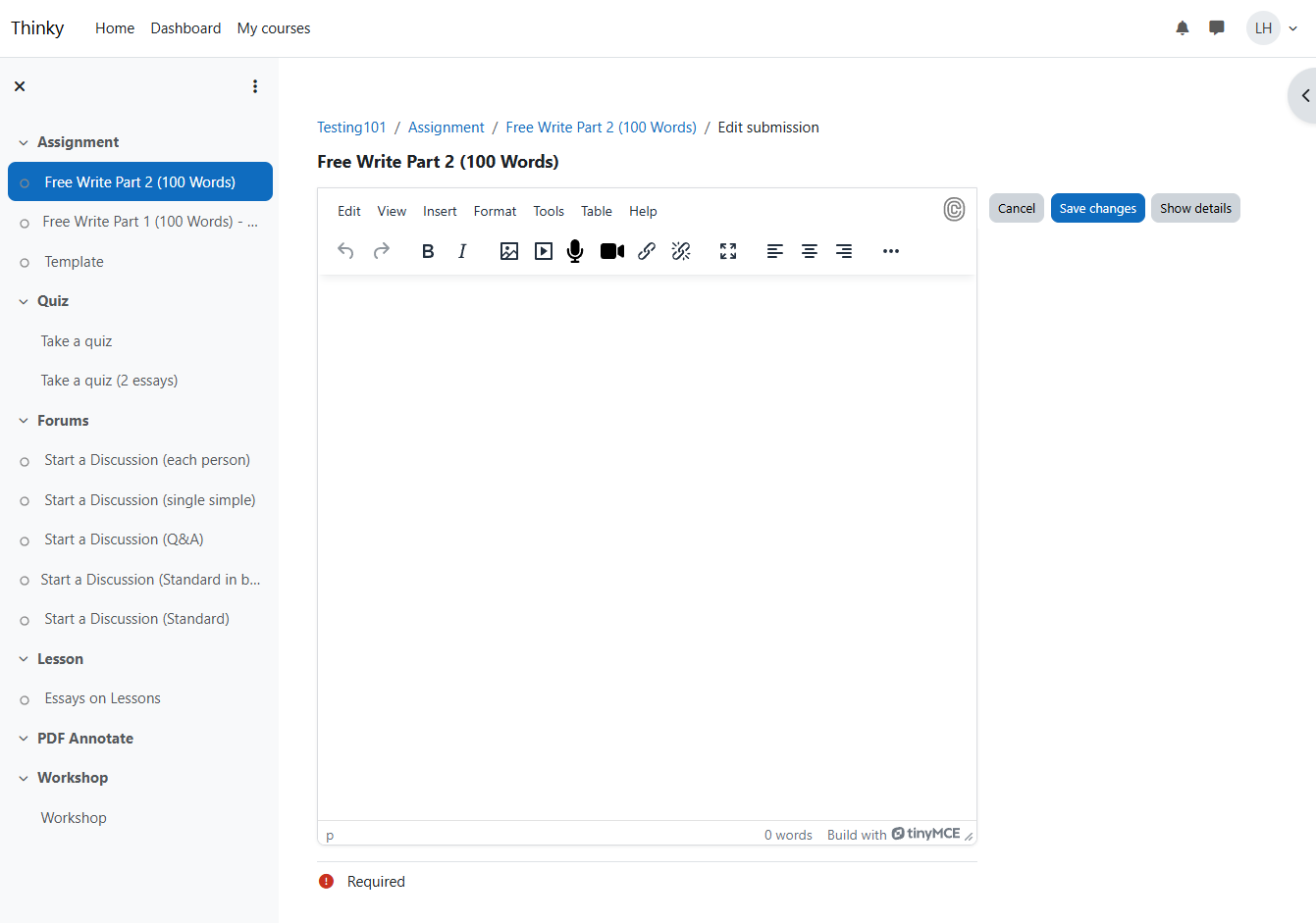
Sidebar collapse "Hide details" / "Show details" toggle
Save/Cancel Buttons pinned in sidebar header, always visible
No double scroll Page locked to viewport, only editor content scrolls
Fullscreen TinyMCE fullscreen mode works, sidebar hides automatically

Limitations

  • TinyMCE only — Atto editor is not supported. If the site uses Atto, Writer View will not activate (the page remains functional).
  • Boost theme — DOM manipulation targets Boost's HTML structure. Other themes may not work correctly.
  • Online text submissions only — Writer View activates on the mod-assign-editsubmission page type. It does not affect file-only submissions, grading views, or other activity types.
  • DOM fragility — Layout manipulation depends on Moodle's HTML structure, which can change between major versions. Test after Moodle upgrades.
  • No offline/mobile optimization — The sidebar collapses on small screens but is not optimized for mobile writing.
  • Single editor — If an assignment has multiple submission types (e.g., online text + file upload), both remain in the editor area. Writer View does not separate them.
  • Rubric caching — The rubric preview HTML is fetched on each page load. It is not cached separately (the MUC cache covers the enabled/disabled config only).

Contributors