The Late Penalty
The Late Penalty plugin automatically applies progressive grade deductions to any Moodle activity when a student submits after the deadline.
Unlike Moodle's native late-submission penalty — which is limited to Assignments — this plugin listens to the Gradebook's user_graded event and works with every activity type that records a grade: Assignments, Quizzes, SCORM, Forums, Lessons, Workshops, and more.
" Features
- 📋 Universal activity support: Works with every activity type that uses the Moodle Gradebook, not just Assignments.
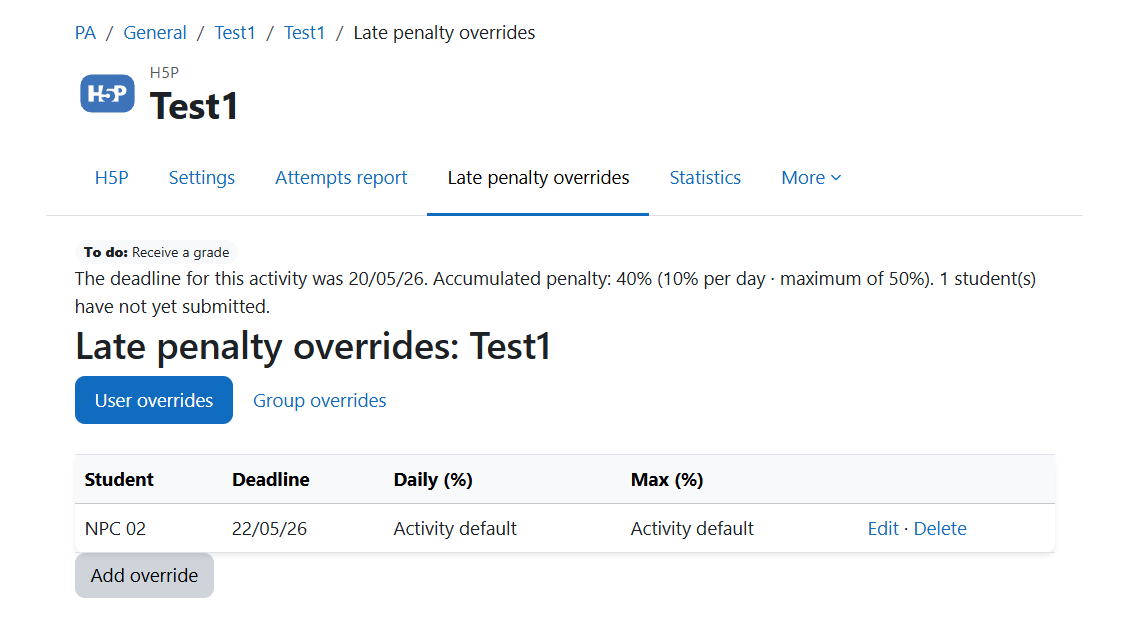
- 📅 Flexible deadline resolution: Resolves the effective deadline through a priority chain: Plugin per-user override ' Plugin group override ' Module-native user/group override '
completionexpected ' Module deadline field.
- ' Group overrides: Teachers can set custom deadlines, daily rates, and maximum caps for groups. If a student belongs to multiple groups, the most lenient values are used.
- 📉 Progressive daily penalty: Configurable percentage deducted per day late.
- ' Maximum penalty cap: Deduction never exceeds the configured cap and the final grade is always ≥ 0.
- 🔄 Event-driven: Real-time processing using
user_graded. No cron jobs or scheduled tasks required.
- " Gradebook audit trail: Every modification is recorded in Moodle's grade history.
- ' Backup and restore: Rules travel with activity backup, restore, and duplication.
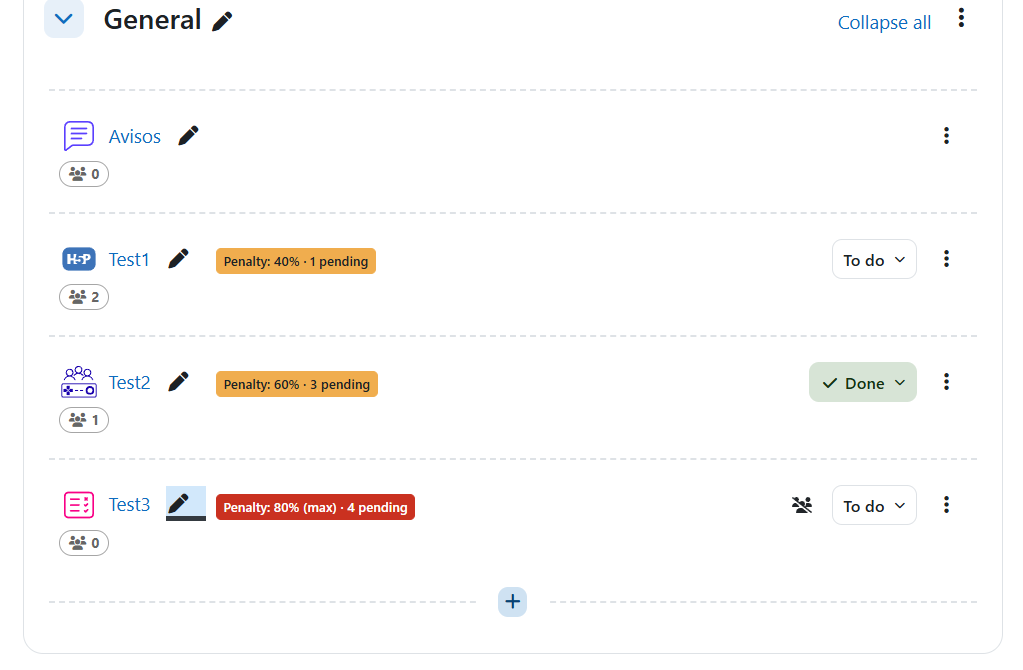
- 🔔 Dynamic status badge:
- Grey ' before deadline
- Yellow ' overdue with accumulated penalty
- Red ' maximum penalty reached
Badges disappear automatically after completion.
- 🔁 Automatic penalty recalculation: Existing penalties can be recalculated automatically when deadlines or penalty rates change.
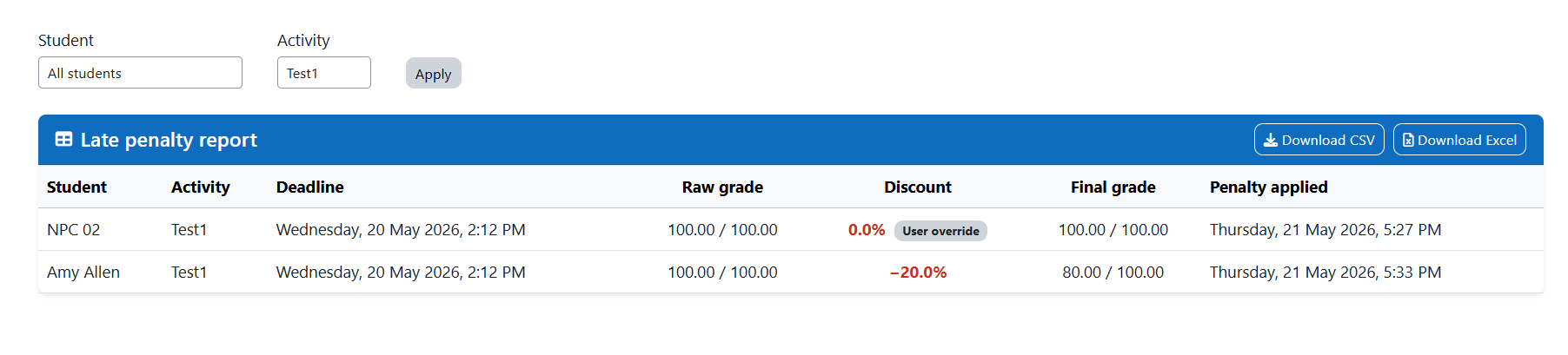
- 📊 Penalty report: Teachers can access a filterable report with CSV and Excel export.
- 🌐 Bilingual: English and Brazilian Portuguese.
🎓 Educational Purpose
The Late Penalty plugin is designed to:
- Encourage students to meet deadlines across all activity types
- Provide teachers with consistent and automated late-submission policies
- Provide transparent and auditable grade adjustments
- Inform students of consequences before submission
Suitable for:
- Courses with assignment deadlines
- Blended and fully online learning
- Courses using multiple activity types
- Institutions with formal late-work policies
- How It Works
- Teacher opens a Moodle activity with grading and completion conditions enabled.
- Teacher sets a submission deadline:
- Assignment and Forum: use native due date fields.
- Quiz, Lesson, SCORM and others: require "Set reminder on timeline" under Completion conditions.
- Enable Enable progressive penalty in the Late Penalty section.
- Set:
- Daily penalty (%)
- Maximum penalty (%)
Example:
10% daily penalty + 50% maximum cap
The system deducts 10% of the student's earned grade for each late day, up to 50%.
- After saving, a badge appears beside the activity name showing status and penalties.
- When students submit after the deadline and a grade is assigned, the plugin applies the penalty.
- Deadline overrides are resolved according to priority:
- Plugin per-user override
- Plugin group override
- Module-native override
completionexpected- Native deadline field
- Late days are calculated.
- The adjusted grade is written back through Moodle's Grade API.
Note — Manual grading without submission:
Penalties are based on submission timestamps, not grading time. If no submission exists, no penalty is applied.
Note — Team submissions:
For group assignments without "Require all team members to submit", the plugin automatically uses the group's submission timestamp.
📊 Calculation
- Days late: rounded up to whole days.
- Discount: days late - daily rate.
- Final grade: raw grade ' discount.
Example:
| Submission |
Discount |
Final Grade |
| On time |
0% |
100 |
| 1 day late |
10% |
90 |
| 2 days late |
20% |
80 |
| 3 days late |
30% |
70 |
| 4 days late |
40% |
60 |
| 5+ days late |
50% |
50 |
📅 Deadline Priority Chain
| Priority |
Source |
Applies To |
| 1 |
Plugin per-user override |
All modules |
| 2 |
Plugin group override |
All modules |
| 3 |
Module-native override |
Assignment, Quiz, Lesson |
| 4 |
completionexpected |
All modules |
| 5 |
Module deadline field |
Assignment and Forum |
📊 Penalty Report
Teachers and managers with capability local/latepenalty:viewreport can access a course report.
The report includes:
| Column |
Description |
| Student |
Student full name |
| Activity |
Activity name |
| Deadline |
Resolved deadline |
| Raw grade |
Original grade |
| Discount |
Applied percentage |
| Final grade |
Adjusted grade |
| Date applied |
Date penalty was recorded |
Export options
| Button |
Format |
File |
| Download CSV |
CSV |
latepenalty_shortname_date.csv |
| Download Excel |
XLSX |
latepenalty_shortname_date.xlsx |