Upload users PLUS
tool_uploadusersplus is a Moodle admin tool that improves the bulk user upload workflow.
It does not replace Moodle's core upload users feature and does not modify Moodle core code.
Instead, it works alongside Moodle's existing user upload process to make CSV preparation, validation, and checking easier for site administrators.
Upload users PLUS helps administrators generate site-specific upload templates, test files before committing changes, and identify row-level issues before accounts or enrolments are created.
The free version is intended for smaller uploads and evaluation use, while the Pro version adds higher-volume processing, detailed reports, email reporting, restriction settings, and historical upload reporting.
Supported Moodle versions
Moodle 4.5, 5.0, 5.1, and 5.2
Access
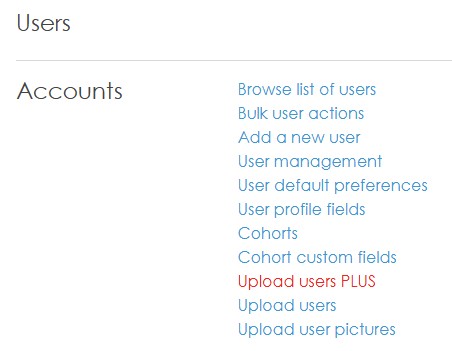
- The upload page is available from
Site administration > Users > Accounts > Upload users PLUS.
- Upload access requires the capability
moodle/site:uploadusers.
- The plugin settings page is available through Moodle's standard admin settings tree.
- The successful uploads/updates report is shown in the interface as a Pro-version feature.
Features
Free version
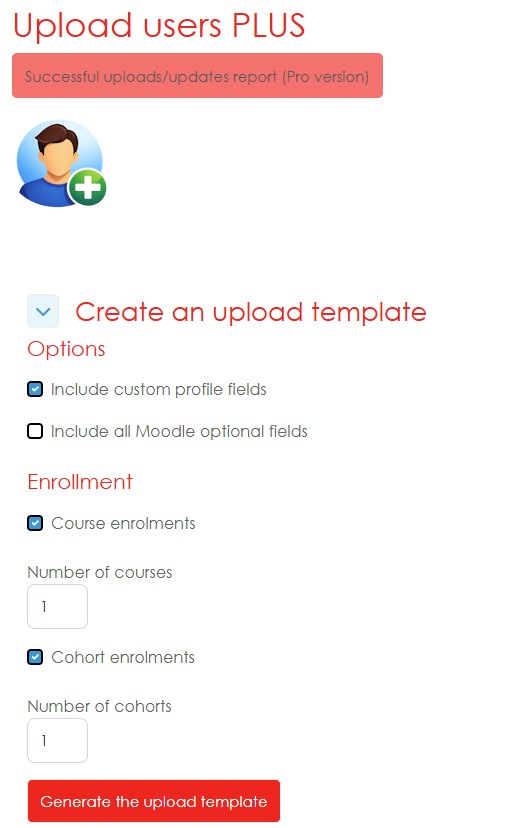
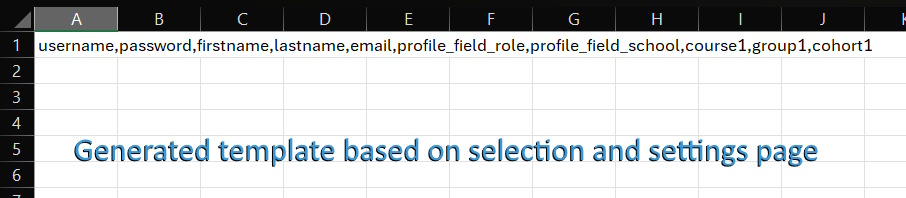
- Dynamic CSV template generator: Creates an upload template based on the fields available on the Moodle site.
- Custom profile field support: Can include selected
profile_field_{shortname} columns in generated templates.
- Optional Moodle profile fields: Can include standard optional user fields such as department, institution, city, country, timezone, phone, address, and description.
- Password-column control: Allows administrators to decide whether generated templates should include a
password column.
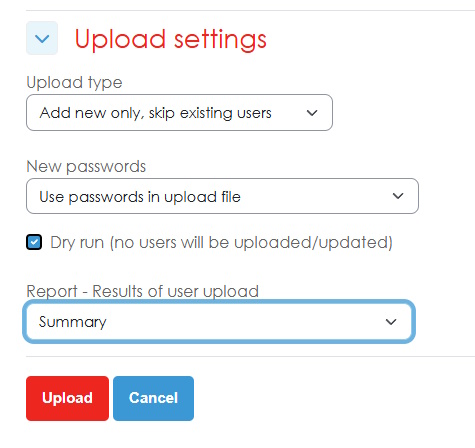
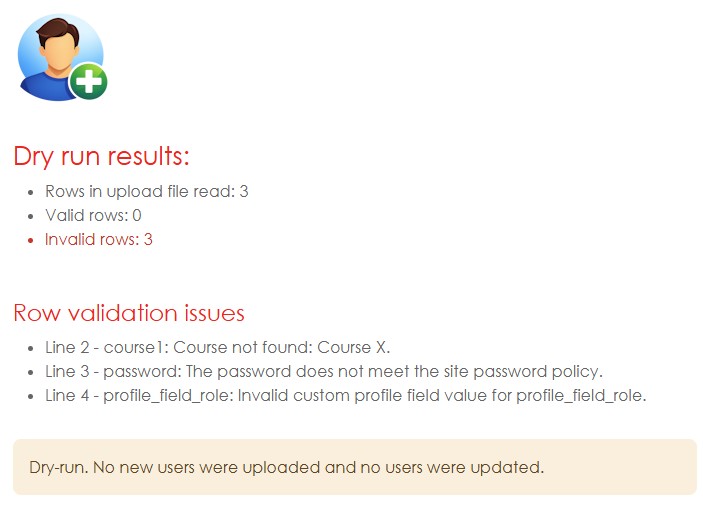
- Dry run: Tests the uploaded CSV before making database changes.
- Summary results: Shows a clear summary of the upload outcome.
- Row-by-row validation: Checks required fields, formatting issues, custom profile field values, and supported field datatypes before committing changes.
- Supported custom profile field types: Includes validation support for
text, textarea, menu, checkbox, datetime, textonce, and conditional profile fields.
- Empty-row handling: Ignores empty rows containing only delimiters or blank cells.
- First 50 rows processed: The free version processes the header row and the first 50 data rows after the header.
Pro version features
The Pro version unlocks additional reporting, restriction, and administration features:
- Processing beyond the free 50-row limit.
- Detailed profile field error reporting showing profile field name and value issue.
- Detailed onscreen results showing row-level processing information.
- Detailed email reports sent to a selected recipient after successful uploads.
- Successful uploads/updates report showing historical successful upload runs.
- Upload audit information, including who performed the upload, when it occurred, the uploaded filename, and how many users were uploaded, updated, or enrolled.
- Course enrolment reporting for successful bulk upload runs.
- Additional restriction settings, including optional enrolment restrictions based on course start dates.
- Detailed report display controls, including options to show Moodle user ID instead of username and hide firstname/lastname in detailed results.
- Report access control to limit the successful uploads/updates report to site administrators.
Useful settings
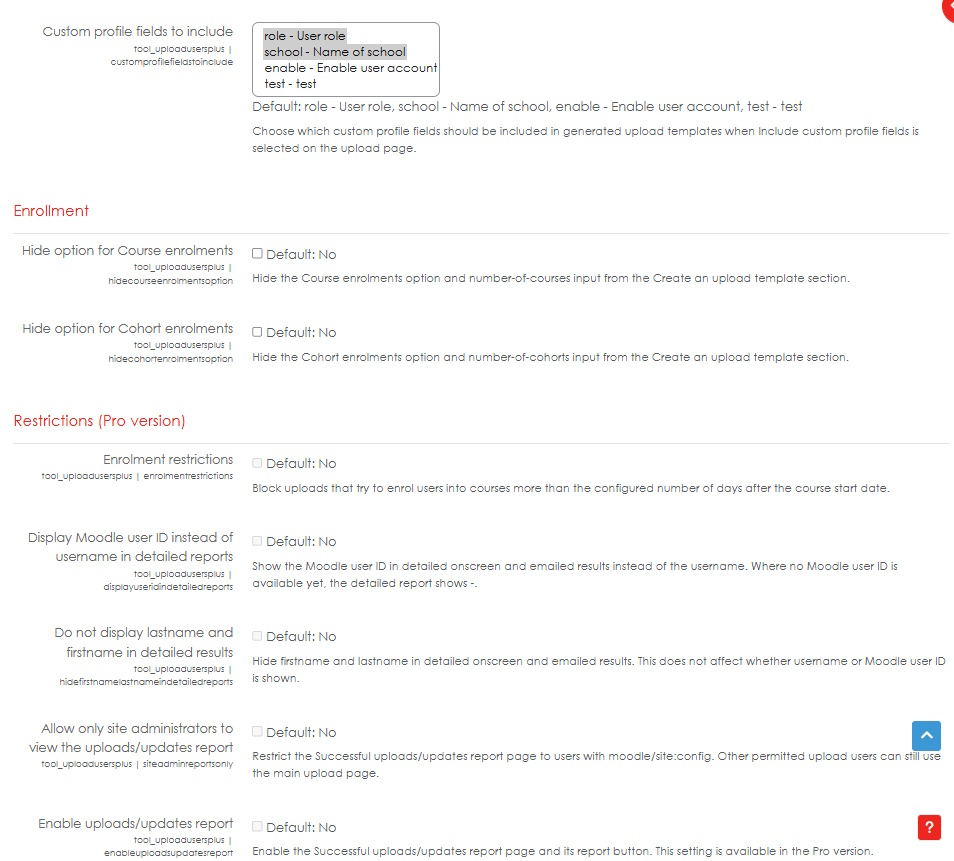
The settings page includes controls for:
- Showing or hiding the upload template generator.
- Including or excluding the password field in generated templates.
- Selecting which custom profile fields should appear in generated templates.
- Allowing or blocking unknown custom profile field datatypes.
- Ignoring required custom profile fields when the field column is missing from the uploaded CSV.
- Showing or hiding template options for:
- custom profile fields;
- standard optional Moodle fields;
- course enrolments;
- cohort enrolments.
Some restriction, reporting, and audit-related settings are visible in the free version but are available only in the Pro version.
Upload behaviour
- Dry run can be used to validate a file without creating or updating users.
- Blocking validation errors prevent user writes and enrolment writes.
- If the selected upload mode requires passwords in the upload file, the CSV must include a
password column.
- If required custom profile fields are ignored when missing from the upload file, users may be prompted by Moodle to complete those fields later.
- If unsupported custom profile field datatypes are allowed, the plugin accepts the raw value and reports that datatype-specific validation was skipped.
- In the free version, only the first 50 data rows after the header are processed.
Privacy
The plugin processes user account data supplied by administrators through uploaded CSV files. Depending on the version and enabled features, successful upload summary information may be stored in plugin-owned tables for reporting and audit purposes.
The plugin includes Privacy API support so stored uploader-linked reporting data can be exported and deleted for the relevant user account.
Install, upgrade, and uninstall
- Copy the plugin to
admin/tool/uploadusersplus.
- Visit
Site administration > Notifications to complete installation or upgrade.
- Purge caches if new settings or strings do not appear immediately.
db/install.xml defines plugin-owned reporting tables for new installs.
db/upgrade.php creates reporting tables for existing installs upgrading to this version.
- Moodle removes plugin-owned tables and their data during normal plugin uninstall because they are defined in
db/install.xml.