Accounting Entry question type
A Moodle question type for practising double-entry bookkeeping. Students record one or more journal entries by selecting debit and credit accounts from a course-scoped chart of accounts and entering amounts. The plugin is suitable for any accounting, finance, or business-administration course that teaches journal entries.
For students
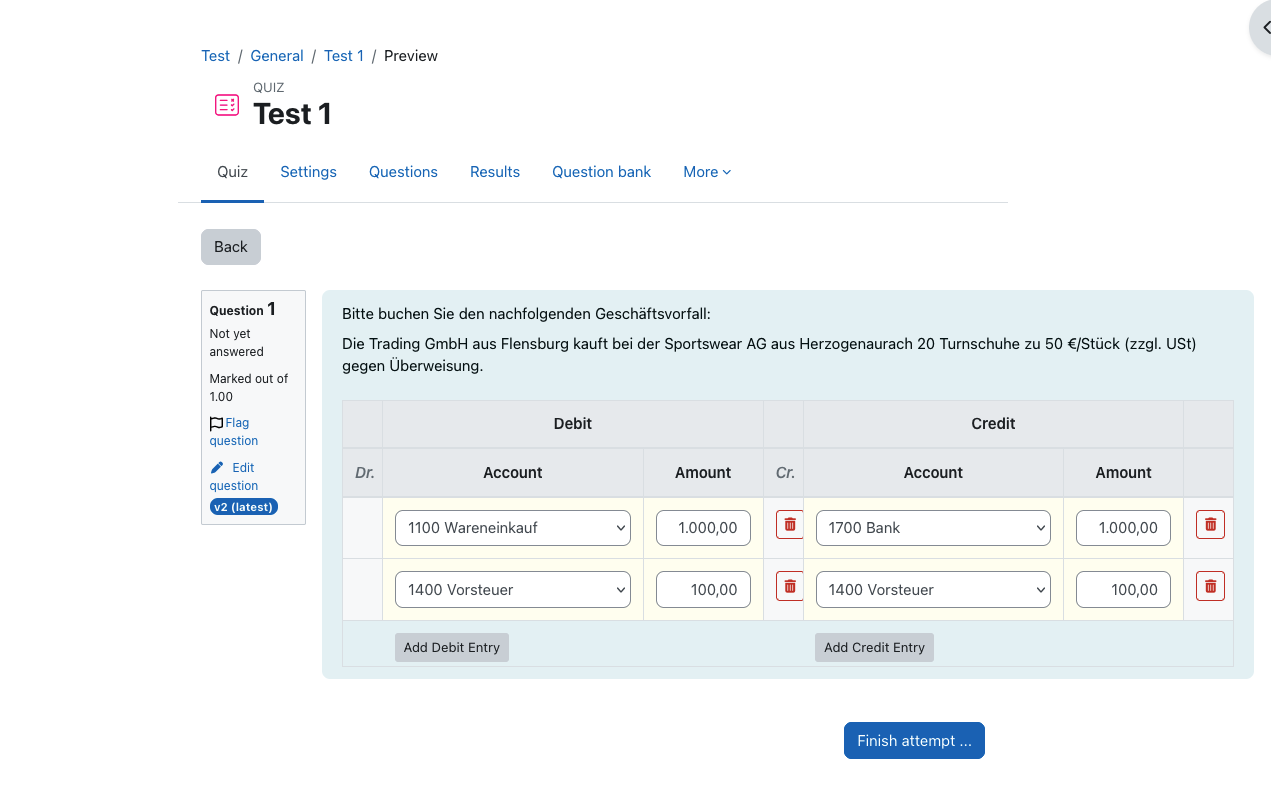
- Two-sided entry table (Debit / Credit) with independent add/remove of rows on each side.
- Account dropdowns populated from the question's chart of accounts, with optional decoy accounts to discourage process-of-elimination guessing.
- Searchable dropdowns when the theme provides Select2; native <select> otherwise.
- Responsive mobile card layout for narrow viewports.
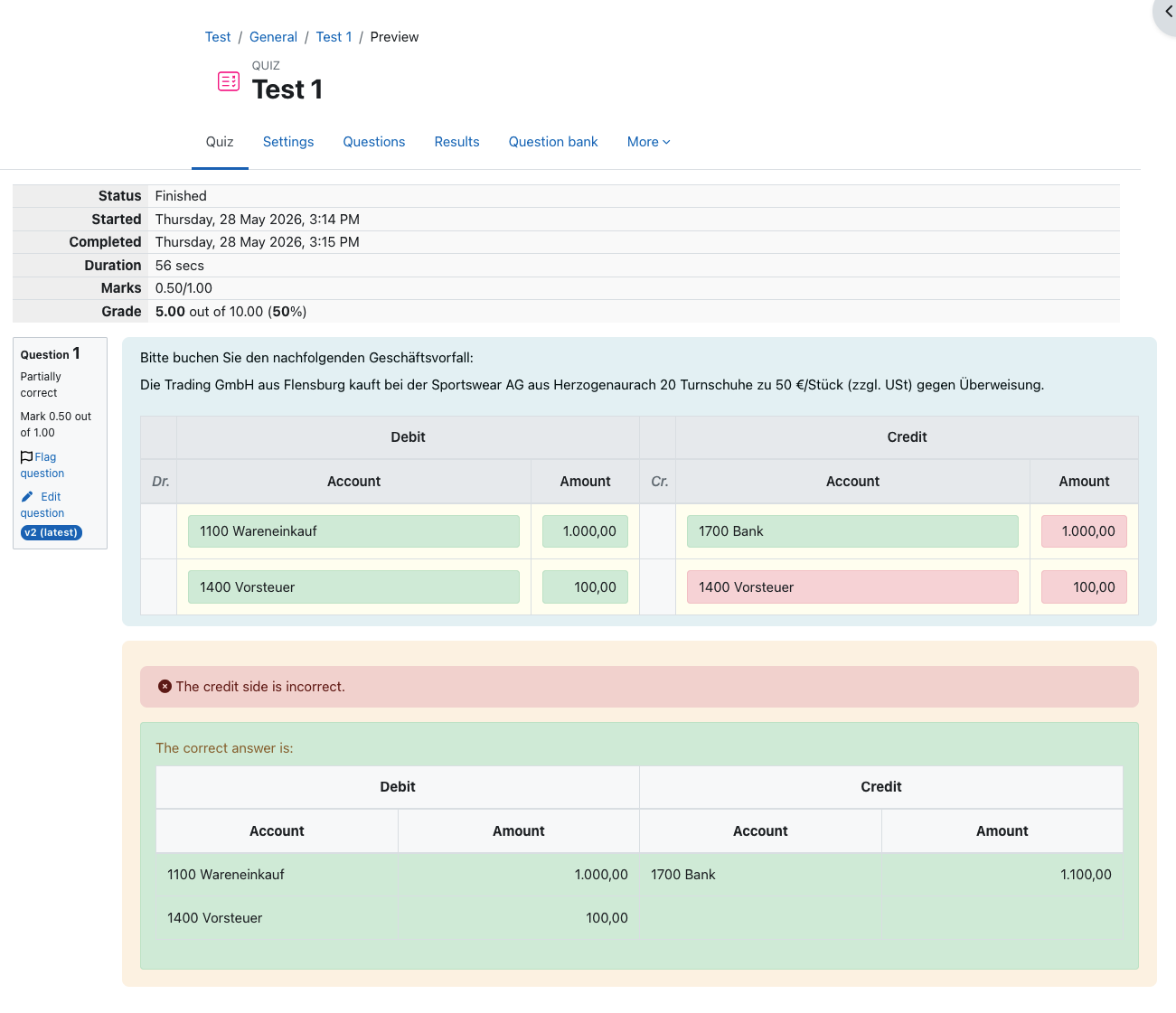
- Per-field feedback colouring (green/red) after submission, a side-level summary message, and the full correct answet rendered alongside the student's response.
For instructors
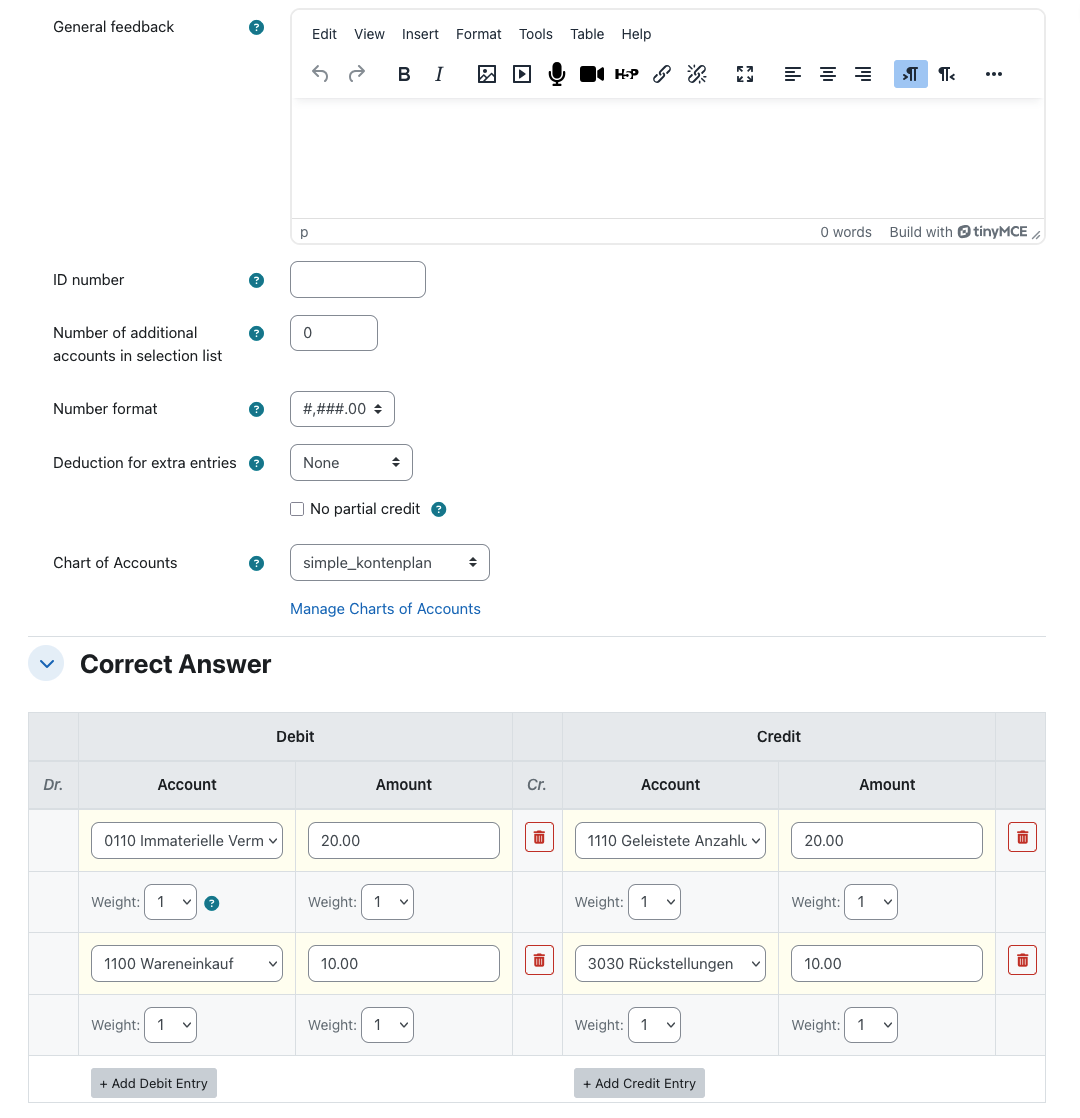
- Multiple correct-answer entries per question — supports compound bookings (e.g. split-VAT).
- Per-field weighting — Debit Account, Debit Amount, Credit Account, and Credit Amount each get an independent weight (1, 2, or 3) feeding the partial-credit calculation.
- No partial credit option for all-or-nothing grading.
- Deduction for extra entries — configurable percentage penalty per extra account named by the student that isn't in the correct answer; each side is counted independently.
- Number format toggle — 1,234.56 (US) or 1.234,56 (DE).
- Course-scoped charts of accounts managed directly from the question form, with CSV import/export (UTF-8 or Windows-1252).
- Question import/export via Moodle's standard XML format — the embedded chart travels with the question, so questions move between courses and sites without losing their account list.
- Full backup and restore support as part of a course's question bank.
Grading model
Scoring aggregates entries by (side, account) rather than matching rows positionally, so the order in which the student
types their entries does not matter — only the totals per account on each side. Amount comparison uses a 0.01 tolerance.
Re-grading after edits is supported via Moodle's standard re-grade mechanism.