Codeframe icon

Codeframe

Maintained by Roger D.
A modern, responsive, and smart activity module that allows teachers to easily embed external web content, HTML5 packages, and interactive presentations (like Genially, Canva, Google Slides) into their courses with automatic completion tracking.
Price option: Free
Supports Moodle 4.1-5.2 See all versions

Latest release: 1 day ago
Installations: 4
Downloads (last 90 days): 86

Frankenstyle name: mod_codeframe
Activities

Description

Moodle Codeframe Activity Module

Codeframe is a modern, responsive, and smart activity module for Moodle that allows teachers to easily embed external web content, HTML5 packages, and interactive presentations (like Genially, Canva, Google Slides) into their courses with automatic completion tracking.


Key Features

  • Smart URL Conversion: Paste a direct share link from Genially, Wayground, Google Docs, Google Slides, Google Forms, Google Sheets, or Padlet, and Codeframe will automatically convert it into a secure embeddable iframe. No need to hunt for the HTML embed code!
  • True Completion Tracking: For interactive content (like Genially or custom HTML5), Codeframe can track exactly when a student finishes the activity. The embedded content simply sends a JavaScript postMessage, and Moodle instantly records the activity as completed in the Gradebook.
  • HTML Package Support: Allows teachers to upload a .zip file or several files containing an index.html (e.g., exported from Articulate Storyline, Twine, or custom web projects). Codeframe extracts and serves the package securely within the wrapper.
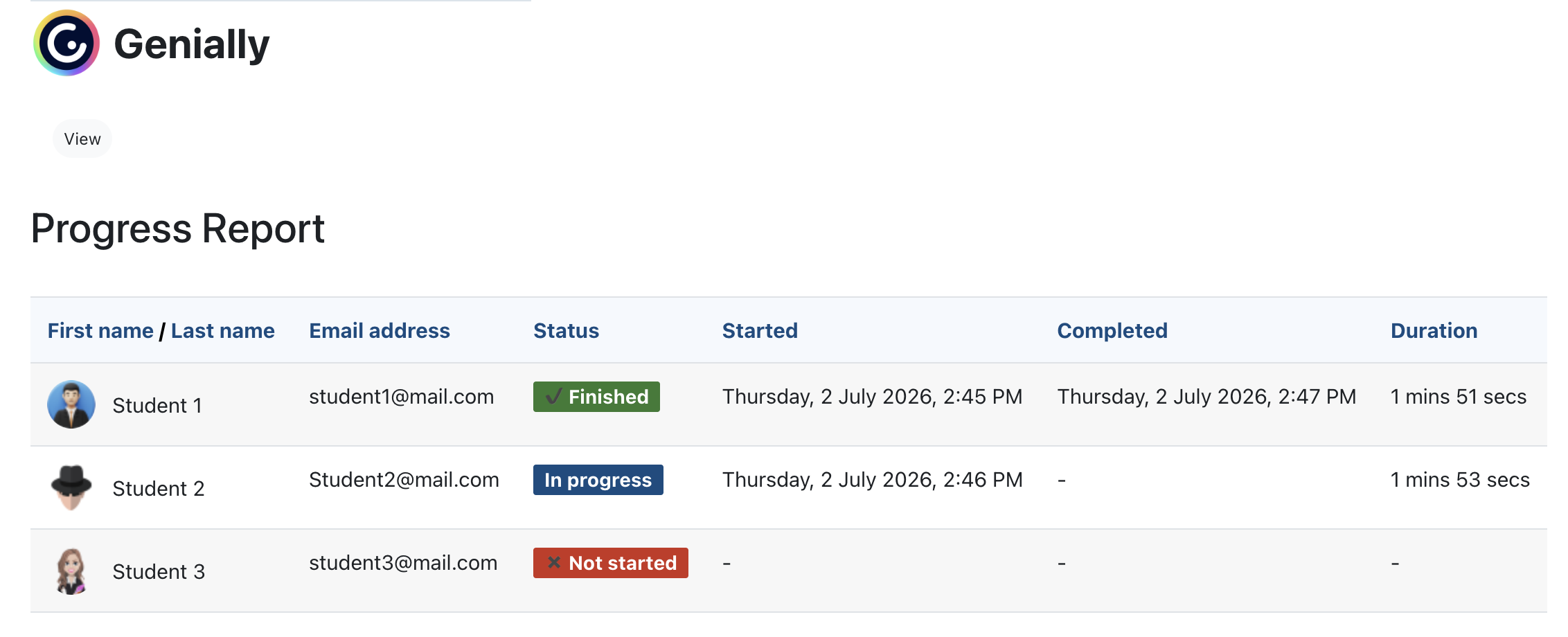
  • Progress Report Dashboard: Displays a clean table of exactly which students have completed the activity and at what time.

Usage

  1. Turn on editing in your Moodle course.
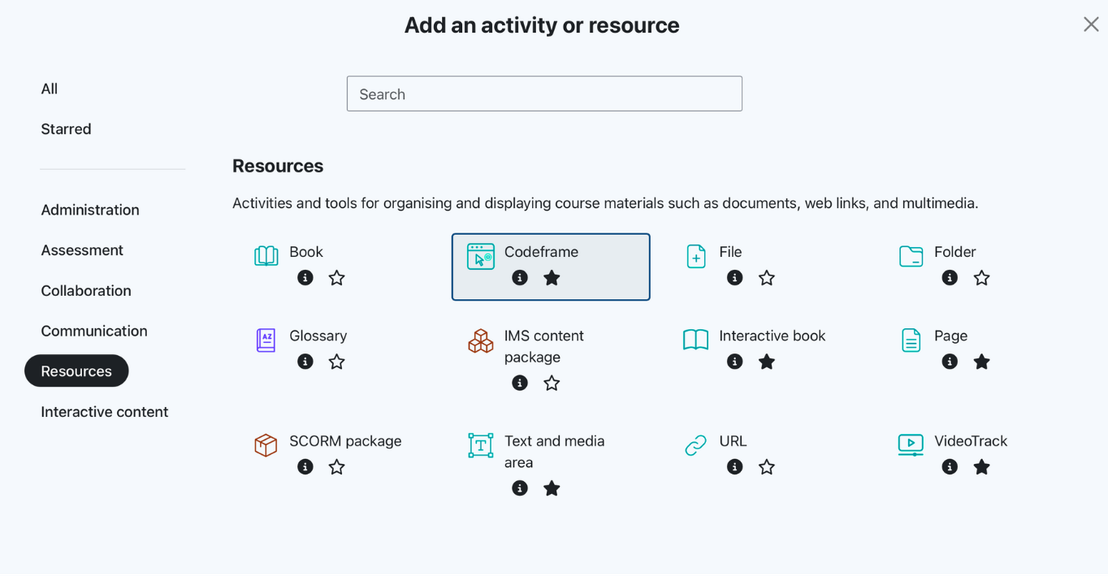
  2. Click Add an activity or resource and select Codeframe.
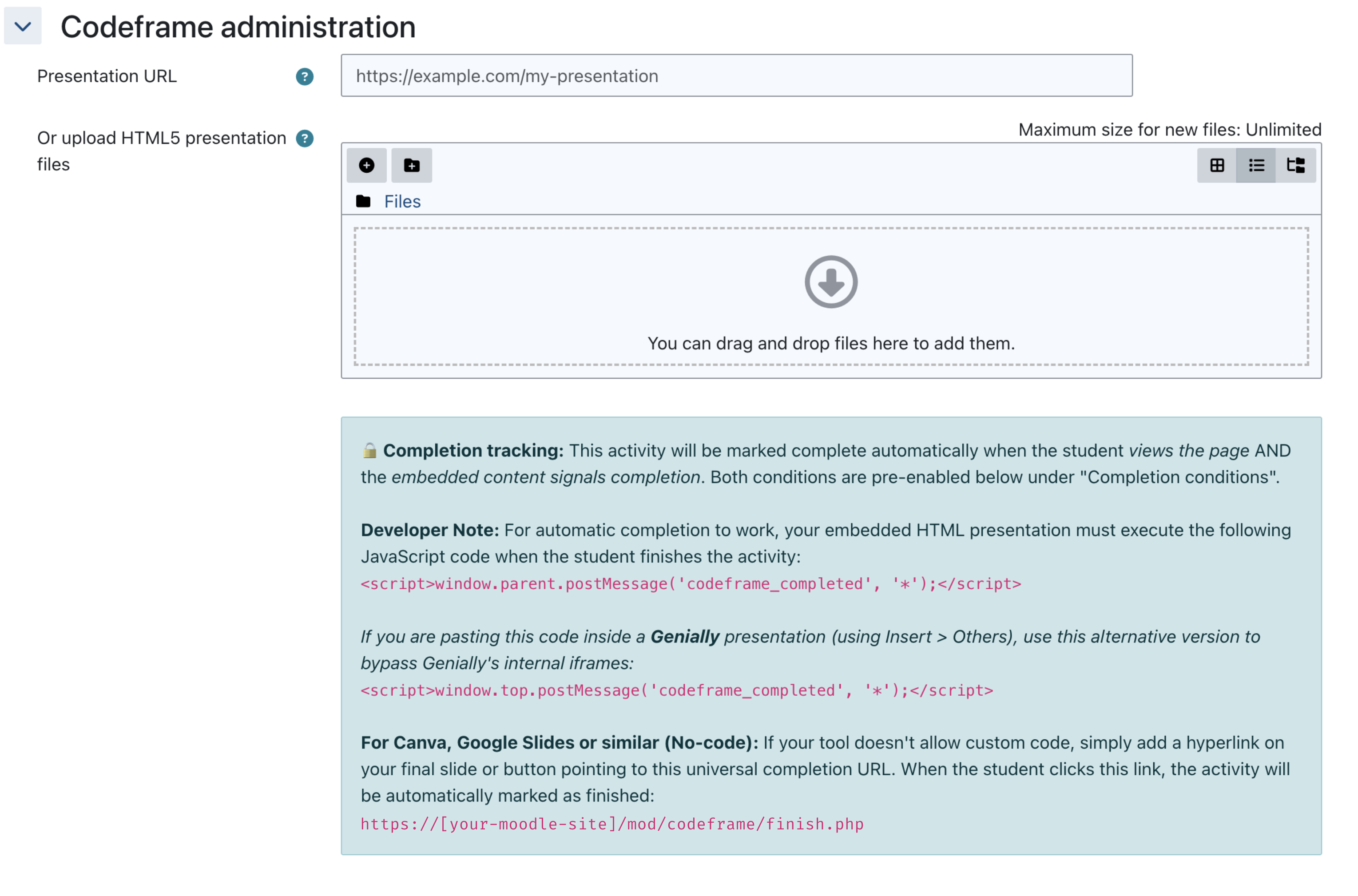
  3. In the settings form, you have two options:
    • Embed Code / URL: Paste a smart URL (Google Drive, YouTube) or a raw  code (Canva, Microsoft OneDrive, Genially).
    • Upload HTML Package: Upload a ZIP file or a set of files containing an index.html at its root.
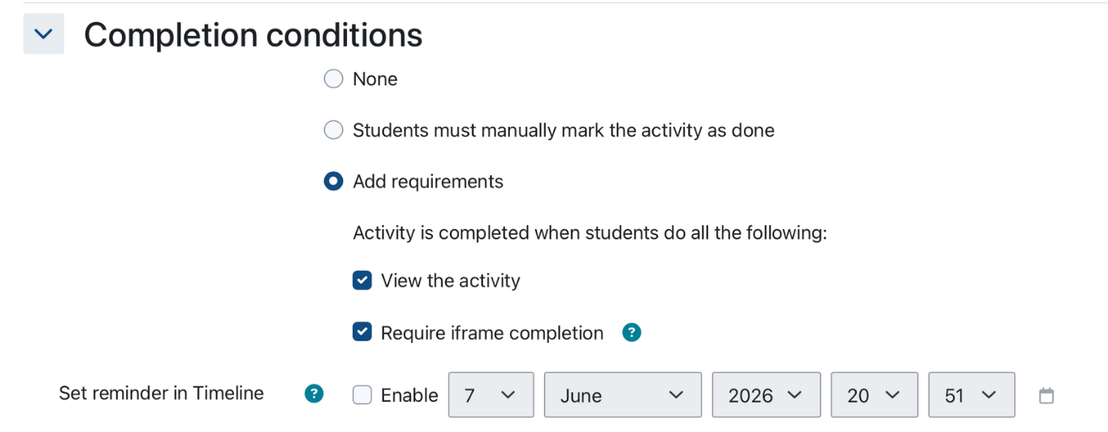
  4. (Optional) Under Activity completion, select Show activity as complete when conditions are met and check the Require iframe completion box.

Automatic Completion

The option "Require iframe completion" is set by default. When enabled, Moodle will wait for the embedded content to send a specific JavaScript signal before marking the activity as complete for the student.

To trigger the completion from your custom HTML5 package or interactive presentation, execute this JavaScript code when the student reaches the end:

window.parent.postMessage('codeframe_completed', '*');

For Genially: If you are pasting this code inside a Genially presentation (using the Insert > Others menu), use this alternative version to bypass Genially's internal iframe structure:

window.top.postMessage('codeframe_completed', '*');script> 

For Canva, Google Slides or similar (No-code): If your tool doesn't allow custom code, simply add a hyperlink on your final slide or button pointing to this universal completion URL. When the student clicks this link, the activity will be automatically marked as finished:

https://[your-moodle-site]/mod/codeframe/finish.php 


License

This plugin is licensed under the GNU GPL v3 or later.

Contributors

Awards

Privacy friendly