Mistral AI Assistant icon

Mistral AI Assistant

Maintained by Miguël Dhyne
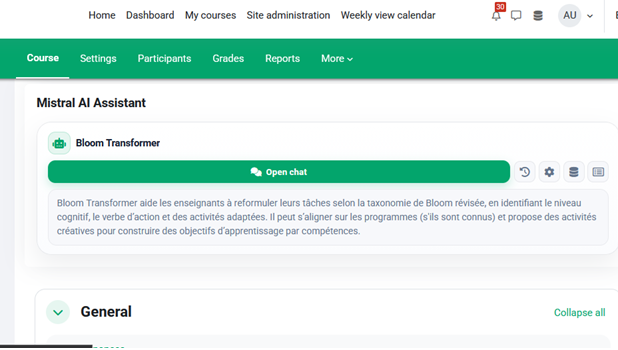
Mistral Agent is a Moodle block plugin that lets teachers add an AI chat assistant to a course (based on Mistral, european AI). It supports course-specific configuration, conversation history, resource management, and optional file analysis to help students interact with learning content more easily.
Price option: Free
Supports Moodle 4.4-5.2 See all versions

Latest release: 2 weeks ago
Installations: 2
Downloads (last 90 days): 43

Frankenstyle name: block_mistralagent
Blocks

Description

```

Mistral Agent Block for Moodle

Mistral Agent is a Moodle block plugin that integrates a conversational AI assistant powered by Mistral AI directly into a Moodle course. It allows students to interact with an AI agent from the course page, while teachers can configure the assistant, manage reference documents, review conversations and control usage quotas.

Main features

  • Multiple independent chatbot blocks: each course can contain several Mistral Agent blocks, each with its own agent, documents, quota settings and conversation history.
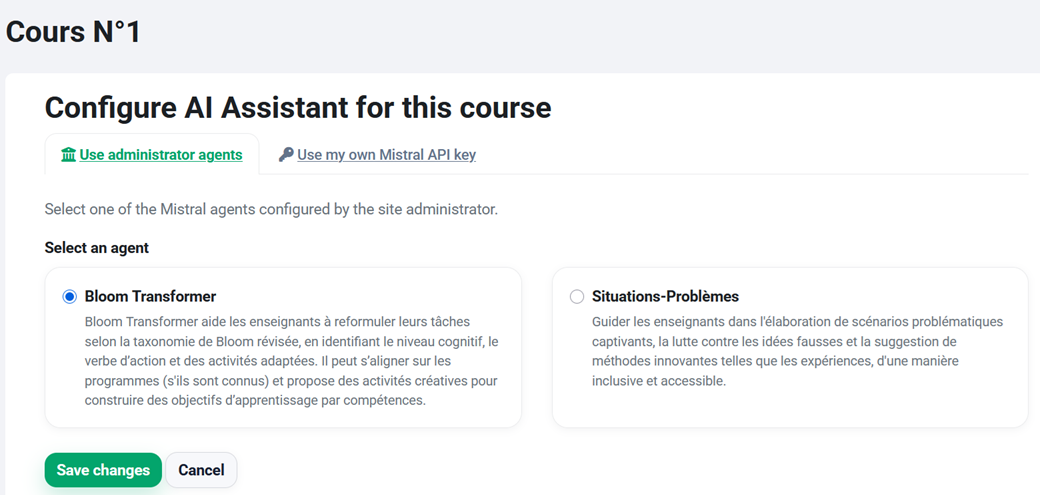
  • Flexible API key management: teachers can use the administrator’s shared Mistral agents or configure their own personal Mistral API key.
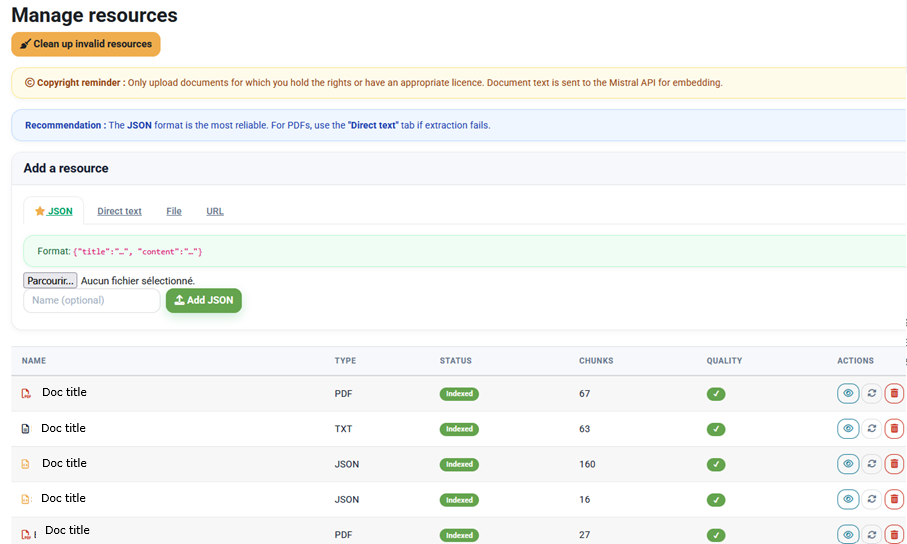
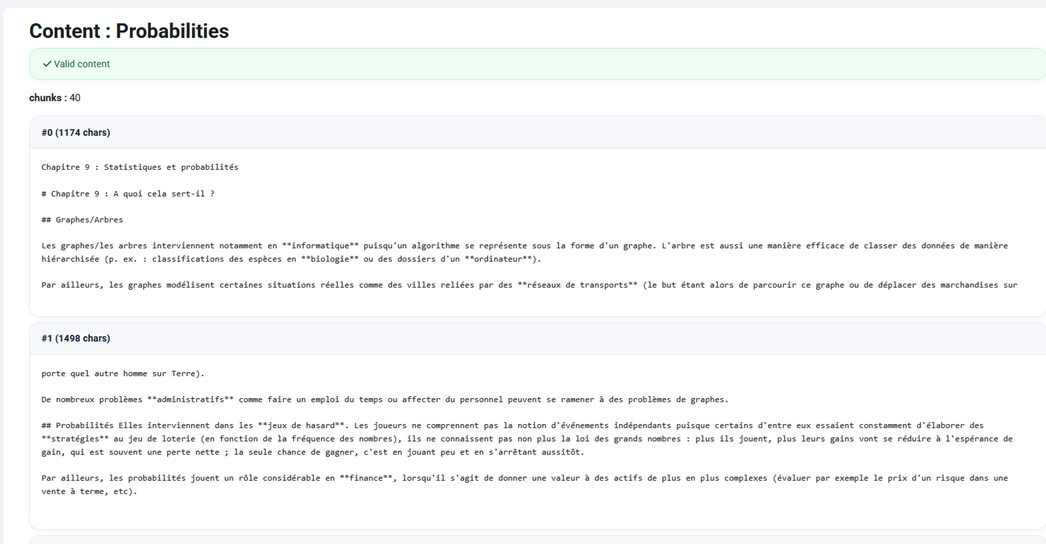
  • Retrieval-Augmented Generation (RAG): teachers can upload reference documents such as PDF, DOCX, TXT or JSON files. The plugin indexes the content and injects the most relevant passages into the AI context.
  • OCR support: scanned or image-based PDF files can be processed using the Mistral OCR API.
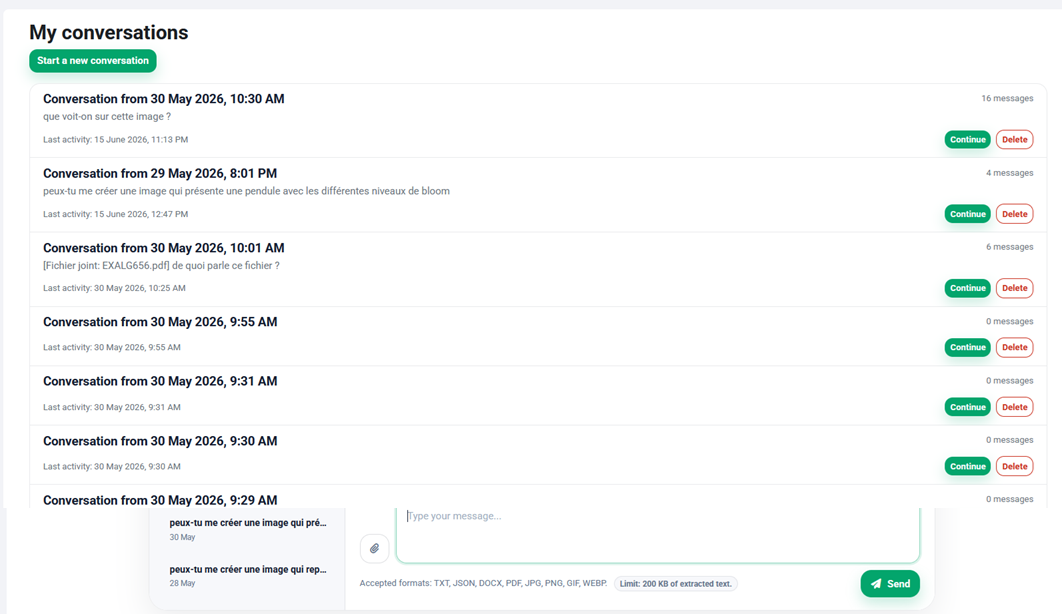
  • Conversation history: students can start and revisit conversations, while teachers can view conversations linked to their course.
  • Usage quotas: teachers can define message limits per student, with daily, weekly or monthly reset periods.
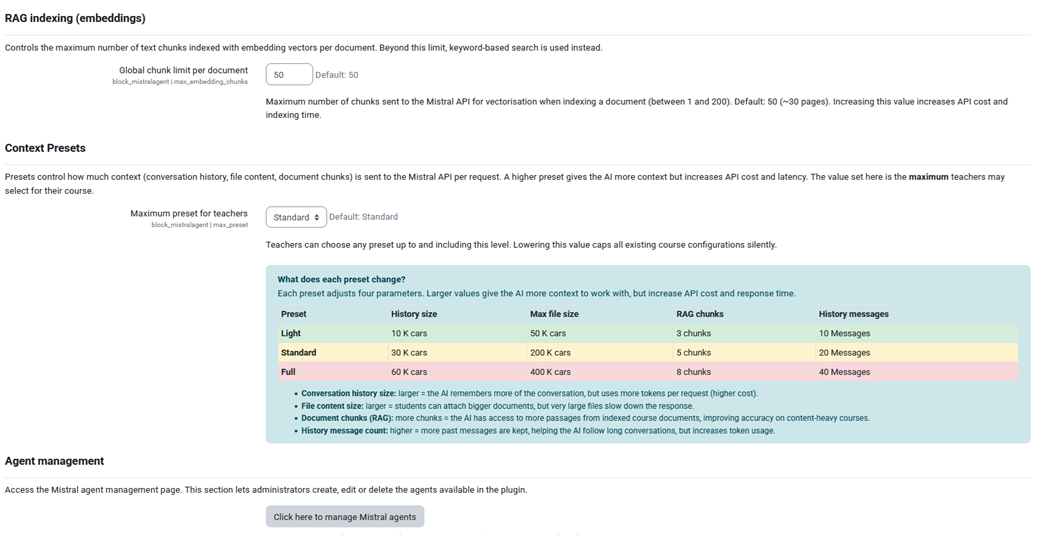
  • Context presets: light, standard and full presets control how much conversation history and document context is sent to the AI model.
  • File attachments in chat: students can attach supported files or images directly in the chat interface.
  • Privacy-aware design: API requests include the Mistral-Retention: none header, and the plugin implements the Moodle Privacy API.

Supported use cases

Mistral Agent can be used to provide course-specific support, answer questions about uploaded learning materials, guide students through activities, analyse documents, support revision, and offer an interactive AI assistant adapted to the teacher’s pedagogical context.

Supported file formats

Format Use
.txt Plain text extraction
.json / .jsonl Structured content extraction
.docx Text extraction from Word documents
.pdf OCR or fallback text extraction
.jpg, .png, .gif, .webp Image analysis through the configured vision model

Requirements

  • Moodle 4.4 or higher
  • PHP 8.1 or higher
  • PHP extensions: curl, json, mbstring, zip
  • A valid Mistral API key
  • At least one Mistral agent created in the Mistral console

Privacy and data handling

The plugin stores conversation messages, quota counters and encrypted teacher API keys when personal keys are used. Document content and chat messages may be sent to the Mistral AI API for processing. Institutions should ensure that their data processing agreements cover this usage.

Troubleshooting

Note for Moodle 5.X users on shared hosting: if the plugin install fails with "rename(...): No such file or directory" warnings pointing at /tmp/requestdir/..., add the following line to your config.php before the require_once(__DIR__.'/lib/setup.php'); call, then retry:

$CFG->localrequestdir = $CFG->dataroot . '/requestdir';

This forces Moodle to stage plugin uploads on the same filesystem as the final destination, avoiding cross-filesystem rename() failures that Moodle 5.x is more sensitive to than 4.x..

Contributors

Awards

Privacy friendly