FastPix Video Picker icon

FastPix Video Picker

Maintained by FastPix Inc, Tharun Budidha
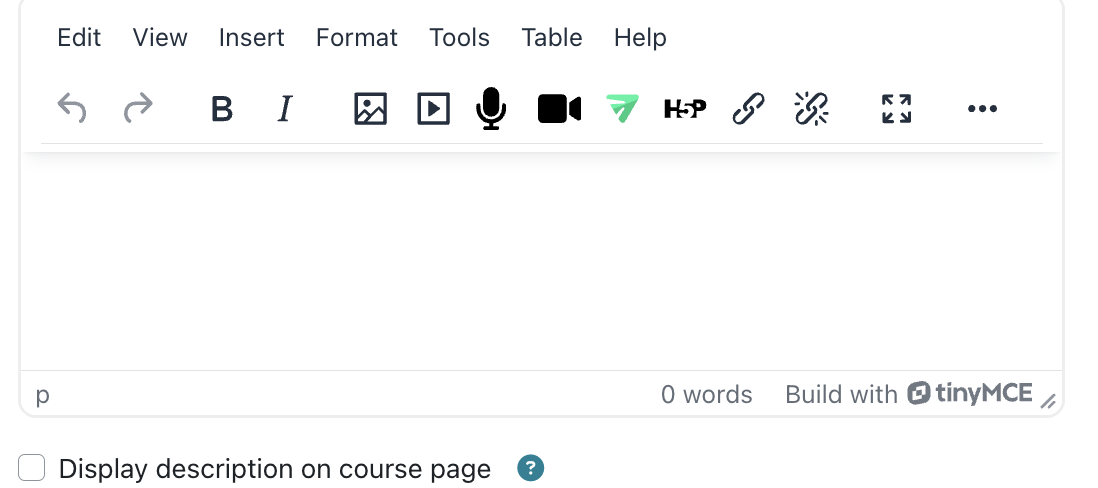
Add an Insert FastPix Video button to Moodle's TinyMCE editor, allowing authors to search for their FastPix videos and embed them anywhere rich-text content is supported.
Price option: Free
Supports Moodle 4.5-5.2 See all versions

Latest release: 1 month ago
Installations: 1
Downloads (last 90 days): 14

Frankenstyle name: tiny_fastpix
TinyMCE

Description

The FastPix Video Picker plugin (tiny_fastpix) adds an Insert FastPix Video button to Moodle's TinyMCE editor. Authors can browse or search their FastPix video library, select a video, and insert it into any Moodle rich-text field without manually copying playback IDs or shortcodes.

tiny_fastpix is the authoring component of the FastPix embedding workflow. It works alongside filter_fastpix, which renders embedded videos, and depends on local_fastpix, the foundation plugin that manages FastPix credentials, API communication, and asset metadata. Install local_fastpix, mod_fastpix, and filter_fastpix before installing this plugin.

Video authoring

  • Adds an Insert FastPix Video button to every TinyMCE editor.
  • Browse or search videos by activity name or asset title.
  • Insert videos into forum posts, Pages, Book chapters, labels, course summaries, quiz feedback, and other rich-text content.
  • Automatically inserts the correct FastPix shortcode at the cursor location.
  • Supports both toolbar and editor menu access.

Video selection

  • Displays only videos owned by the signed-in user.
  • Lists only videos that are ready for playback.
  • Excludes DRM-protected videos that require secure token-based playback.
  • Shows the most recent videos first, with instant search capabilities.

Embedding workflow

  • Works seamlessly with filter_fastpix to convert inserted shortcodes into playable FastPix video embeds.
  • Uses the same FastPix player and permissions model as the FastPix Video activity.
  • Allows multiple video embeds within a single content page.

Permissions and security

  • Uses Moodle's existing mod/fastpix:uploadmedia capability to control access.
  • All video lookups are performed through local_fastpix; the editor plugin never communicates directly with FastPix.
  • Server-side filtering ensures users can only embed videos they own.

Administration

  • Simple installation through the Moodle Plugins Directory or ZIP upload.
  • No additional configuration required after installation.
  • Automatically registers with TinyMCE when enabled.

Limitations

  • Supports TinyMCE only; Atto and other editors are not supported.
  • Does not upload videos directly from the picker.
  • Does not display DRM-protected videos.
  • Requires filter_fastpix to render inserted shortcodes as video players.

Privacy

  • Stores no personal data.
  • Implements Moodle's Privacy API as a null provider.
  • Delegates all FastPix communication and data handling to local_fastpix.

For installation, configuration, and verification steps, see the FastPix Video Picker integration guide.


Contributors

Awards

Privacy friendly
Automated testing support