Cohort Signup

Maintained by Madhu Bheemagani
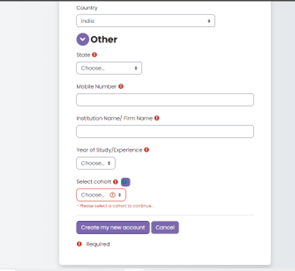
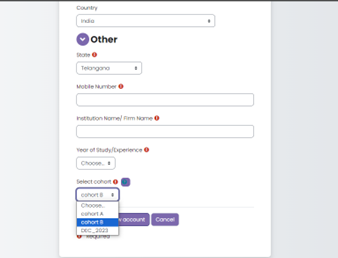
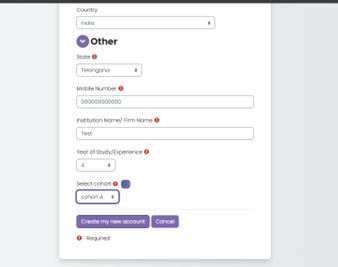
Cohort Signup adds a Select cohort dropdown to the core self-registration form. The selection is validated and stashed for the current request, and an observer on \core\event\user_created adds the new user to the chosen cohort using the core Cohort API. Every attempt is recorded in a tracking table and surfaced through a small admin report.
Price option: Free
Supports Moodle 4.4-5.2 See all versions

Latest release: 2 weeks ago
Installations: 1
Downloads (last 90 days): 18

Frankenstyle name: local_cohortsignup
Local plugins

Description

Cohort Signup adds a Select cohort dropdown to the core self-registration form. The selection is validated and stashed for the current request, and an observer on \core\event\user_created adds the new user to the chosen cohort using the core Cohort API. Every attempt is recorded in a tracking table and surfaced through a small admin report.

The plugin makes no core modifications and uses only the documented signup form callbacks, so it stays compatible across the supported releases.

Features

  • Cohort dropdown on the signup page, showing only visible cohorts, sorted A–Z.
  • Friendly message (and no broken field) when no cohorts exist.
  • Automatic, event-driven assignment after account creation.
  • Duplicate-membership and invalid/hidden-cohort protection.
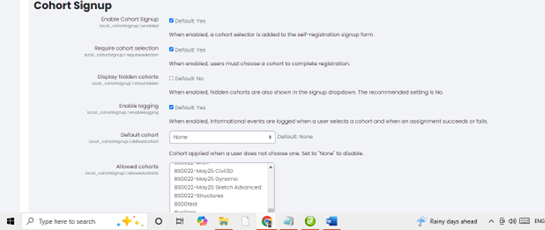
  • Configurable: enable/disable, require selection, default cohort, allowed cohorts, show hidden cohorts, and logging.
  • Three Moodle events for selection, success and failure.
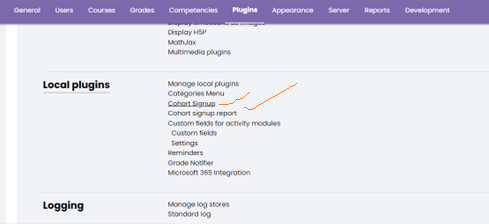
  • Admin tracking report (Site administration ' Plugins ' Local plugins).
  • Full Privacy API (export, delete, userlist) support.
  • PHPUnit + Behat coverage and a ready-to-run GitHub Actions workflow.

Installation

  1. Copy the plugin folder to local/cohortsignup in your Moodle root.
    <moodleroot>/local/cohortsignup
    
     
  2. Log in as an administrator and visit Site administration ' Notifications, or run:
    php admin/cli/upgrade.php
    
     
  3. Confirm the database upgrade to install the local_cohortsignup table.

Self-registration must be enabled (Site administration ' Plugins ' Authentication ' Manage authentication ' Self registration) for the dropdown to appear.

Configuration

Go to Site administration ' Plugins ' Local plugins ' Cohort Signup:

Setting Purpose Default
Enable Cohort Signup Master on/off switch On
Require cohort selection Force a choice on signup On
Display hidden cohorts Include hidden cohorts in the list Off
Enable logging Emit informational events On
Default cohort Applied when nothing is chosen None
Allowed cohorts Restrict the list (empty = all visible) (all)

Usage

  1. A visitor opens Create new account.
  2. They pick a cohort from Select cohort and submit.
  3. After the account is created they are added to the cohort automatically.
  4. Administrators review outcomes in the Cohort signup report.

Contributors

Awards

Privacy friendly
Automated testing support