Adam Jenkins
Lead maintainer

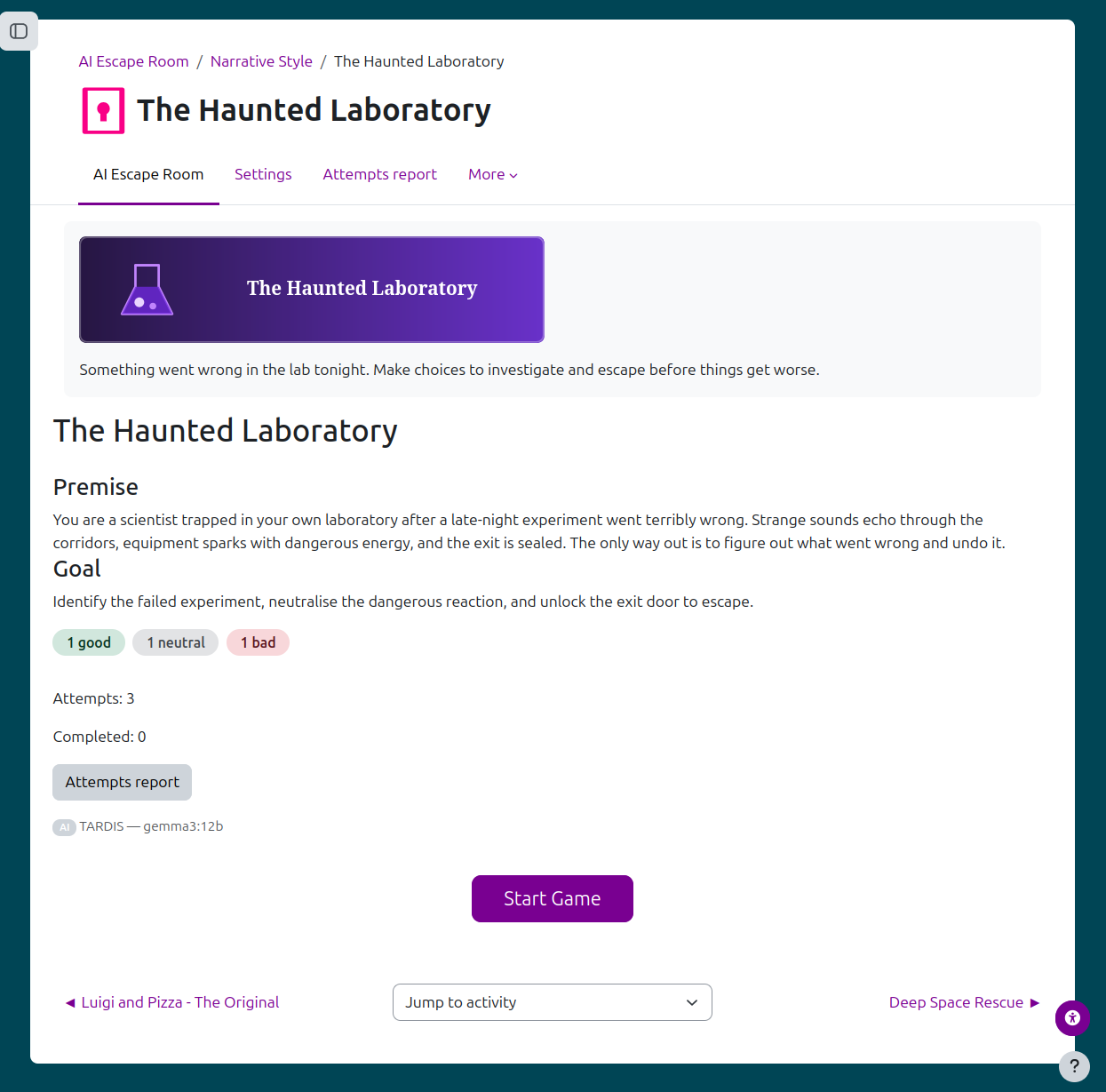
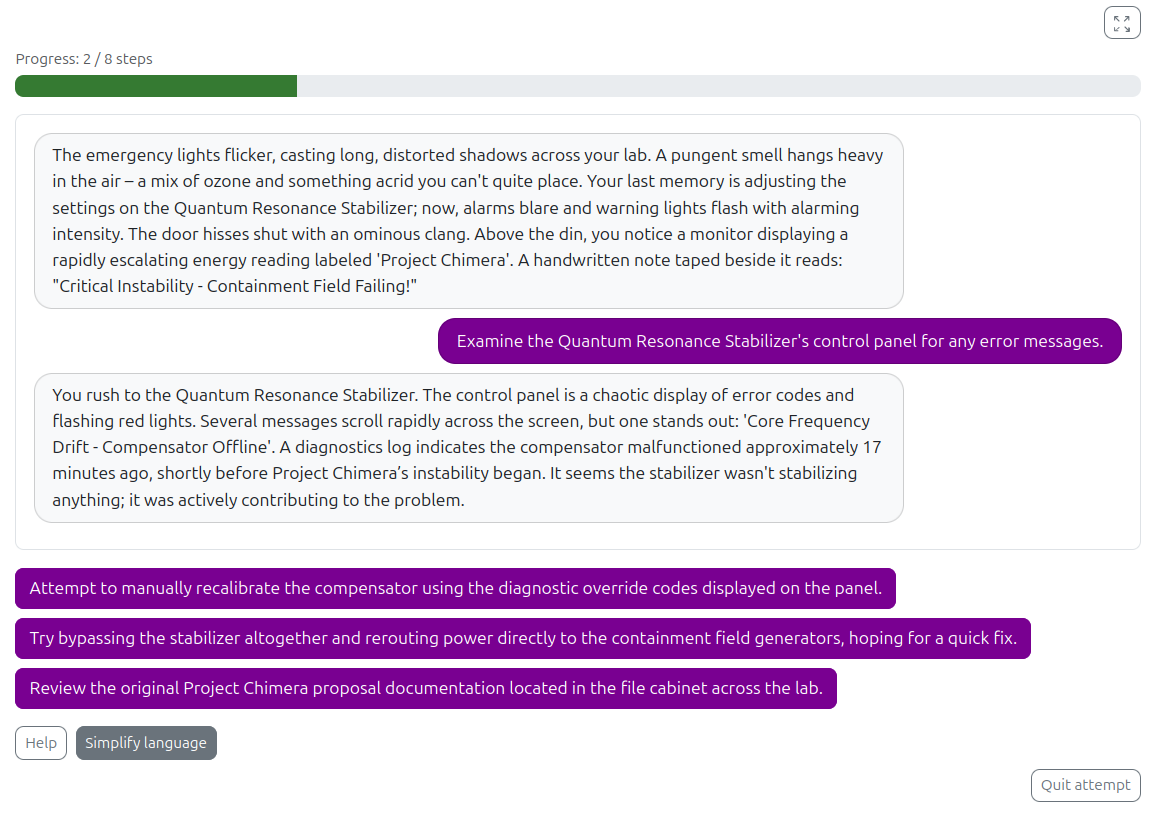
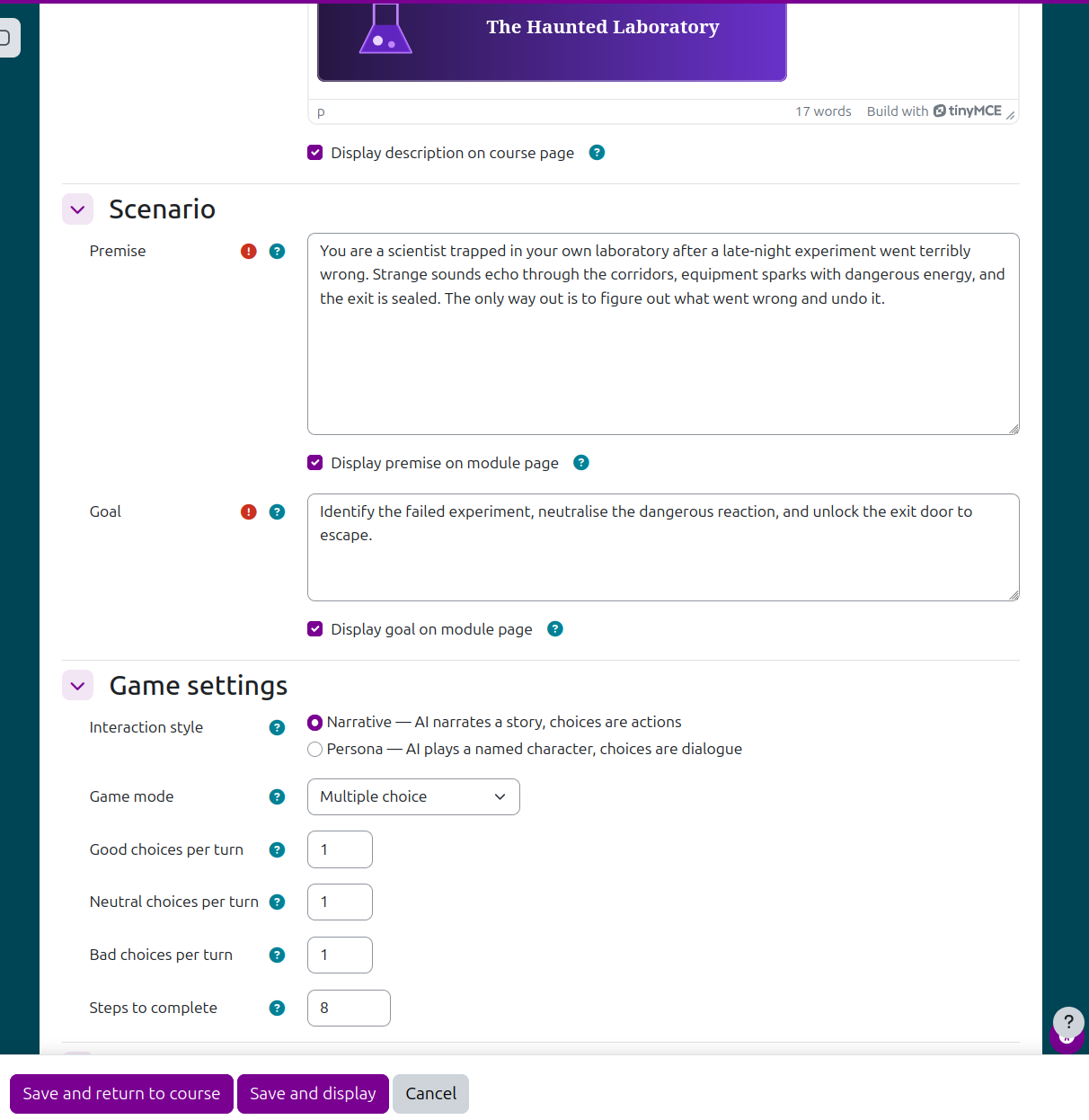
AI Escape Room is a Moodle activity that uses the core AI subsystem (core_ai) to run a live, choice-driven story for each student. Instead of a fixed branching script, the AI generates the narrative and choices on the fly, constrained by a premise and goal you define in the activity settings.
Choose how students interact: multiple choice (pick from AI-generated buttons), free text (type responses, evaluated by the AI), or a combo of both. Each turn moves students toward completion through configurable counts of good, neutral, and bad choices — good choices advance the step tally, bad choices set it back, and reaching the configured number of steps completes the attempt and posts a grade. Partial credit can be awarded if a student quits early.
Teachers get a moderation toolkit: keyword flagging surfaces concerning free-text responses for review, a full attempt-replay report shows exactly what each student saw and chose, and configurable per-button "extra actions" (hints, twists, etc.) let teachers steer a run without breaking immersion. Teachers, editing teachers, and managers can also preview and play through the activity themselves — these preview runs are tracked separately and never affect attempt limits, the gradebook, or student-facing reports.
Other features include a fullscreen game view, optional progress display, configurable maximum attempts, and a privacy provider so attempt data is fully exportable and deletable under Moodle's Privacy API.
Many thanks to my heroes Thom Rawson, Marcus Green, Heikki Wilenius, Stefan Hanauska, and Marina Glancy whose help, warmth and friendship have empowered this educator to make this plugin.

