Changelog — Virtual Lab
[v1.0.2] — 2026-07-08
Fixed
- Privacy Provider now declares the batch-teacher assignment — the responsible-teacher list
per batch (local_virtuallab_batch_teachers) stores a user ID but was declared as a null
Privacy Provider. It is now fully declared, scoped to the batch's own category context, with
export and deletion support for a single user, a set of users, or the whole context.
[v1.0.1] — 2026-07-03
Fixed
- Lab tracking row left behind after deleting a course outside the plugin — a lab course
removed via the standard Moodle course management screen (instead of the batch/lab management
UI) left its local_virtuallab_courses row behind forever, with the lifecycle cron then
targeting a course that no longer existed. An observer now removes the tracking row whenever its
course is deleted, regardless of how the deletion happened.
[v1.0.0] — 2026-06-18
Initial public release.
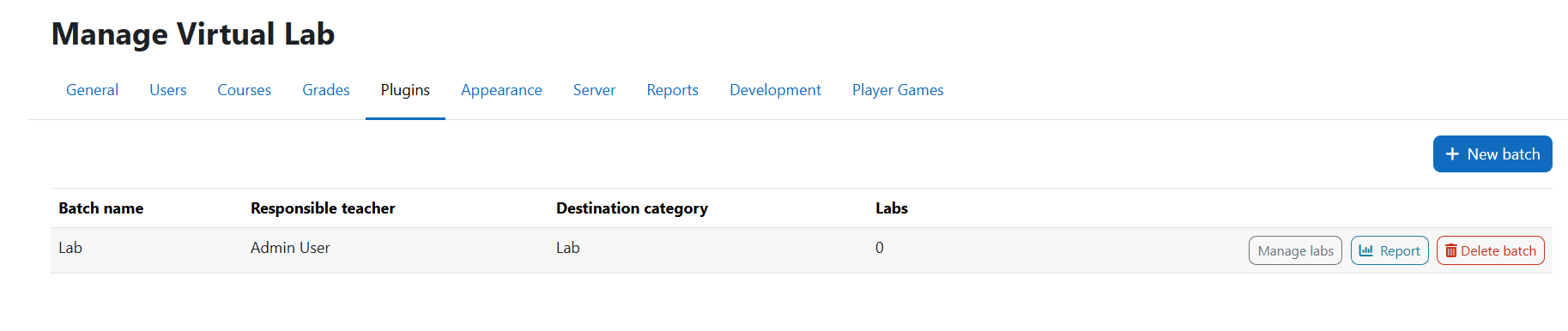
- Batch management: admins create batches linked to a dedicated Moodle category; each batch can have one or more responsible teachers
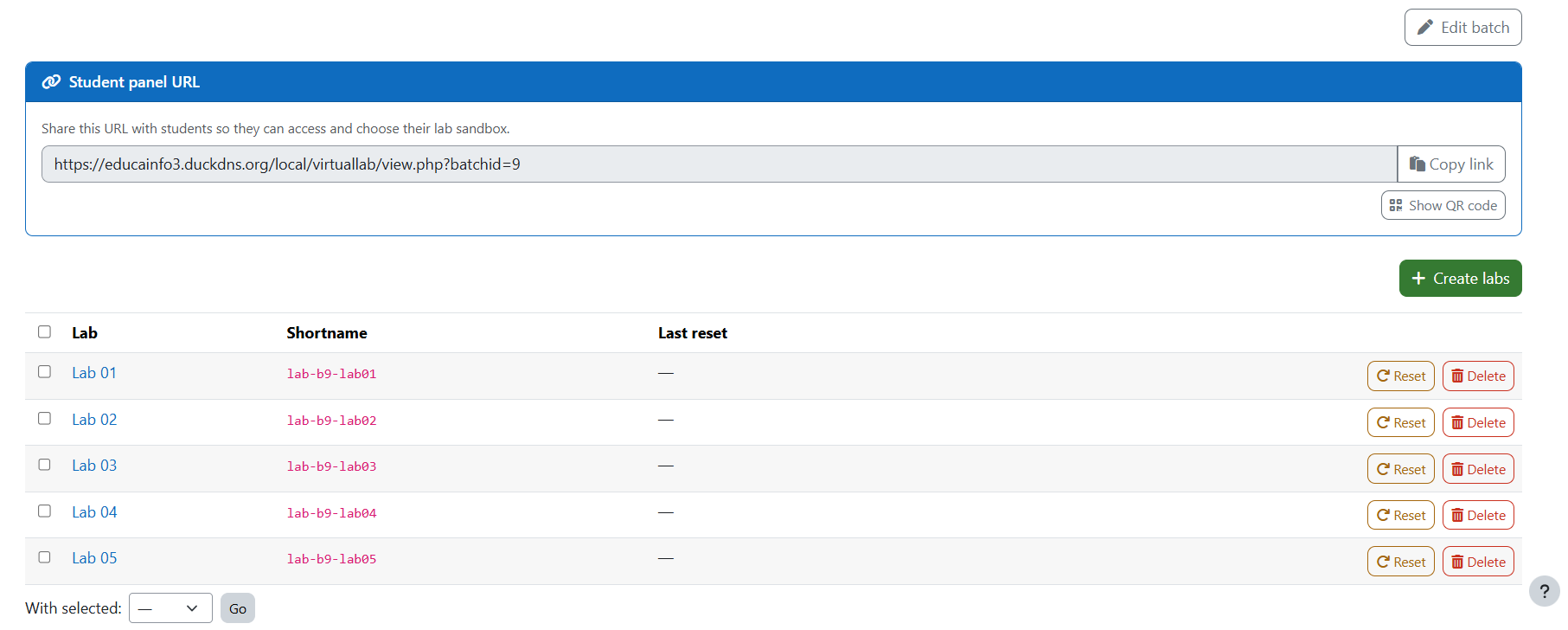
- Lab generation: generate up to 50 lab courses per batch from a configurable name prefix
- Student self-service panel: shows lab status (available / in use / full) and lets students enrol themselves as editor or visitor with one click; shareable URL per batch
- One-editor-anywhere rule: a student cannot hold editor slots in more than one lab per batch simultaneously; the panel explains why the editor button is disabled (already an editor elsewhere vs. lab full)
- Concurrency-safe editor cap: editor enrolment runs under a per-course lock and re-checks the limit inside it, so two simultaneous joins can never exceed the configured number of editors
- Self-service in the panel: becoming an editor asks for confirmation first, and a student can leave a lab they joined to free the slot and switch
- Delegated teacher management: responsible teachers can rename their batch, manage co-teachers, set the lab prefix and override lifecycle settings, scoped to their own subcategory
- Shared checklist task list per batch: when the Teacher Checklist block (
block_teacher_checklist) is installed, the batch edit form gains a task list field; tasks entered there are pushed into the Teacher Checklist block of every lab created afterwards, and the block is added to each lab automatically. An "Apply task list to existing labs" action propagates the current task list to labs already created. The feature degrades silently when the block is not installed: the field is hidden and lab creation is unaffected
- Lifecycle maintenance task: automatically resets or deletes overdue labs on a nightly schedule, with configurable thresholds per site and per batch
- Visible lifecycle deadline: a single "Scheduled: reset/delete on DATE" line sits above the manage list and the student panel, expanding to a per-lab date only when an individual reset makes the dates diverge
- Safe recount on policy change: enabling or tightening the lifecycle (globally or per batch) restarts the countdown from that moment for existing labs, so no lab is ever reset or deleted without first going through the warning window
- Reset restores the lab name: resetting a lab (manually or via the maintenance task) returns its course fullname and shortname to the values they had at creation, undoing any rename a student made
- Warning emails: responsible teachers are notified a configurable number of days before a lifecycle action runs, using each lab's real deadline instead of a fixed window; the email shows one date when all labs share it and a per-lab date when they diverge
- Summary emails: after each maintenance run, each affected teacher receives a summary of what happened to their labs
- Visitor notice: a logged-in user who opens a managed lab without access sees the responsible teacher(s) to contact
- Fully localised table headers: the panel and management tables no longer carry hardcoded column labels, so they follow the user's language
- Audit events: lab reset, lab deleted, batch deleted
- Teacher discovery: responsible teachers see a Manage Virtual Lab link in the primary navigation (top bar / mobile menu) without needing an admin-supplied URL; the link is visible only to users assigned to at least one batch or holding the
local/virtuallab:manage capability
- Batch assignment notification: when a teacher is added to a batch, they receive a Moodle notification (bell icon) and an email with the management link; the notification uses the
batch_assigned message provider, allowing users to configure their preferred channels
- Consolidated lab usage report: paginated batch overview plus a per-student event breakdown for each lab, with CSV and Excel export at both levels
- PHPUnit integration test suite covering all core classes, the scheduled task, the primary navigation hook and the batch assignment notification logic