OOOK LTI course menu
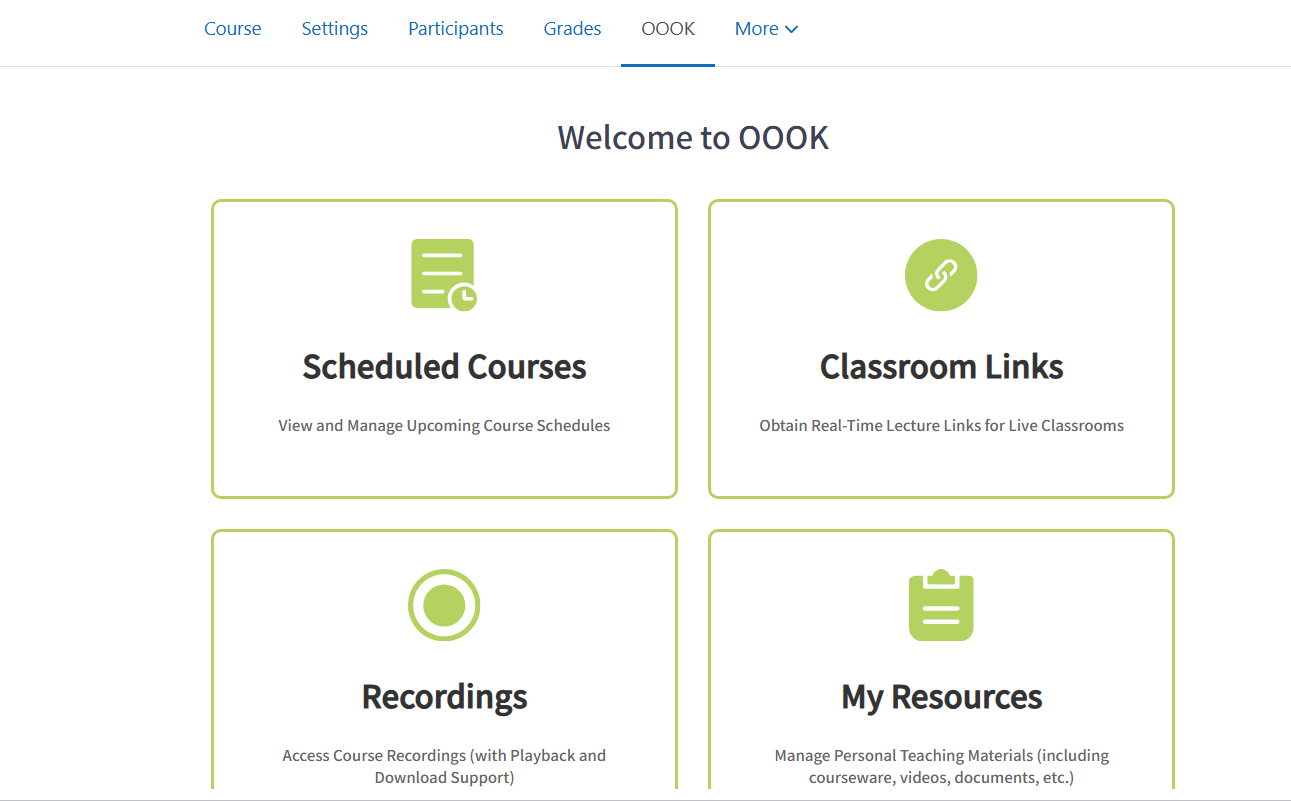
OOOK LTI course menu (local_oookltimenu) adds an OOOK item to Moodle course secondary navigation and launches a configured LTI 1.3 tool from that menu.
The plugin manages a site-level Moodle External tool configuration and creates one hidden helper LTI activity per course when the course menu is first opened by a user who can manage activities. Later launches reuse that helper activity and are handled by Moodle core mod_lti.
Requirements
- Moodle 4.3 or later
- Moodle core
mod_lti enabled
- An external LTI 1.3 tool provider configured by the site administrator
- A Moodle PHP runtime supported by the target Moodle version
External Service
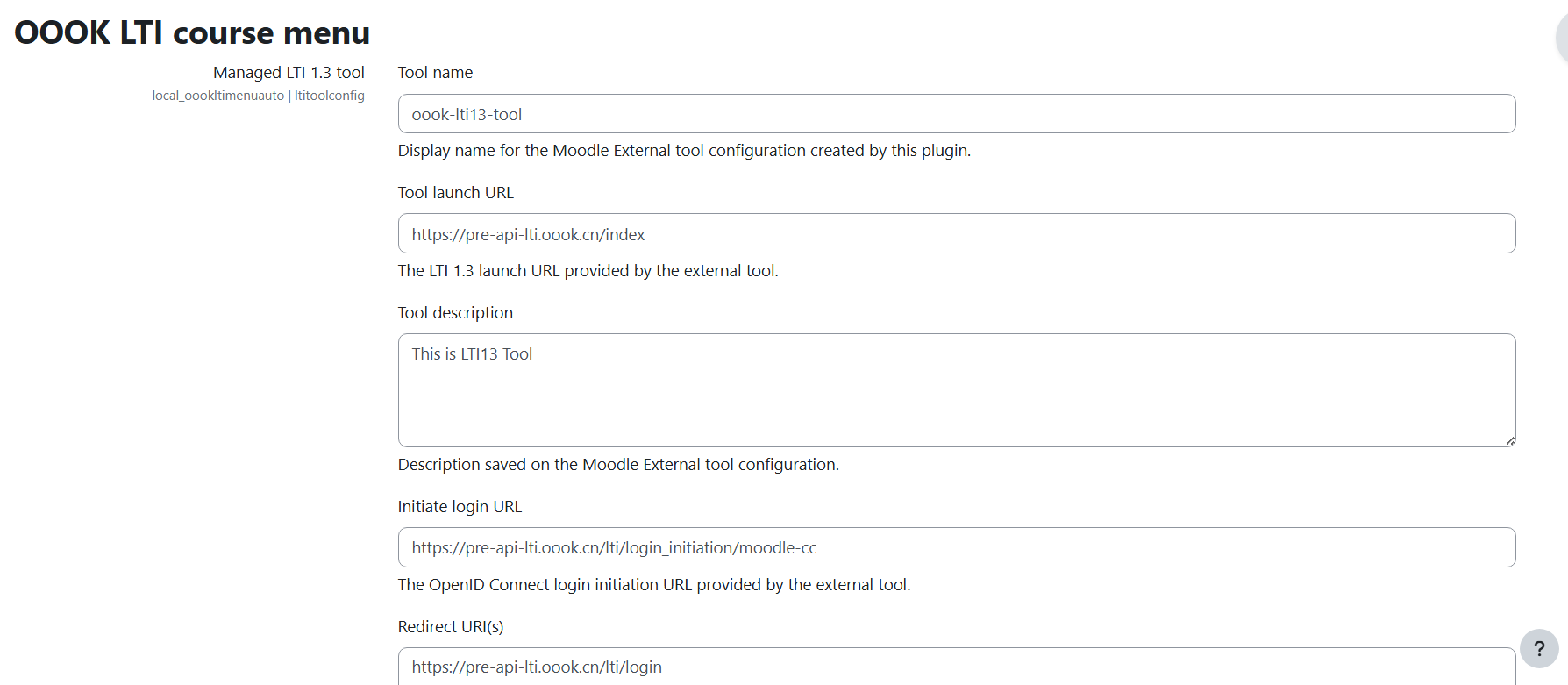
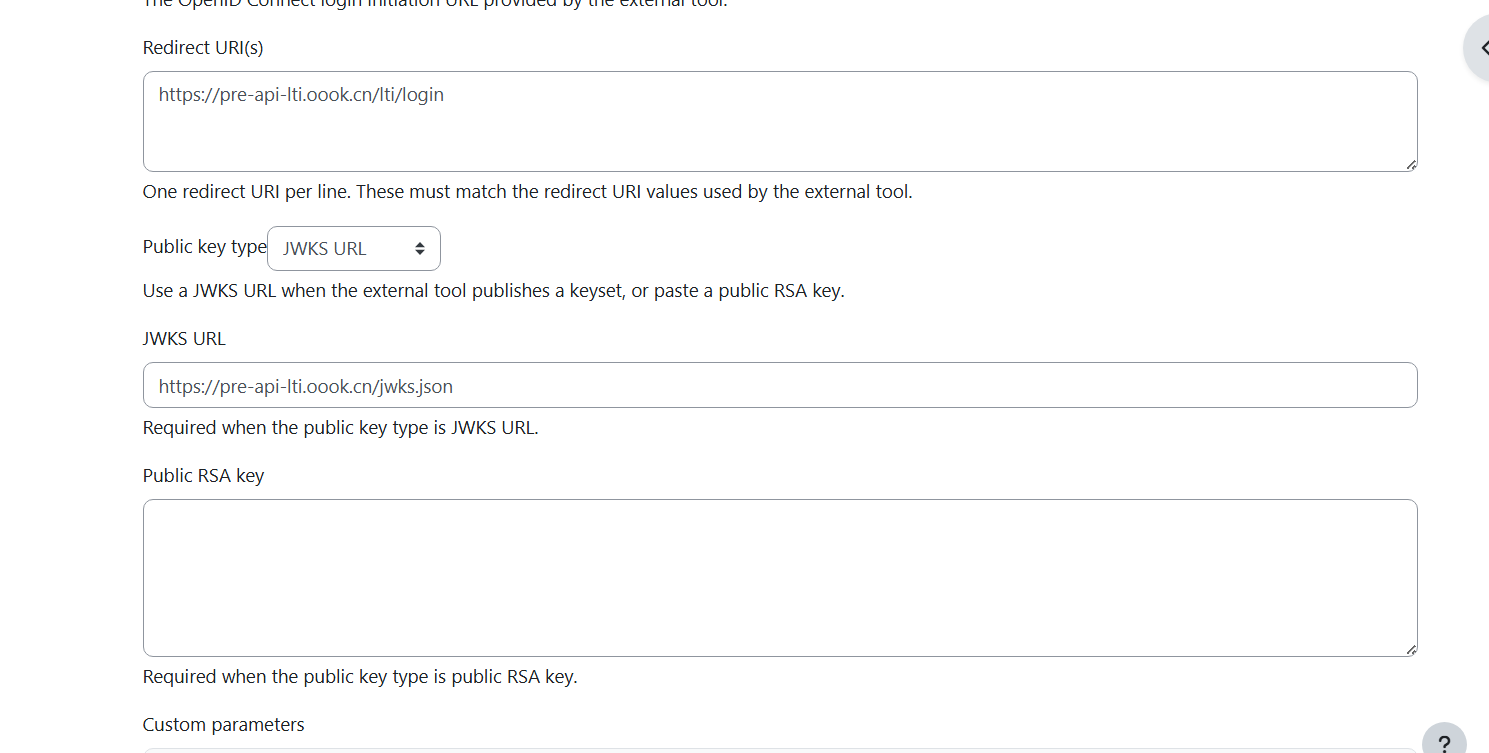
This plugin does not include an LTI tool service and does not ship credentials or shared secrets. A site administrator must provide the LTI 1.3 tool details in the plugin settings:
- Tool launch URL
- OpenID Connect login initiation URL
- Redirect URI or URIs
- JWKS URL or public RSA key
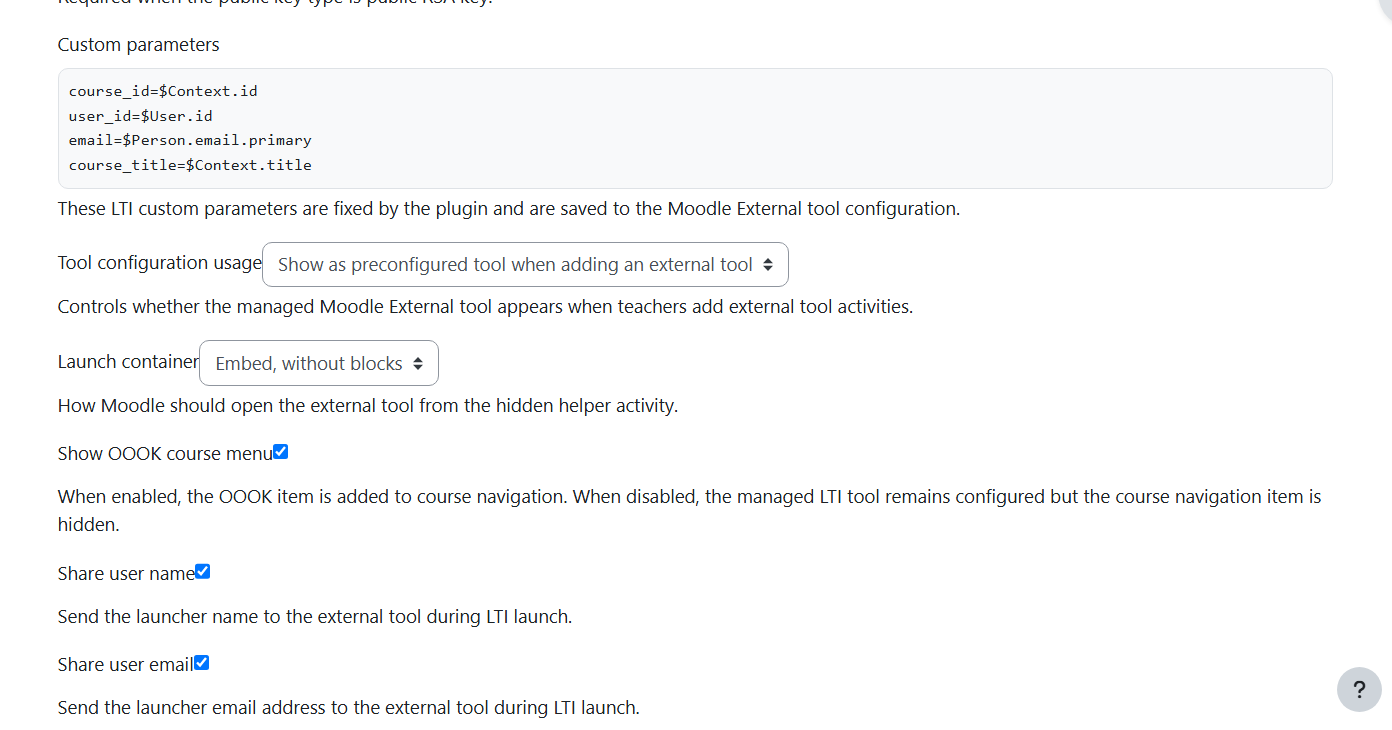
- Name and email sharing preferences
- Launch container and visibility settings
The default settings intentionally leave provider URLs blank. This prevents a newly installed site from accidentally connecting to a demonstration, staging, or private endpoint.
Installation
Install the plugin into:
local/oookltimenu
From a ZIP package, the package root directory must be named:
oookltimenu
After copying or uploading the plugin, visit:
Site administration > Notifications
Then complete the Moodle upgrade process.
Configuration
Open:
Site administration > Plugins > Local plugins > OOOK LTI course menu
Enter the LTI 1.3 tool details and save the settings. The plugin creates or updates a Moodle site-level External tool configuration through mod_lti.
After saving, Moodle platform details are shown on the settings page. Copy these values into the external LTI tool provider:
- Platform ID
- Client ID
- Deployment ID
- Public keyset URL
- Access token URL
- Authentication request URL
The plugin writes these fixed LTI custom parameters to the External tool configuration:
course_id=$Context.id

user_id=$User.id

email=$Person.email.primary

course_title=$Context.title
Course Menu Behavior
When a user opens the OOOK menu item in a course:
- The plugin checks the configured LTI tool type.
- The plugin finds or creates one hidden helper LTI activity named
[OOOK LTI AUTO] in the course.
- The plugin renders a Moodle page containing an iframe.
- The iframe loads
/mod/lti/launch.php?id={cmid}.
- Moodle core
mod_lti performs the LTI 1.3 launch flow.
If the LTI tool has not been configured, non-admin users do not see a launchable menu item. Site administrators are linked to the plugin settings page.
Privacy
The plugin does not create its own database tables and does not store user records itself.
During LTI launch, Moodle core mod_lti may send user and course information to the configured external LTI provider according to this plugin's LTI settings and Moodle's LTI privacy settings. Depending on the administrator configuration, this can include:
- Moodle user ID
- Username
- Full name
- Email address
- Course role
- Course ID
- Course full name
The plugin implements Moodle Privacy API metadata for this external data flow.
Uninstall
On uninstall, the plugin attempts to clean up the LTI data it created:
- Auto-created helper LTI activities named
[OOOK LTI AUTO]
- The managed site-level External tool configuration stored in Moodle
mod_lti
If an older version of the plugin was uninstalled before this cleanup existed, any remaining External tool configuration must be removed manually from Moodle's External tool administration page.
Source And Support
Moodle Plugins Directory Notes
Suggested plugin directory summary:
Adds an OOOK course navigation item that launches a configured LTI 1.3 tool through Moodle core mod_lti.
Recommended screenshots before submitting to the Moodle Plugins directory:
- Plugin settings page with LTI fields visible
- Saved settings page showing generated Moodle platform details
- Course page showing the
OOOK secondary navigation item
- Launch page showing the external tool loaded from the course menu