AutoGrade
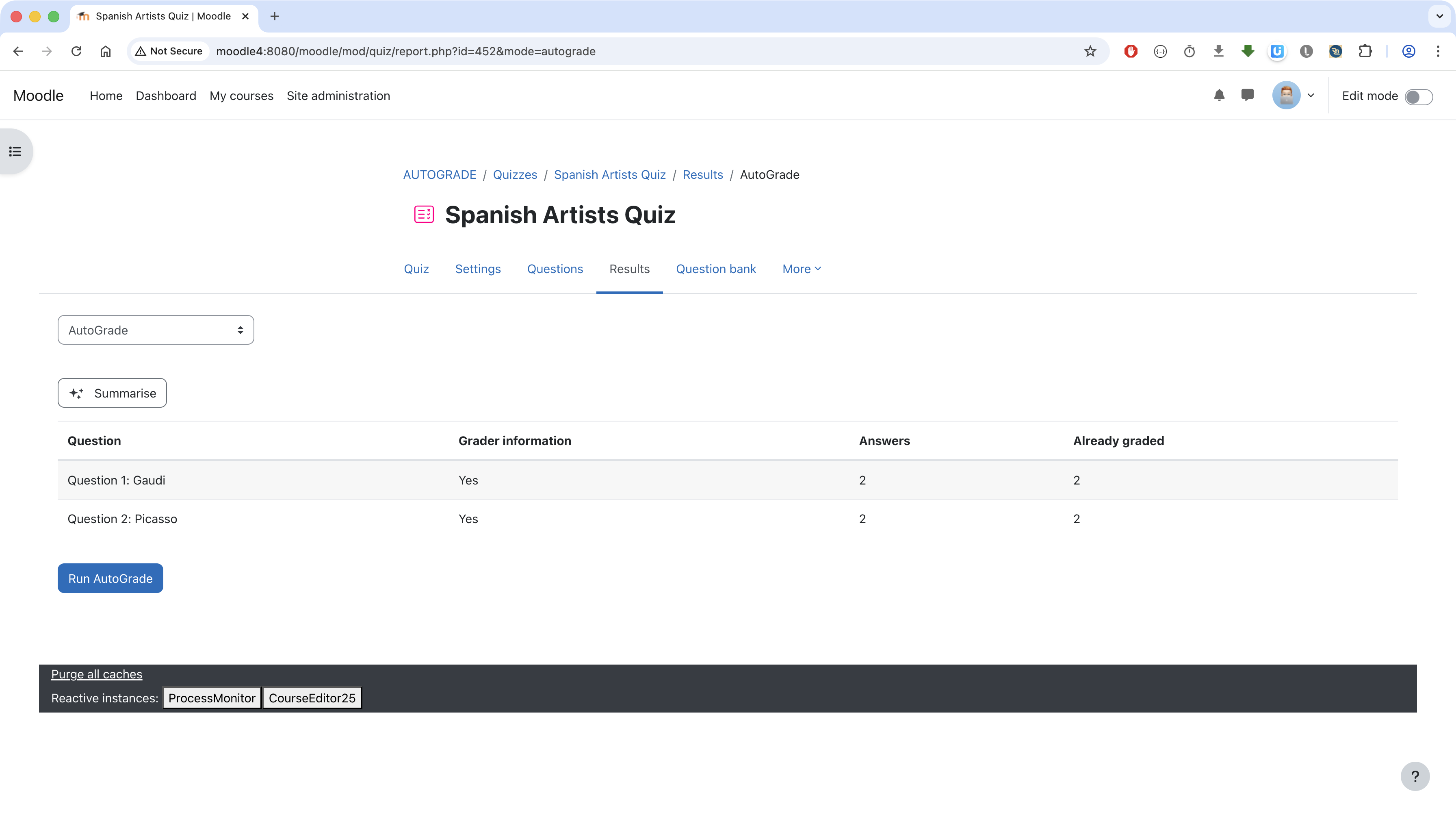
AutoGrade is a quiz report plugin that enables manual grading of Essay questions through Moodle's AI subsystem.
The plugin uses the built-in Essay question type. It identifies essay responses that still need grading, sends student answers to an AI provider, which returns a grade and a comment. Only questions with grading information are considered. Teachers can of course review the AI-generated grades and comments and adapt if necessary, e.g., through the built-in "Manual grading" feature.
Installing via uploaded ZIP file
- Log in to your Moodle site as an admin and go to Site administration >
Plugins > Install plugins.
- Upload the ZIP file with the plugin code. You should only be prompted to add
extra details if your plugin type is not automatically detected.
- Check the plugin validation report and finish the installation.
Installing manually
The plugin can be also installed by putting the contents of this directory to
{your/moodle/dirroot}/mod/quiz/report/autograde
Afterwards, log in to your Moodle site as an admin and go to Site administration >
Notifications to complete the installation.
Alternatively, you can run
$ php admin/cli/upgrade.php
to complete the installation from the command line.
License
2026 Christian Grévisse christian.grevisse@uni.lu
This program is free software: you can redistribute it and/or modify it under
the terms of the GNU General Public License as published by the Free Software
Foundation, either version 3 of the License, or (at your option) any later
version.
This program is distributed in the hope that it will be useful, but WITHOUT ANY
WARRANTY; without even the implied warranty of MERCHANTABILITY or FITNESS FOR A
PARTICULAR PURPOSE. See the GNU General Public License for more details.
You should have received a copy of the GNU General Public License along with
this program. If not, see https://www.gnu.org/licenses/.