Javier Cáceres González
Lead maintainer

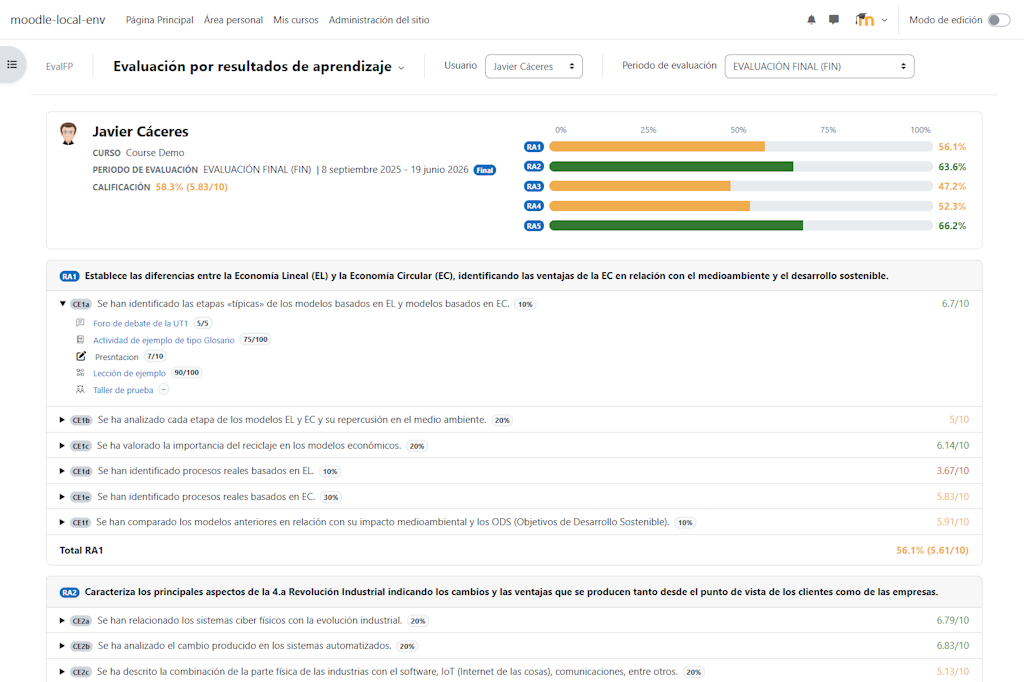
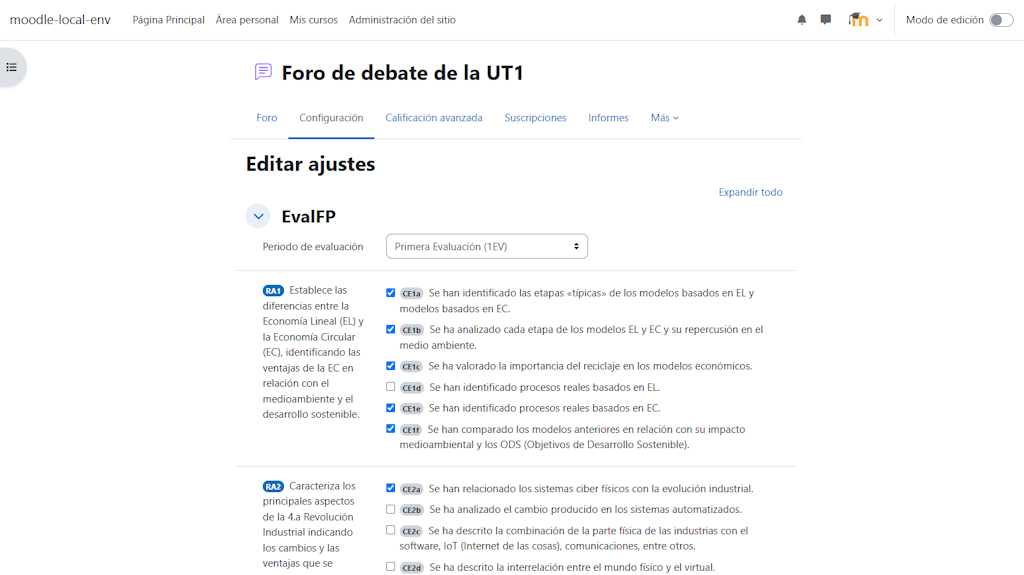
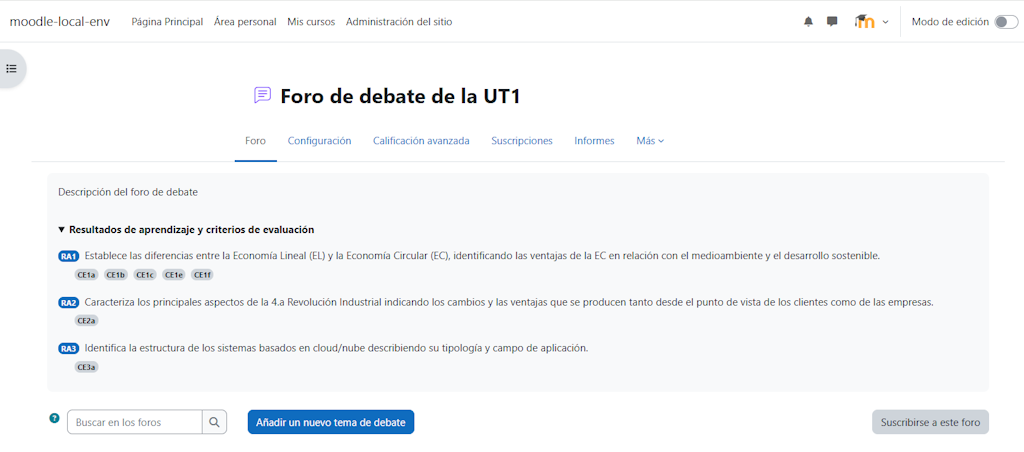
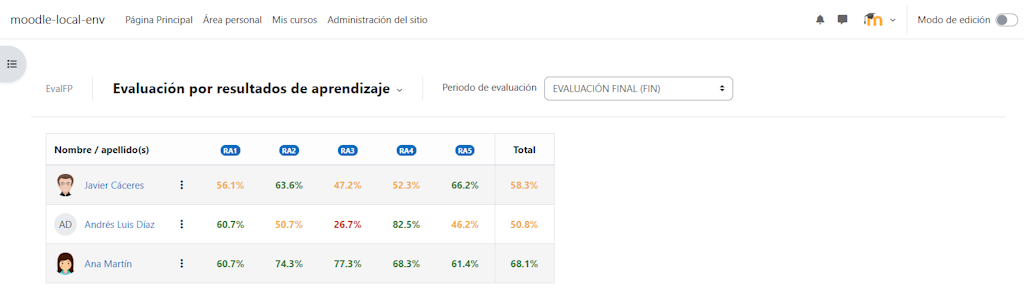
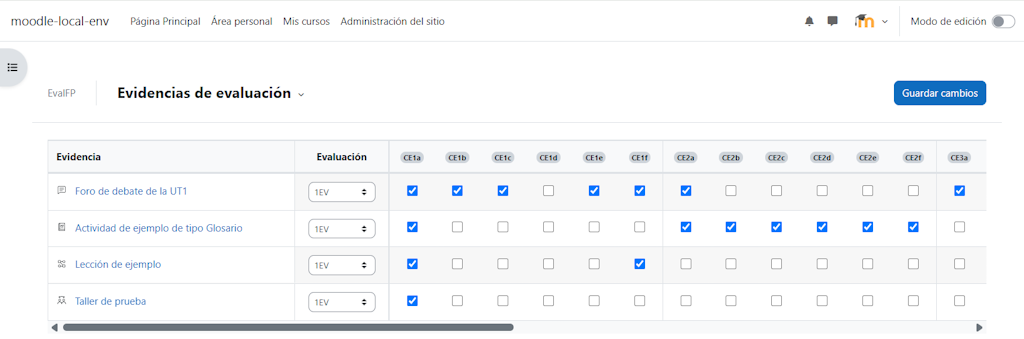
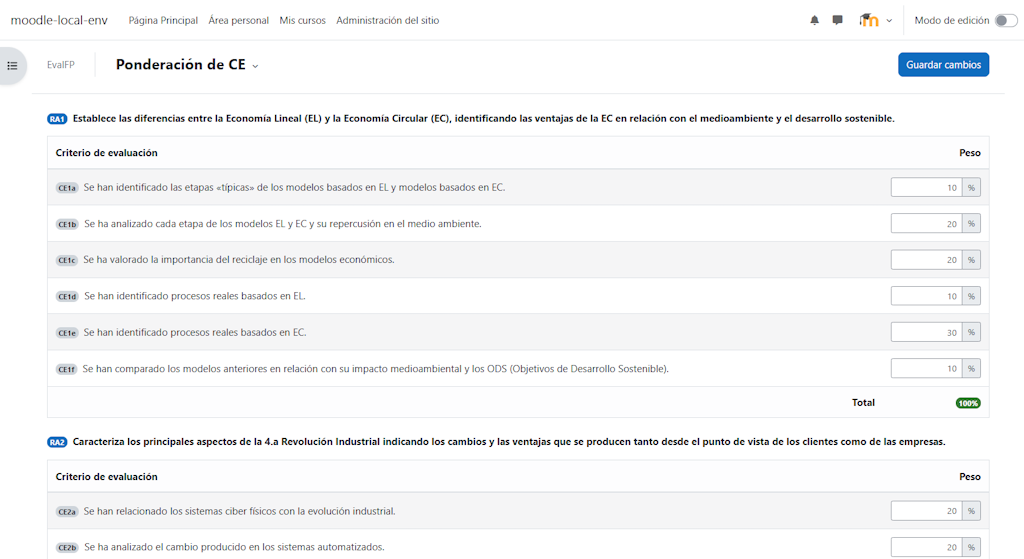
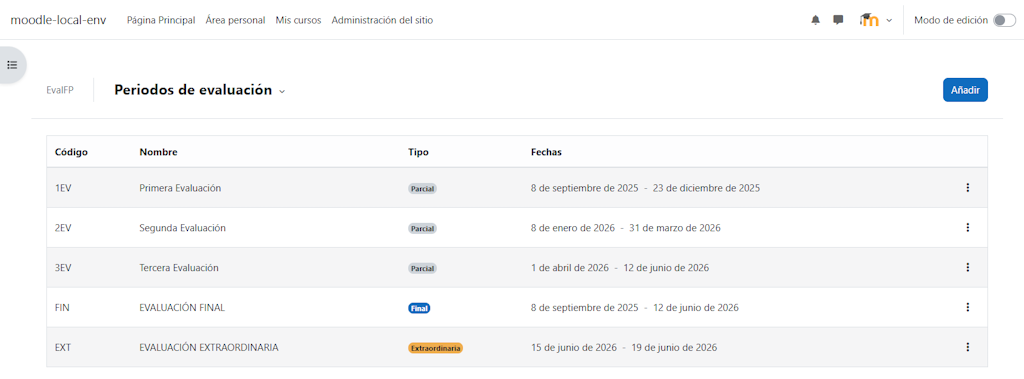
EvalFP is a Moodle local plugin for curriculum-based assessment in Spanish Formación Profesional (FP).
It adds a curriculum layer to Moodle courses by connecting gradebook items with learning outcomes, assessment criteria, evaluation periods and assessment evidence.
The guiding idea is simple:
Moodle gradebook provides the activities, grade items and grades. EvalFP provides the FP curriculum structure, evidence links, weights, periods and reports.
EvalFP is intended for teachers, departments and schools that assess students using Resultados de Aprendizaje (RA) and Criterios de Evaluación (CE).
Moodle already provides a powerful and flexible gradebook. However, teachers in Spanish vocational education often need additional spreadsheets or external tools to organise grades according to learning outcomes, assessment criteria and evaluation periods.
EvalFP aims to reduce that dependency, avoid duplicated work and make better use of the information already available in Moodle.
It provides a clear, integrated and coherent way to connect course grades with the official curriculum structure used in Formación Profesional.
Teachers continue creating and grading assignments, quizzes, manual grade items and other activities using Moodle.
EvalFP reads those gradebook values and interprets them through the curriculum structure configured in the course.
A typical workflow is:
EvalFP does not replace Moodle’s gradebook and does not create a parallel grading system.
It does not modify how Moodle activities are graded and does not store independent student grades. Moodle remains the source of activities, grade items, grading settings, scales and grades.
EvalFP stores only the curriculum configuration required to interpret that information: learning outcomes, assessment criteria, weights, evaluation periods, evidence links and course-level settings.
EvalFP was created from real teaching practice in Spanish Formación Profesional and responds to a need identified through the daily use of Moodle.
The plugin complements Moodle with a curriculum layer adapted to assessment by learning outcomes and assessment criteria, while respecting Moodle’s existing architecture and grading model.
EvalFP does not replace the official teaching plan of a department. Each school, department and teaching team remains responsible for applying its approved regulations, assessment criteria and teaching documentation.
Source code, documentation and issue tracking are available in the EvalFP GitHub repository.
EvalFP is open-source software released under the GNU General Public License v3 or later.