Adam Jenkins
Lead maintainer

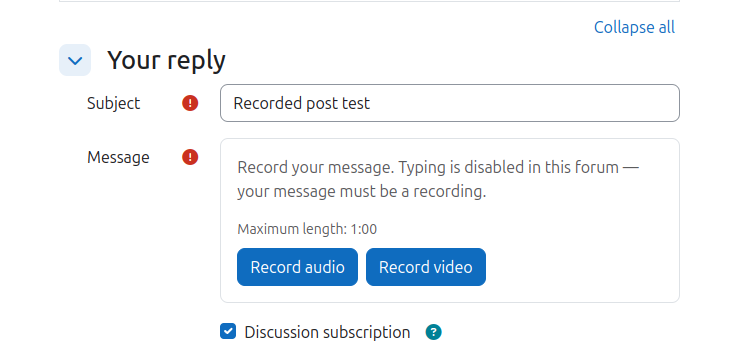
Recording submission (assignsubmission_recording) is an assignment submission plugin that replaces typed text with the student's own voice or face. When an assignment has the plugin enabled, the submission form shows a recorder built on the browser's native MediaRecorder API: students click Record audio or Record video, grant camera/microphone permission, watch a live preview, and record their answer in one take or as many takes as they like. The finished recording is uploaded straight into a Moodle draft area, embedded in the submission, and moved to permanent Moodle file storage on submit — nothing ever leaves the Moodle server.
Teachers configure, per assignment, the allowed recording type (audio only, video only, or the student's choice) and a maximum recording length; recording stops automatically at the limit with a visible countdown. Site administrators set the audio and video bitrates that balance quality against file size, and can enable a camera-switch button for devices with several cameras.
The plugin implements the full Moodle plumbing you'd expect: course backup, restore and reset; the Privacy API for GDPR export and deletion; secure file serving through pluginfile with the assignment's own access rules; and CI against Moodle 5.0–5.2. Works in all modern browsers, recording WebM or MP4.
