Adam Jenkins
Lead maintainer

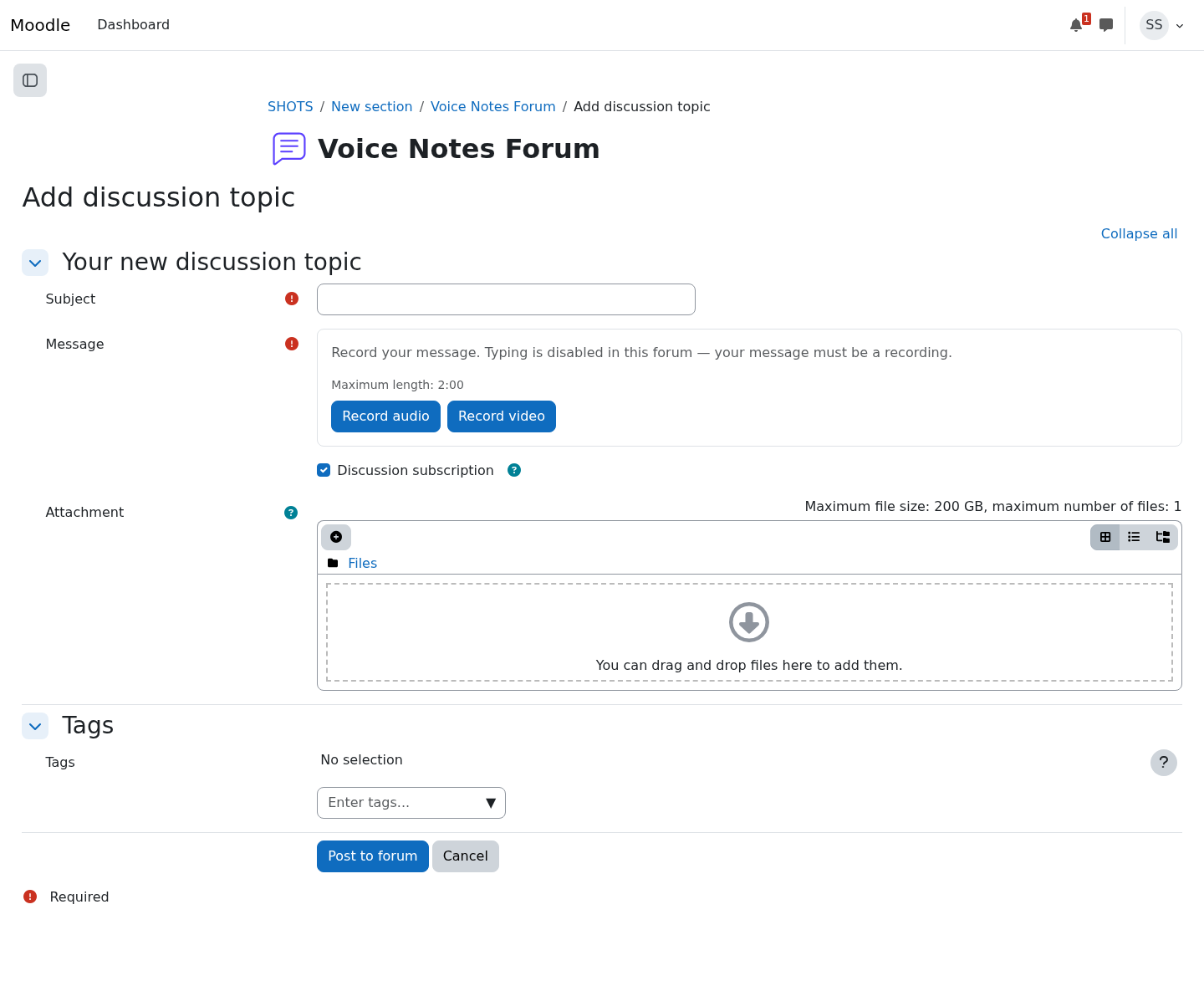
Textless forum (local_textless_forum) is built for courses where hearing students matters more than reading them: language learning, presentation practice, music, early years, or any cohort that struggles with typed text.
A teacher opts a forum in from the forum's own settings page. From then on, the forum's reply and discussion forms swap the text editor for a recorder built on the browser's MediaRecorder API: students choose audio or video (as the forum allows), watch a live preview, record up to the configured maximum duration with a countdown and automatic stop, listen back, and re-record until happy. The finished recording uploads straight into the post as a standard forum attachment.
Because recordings are ordinary attachments, everything downstream just works: posts appear in the usual discussion threads with Moodle's media player, course backup and restore keep the recordings, GDPR export and deletion cover them through mod_forum's own privacy provider, and the per-forum configuration itself also travels with course backups.
Site administrators can set recording bitrates and optionally enable server-side transcoding (via an ad-hoc task) to convert recordings to smaller formats after posting. Tested with CI on Moodle 5.0–5.2 with PHPUnit coverage of the settings manager.

