Adam Jenkins
Lead maintainer

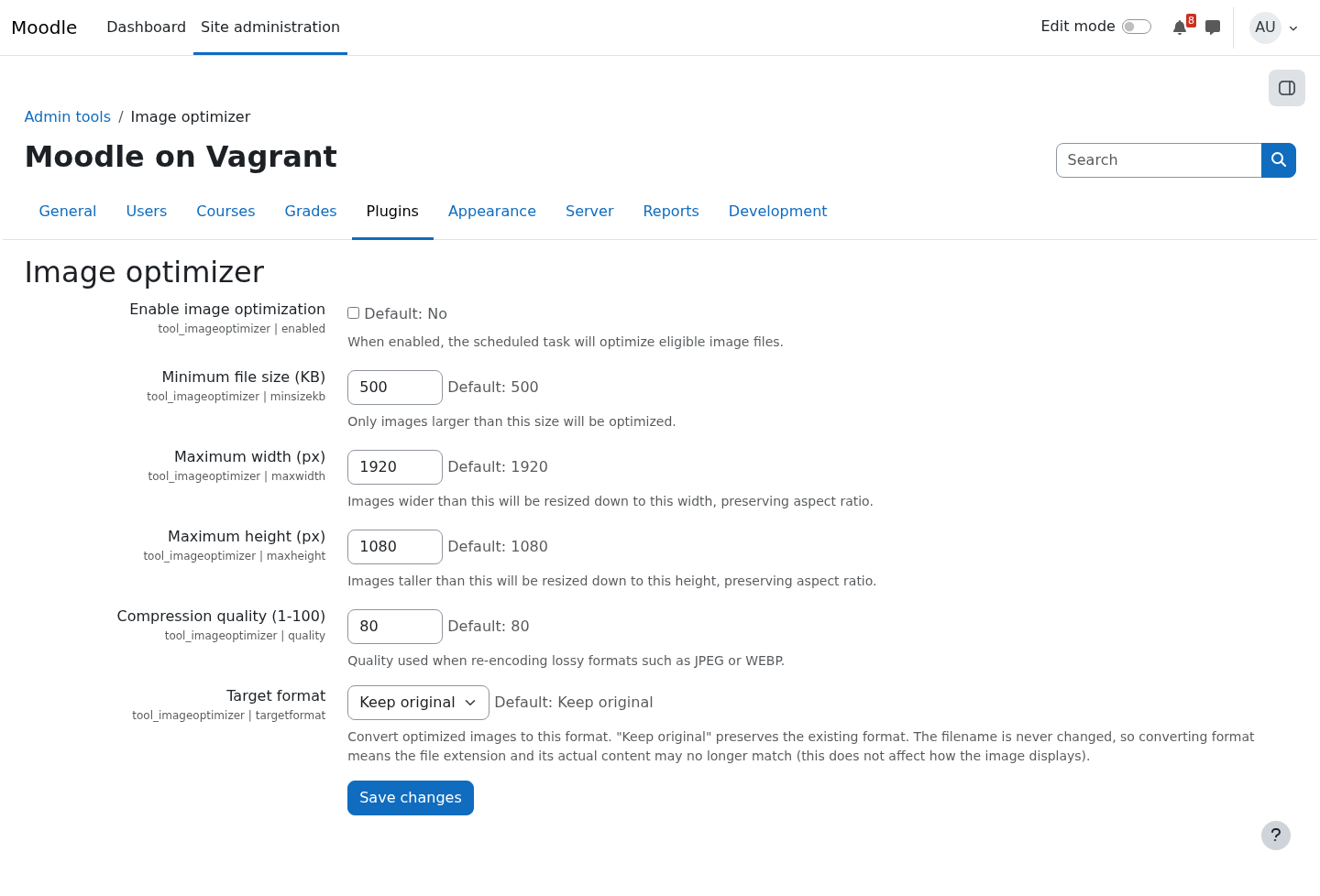
Students and teachers upload photos straight from their phones — 8 MB, 4000 pixels wide, destined to be displayed at 600. Multiply by a few thousand uploads and moodledata bloats, backups crawl, and page loads suffer. Image optimizer (tool_imageoptimize) fixes this at the source.
A scheduled task (every 15 minutes by default) scans Moodle's file storage for images above a configurable size threshold and processes them: resizing anything larger than your maximum width/height, re-encoding at your chosen quality, and optionally converting to JPEG or WEBP. It prefers Imagick and falls back to GD, and it re-checks actual byte savings — a file is only replaced when the optimized version is genuinely smaller.
The details are handled carefully. Optimized files keep their original filename, because rich-text content embeds images by filename via @@PLUGINFILE@@ and renaming would break them; the mimetype is set from the re-encoded content. A tracking table remembers processed files so nothing is optimized twice. Before any decode, declared dimensions are checked so a tiny crafted file can't trigger memory exhaustion (decompression bomb).
Everything is configurable under Site administration > Server, the privacy API is fully implemented, and PHPUnit tests plus CI cover Moodle 5.0–5.2.

