Roxana Castillo
Lead maintainer

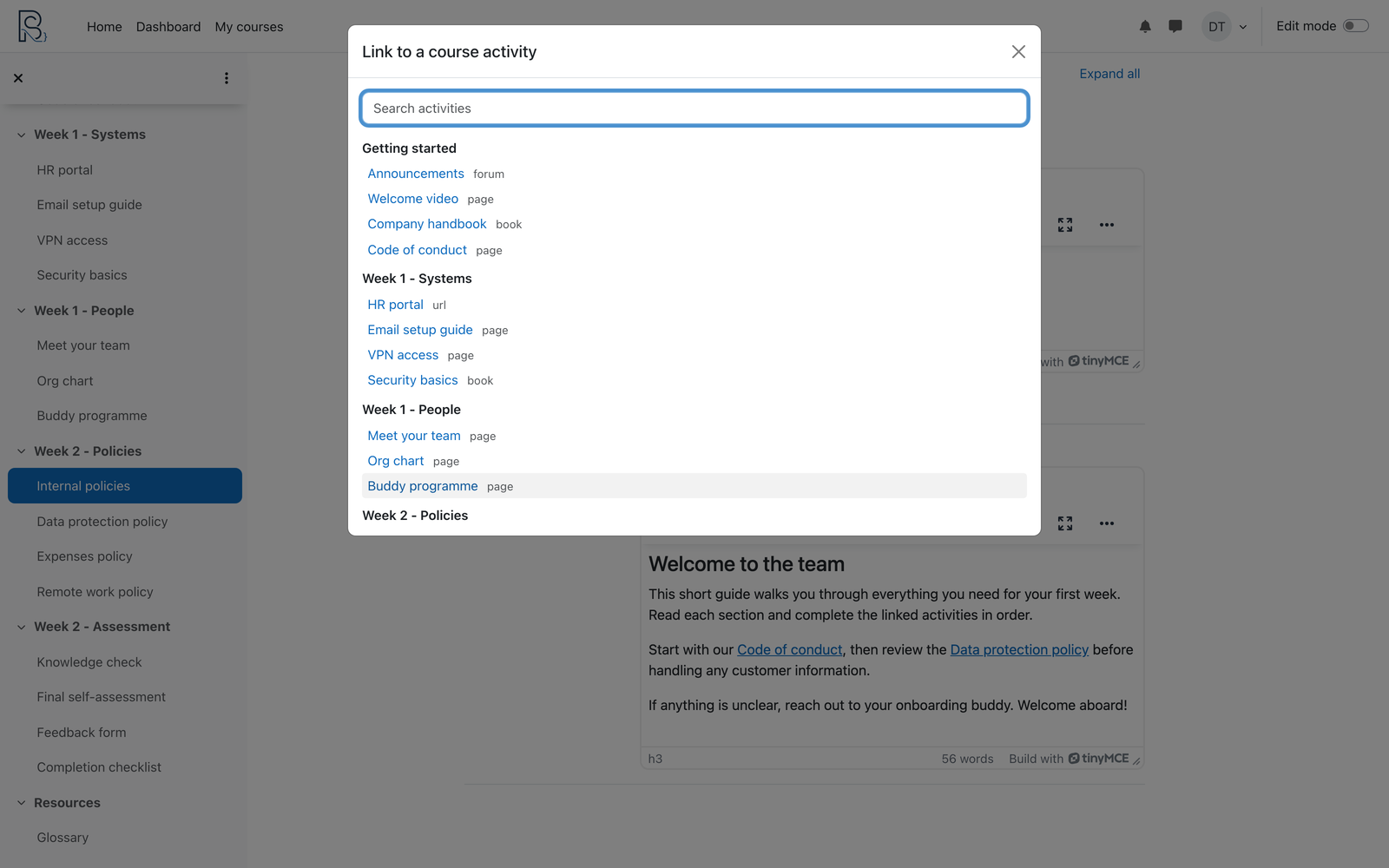
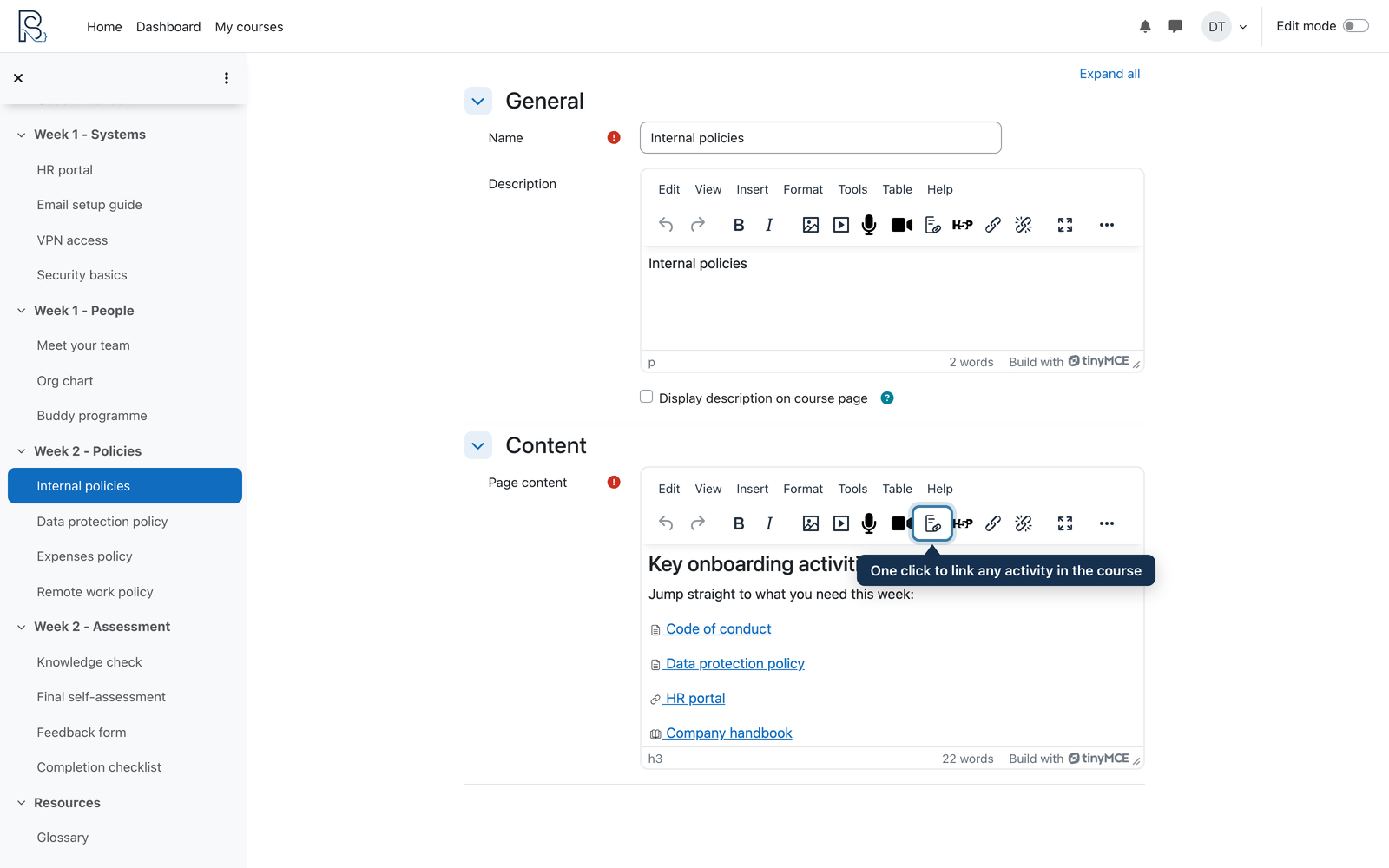
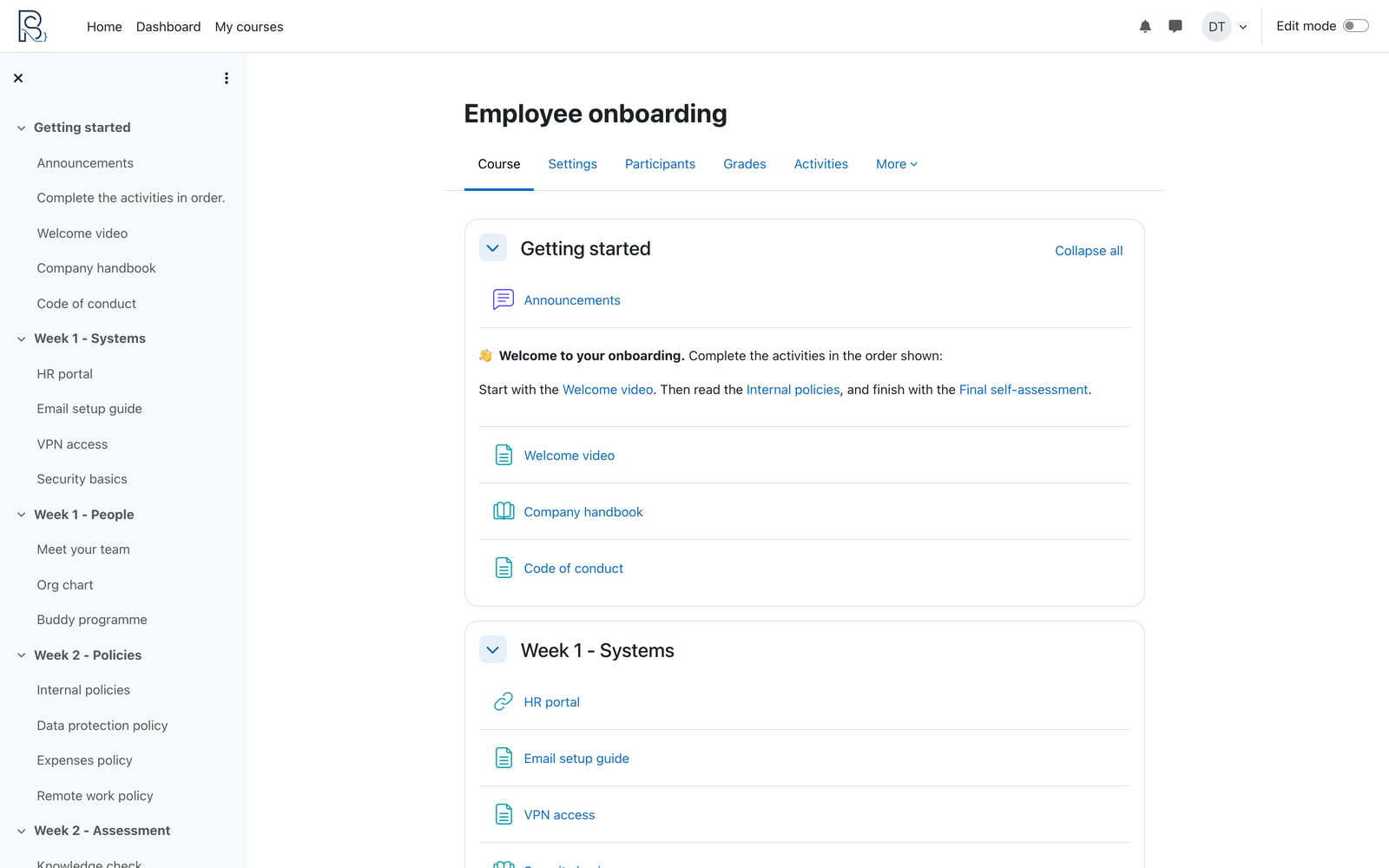
Linking to another activity in your own course should take one click. Today it takes six: open a new tab, find the course, open the activity, copy the URL, come back, paste. Every single time.
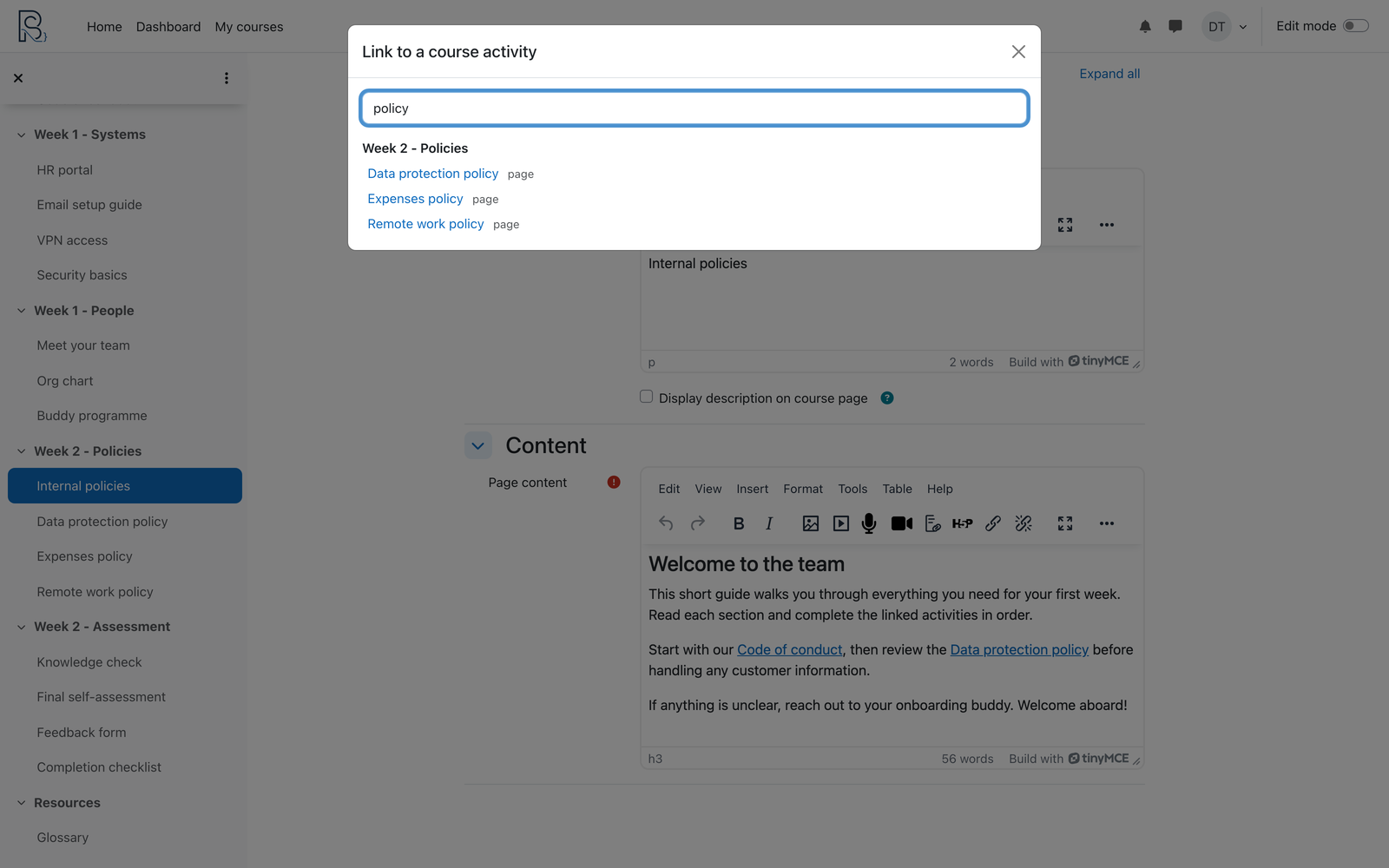
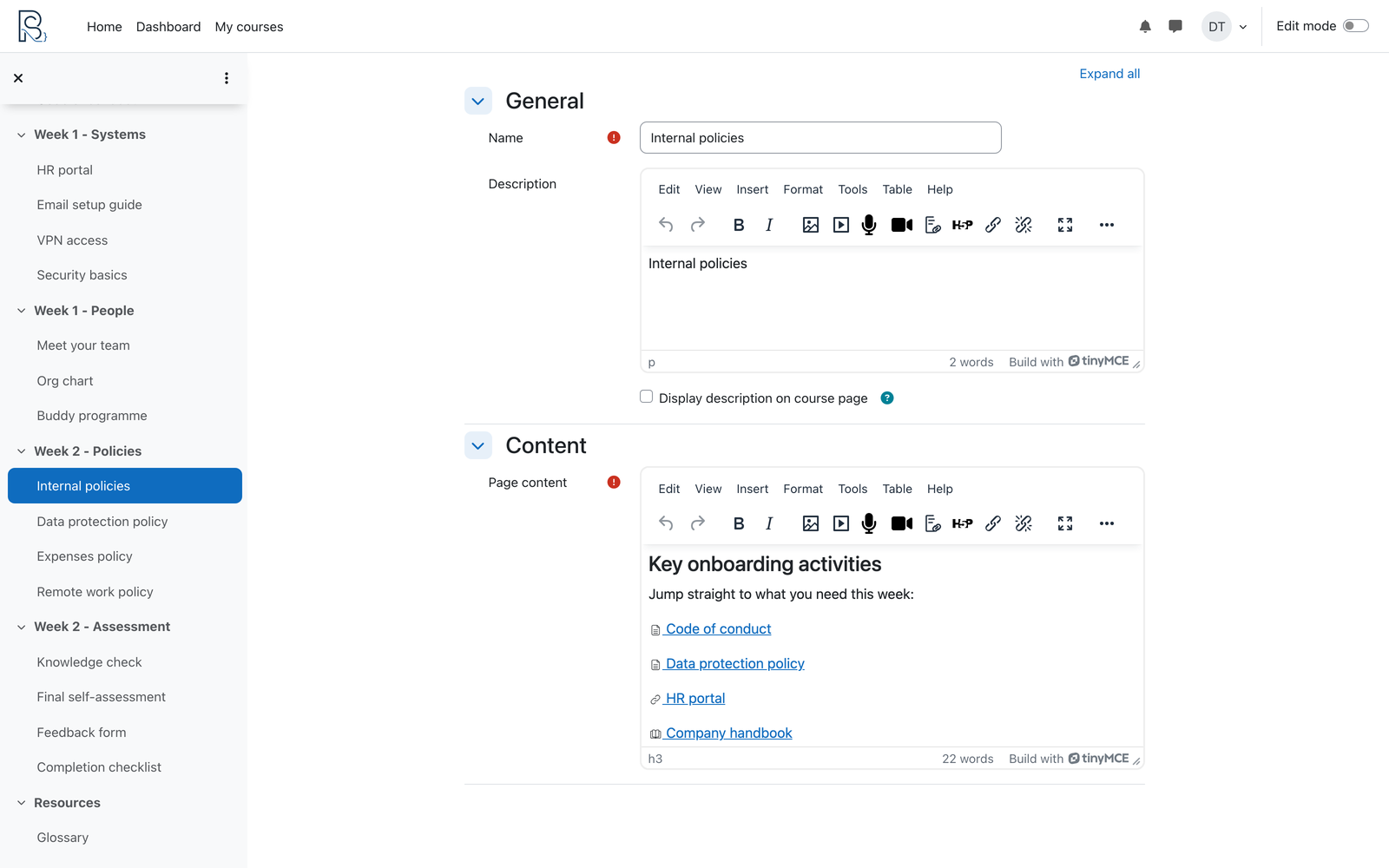
Course link picker adds one button to the editor. It shows you the activities in the course you are already working in, grouped by section. You search, you click, and the link is inserted with the activity name as the visible text.
Why choose Course link picker
Built for the course you are in. The picker reads the current course structure, so the links are always correct. No copying URLs, no broken links pointing at the wrong course or a staging site.
Find anything instantly. Type a few letters to filter across every section. The search ignores accents, so "politicas" finds "Políticas internas" — useful in Spanish, French, Portuguese and German courses.
Respects what learners can see. Hidden activities and activities behind an unmet access restriction never appear in the picker, so you cannot accidentally link your students to a draft or a locked page.
Optional activity icons. Turn on a small type icon before the link text so readers can tell a book from a quiz at a glance. Off by default.
What it links to
Any activity or resource in the current course that has its own page: Pages, Books, Quizzes, Assignments, Forums, URLs, Glossaries and more. Labels are never listed, because they have no page of their own to link to.
Requirements
Moodle 5.0 or later. Works with the standard TinyMCE editor — no additional plugins or external services required. The plugin stores no personal data.
Licence and support
GPL v3 or later. Source code and issue tracker on GitHub. Support in English or Spanish.