Availability Week icon

Availability Week

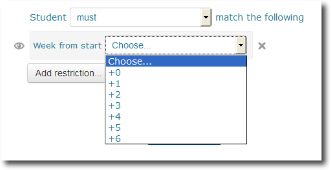
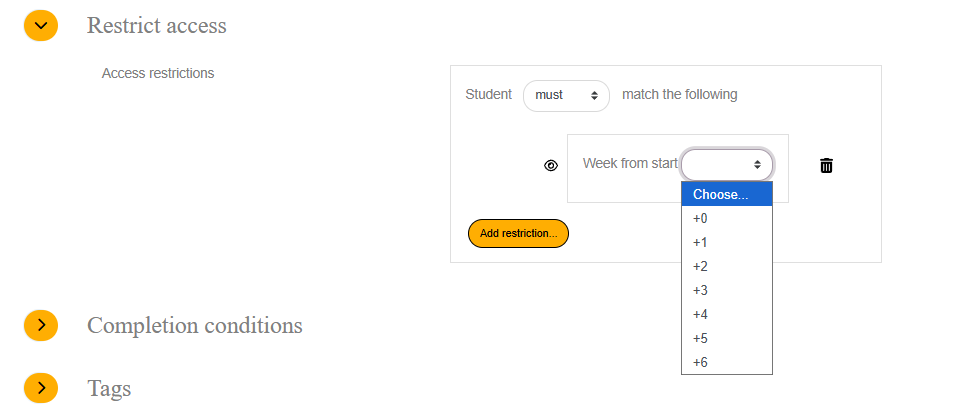
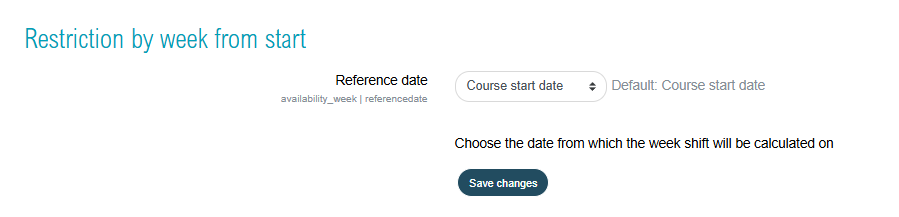
Restriction access based on two choices : The course start date or the date of the user' s enrolment : In that case the cutoff date will be relative for each student individually and equally.
Price option: BASIC $14.99 USD one-time
By buying, you accept the seller's Terms of Sale

Supports Moodle 2.7-5.2 See all versions
Reviewed annually for quality
Latest release: 9 years ago
Installations: 23
Downloads (last 90 days): 20

Frankenstyle name: availability_week

Comments

Product ratings and reviews are coming to Moodle Marketplace. Until then, existing comments remain available to read, but new posts have been disabled.

I checked github, but the latest updates were done on June 9th. And there is no sign of the moodle-availability_week-form-min.js file. I tried making my own moodle-availability_week-form-min.js using the jscompress website and that loads the form correctly, but unfortunately results in a error when adding a limitation (Moodle version 3.1.2). Can you please provide us with a working update?
In case you need it veery quickly, you can use https://jscompress.com/ to compress the expanded version and add it. I will update moodle packs ASAP. Else may you track packages on http://github.com/vfremaux/moodle-availability_week. My Github repos are being synced with the full moodle validation process.
Any news on when the missing -min.js file will be added to the package?
Thanx Valery, looking forward to the update.
Hi mary again. I think i found wha could be wrong, as the YUI model of availability plugin is not so cristal clean for me : seems i missed providing the -min.js file for the form. This works in some situations but some other configuration not. I will add it ASAP to the package.
Hi mary, maybe might you also ry to empty all caches, and navigator cache. The last version of the plugin is running fine here on the 3.1 dev testing version.
I upgradedthe plugin to the latest version on my 3.1 site and purged YUI module definitions as previously but it doesn't seem to have changed the view of the Restrict access box?
Hello! I purged YUI Module definitions (yuimodules) from Site administration >Plugins>Caching>Configuration on my 3.0 site but it still doesn't make a difference. I haven't tried on the 3.1 site yet.
Hi Mary ! I Guess this is pobably binding with a YUI petubation due to a possible misnamed YUI function. This should by the way be fixed. As a first step, Might you clear completely spcial YUI modules cache in the Site Admin / Plugins / Caches / Cache settings menu to ensure that no pinned YUI javascript is remaining in cache. I'll check my side the package to see if this old isnamed has been droped away or not...
Hello! I see that the plugin here says for 2.7 but in your documentation here http://docs.edunao.com/doku.php?id=availability:week it says 2.7 - 3.1
I tried on 3.0 and 3.1 and the restrict access box does not display correctly https://drive.google.com/file/d/0B2eRWG6e8hW5T1pPR0ZDS05SV0k/view?usp=sharing It does work correctly with debugging turned on. I see this is the same issue as in your forum thread here: https://moodle.org/mod/forum/discuss.php?d=336279#p1354984

Thanks Valery for sharing the plugin with the community. I already mentioned elsewhere that I like small and simple plugins that do one useful thing and do it well. Your plugin is one of such plugins. I was able to test the functionality and did not spot any blocker in the code. I am happy to approve it now. You are cleared to land, welcome to the Plugins directory!

* Please add a full description of the plugin. You can describe the plugin's features, purpose and typical usage scenarios there, for example.
* Bug tracker is not specified for your plugin. Providing a place for users of your plugin to report issues encourages participation and provides a way for users to report bugs, make feature requests, or suggest other types of improvements.
* In order to facilitate easier sharing and further development of your open-source plugin, please provide publicly accessible URL of your code repository. The suggested naming convention of the repository is moodle-{plugintype}_{pluginname}.
* Please add a screenshot of your plugin to help folks get an idea of what it looks like when installed.