Gapfill icon

Gapfill

Maintained by Marcus Green
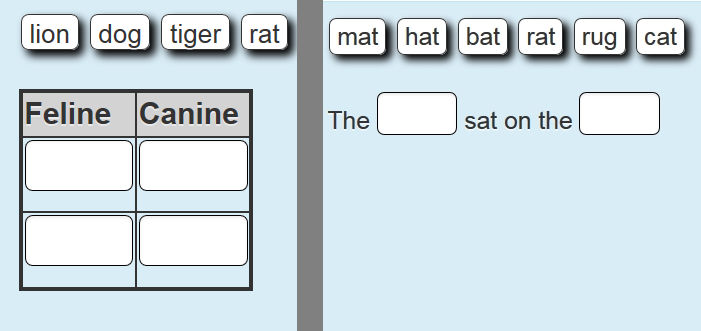
Cloze (fill in the blanks) question type with VERY simple question creation syntax. Can do drag drop, dropdowns or gapfill questions
Price option: Free

Supports Moodle 2.1-5.2 See all versions
Latest release: 3 months ago
Installations: 4370
Downloads (last 90 days): 980

Frankenstyle name: qtype_gapfill
Question types

Comments

Comments are no longer open for new posts. Existing comments remain available to read.

I am assuming you are using Gapfill 1.6. This looks like an issue with handling non ascii (or extended) characters in PHP. I removed the reference to Straßenbahn and it worked. It is not handling the ß character correctly. I have just reproduced this error in 1.6 and then tried it in 1.7 and it works correctly in 1.7. There is also a fix to the drag drop code that improves the way this particular question works.
Which version of the plugin are you using (i.e. 1.6 or 1.7). Can you make an xml backuup of the question and send it to my email address as given in the direct message I have sent to you.
Hello Marcus,
your mod is very usefull and we love the drag&drop option. Since our update to moodle 2.8 dragdrop-option with more then 3 correct options arent working anymore.
We made a list like this
Verkehrsmittel:
[Bus|S-Bahn|Taxi|Flugzeug|Zug|U-Bahn|Straßenbahn]
[Bus|S-Bahn|Taxi|Flugzeug|Zug|U-Bahn|Straßenbahn]
.
.
.
am Bahnhof:
[Gleis 1|Bahnsteig]
[Gleis 1|Bahnsteig]
Gepäck:
[Koffer|Tasche]
[Koffer|Tasche]
The last 2 options are working very well but the first one marks allways wrong. Do you know anything about this?
Thanks
Hi Marcus, I played with the questions with accent marks that Terry gave you and have some more info on the drag and drop in Moodle 2.9. If you use the Clean or More themes in Moodle 2.9, drag and drop is broken. I also tried Formal White and Evolve-D with the exact same questions and they work just fine in Moodle 2.9. I am using version 1.6 of the question type.
Hi Al, nobody else has reported it but I have just replicated your experience in an install of 2.9 on my own machine. It has worked in earlier versions of 2.9 as I have been updating with every new version so something has changed. I shall see what I can do about it. I have just tested Gapfill 1.6 with 2.8 and it seems to work fine.
Hello,
I've also been experiencing this issue since the latest release (2006082514 1.6).
Hi Marcus - I was just trying out the gap fill question in my Moodle 2.9 beta site and it seems like the drag and drop part might be broken. With a question set for gap fill or drop down, no problem. With it set for drag and drop, as soon as you click on a word to drag it to an answer area, it jumps down below the question text and can no longer be moved. Has anyone else reported something similar?
Thank you for the feedback Victor, I will investigate, could you post this same question in the quiz forum and then other people might also give feedback
Hello,
I am using the beta version you mentioned, but someone noticed that grading is not working, even if we get some responses correct the grade is always 0.00 out of 10.00 (0%).
Any idea what's causing this issue?
Thank you
If you mean you want to see the correct answer if a student has entered an incorrect answer, I am working on this. A beta version is available at https://github.com/marcusgreen/moodle-qtype_gapfill/tree/gapfill_1.6. If you are not able to test the beta version let me know and I will show you some screen shots of how it is currently working. Thank you for your feedback.
Hello,
I wonder if it's possible to see the correct answers after submitting.
Could you go to this link
https://github.com/marcusgreen/moodle-qtype_gapfill/issues
And create an issue describing what you want and how you would like it to work. Then when I go to consider it I will have some more ideas. I have though about it in the past but I have tried to keep the syntax and interface as simple as possible for the new user
Hi Marcus
Thanks for letting me know. I was already using fixed gap size.
I don't suppose in future versions there would be a way to limit the gap when using the 'or' operator. If you have two or more possible phrases to go into an exercise the gaps are just way too big.
Version 1.5 of the Gapfill question type has a checkbox for "Fixedgapsize", this would make all gaps the size of the largets. That is the only control it gives over gapsize. I have not added a description to the documentation yet. I will work on getting that done.