Gapfill icon

Gapfill

Maintained by Marcus Green
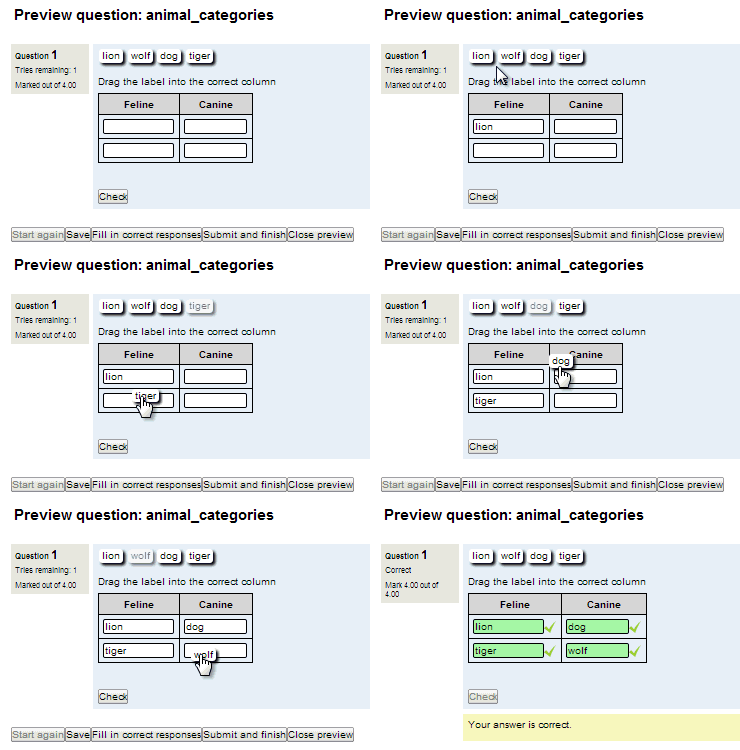
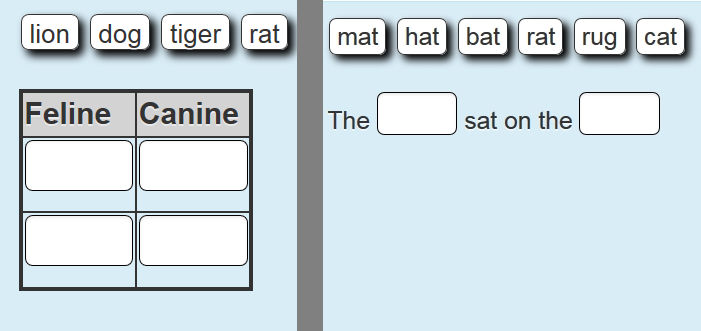
Cloze (fill in the blanks) question type with VERY simple question creation syntax. Can do drag drop, dropdowns or gapfill questions
Price option: Free

Supports Moodle 2.1-5.2 See all versions
Latest release: 3 months ago
Installations: 4370
Downloads (last 90 days): 980

Frankenstyle name: qtype_gapfill
Question types

Comments

Comments are no longer open for new posts. Existing comments remain available to read.

With Atto being deprecated, and not part of Moodle core 5.0+, it would be great to see this plugin updated before it has to be disabled due to incompatibility with many installations. Our organisation will be removing Atto at the end of the year, so as it stands, no new Gap Fill questions can be added there-after as things stand. Looking forward to an update!
I don't have any current timetable. I estimate it would take between 2 and three days of work all told (with testing). If you know anyone who has the time and skill I would be very happy to advise.
We recently upgraded to Moodle 4.5. In doing so, we switched to the TinyMCE editor. However, when creating a Gapfill question, upon clicking the Gap settings button, we get a notice that we need to use the ATTO editor. Is this something that will updated soon?
Great plugin! I've managed to automate all my simple verb drills for my students who keep asking for them, a great way to practice conjugations!
If Moodle works this plugin will work.
How can I know if does it meet the software requirements MySQL, PHP versions?
In the choices list provided, sometimes there appears an extra "if!supportLists" choice. How can I fix the issue? Thank you!
Hi. I have a question. I'm using the moodle app with the plug in but when I hit "Check" (multiple attempts enabled) it doesn't display right or wrong (grean or red) but on the (mobile) web it display just fine. Is this a configuration error on my part or the plug in doesn't support it?
Yes, it is very close to what I'm looking for, thankyou very much for your support!
So can you confirm that is closer to what you were hoping for. I would have to experiment to remind myself how it behaves. I need to update the documentation to cover this feature.
Thankyou for your fast reply! I kinda feel guilty cuz I responded so slow but Yess, It does show after you click "check" but that is for ALL correct answers which makes it like clicking "finish attempt". But for wrong answers, when you click "check" it doesn't show anything, only when you click "finish attempt" does it show the feedback
There is a video about this but I don't think it shows up properly here
Search on Youtube for moodle gapfill per gap feedback
This is the link but I suspect it beaks when displayed here
like this 2. She {1:SA:=had~*#the past form of "have"} a big breakfast.
Sr my account got blocked for entering the code for Cloze question. I'm referring to the "incorrect answer feedback code" for Cloze question
To be clear are you referring to hint information or feedback (i.e. Correct, partially correct, Incorrect feedback)