Table of Contents Generator

Maintained by Ben Chenoweth
Automatically generated table of contents for a page of content.
Price option: Free

Supports Moodle 2.1-4.2 See all versions
Latest release: 2 years ago
Installations: 52
Downloads (last 90 days): 17

Frankenstyle name: filter_toc
Filters

Description

Table of Contents (TOC) Filter

2017 version


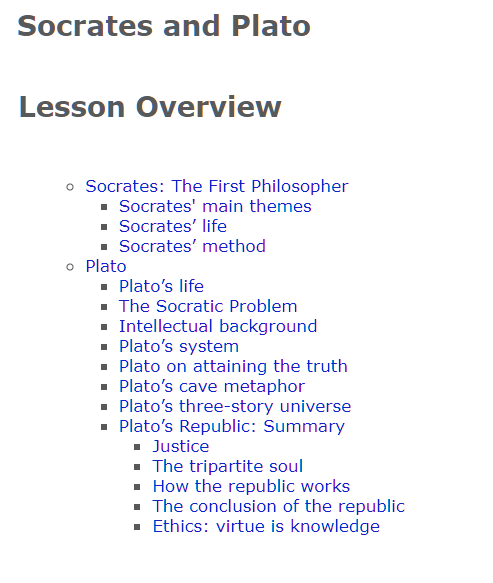
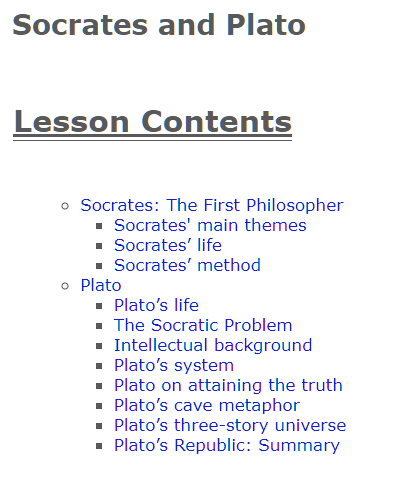
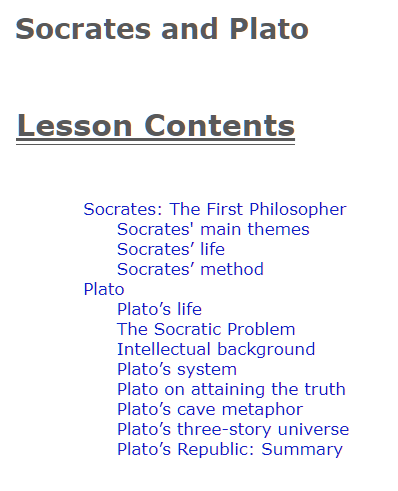
The Table of Contents filter scans pages for heading tags (like h1, h2, etc) and automatically generates a nested list of these tags as a table of contents. Each entry in the table is made into an html link to the actual heading.

The plugin has both global and local settings.


Global Settings

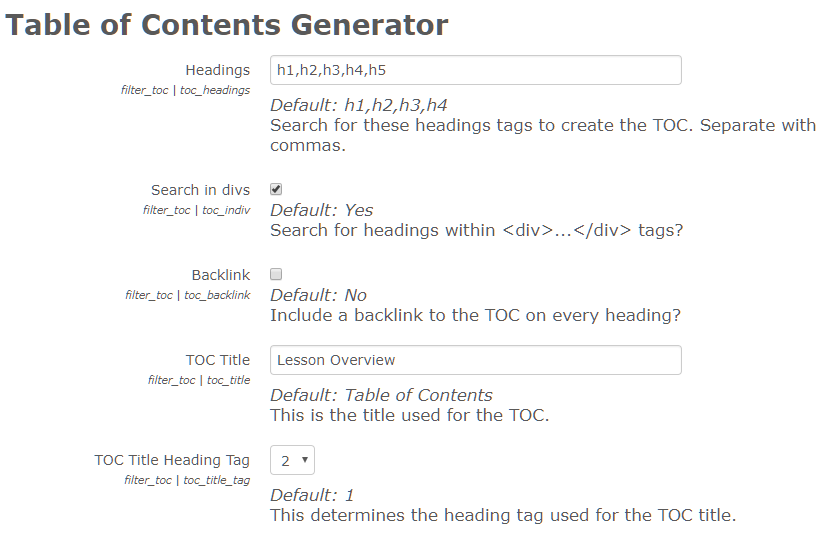
  • Headings: you can nominate which headings tags you want the filter to look for (default: h1,h2,h3,h4)
  • Search in divs: you can choose whether or not to look for headings tags located inside divs (default: yes)
  • Backlink: you can choose whether or not to include a backlink at the end of the heading that links back to the TOC.
  • TOC Title: you can nominate the title used in the TOC (default: Table of Contents)
  • TOC Title Heading Tag: you can choose which heading tag is used for the TOC's title (default: 1)


Local Settings

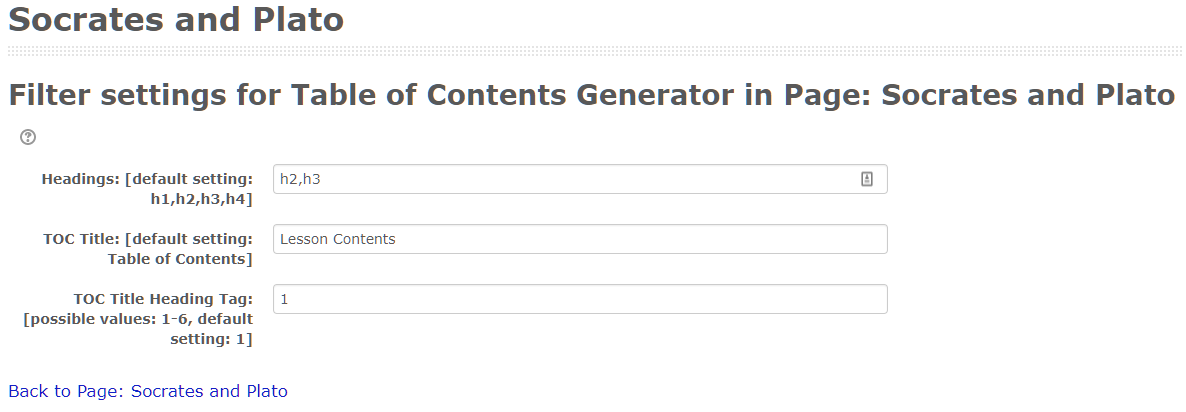
(The local settings allow you to override the global settings on a per page basis.)

  • Headings: you can nominate which headings tags you want the filter to look for
  • TOC Title: you can nominate the title used in the TOC
  • TOC Title Heading Tag: you can choose which heading tag is used for the TOC's title


Hiding Individual Headings

You can also hide specific headings from the TOC by wrapping the heading in a div with class="non-toc".  For example,

<div class="non-toc">
<h1>Lesson 1 — Greco-Roman Civilisation</h1>
</div>


Location

By default, the location of the TOC is placed at the beginning of the page. However, you can nominate a different position by putting the string

[contents]

where you want the TOC to appear.


CSS

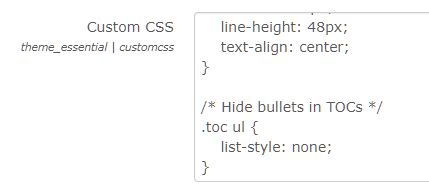
CSS styling may be used to modify the appearance of the table. The entire table is contained within a div with the 'toc' class. The backlinks have the class 'toc_link' applied to them.  For example,

/* Hide bullets in TOCs */
.toc ul {
    list-style: none;
}

(Add to the custom CSS field of your moodle theme.)

Contributors