
Virtual Programming Lab
Versions
Current version
4.5.0 (2026042413)
4.5.0
Plugin type: Activities
Frankenstyle component name: mod_vpl
Version build number: 2026042413
Version release name: 4.5.0
Maturity: Stable
Supported Moodle versions: 4.1, 4.2, 4.3, 4.4, 4.5, 5.0, 5.1, 5.2
Repository URL (Git): https://github.com/jcrodriguez-dis/moodle-mod_vpl
Repository branch:
Repository tag: V4.5.0
Issue/bug tracker URL: https://github.com/jcrodriguez-dis/moodle-mod_vpl/issues
VPL (Virtual Programming Lab) 4.5.0 – Release Notes

Overview
This release introduces a major new Activity Modes system for the VPL module, significant IDE and user experience improvements, enhanced evaluator extensibility, expanded language similarity/tokenizer support, and multiple reliability and performance enhancements.
Major Features
New Activity Modes System
VPL now supports multiple configurable activity modes that alter visibility, submission, and interaction behavior.
Modes available:
- Normal: Uses the previous standard activity behavior. This is the default mode.
- No Students: Students have no access to the activity, regardless of other settings. This mode prevents student access to the activity, including grading information in the gradebook. If the activity is accidentally visible, only the activity name will be shown.
- Students Read-Only: Students are granted read-only access to the activity (students cannot edit or submit), regardless of other settings. This mode allows students to access the activity, including grading information in the gradebook. There is no need to check internal access limits such as dates, passwords, networks, or exceptions (overrides). General Moodle "Access restrictions" still apply.
- Based On: Marks the activity as a template to be used in the "Based On" feature. This mode prioritizes the activity in the template selection list and also applies the "No Students" mode.
- VPL Question: Marks the activity as a template for one or more VPL Questions. All required basic configurations are automatically applied except for the "Required files" setting. This mode prevents the activity from appearing in the gradebook and also applies the "No Students" mode.
- Example: This mode preserves the legacy Example mode that has existed in VPL for a long time.
List of VPL activities in a course (Virtual Programming Labs option menu) enhanced
The Virtual Programming Labs option menu has been enhanced with a new table format:
- Standard styling is used to show submissions and grading reports by activity.
- Columns can be hidden.
- Table download functionality is available.
- Filtering by "Activity Mode" is supported.
Activity view UI updates for teachers
The activity view for teachers has been enhanced with more descriptive information:
- Teachers now receive warnings when activities are configured in non-standard modes.
- Network checks are displayed to indicate whether students can access the activity from the current network or machine.
- SEB configuration checks are displayed to show whether students can access the activity using the current SEB browser and configuration.
- Exception/override summaries are displayed with links for quick modification.
IDE Improvements
A new preferences system allows users to configure IDE and terminal behavior from a unified preferences dialog.
New configurable preferences
Editor
- Theme
- Font size
- Key bindings
- Show invisibles
- Live autocompletion
Terminal
- Theme
- Font size
Additional IDE enhancements
- Preferences button moved to the right side of the status bar.
- Redesigned status bar with: unsaved changes indicators, action links, and web app browser launch links.
- Improved clipboard handling and terminal reliability.
- Improved fullscreen and page scrolling behavior.
- Restricted editing mode now allows copying text from comments and descriptions inside the IDE.
- Better handling of binary files and MIME types. Now binary file formats as pdf are shown.
- Improved file rename and update logic.
- Improved IDE status synchronization when files are removed.
- Improved VNC resize handling.
Other enhancements
Evaluator Subplugin Improvements
- Evaluator subplugins can now define configurable settings in the execution options form.
- Preparation data used during Run and Debug actions can now be modified by evaluators.
Execution Server / GUI Improvements
- Added script support for running HTML in execution server GUI mode.
- Improved execution server certificate messages.
Mark student first access to exam activity
- Empty submissions are automatically saved on first access when SEB or password restrictions are enabled.
Default submission interface
Added a site-level plugin setting that allows administrators to choose the default submission interface shown to students.
The available options are:
- Automatic (default)
- Submit files individually
- Submit ZIP archive
The Automatic option selects:
- Individual file submission when the maximum number of allowed files is 3 or fewer.
- ZIP archive submission otherwise.
Note: students can still change the submission method from the submission form if needed.
Similarity Detection Language Support Improvements
New or updated support for:
Ada, ASM, C/C++, Clojure, C#, COBOL, D, Dart, Eiffel, Erlang, Fortran, F#, Go, Haskell, HTML, Java, JavaScript, Julia, Kotlin, Lisp, Lua, Matlab, Pascal, Perl, PHP, Prolog, Python, R, Ruby, Rust, Scala, Scheme, Shell, SQL, Text, TypeScript, Verilog, VHDL, and Visual Basic.
GIOTES Improvements
A fatal error mechanism has been added. If a grading reduction greater than twice the grade range is applied during a test, execution of the remaining tests stops and the minimum grade is applied.
Compatibility
This version of VPL is compatible with the following:
- Moodle: Versions 4.1, 4.2, 4.3, 4.4, 4.5, 5.0, 5.1, and 5.2
- PHP: Versions 7.4 through 8.3
Note: VPL release numbers are independent of Moodle release numbers, unlike other Moodle modules.
Upgrading from a Previous Version
Updating to the latest version is strongly recommended to benefit from recent security updates, bug fixes, and feature improvements.
Additionally, updating VPL Jail Servers to the latest version is recommended for full compatibility.
Upgrade Steps for VPL 4.5.0
- Ensure your Moodle instance is updated to a supported version.
- Proceed with the VPL plugin upgrade. Upgrades from VPL version 2.4 or later are supported.
4.4.2 (2026012812)
4.4.2
Plugin type: Activities
Frankenstyle component name: mod_vpl
Version build number: 2026012812
Version release name: 4.4.2
Maturity: Stable
Supported Moodle versions: 4.1, 4.2, 4.3, 4.4, 4.5, 5.0, 5.1
Repository URL (Git): https://github.com/jcrodriguez-dis/moodle-mod_vpl
Repository branch:
Repository tag: V4.4.2
Issue/bug tracker URL: https://github.com/jcrodriguez-dis/moodle-mod_vpl/issues
VPL (Virtual Programming Lab) 4.4.2 Maintenance Update – Release Notes

VPL 4.4.2 is a maintenance release for the 4.4 branch. It focuses on bug fixes and user-interface improvements.
Bug Fixes
- Added the missing
require_oncefor thevpl_submission_CEclass in the privacy provider. - Fixed default evaluator BIOTES output handling: after process termination, all pending output is now correctly read.
- Removed the mix of annotations and file auto-links when teachers view submissions with both automatic and custom evaluation. Only custom annotations are now shown.
- The Test cases and Execution files pages now display a link to BIOTES when the default evaluator is used.
Thanks to @Astor-Bizard. - Updated the Java run script to automatically detect the Java version when searching for the class containing the
main()method, including support for the new Java 25 format.
Thanks to @ahberg.
Enhancements
- The activity description page now shows which evaluator is used when it is not the default one.
- The activity description page now displays the available Run and Debug actions, including custom scripts, reflecting the actual activity behavior.
- The execution options page now includes information about custom scripts to reflect the real activity behavior.
- It is now possible to change the maximum grade of an activity after submissions have been graded, with an option to rescale existing grades.
- Improved the uninstall process to remove as much VPL-related data as possible, even if errors occur.
- Enhanced binary file detection.
Thanks to @Astor-Bizard. - Added support for playing audio and video files in the editor and when viewing submissions.
VPL 4.4.1 – Maintenance Update
VPL 4.4.1 is a maintenance release for the 4.4 branch and focuses on restoring functionality lost due to previous refactoring.
Fixes
- Restored the ability to access and reuse previous grading comments while manually assessing a student submission.
- Fixed regression from module refactor that prevented showing/hiding detailed grading comments (
[+]/[-]) in grading reports. - Fixed a regression that displayed incorrect numbers of submissions (graded and ungraded) when using filters in the submissions page.
VPL 4.4.0
VPL 4.4.0 introduces a range of enhancements, fixes, and new features, focusing on improved usability and full compatibility with Moodle 5.1.
This release also includes important internal refactoring to comply with Moodle’s coding style and code-checking requirements.
Enhancements
Updated Third-Party Libraries
- Ace Editor: Updated from version 1.4 to 1.43, improving existing functionality and preparing for future enhancements.
- noVNC Client: Updated to the latest version, ensuring better performance and compatibility for GUI-based applications.
- Text Terminal Client: Replaced term.js with Xterm.js, providing improved terminal emulation, support for non-Latin character input, and dynamic screen resizing.
Support for Course Overview
VPL now support the new Course Overview feature in Moodle 5 that allows users to review different types of Moodle activities at a glance.
Remember that the Virtual Programming Labs option, available in each VPL activity’s administration menu or in course reports, also lets users access all VPL activities on a single page, with advanced filtering options by multiple criteria.
Support for Subsections
Subsections, introduced in Moodle 5, enable better organization of course sections.
The Virtual Programming Labs option now respects subsection structures, displaying activities in the order they appear within the course. Section-based filtering has also been improved to include activities within subsections.
Evaluator Help Links
The Execution Options, Cases Editor, and Execution Files Editor pages now include direct links to the relevant evaluator’s documentation. This helps users better understand each evaluator’s features and usage.
Miscellaneous Improvements
- GIOTES Regex Output Check: Now correctly interprets
\n,\r,\t, and\\for newline, carriage return, tab, and backslash. - Dates: Added support for displaying important dates such as "Available From" and "Due Date" on the course page.
- Submission Status: Now respects group selection, showing the number of students in a group rather than in the entire activity.
- File Renaming: The editor now supports renaming files when only character case changes.
- C++ 20 ISO Support: Added an option to use the C++ 20 ISO standard.
- Page Size Preference: The selected page size is now remembered for the duration of the user’s session.
Fixes
- Evaluator of Evaluations: The evaluator used in evaluation actions within execution files now works with any evaluator type.
- Files for Cases: Ensures the use of the evaluator files needed for setting cases.
- Clipboard in noVNC: Clipboard receiving now functions properly in the noVNC client.
- Student Name Display: Fixed an issue that prevented proper display of student names in the menu options.
Compatibility
This version of VPL is compatible with the following:
- Moodle: Versions 4.1, 4.2, 4.3, 4.4, 4.5, 5.0, and 5.1
- PHP: Versions 7.4 through 8.3
Note: VPL release numbers are independent of Moodle release numbers, unlike other modules.
Upgrading from a Previous Version
It is strongly recommended to update to the latest version to benefit from recent security updates, bug fixes, and feature improvements.
Additionally, updating VPL Jail Servers to the latest version is advised for full compatibility.
Upgrade Steps for VPL 4.4.0
- Ensure your Moodle instance is updated to a supported version.
- Proceed with the VPL plugin upgrade. Upgrades from VPL version 2.4 or later are supported.
4.4.1 (2025112512)
4.4.1
Plugin type: Activities
Frankenstyle component name: mod_vpl
Version build number: 2025112512
Version release name: 4.4.1
Maturity: Stable
Supported Moodle versions: 4.1, 4.2, 4.3, 4.4, 4.5, 5.0, 5.1
Repository URL (Git): https://github.com/jcrodriguez-dis/moodle-mod_vpl
Repository branch:
Repository tag: V4.4.1
Issue/bug tracker URL: https://github.com/jcrodriguez-dis/moodle-mod_vpl/issues
VPL (Virtual Programming Lab) 4.4.1 – Release Notes
VPL 4.4.1 – Maintenance Update
VPL 4.4.1 is a maintenance release for the 4.4 branch and focuses on restoring functionality lost due to previous refactoring.
Fixes
- Restored the ability to access and reuse previous grading comments while manually assessing a student submission.
- Fixed regression from module refactor that prevented showing/hiding detailed grading comments (
[+]/[-]) in grading reports. - Fixed a regression that displayed incorrect numbers of submissions (graded and ungraded) when using filters in the submissions page.
VPL 4.4.0 introduces a range of enhancements, fixes, and new features, focusing on improved usability and full compatibility with Moodle 5.1.
This release also includes important internal refactoring to comply with Moodle’s coding style and code-checking requirements.
Enhancements
Updated Third-Party Libraries
- Ace Editor: Updated from version 1.4 to 1.43, improving existing functionality and preparing for future enhancements.
- noVNC Client: Updated to the latest version, ensuring better performance and compatibility for GUI-based applications.
- Text Terminal Client: Replaced term.js with Xterm.js, providing improved terminal emulation, support for non-Latin character input, and dynamic screen resizing.
Support for Course Overview
VPL now support the new Course Overview feature in Moodle 5 that allows users to review different types of Moodle activities at a glance.
Remember that the Virtual Programming Labs option, available in each VPL activity’s administration menu or in course reports, also lets users access all VPL activities on a single page, with advanced filtering options by multiple criteria.
Support for Subsections
Subsections, introduced in Moodle 5, enable better organization of course sections.
The Virtual Programming Labs option now respects subsection structures, displaying activities in the order they appear within the course. Section-based filtering has also been improved to include activities within subsections.
Evaluator Help Links
The Execution Options, Cases Editor, and Execution Files Editor pages now include direct links to the relevant evaluator’s documentation. This helps users better understand each evaluator’s features and usage.
Miscellaneous Improvements
- GIOTES Regex Output Check: Now correctly interprets
\n,\r,\t, and\\for newline, carriage return, tab, and backslash. - Dates: Added support for displaying important dates such as "Available From" and "Due Date" on the course page.
- Submission Status: Now respects group selection, showing the number of students in a group rather than in the entire activity.
- File Renaming: The editor now supports renaming files when only character case changes.
- C++ 20 ISO Support: Added an option to use the C++ 20 ISO standard.
- Page Size Preference: The selected page size is now remembered for the duration of the user’s session.
Fixes
- Evaluator of Evaluations: The evaluator used in evaluation actions within execution files now works with any evaluator type.
- Files for Cases: Ensures the use of the evaluator files needed for setting cases.
- Clipboard in noVNC: Clipboard receiving now functions properly in the noVNC client.
- Student Name Display: Fixed an issue that prevented proper display of student names in the menu options.
Compatibility
This version of VPL is compatible with the following:
- Moodle: Versions 4.1, 4.2, 4.3, 4.4, 4.5, 5.0, and 5.1
- PHP: Versions 7.4 through 8.3
Note: VPL release numbers are independent of Moodle release numbers, unlike other modules.
Upgrading from a Previous Version
It is strongly recommended to update to the latest version to benefit from recent security updates, bug fixes, and feature improvements.
Additionally, updating VPL Jail Servers to the latest version is advised for full compatibility.
Upgrade Steps for VPL 4.4.0
- Ensure your Moodle instance is updated to a supported version.
- Proceed with the VPL plugin upgrade. Upgrades from VPL version 2.4 or later are supported.
4.4.0 (2025111111)
4.4.0
Plugin type: Activities
Frankenstyle component name: mod_vpl
Version build number: 2025111111
Version release name: 4.4.0
Maturity: Stable
Supported Moodle versions: 4.1, 4.2, 4.3, 4.4, 4.5, 5.0, 5.1
Repository URL (Git): https://github.com/jcrodriguez-dis/moodle-mod_vpl
Repository branch:
Repository tag: V4.4.0
Issue/bug tracker URL: https://github.com/jcrodriguez-dis/moodle-mod_vpl/issues
VPL (Virtual Programming Lab) 4.4.0 – Release Notes

Overview
VPL 4.4.0 introduces a range of enhancements, fixes, and new features, focusing on improved usability and full compatibility with Moodle 5.1.
This release also includes important internal refactoring to comply with Moodle’s coding style and code-checking requirements.
Enhancements
Updated Third-Party Libraries
- Ace Editor: Updated from version 1.4 to 1.43, improving existing functionality and preparing for future enhancements.
- noVNC Client: Updated to the latest version, ensuring better performance and compatibility for GUI-based applications.
- Text Terminal Client: Replaced term.js with Xterm.js, providing improved terminal emulation, support for non-Latin character input, and dynamic screen resizing.
Support for Course Overview
VPL now support the new Course Overview feature in Moodle 5 that allows users to review different types of Moodle activities at a glance.
Remember that the Virtual Programming Labs option, available in each VPL activity’s administration menu or in course reports, also lets users access all VPL activities on a single page, with advanced filtering options by multiple criteria.
Support for Subsections
Subsections, introduced in Moodle 5, enable better organization of course sections.
The Virtual Programming Labs option now respects subsection structures, displaying activities in the order they appear within the course. Section-based filtering has also been improved to include activities within subsections.
Evaluator Help Links
The Execution Options, Cases Editor, and Execution Files Editor pages now include direct links to the relevant evaluator’s documentation. This helps users better understand each evaluator’s features and usage.
Miscellaneous Improvements
- GIOTES Regex Output Check: Now correctly interprets
\n,\r,\t, and\\for newline, carriage return, tab, and backslash. - Dates: Added support for displaying important dates such as "Available From" and "Due Date" on the course page.
- Submission Status: Now respects group selection, showing the number of students in a group rather than in the entire activity.
- File Renaming: The editor now supports renaming files when only character case changes.
- C++ 20 ISO Support: Added an option to use the C++ 20 ISO standard.
- Page Size Preference: The selected page size is now remembered for the duration of the user’s session.
Fixes
- Evaluator of Evaluations: The evaluator used in evaluation actions within execution files now works with any evaluator type.
- Files for Cases: Ensures the use of the evaluator files needed for setting cases.
- Clipboard in noVNC: Clipboard receiving now functions properly in the noVNC client.
- Student Name Display: Fixed an issue that prevented proper display of student names in the menu options.
Compatibility
This version of VPL is compatible with the following:
- Moodle: Versions 4.1, 4.2, 4.3, 4.4, 4.5, 5.0, and 5.1
- PHP: Versions 7.4 through 8.3
Note: VPL release numbers are independent of Moodle release numbers, unlike other modules.
Upgrading from a Previous Version
It is strongly recommended to update to the latest version to benefit from recent security updates, bug fixes, and feature improvements.
Additionally, updating VPL Jail Servers to the latest version is advised for full compatibility.
Upgrade Steps for VPL 4.4.0
- Ensure your Moodle instance is updated to a supported version.
- Proceed with the VPL plugin upgrade. Upgrades from VPL version 2.4 or later are supported.
4.3.2 (2025071410)
4.3.2
Plugin type: Activities
Frankenstyle component name: mod_vpl
Version build number: 2025071410
Version release name: 4.3.2
Maturity: Stable
Supported Moodle versions: 4.1, 4.2, 4.3, 4.4, 4.5, 5.0
Repository URL (Git): https://github.com/jcrodriguez-dis/moodle-mod_vpl
Repository branch:
Repository tag: V4.3.2
Issue/bug tracker URL: https://github.com/jcrodriguez-dis/moodle-mod_vpl/issues
VPL (Virtual Programming Lab) 4.3.2 – Release Notes

Overview
VPL 4.3 introduces significant enhancements, fixes, and new features, with a focus on improved usability, extensibility, and compatibility with Moodle 5.
VPL 4.3.2 resolves issues introduced by new features in the previous version and modifies many code files, mainly by adding and correcting PHP documentation to fulfill the style requirements of Moodle's code checks.
Special thank to Astor Bizard for significant contributions to this version.
Highlights & Enhancements
Capabilities and Permissions
- New Capability:
mod/vpl:editothersgrades— allows users with appropriate roles to delete grades assigned by other teachers.
Submissions List Report (Rebuilt and Optimized)
- Implements standard user selection via initials.
- Supports downloading of filtered report data.
- Adds pagination for improved performance.
- Optimizes multi-user evaluation for increased efficiency and robustness.
New Activity Submission Summary
A new summary panel improves submission tracking:
- Displays students/groups allowed to submit.
- Shows submission and grading status counts.
- Offers quick access to relevant submissions.
- Available in both the activity description and submissions list.
Editor and Language Support
Added editor support for:
- OCaml
- LaTeX
- Makefile
- reStructuredText
Improved hard tab handling for languages like Go and Makefile.
New Language and Tool Support
Added run script support for:
- C# (via Mono)
- COBOL
Integrated with Python Tutor, enabling visual step-by-step code execution for:
- Python
- C
- C++
- Java
Improved Plain Web Submissions (Contributed by Astor Bizard)
- Added support for ZIP archive submissions.
- Enabled more flexible submission formats.
- Improved error recovery — no need to restart submission when files are incorrect.
Advanced Grading Improvements (Contributed by Astor Bizard)
Support for advanced grading methods.
Enhanced grading form:
- Import feedback from previous attempts.
- Contextual help buttons for easier grading.
Enhanced Usability for "Based On" Feature (Contributed by Astor Bizard)
- Teachers can now view concatenated execution scripts, showing how the "based on" feature modifies execution files.
- Clarifies which run/debug scripts are inherited or overridden from base activities.
- Clarifies inherited vs. overridden resource limits.
Course Reset Enhancements
- Time Shifting: Automatically adjust start/due dates across all VPL activities.
- Granular Reset: Selectively reset user/group overrides.
- Optimized Database Access
- Calendar Sync: Ensures VPL calendar events reflect updated time settings.
Activity Analytics
Now tracks per-user activity:
- Save
- Run
- Debug
(Note: Not yet included in standard reports)
Evaluator Subplugin Framework
- Introduced a new subplugin architecture for evaluator extensions.
- First Implementation: GIOTES — an enhanced I/O testing engine (evolution of BIOTES). See below for a short manual of GIOTES.
Run Mode Selection
VPL now supports configurable run modes:
- Text Mode (ANSI terminal)
- GUI Mode (Linux VNC)
- Web App Mode (reverse proxy)
- Text-in-GUI Mode (terminal emulation inside GUI)
Selection Methods:
Set globally per activity
Allow dynamic selection via annotations in source code (within first 1,000 characters):
@vpl_run_text_mode@vpl_run_gui_mode@vpl_run_webapp_mode@vpl_run_textingui_mode
GUI Evaluation Enhancements
- Supports evaluation of graphical programs using text-based inputs in GUI mode.
Fixes
- Fixed issue with downloading submission reports for team-based activities.
- Corrected memory size display from "3. GiB" to accurate "3.50 GiB".
- Reverted unintended change in 4.2.4 requiring course enrollment for web service capability checks.
- Fixed and improved usage of language strings in scripts.
- Corrected locale detection for available languages on Linux systems.
- Fixed bug in the Prolog script when detecting
swiplversion. - Fixed entity detection in VHPL script when using GHDL.
- Resolved MathJax rendering issues in activity descriptions within the editor.
- Improved compatibility between VNC mode and Safe Exam Browser (SEB), including pointer event support.
- Enhanced performance and clarity of regex used in evaluation result parsing (contributed by Astor Bizard).
- Fixed a bug introduced in 4.3.0 that added unnecessary execution scripts to run or debug actions.
- Fixed a bug introduced in 4.3.0 that prevented syntax highlighting outside the editor.
- Fixed a syntax error in the PHP run script introduced in 4.3.0.
- Fixed an issue where the "Run All languages" process must ignore new run modes feature.
- Improved the run script for the R language.
Compatibility
This version of VPL is compatible with the following:
- Moodle: Versions 4.1 to 5.0
- PHP: Versions 7.4 to 8.3
Note: The VPL release number is independent of the Moodle release number, unlike other modules.
Upgrading from a Previous Version
It is recommended to update to the latest version to benefit from recent security and bug fixes. Additionally, updating VPL Jail Servers is strongly advised.
Steps to upgrade to VPL 4.3.2:
- Ensure your Moodle instance is updated to a supported version.
- Proceed with the VPL plugin upgrade after updating Moodle. Upgrades from VPL version 2.4 onwards are supported.
GIOTES Summary Manual
Overview
GIOTES (General Input/Output Test and Evaluation System) is an enhanced evaluator plugin for VPL (Virtual Programming Lab), designed to supersede the default evaluator BIOTES.
Key features:
- Open customization of evaluation reports
- Support for default option values
- Time limits per test case
- More informative and flexible result messages
Configuration File: vpl_evaluate.cases
Test cases are defined in the vpl_evaluate.cases file using a simple configuration syntax:
Each line is either an option setting, a comment, or part of a multiline value.
Comments begin with
#.
Option names are case-insensitive and can contain spaces.
Values may be single-line or multiline.
Multiline values end when:
- Another valid option starts, or
- A custom multiline end marker is used (see
Multiline endoption).
General File Structure
- Global defaults: Any option defined before the first
Caseapplies to all test cases unless overridden locally. - Local options: Options defined within a test case only apply to that specific case.
Available Options
🧪 Test Case Definition
Case: Starts a new test case definition. The name appears in reports.
Case = Test Case 1
⌨️ Input/Output Configuration
Input: Text passed to the program’sstdin. (Multiline option)
Input =

33
Output: Expected output to pass the test. Supports:
- Multiple valid outputs per case
- Text, number, exact text, or regular expressions (Multiline option)
See BIOTES documentation for output types.
Output = 1 2

Output = 2 1
' Program Execution Settings
Expected exit code: Integer.
Positive value indicate that tests pass if match, negative values indicate that require also program output match.
Expected exit code = -13
Time limit: Execution time limit in seconds.
If exceeded, the test fails.
Time limit = 1.5
Program to run: Path to an alternate program to run instead of the student’s.
Program to run = /bin/checkstyle
Program arguments: Command-line arguments for the program.
Program arguments = data.txt
🎯 Conditional Execution
Variation: Specifies a variation code. The case is only considered if it matches.
Variation = v10
🎓 Grading
Grade reduction: Penalty applied if the test fails.
Supports absolute values or percentages.
Grade reduction = 25%
' Messages and Feedback
Failure Messages
Fail message/Fail output message: Message shown when output does not match. (Multiline option)Fail exit code message: Message shown when exit code mismatch occurs. (Overrides fail output message)Timeout message: Message when time limit is exceeded. (Multiline option)
Success Messages
Pass message: Message shown when the test passes. (Multiline option)
If not set, no success message is displayed.
Final Summary
Final report message: Message shown at the end of all tests. (Multiline option)
Example:
Final report message = -Final Report

" Tests passed: <<<num_tests_passed>>>

" Tests failed: <<<num_tests_failed>>>

' The number of passed and failed tests is not a grade indicator.

' There may be errors even if all tests have passed 🧪.

The exercise will be evaluated by a teacher '.
📄 Case Display Formatting
Case title format: Customizes how each test case title is displayed.
Case title format = Case <<<case_id>>>/<<<num_tests>>>: <<<case_title>>> <<<test_result_mark>>>
Fail mark,Pass mark,Error mark,Timeout mark: Custom symbols or text for status display.
Fail mark = [" wrong result]

Pass mark = [" test passed]

Error mark = [' unexpected error]

Timeout mark = [⏰ time limit exceeded]
📌 Multiline Control
Multiline end: Specifies a marker string to explicitly end the next multiline option.
Multiline end = END_OF_TEXT

Output =

This is

a test case

END_OF_TEXT
Placeholders
All messages and formatting can include dynamic placeholders in the format <<<name>>>:
| Placeholder | Description |
| ------------------------------------------------------------------------------------------------------ | -------------------------------------- |
| <<<case_id>>> | Index of the test case (starts at 1) |
| <<<case_title>>> | Case name from Case option |
| <<<test_result_mark>>> | Status symbol from result mark options |
| <<<fail_mark>>>, <<<pass_mark>>>, <<<error_mark>>>, <<<timeout_mark>>> | Respective marks |
| <<<input>>>, <<<input_inline>>> | Test input (multiline or inline) |
| <<<check_type>>> | Output check type |
| <<<expected_output>>>, <<<expected_output_inline>>> | Expected output |
| <<<program_output>>>, <<<program_output_inline>>> | Actual program output |
| <<<expected_exit_code>>> | Expected exit code |
| <<<exit_code>>> | Actual exit code |
| <<<time_limit>>> | Test time limit |
| <<<num_tests>>>, <<<num_tests_run>>> | Total and executed test count |
| <<<num_tests_failed>>>, <<<num_tests_passed>>>, <<<num_tests_timeout>>>, <<<num_tests_error>>> | Test result statistics |
| <<<grade_reduction>>> | Grade penalty for the case |
Tips
- Use
Multiline endwhen expected outputs or messages contain strings that resemble other options. - Use placeholders in messages to create dynamic, informative feedback.
- Use the test of tests feature in the "Execution files" to ensure your configuration behaves as intended.
4.3.1 (2025070413)
4.3.1
Plugin type: Activities
Frankenstyle component name: mod_vpl
Version build number: 2025070413
Version release name: 4.3.1
Maturity: Stable
Supported Moodle versions: 4.1, 4.2, 4.3, 4.4, 4.5, 5.0
Repository URL (Git): https://github.com/jcrodriguez-dis/moodle-mod_vpl
Repository branch:
Repository tag: V4.3.1
Issue/bug tracker URL: https://github.com/jcrodriguez-dis/moodle-mod_vpl/issues
VPL (Virtual Programming Lab) 4.3.1 – Release Notes
Overview
VPL 4.3.1 introduces significant enhancements, fixes, and new features, with a focus on improved usability, extensibility, and compatibility with Moodle 5.
Special thank to Astor Bizard for significant contributions to this version.
Highlights & Enhancements
Capabilities and Permissions
- New Capability:
mod/vpl:editothersgrades— allows users with appropriate roles to delete grades assigned by other teachers.
Submissions List Report (Rebuilt and Optimized)
- Implements standard user selection via initials.
- Supports downloading of filtered report data.
- Adds pagination for improved performance.
- Optimizes multi-user evaluation for increased efficiency and robustness.
New Activity Submission Summary
A new summary panel improves submission tracking:
- Displays students/groups allowed to submit.
- Shows submission and grading status counts.
- Offers quick access to relevant submissions.
- Available in both the activity description and submissions list.
Editor and Language Support
Added editor support for:
- OCaml
- LaTeX
- Makefile
- reStructuredText
Improved hard tab handling for languages like Go and Makefile.
New Language and Tool Support
Added run script support for:
- C# (via Mono)
- COBOL
Integrated with Python Tutor, enabling visual step-by-step code execution for:
- Python
- C
- C++
- Java
Improved Plain Web Submissions (Contributed by Astor Bizard)
- Added support for ZIP archive submissions.
- Enabled more flexible submission formats.
- Improved error recovery — no need to restart submission when files are incorrect.
Advanced Grading Improvements (Contributed by Astor Bizard)
Support for advanced grading methods.
Enhanced grading form:
- Import feedback from previous attempts.
- Contextual help buttons for easier grading.
Enhanced Usability for "Based On" Feature (Contributed by Astor Bizard)
- Teachers can now view concatenated execution scripts, showing how the "based on" feature modifies execution files.
- Clarifies which run/debug scripts are inherited or overridden from base activities.
- Clarifies inherited vs. overridden resource limits.
Course Reset Enhancements
- Time Shifting: Automatically adjust start/due dates across all VPL activities.
- Granular Reset: Selectively reset user/group overrides.
- Optimized Database Access
- Calendar Sync: Ensures VPL calendar events reflect updated time settings.
Activity Analytics
Now tracks per-user activity:
- Save
- Run
- Debug
(Note: Not yet included in standard reports)
Evaluator Subplugin Framework
- Introduced a new subplugin architecture for evaluator extensions.
- First Implementation: GIOTES — an enhanced I/O testing engine (evolution of BIOTES). See below for a short manual of GIOTES.
Run Mode Selection
VPL now supports configurable run modes:
- Text Mode (ANSI terminal)
- GUI Mode (Linux VNC)
- Web App Mode (reverse proxy)
- Text-in-GUI Mode (terminal emulation inside GUI)
Selection Methods:
Set globally per activity
Allow dynamic selection via annotations in source code (within first 1,000 characters):
@vpl_run_text_mode@vpl_run_gui_mode@vpl_run_webapp_mode@vpl_run_textingui_mode
GUI Evaluation Enhancements
- Supports evaluation of graphical programs using text-based inputs in GUI mode.
Fixes
- Fixed issue with downloading submission reports for team-based activities.
- Corrected memory size display from "3. GiB" to accurate "3.50 GiB".
- Reverted unintended change in 4.2.4 requiring course enrollment for web service capability checks.
- Fixed and improved usage of language strings in scripts.
- Corrected locale detection for available languages on Linux systems.
- Fixed bug in the Prolog script when detecting
swiplversion. - Fixed entity detection in VHPL script when using GHDL.
- Resolved MathJax rendering issues in activity descriptions within the editor.
- Improved compatibility between VNC mode and Safe Exam Browser (SEB), including pointer event support.
- Enhanced performance and clarity of regex used in evaluation result parsing (contributed by Astor Bizard).
Compatibility
This version of VPL is compatible with the following:
- Moodle: Versions 4.1 and 4.4 to 5.0
- PHP: Versions 7.4 to 8.3
Note: The VPL release number is independent of the Moodle release number, unlike other modules.
Upgrading from a Previous Version
It is recommended to update to the latest version to benefit from recent security and bug fixes. Additionally, updating VPL Jail Servers is strongly advised.
Steps to upgrade to VPL 4.3.1:
- Ensure your Moodle instance is updated to a supported version.
- Proceed with the VPL plugin upgrade after updating Moodle. Upgrades from VPL version 2.4 onwards are supported.
GIOTES Summary Manual
Overview
GIOTES (General Input/Output Test and Evaluation System) is an enhanced evaluator plugin for VPL (Virtual Programming Lab), designed to supersede the default evaluator BIOTES.
Key features:
- Open customization of evaluation reports
- Support for default option values
- Time limits per test case
- More informative and flexible result messages
Configuration File: vpl_evaluate.cases
Test cases are defined in the vpl_evaluate.cases file using a simple configuration syntax:
Each line is either an option setting, a comment, or part of a multiline value.
Comments begin with
#.
Option names are case-insensitive and can contain spaces.
Values may be single-line or multiline.
Multiline values end when:
- Another valid option starts, or
- A custom multiline end marker is used (see
Multiline endoption).
General File Structure
- Global defaults: Any option defined before the first
Caseapplies to all test cases unless overridden locally. - Local options: Options defined within a test case only apply to that specific case.
Available Options
🧪 Test Case Definition
Case: Starts a new test case definition. The name appears in reports.
Case = Test Case 1
⌨️ Input/Output Configuration
Input: Text passed to the program’sstdin. (Multiline option)
Input =

33
Output: Expected output to pass the test. Supports:
- Multiple valid outputs per case
- Text, number, exact text, or regular expressions (Multiline option)
See BIOTES documentation for output types.
Output = 1 2

Output = 2 1
' Program Execution Settings
Expected exit code: Integer.
Positive value indicate that tests pass if match, negative values indicate that require also program output match.
Expected exit code = -13
Time limit: Execution time limit in seconds.
If exceeded, the test fails.
Time limit = 1.5
Program to run: Path to an alternate program to run instead of the student’s.
Program to run = /bin/checkstyle
Program arguments: Command-line arguments for the program.
Program arguments = data.txt
🎯 Conditional Execution
Variation: Specifies a variation code. The case is only considered if it matches.
Variation = v10
🎓 Grading
Grade reduction: Penalty applied if the test fails.
Supports absolute values or percentages.
Grade reduction = 25%
' Messages and Feedback
Failure Messages
Fail message/Fail output message: Message shown when output does not match. (Multiline option)Fail exit code message: Message shown when exit code mismatch occurs. (Overrides fail output message)Timeout message: Message when time limit is exceeded. (Multiline option)
Success Messages
Pass message: Message shown when the test passes. (Multiline option)
If not set, no success message is displayed.
Final Summary
Final report message: Message shown at the end of all tests. (Multiline option)
Example:
Final report message = -Final Report

" Tests passed: <<<num_tests_passed>>>

" Tests failed: <<<num_tests_failed>>>

' The number of passed and failed tests is not a grade indicator.

' There may be errors even if all tests have passed 🧪.

The exercise will be evaluated by a teacher '.
📄 Case Display Formatting
Case title format: Customizes how each test case title is displayed.
Case title format = Case <<<case_id>>>/<<<num_tests>>>: <<<case_title>>> <<<test_result_mark>>>
Fail mark,Pass mark,Error mark,Timeout mark: Custom symbols or text for status display.
Fail mark = [" wrong result]

Pass mark = [" test passed]

Error mark = [' unexpected error]

Timeout mark = [⏰ time limit exceeded]
📌 Multiline Control
Multiline end: Specifies a marker string to explicitly end the next multiline option.
Multiline end = END_OF_TEXT

Output =

This is

a test case

END_OF_TEXT
Placeholders
All messages and formatting can include dynamic placeholders in the format <<<name>>>:
| Placeholder | Description |
| ------------------------------------------------------------------------------------------------------ | -------------------------------------- |
| <<<case_id>>> | Index of the test case (starts at 1) |
| <<<case_title>>> | Case name from Case option |
| <<<test_result_mark>>> | Status symbol from result mark options |
| <<<fail_mark>>>, <<<pass_mark>>>, <<<error_mark>>>, <<<timeout_mark>>> | Respective marks |
| <<<input>>>, <<<input_inline>>> | Test input (multiline or inline) |
| <<<check_type>>> | Output check type |
| <<<expected_output>>>, <<<expected_output_inline>>> | Expected output |
| <<<program_output>>>, <<<program_output_inline>>> | Actual program output |
| <<<expected_exit_code>>> | Expected exit code |
| <<<exit_code>>> | Actual exit code |
| <<<time_limit>>> | Test time limit |
| <<<num_tests>>>, <<<num_tests_run>>> | Total and executed test count |
| <<<num_tests_failed>>>, <<<num_tests_passed>>>, <<<num_tests_timeout>>>, <<<num_tests_error>>> | Test result statistics |
| <<<grade_reduction>>> | Grade penalty for the case |
Tips
- Use
Multiline endwhen expected outputs or messages contain strings that resemble other options. - Use placeholders in messages to create dynamic, informative feedback.
- Use the test of tests feature in the "Execution files" to ensure your configuration behaves as intended.
4.3.0 (2025052313)
4.3.0
Plugin type: Activities
Frankenstyle component name: mod_vpl
Version build number: 2025052313
Version release name: 4.3.0
Maturity: Stable
Supported Moodle versions: 4.1, 4.2, 4.3, 4.4, 4.5, 5.0
Repository URL (Git): https://github.com/jcrodriguez-dis/moodle-mod_vpl
Repository branch:
Repository tag: V4.3.0
Issue/bug tracker URL: https://github.com/jcrodriguez-dis/moodle-mod_vpl/issues
VPL (Virtual Programming Lab) 4.3.0 – Release Notes

Overview
VPL 4.3.0 introduces significant enhancements, fixes, and new features, with a focus on improved usability, extensibility, and compatibility with Moodle 5.
Special thank to Astor Bizard for significant contributions to this version.
Highlights & Enhancements
Capabilities and Permissions
- New Capability:
mod/vpl:editothersgrades— allows users with appropriate roles to delete grades assigned by other teachers.
Submissions List Report (Rebuilt and Optimized)
- Implements standard user selection via initials.
- Supports downloading of filtered report data.
- Adds pagination for improved performance.
- Optimizes multi-user evaluation for increased efficiency and robustness.
New Activity Submission Summary
A new summary panel improves submission tracking:
- Displays students/groups allowed to submit.
- Shows submission and grading status counts.
- Offers quick access to relevant submissions.
- Available in both the activity description and submissions list.
Editor and Language Support
Added editor support for:
- OCaml
- LaTeX
- Makefile
- reStructuredText
Improved hard tab handling for languages like Go and Makefile.
New Language and Tool Support
Added run script support for:
- C# (via Mono)
- COBOL
Integrated with Python Tutor, enabling visual step-by-step code execution for:
- Python
- C
- C++
- Java
Improved Plain Web Submissions (Contributed by Astor Bizard)
- Added support for ZIP archive submissions.
- Enabled more flexible submission formats.
- Improved error recovery — no need to restart submission when files are incorrect.
Advanced Grading Improvements (Contributed by Astor Bizard)
Support for advanced grading methods.
Enhanced grading form:
- Import feedback from previous attempts.
- Contextual help buttons for easier grading.
Enhanced Usability for "Based On" Feature (Contributed by Astor Bizard)
- Teachers can now view concatenated execution scripts, showing how the "based on" feature modifies execution files.
- Clarifies which run/debug scripts are inherited or overridden from base activities.
- Clarifies inherited vs. overridden resource limits.
Course Reset Enhancements
- Time Shifting: Automatically adjust start/due dates across all VPL activities.
- Granular Reset: Selectively reset user/group overrides.
- Optimized Database Access
- Calendar Sync: Ensures VPL calendar events reflect updated time settings.
Activity Analytics
Now tracks per-user activity:
- Save
- Run
- Debug
(Note: Not yet included in standard reports)
Evaluator Subplugin Framework
- Introduced a new subplugin architecture for evaluator extensions.
- First Implementation: GIOTES — an enhanced I/O testing engine (evolution of BIOTES). See below for a short manual of GIOTES.
Run Mode Selection
VPL now supports configurable run modes:
- Text Mode (ANSI terminal)
- GUI Mode (Linux VNC)
- Web App Mode (reverse proxy)
- Text-in-GUI Mode (terminal emulation inside GUI)
Selection Methods:
Set globally per activity
Allow dynamic selection via annotations in source code (within first 1,000 characters):
@vpl_run_text_mode@vpl_run_gui_mode@vpl_run_webapp_mode@vpl_run_textingui_mode
GUI Evaluation Enhancements
- Supports evaluation of graphical programs using text-based inputs in GUI mode.
Fixes
- Fixed issue with downloading submission reports for team-based activities.
- Corrected memory size display from "3. GiB" to accurate "3.50 GiB".
- Reverted unintended change in 4.2.4 requiring course enrollment for web service capability checks.
- Fixed and improved usage of language strings in scripts.
- Corrected locale detection for available languages on Linux systems.
- Fixed bug in the Prolog script when detecting
swiplversion. - Fixed entity detection in VHPL script when using GHDL.
- Resolved MathJax rendering issues in activity descriptions within the editor.
- Improved compatibility between VNC mode and Safe Exam Browser (SEB), including pointer event support.
- Enhanced performance and clarity of regex used in evaluation result parsing (contributed by Astor Bizard).
Compatibility
This version of VPL is compatible with the following:
- Moodle: Versions 4.1 and 4.4 to 5.0
- PHP: Versions 7.4 to 8.3
Note: The VPL release number is independent of the Moodle release number, unlike other modules.
Upgrading from a Previous Version
It is recommended to update to the latest version to benefit from recent security and bug fixes. Additionally, updating VPL Jail Servers is strongly advised.
Steps to upgrade to VPL 4.3.0:
- Ensure your Moodle instance is updated to a supported version.
- Proceed with the VPL plugin upgrade after updating Moodle. Upgrades from VPL version 2.4 onwards are supported.
GIOTES Summary Manual
Overview
GIOTES (General Input/Output Test and Evaluation System) is an enhanced evaluator plugin for VPL (Virtual Programming Lab), designed to supersede the default evaluator BIOTES.
Key features:
- Open customization of evaluation reports
- Support for default option values
- Time limits per test case
- More informative and flexible result messages
Configuration File: vpl_evaluate.cases
Test cases are defined in the vpl_evaluate.cases file using a simple configuration syntax:
Each line is either an option setting, a comment, or part of a multiline value.
Comments begin with
#.
Option names are case-insensitive and can contain spaces.
Values may be single-line or multiline.
Multiline values end when:
- Another valid option starts, or
- A custom multiline end marker is used (see
Multiline endoption).
General File Structure
- Global defaults: Any option defined before the first
Caseapplies to all test cases unless overridden locally. - Local options: Options defined within a test case only apply to that specific case.
Available Options
🧪 Test Case Definition
Case: Starts a new test case definition. The name appears in reports.
Case = Test Case 1
⌨️ Input/Output Configuration
Input: Text passed to the program’sstdin. (Multiline option)
Input =

33
Output: Expected output to pass the test. Supports:
- Multiple valid outputs per case
- Text, number, exact text, or regular expressions (Multiline option)
See BIOTES documentation for output types.
Output = 1 2

Output = 2 1
' Program Execution Settings
Expected exit code: Integer.
Positive value indicate that tests pass if match, negative values indicate that require also program output match.
Expected exit code = -13
Time limit: Execution time limit in seconds.
If exceeded, the test fails.
Time limit = 1.5
Program to run: Path to an alternate program to run instead of the student’s.
Program to run = /bin/checkstyle
Program arguments: Command-line arguments for the program.
Program arguments = data.txt
🎯 Conditional Execution
Variation: Specifies a variation code. The case is only considered if it matches.
Variation = v10
🎓 Grading
Grade reduction: Penalty applied if the test fails.
Supports absolute values or percentages.
Grade reduction = 25%
' Messages and Feedback
Failure Messages
Fail message/Fail output message: Message shown when output does not match. (Multiline option)Fail exit code message: Message shown when exit code mismatch occurs. (Overrides fail output message)Timeout message: Message when time limit is exceeded. (Multiline option)
Success Messages
Pass message: Message shown when the test passes. (Multiline option)
If not set, no success message is displayed.
Final Summary
Final report message: Message shown at the end of all tests. (Multiline option)
Example:
Final report message = -Final Report

" Tests passed: <<<num_tests_passed>>>

" Tests failed: <<<num_tests_failed>>>

' The number of passed and failed tests is not a grade indicator.

' There may be errors even if all tests have passed 🧪.

The exercise will be evaluated by a teacher '.
📄 Case Display Formatting
Case title format: Customizes how each test case title is displayed.
Case title format = Case <<<case_id>>>/<<<num_tests>>>: <<<case_title>>> <<<test_result_mark>>>
Fail mark,Pass mark,Error mark,Timeout mark: Custom symbols or text for status display.
Fail mark = [" wrong result]

Pass mark = [" test passed]

Error mark = [' unexpected error]

Timeout mark = [⏰ time limit exceeded]
📌 Multiline Control
Multiline end: Specifies a marker string to explicitly end the next multiline option.
Multiline end = END_OF_TEXT

Output =

This is

a test case

END_OF_TEXT
Placeholders
All messages and formatting can include dynamic placeholders in the format <<<name>>>:
| Placeholder | Description |
| ------------------------------------------------------------------------------------------------------ | -------------------------------------- |
| <<<case_id>>> | Index of the test case (starts at 1) |
| <<<case_title>>> | Case name from Case option |
| <<<test_result_mark>>> | Status symbol from result mark options |
| <<<fail_mark>>>, <<<pass_mark>>>, <<<error_mark>>>, <<<timeout_mark>>> | Respective marks |
| <<<input>>>, <<<input_inline>>> | Test input (multiline or inline) |
| <<<check_type>>> | Output check type |
| <<<expected_output>>>, <<<expected_output_inline>>> | Expected output |
| <<<program_output>>>, <<<program_output_inline>>> | Actual program output |
| <<<expected_exit_code>>> | Expected exit code |
| <<<exit_code>>> | Actual exit code |
| <<<time_limit>>> | Test time limit |
| <<<num_tests>>>, <<<num_tests_run>>> | Total and executed test count |
| <<<num_tests_failed>>>, <<<num_tests_passed>>>, <<<num_tests_timeout>>>, <<<num_tests_error>>> | Test result statistics |
| <<<grade_reduction>>> | Grade penalty for the case |
Tips
- Use
Multiline endwhen expected outputs or messages contain strings that resemble other options. - Use placeholders in messages to create dynamic, informative feedback.
- Use the test of tests feature in the "Execution files" to ensure your configuration behaves as intended.
4.2.5 (2024110512)
4.2.5
Plugin type: Activities
Frankenstyle component name: mod_vpl
Version build number: 2024110512
Version release name: 4.2.5
Maturity: Stable
Supported Moodle versions: 3.10, 3.11, 3.9, 4.0, 4.1, 4.2, 4.3, 4.4, 4.5
Repository URL (Git): https://github.com/jcrodriguez-dis/moodle-mod_vpl
Repository branch:
Repository tag: V4.2.5
Issue/bug tracker URL: https://github.com/jcrodriguez-dis/moodle-mod_vpl/issues
VPL (Virtual Programming Lab) 4.2.5 Release Notes

Overview
The VPL 4.2.5 update introduces several enhancements and fixes, with a primary focus on ensuring compatibility with Moodle 4.5.
New Features and Enhancements
Execution Scripts:
- Added a new C# execution script with NUnit support.
- Introduced execution scripts for the "make" tool.
- Improved R script execution for better performance in evaluation mode.
- Enhanced automatic detection of tools beyond programming languages.
Overrides:
- Enhanced the interface to allow copying an override as a base for creating a new one.
Error Handling:
- Improved error handling for Jail server connection issues.
Security:
- Set default behavior to reject invalid HTTPS certificates.
Bug Fixes
Display Fixes:
- Resolved an issue with the display of "Compilation" and "Execution" panes to ensure they use fixed-width fonts.
Multi-User Overrides:
- Fixed a bug that prevented correct management of multi-user overrides.
Compatibility
This version of VPL is compatible with the following:
- Moodle: Versions 3.9 to 4.5
- PHP: Versions 7.4 to 8.3
Note: The VPL release number is independent of the Moodle release number, unlike other modules.
Known Issues
- JQuery-UI and Boost Theme Incompatibility:
- The VPL editor interface, which uses JQuery-UI, may conflict with the Boost theme. This can occasionally cause issues with the theme's drawer toggles on the editor page.
Upgrading from a Previous Version
It is recommended to update to the latest version to benefit from recent security and bug fixes. Additionally, updating VPL Jail Servers is strongly advised.
Steps to upgrade to VPL 4.2.5 without losing existing plugin data:
- Ensure your Moodle instance is updated to a supported version.
- Proceed with the VPL plugin upgrade after updating Moodle. Upgrades from VPL version 2.4 onwards are supported.
4.2.4 (2024053112)
4.2.4
Plugin type: Activities
Frankenstyle component name: mod_vpl
Version build number: 2024053112
Version release name: 4.2.4
Maturity: Stable
Supported Moodle versions: 3.10, 3.11, 3.9, 4.0, 4.1, 4.2, 4.3, 4.4
Repository URL (Git): https://github.com/jcrodriguez-dis/moodle-mod_vpl
Repository branch:
Repository tag: V4.2.4
Issue/bug tracker URL: https://github.com/jcrodriguez-dis/moodle-mod_vpl/issues
VPL 4.2.4 Release Notes

Introduction
This document provides an overview of the updates in version 4.2.4 of the Virtual Programming Lab (VPL). This release addresses various issues found in version 4.2.3, including critical security fixes. Updates should be made immediately.
Bug Fixes
- Critical security flaw:
- A critical security flaw has been discovered in VPL (@vincentscode Vincent Schmandt) affecting all versions prior to 4.2.4.
- Additionally, this issue is related the VPL Jail Server. It is strongly recommended to update your VPL Jail Servers to the latest version according to the release notes instructions.
- If you are currently using the security parameters URLPATH and/or TASK_ONLY_FROM in your VPL Jail Servers's configuration, you are better protected against an attack. If you are not using these parameters, you may implement them as an immediate protection measure before updating. See VPL Jail System security parameters.
- Running tests of test with variations: Fixes bug that prevents the correct testing of activities with variations.
- Hide/show content malfunction: Fixed a bug that prevented the use of the hide/show content feature.
- HTML overconversion: Fixed the overconversion of HTML when showing section names in VPL activities reports.
- Code file highlighting and result processing: Fixed a bug causing issues with code file highlighting and result processing when multiple submissions were shown on the same page.
- Identification of task: Fixed a bug that, in some cases, led to the incorrect stopping of tasks.
- Remove custom vpl_evaluate.cpp file: Fixed a bug that removed a custom vpl_evaluate.cpp file, resulting in incorrect behavior.
- Testing numbers: Fixes the test of output of type numbers in the default VPL tester.
- Showing compilation and execution: Fixes a CSS bug that prevents the use of monospace fonts when showing the compilation and execution. @tats-u
Interface Enhancements
- Hide/show icon: Show cursor pointer when hovering over the hide/show icon.
- Hide grade form: Avoid showing the grade form if the activity is not gradable.
- Bulck removing automatic evaluation: If you want to remove automatic evaluation from the grade book, after unsetting automatic evaluation, you can run "evaluate all," getting a new evaluation suggestion and removing previous automatic grading.
- Relax evaluation tags detection: The evaluation parser now accepts spaces around the evaluation report tags. @Astor-Bizard
- Add Moodle activity ID: Added the MOODLE_ACTIVITY_ID environment variable to the execution environment. @FeldrinH
- Enhance cabilities assigment: Aligned capability assignments with other standard modules by removing the prohibition on different roles from having the some capability.
Integration Enhancements
- Using global modules in Node.js: Added support for global modules in Node.js.
Compatibility
This version of VPL is compatible with the following:
- Moodle: Versions 3.9 to 4.4
- PHP: Versions 7.4 to 8.3
Please note that the VPL release number is not related to the Moodle release number, unlike other modules.
Known Issues
- JQuery-UI and Boost Theme Incompatibility: The editor interface of VPL, which uses JQuery-UI, may conflict with the Boost theme in certain cases, potentially causing issues with the theme's drawer toggles while on the editor page.
Upgrading from a Previous Version
It is recommended that you update your plugin to the latest version to obtain all recent security and bug fixes. Additionally, it is strongly recommended to update your VPL Jail Servers.
To upgrade to VPL 4.2.4 without losing existing plugin data:
- Ensure your Moodle instance is updated to a supported version.
- Proceed with the VPL plugin upgrade following the Moodle update. Upgrades from VPL version 2.4 onwards are supported.
4.2.3-Legacy (2024011311)
4.2.3-Legacy
Plugin type: Activities
Frankenstyle component name: mod_vpl
Version build number: 2024011311
Version release name: 4.2.3-Legacy
Maturity: Stable
Supported Moodle versions: 3.10, 3.9
Repository URL (Git): https://github.com/jcrodriguez-dis/moodle-mod_vpl
Repository branch:
Repository tag: V4.2.3-Legacy
Issue/bug tracker URL: https://github.com/jcrodriguez-dis/moodle-mod_vpl/issues
This variant of VPL 4.2.3 keeps compatibility with Moodle versions before 3.11
Tested on Moodle 3.9 and 3.10
For details see VPL 4.2.3 release notes.
4.2.3 (2024011312)
4.2.3
Plugin type: Activities
Frankenstyle component name: mod_vpl
Version build number: 2024011312
Version release name: 4.2.3
Maturity: Stable
Supported Moodle versions: 3.11, 4.0, 4.1, 4.2, 4.3
Repository URL (Git): https://github.com/jcrodriguez-dis/moodle-mod_vpl
Repository branch:
Repository tag: V4.2.3
Issue/bug tracker URL: https://github.com/jcrodriguez-dis/moodle-mod_vpl/issues
VPL - Virtual Programming Lab for Moodle

VPL 4.2.3 Release Notes
Introduction
This document provides an overview of the updates in version 4.2.3 of the Virtual Programming Lab (VPL). Aimed at enhancing the VPL's functionality and user experience within Moodle, this release addresses various issues found in version 4.2.2 and introduces several improvements.
Bug Fixes
- Directory Name Change in Editor: Addressed the issue of changing the directory name for a group of files, allowing modification, addition, and partial removal of directory names.
- VPL Activities Listing Correction: Rectified an error that affected the listing of VPL activities when filtered by section.
- cmidnumber Modification Bug: Resolved an issue that prevented modifications to the
cmidnumberin the VPL activity settings. - Similarity Report Bug: Fixed the line processing in generic tokenizer engine resolving the bad report of similarity.
- Diff comparator Memory Limitation: Introduced a limitation on the diff comparator matrix size to prevent memory overuse.
- Grade Value Error Handling: Addressed an issue in the automatic evaluation process where non-numeric grade values were mishandled.
Interface Enhancements
- Activity Description in Editor: Improved editing "Required files," "Execution files," and "Cases file" by incorporating the activity description directly into the interface.
- Password Override Functionality: Enhanced the override functionality by including the activity password. This allow the use of different password for different students.
- Removal of Network and SEB Restrictions for Graders: Removed network and Safe Exam Browser (SEB) restrictions for graders, allowing unrestricted access to activities for them.
- SEB
Configuration KeyCheck: ImplementedConfiguration Keyverification for access to activities using the SEB. - Revelation of Passwords and SEB Keys: Enabled the display of passwords and SEB keys on the activity information page for easier administration.
- List of VPLs in Course: Added the "Virtual Programming Labs" report to the course report submenu for easier access.
Integration Enhancements
- Language Support Expansion: Added support for C# (
cs,csproj), F# (fs,fsproj), and VisualBasic (vb,vbproj) usingdotnet. - Jail's URL: Modified the procesing of the ports of the Jail's URL to improve compatibility using jails in complex networks (E.g. behind NATs or containers environments).
- Student Comments Field in externallib: Added the
commentsfield for students in theexternallibfor save and open actions. - Echo Input Removal in Testing: Removed
echoinput during tests to streamline results. - Optimization of LC_ALL Setting: Optimized the configuration of the
LC_ALLenvironment variable for enhanced system compatibility.
Compatibility
This version of VPL is compatible with the following:
- Moodle: Versions 3.11 to 4.3.
- PHP: Versions 7.4 to 8.1.
Known Issues
- JQuery-UI and Boost Theme Incompatibility: The editor interface of VPL, which uses JQuery-UI, may conflict with the Boost theme in certain cases, potentially causing issues with the theme's drawer toggles while on the editor page.
Upgrading from a Previous Version
To upgrade to VPL 4.2.3 without losing existing plugin data:
- Ensure your Moodle instance is updated to a supported version.
- Proceed with the VPL plugin upgrade following the Moodle update. Upgrades from VPL version 2.4 onwards are supported.
Release Notes for VPL 4.2.2 for Moodle

Overview
This release is a bugfix update for version 4.2.1 of the Virtual Programming Lab (VPL) for Moodle.
Bugfixes
- ID number: A bug where the "ID number" of the course module was replaced by the course module ID has been fixed. This bug previously prevented the assignment of names to VPL activities for identification in grade calculation formulas.
- Improved access control checks: Access control has been enhanced to include checks for user enrollment in the course, ensuring more secure access to VPL activities avoiding bad system level capabilities configuration or non revoked capabilities issues.
- get_name_fields(): This bugfix addresses an issue related to the function
get_all_user_name_fields(). Starting from Moodle 4.1 version, this function has been deprecated. To resolve this problem, VPL now utilizes\core_user\fields::get_name_fields()if it's available, while maintaining compatibility with previous Moodle versions.
Compatibility
This VPL version has been validated with:
- Moodle: Versions 3.9 to 4.3
- PHP: Versions 7.4 to 8.1.
Known issues
- JQuery-UI and Boost Theme Incompatibility: VPL utilizes JQuery-UI for its editor interface, which may be incompatible with the Boost theme in certain scenarios. This may lead to issues when toggling the left and right drawers in the Boost theme while the user is on the editor page.
Upgrading from a previous version
Upgrading to this version of VPL retains all existing plugin data. Direct upgrades from VPL 2.4 are supported. Please follow these steps:
- Upgrade your Moodle instance to a supported version.
- After the Moodle upgrade, proceed with the VPL upgrade.
Release Notes for VPL 4.2.1 for Moodle

Overview
This release is primarily a bugfix update for version 4.2.0 of the Virtual Programming Lab (VPL) for Moodle, though it also incorporates several enhancements.
Bugfixes
Debugging
Fixed an issue where the run script was not being sent during debugging, thus preventing debugging for C and C++ languages due theirs debugging script relies on the run script.
Checkall Button
Removed the "Checkall" button when the user lacks the necessary permissions to activate it.
Evaluation Results Retrieval
Resolved a bug that prevented retrieval of evaluation results in the test of tests in the "Execution files" option. This problem appeared if the teacher had not made a submission in that particular activity.
Localization
Added missing internationalization (i18n) strings.
Tokenizer Engine
Corrected and enhanced the performance of the VPL tokenizer engine.
Improvements
Rust Support
Introduced support for the Rust programming language, including functionalities for running, debugging, evaluating, and syntax highlighting.
Fullscreen Experience
Refined the mechanism for transitioning to fullscreen mode in the VPL IDE, enhancing compatibility with other Moodle themes.
Enhanced Automatic Evaluation
The "Testing Tests" feature within the "Execution Files" option, originally launched in VPL 4.2.0, now generates a unified report. This report is accessible from the comments panel and offers a more organized and improved presentation of evaluation results.
Directory Rename
Enabled directory renaming within the editor environment through double-clicking on the directory in the file list panel, removing the need of renaming each affected file individually.
PHP Similarity Engine
The system will employ the C++ similarity engine for processing PHP files, pending the development of a dedicated tokenizer for PHP.
Compatibility
This VPL version has been validated with:
- Moodle: versions 3.9 to 4.2.2 and 4.3Beta
- PHP: versions 7.4 to 8.1.
Known issues
- JQuery-UI and Boost Theme Incompatibility
VPL uses JQuery-UI for its editor interface, which is incompatible with the Boost theme in some scenarios. This causes issues with toggling the left and right drawers in the Boost theme.
Upgrading from a previous version
Upgrading retains all existing plugin data. Direct upgrades from VPL 2.4 are supported.
Warning: Due to the use of JavaScript in this plugin, if you find that the editor has stopped working after upgrading, the Moodle administrator might need to purge all caches. To do this, navigate to Site administration -> Development -> Purge caches. Additionally, some users may need to clear their browser's cache using Ctrl + F5.
Release of version 4.2.0 of VPL for Moodle

This update brings enhanced user functionality, improved performance, and several bug fixes to Virtual Programming Lab (VPL) for Moodle.
Improvements
Read-only files in the IDE
Files appearing in both "required files" and "execution files" are viewed as read-only by students. Although students can view the "required file", they cannot modify it. The "execution files" version is used during run, evaluation, etc.
Unified Icon Style
The Monologo icon has been introduced, aligning the VPL activity icon style with other Moodle activities. Previously, the VPL icon displayed with black lines.
Enhanced Activity Import Checks
New checks and messages alert users when a "based on" activity is missing during VPL activity import or restoration. If an activity with the same name isn't found, a warning message is shown. This prevents silent loss of "based on activity" that occurred in previous versions. The check also triggers if a "based on" activity is deleted.
Detailed Course Overview
Users can now optionally view detailed configurations of each VPL activity on a single page when using the "Virtual programing labs" report
in the administration menu of any VPL activity.
Enhanced Editor Interface
The editor now displays a status line showing file name, cursor position (row and column), and programming language.
Global Search Integration
Thanks to @Astor-Bizard, users can use Moodle's global search to locate VPL activities based on activity names and descriptions.
Performance Optimizations
Several actions, including Virtual programming labs report, Submissions download and List submissions report, have been optimized for reduced database access and memory usage, enhancing response times and resource efficiency.
New Language Support
Added support for the PSeInt programming language.
Enhanced Automatic Evaluation
The plugin now supports running tests using teacher-provided solutions, ensuring the accuracy of evaluations for different activity solutions. Users can access this feature by navigating to the "Execution files" option and pressing the "Evaluate" button.
Note: The "Evaluate" button in the "Execution files" no longer evaluates the teacher's submission.
- Variation Management
The variation management interface has been simplified. Additionally, if a variation is used in an activity, the "List submissions" will display the assigned variation for each student.
Bugfixes
Editor Update
Users only need to modify the submission user comment to allow saving a new submission.
Activity remains marked as 'Overdue' post-submission
Adjusted due date and activity completion logic to correctly reflect VPL submission status in student Timeline.
JQuery-UI Incompatibility with Boost theme
VPL uses JQuery-UI for its editor interface, which is incompatible with the Boost theme in some scenarios. This causes issues with toggling the left and right drawers in the Boost theme. As a temporary solution, JQuery-UI usage has been limited to the editor. Future releases will replace JQuery-UI with an alternative solution.
> Note: The issue persists in this VPL version.
Compatibility
This VPL version has been validated with:
- Moodle: versions 3.9 to 4.2.2
- PHP: versions 7.4 to 8.1.
Upgrading from a previous version
Upgrading retains all existing plugin data. Direct upgrades from VPL 2.4 are supported.
> Warning: Due to the use of JavaScript in this plugin, if you find that the editor has stopped working after upgrading, the Moodle administrator might need to purge all caches. To do this, navigate to Site administration -> Development -> Purge caches. Additionally, some users may need to clear their browser's cache using Ctrl + F5.
Release of Version 4.1.1 of VPL for Moodle
This update brings enhanced user functionality, improved performance, and several important bug fixes to VPL for Moodle.
Improvements
- Graders are no longer required to enter a password for VPL activities that require one.
- The VPL's web service now has an enhanced scope, allowing users with the necessary permissions to open, save, evaluate, and get_results for other users. This is facilitated through the addition of a new 'userid' parameter in the respective functions.
- For VHDL language, GHDL is now the default compiler. If GHDL isn't available, the system will automatically switch to FreeHDL for compatibility.
- We've added a new run script for direct access to the execution server command line. This must be manually selected from the execution options page and won't be used automatically based on file extensions. This powerful feature allows students to use the command line for compiling and executing their code. Note: Code files edited in VPL will be simultaneously updated on the execution server when saved.
Bugfixes
- Fixed an issue in the file router.php in the PHP run script (kudos to @breeze833 for spotting this).
- Resolved the improper use of XMLRPC introduced in the previous version.
- Fixes the use of PHP CLI by eliminating an obsolete command line parameter when using it.
- Improved the performance of the code highlighter based on the ACE editor.
- The VPL plugin's JSON decoding is now more resilient, tolerating invalid UTF-8 characters. This issue surfaced while trying to fetch the 'ddd' version that displayed German characters in non-standard encoding.
Compatibility
This version of VPL has been tested under the following software versions (where applicable):
- Moodle: from version 3.9 to version 4.2.
- PHP: from version 7.4 to version 8.1.
Upgrading from a previous version
You can upgrade from VPL 2.4. Upgrading from 4.1.0 does not change the data used by the plugin. We strongly recommend reviewing all intervening release notes between your current version and VPL 4.1.1 before upgrading, to ensure that you're informed about all changes and potential impacts on your usage.
Due to the use of JavaScript in this plugin, the Moodle administrator may need to purge all caches (Site administration -> Development -> Purge caches) after updating. Additionally, some users may need to clear their browser's cache (Ctrl + F5). This issue seems to have been resolved in Moodle 4.2.
Release of Version 4.1.0 of VPL for Moodle
This release includes fixes and improvements for VPL version 4.0.1.
Improvements
- Includes a new generic tokenizer (VPLT) for the similarity feature. This tokenizer will allow the creation of specific tokenizers for new languages quickly. (Contributor: David Parreño Barbuzano (losedavidpb))
- The WebService now accepts binary files using Base64. See the WebService API for more details.
- VPL has set the FEATURE_CONTROLS_GRADE_VISIBILITY. Now, only VPL will control the visibility of the grade marks of VPL activities.
- Improves compatibility of XML-RPC and JSON-RPC. Now JSON does not escape Unicode characters.
- Now the activity password request allows you to unmask the password.
Bugfixes
- Fixed some include paths.
- Fixed events using context.
- Updated code to be compatible with Moodle 4.2.
Compatibility
This VPL version has been tested under the following software versions (when available):
- Moodle: from version 3.9 to version 4.2.
- PHP: from version 7.4 to version 8.1.
Upgrading from a previous version
There are minor changes in the DB to align default field values with their default values. Also, the FEATURE_CONTROLS_GRADE_VISIBILITY in a production server may need to go to the grading book to unhide specific user grades, hidden using the grading book. If you are updating from a VPL version previous to 4.0.1, see the release notes of the version released after yours. You can update directly from VPL 2.4.
Due to the use of JavaScript in this plugin, after updating, the Moodle administrator may need to purge all caches (Site administration -> Development -> Purge caches), and some users may need to clear their browser’s cache (Ctrl + F5).
4.2.2 (2023101312)
4.2.2
Plugin type: Activities
Frankenstyle component name: mod_vpl
Version build number: 2023101312
Version release name: 4.2.2
Maturity: Stable
Supported Moodle versions: 3.10, 3.11, 3.9, 4.0, 4.1, 4.2, 4.3
Repository URL (Git): https://github.com/jcrodriguez-dis/moodle-mod_vpl
Repository branch:
Repository tag: V4.2.2
Issue/bug tracker URL: https://github.com/jcrodriguez-dis/moodle-mod_vpl/issues
VPL - Virtual Programming Lab for Moodle
Release Notes for VPL 4.2.2 for Moodle
Overview
This release is a bugfix update for version 4.2.1 of the Virtual Programming Lab (VPL) for Moodle.
Bugfixes
- ID number: A bug where the "ID number" of the course module was replaced by the course module ID has been fixed. This bug previously prevented the assignment of names to VPL activities for identification in grade calculation formulas.
- Improved access control checks: Access control has been enhanced to include checks for user enrollment in the course, ensuring more secure access to VPL activities avoiding bad system level capabilities configuration or non revoked capabilities issues.
- get_name_fields(): This bugfix addresses an issue related to the function
get_all_user_name_fields(). Starting from Moodle 4.1 version, this function has been deprecated. To resolve this problem, VPL now utilizes\core_user\fields::get_name_fields()if it's available, while maintaining compatibility with previous Moodle versions.
Compatibility
This VPL version has been validated with:
- Moodle: Versions 3.9 to 4.3
- PHP: Versions 7.4 to 8.1.
Known issues
- JQuery-UI and Boost Theme Incompatibility: VPL utilizes JQuery-UI for its editor interface, which may be incompatible with the Boost theme in certain scenarios. This may lead to issues when toggling the left and right drawers in the Boost theme while the user is on the editor page.
Upgrading from a previous version
Upgrading to this version of VPL retains all existing plugin data. Direct upgrades from VPL 2.4 are supported. Please follow these steps:
- Upgrade your Moodle instance to a supported version.
- After the Moodle upgrade, proceed with the VPL upgrade.
Release Notes for VPL 4.2.1 for Moodle
Overview
This release is primarily a bugfix update for version 4.2.0 of the Virtual Programming Lab (VPL) for Moodle, though it also incorporates several enhancements.
Bugfixes
Debugging
Fixed an issue where the run script was not being sent during debugging, thus preventing debugging for C and C++ languages due theirs debugging script relies on the run script.
Checkall Button
Removed the "Checkall" button when the user lacks the necessary permissions to activate it.
Evaluation Results Retrieval
Resolved a bug that prevented retrieval of evaluation results in the test of tests in the "Execution files" option. This problem appeared if the teacher had not made a submission in that particular activity.
Localization
Added missing internationalization (i18n) strings.
Tokenizer Engine
Corrected and enhanced the performance of the VPL tokenizer engine.
Improvements
Rust Support
Introduced support for the Rust programming language, including functionalities for running, debugging, evaluating, and syntax highlighting.
Fullscreen Experience
Refined the mechanism for transitioning to fullscreen mode in the VPL IDE, enhancing compatibility with other Moodle themes.
Enhanced Automatic Evaluation
The "Testing Tests" feature within the "Execution Files" option, originally launched in VPL 4.2.0, now generates a unified report. This report is accessible from the comments panel and offers a more organized and improved presentation of evaluation results.
Directory Rename
Enabled directory renaming within the editor environment through double-clicking on the directory in the file list panel, removing the need of renaming each affected file individually.
PHP Similarity Engine
The system will employ the C++ similarity engine for processing PHP files, pending the development of a dedicated tokenizer for PHP.
Compatibility
This VPL version has been validated with:
- Moodle: versions 3.9 to 4.2.2 and 4.3Beta
- PHP: versions 7.4 to 8.1.
Known issues
- JQuery-UI and Boost Theme Incompatibility
VPL uses JQuery-UI for its editor interface, which is incompatible with the Boost theme in some scenarios. This causes issues with toggling the left and right drawers in the Boost theme.
Upgrading from a previous version
Upgrading retains all existing plugin data. Direct upgrades from VPL 2.4 are supported.
Warning: Due to the use of JavaScript in this plugin, if you find that the editor has stopped working after upgrading, the Moodle administrator might need to purge all caches. To do this, navigate to Site administration -> Development -> Purge caches. Additionally, some users may need to clear their browser's cache using Ctrl + F5.
Release of version 4.2.0 of VPL for Moodle
This update brings enhanced user functionality, improved performance, and several bug fixes to Virtual Programming Lab (VPL) for Moodle.
Improvements
Read-only files in the IDE
Files appearing in both "required files" and "execution files" are viewed as read-only by students. Although students can view the "required file", they cannot modify it. The "execution files" version is used during run, evaluation, etc.
Unified Icon Style
The Monologo icon has been introduced, aligning the VPL activity icon style with other Moodle activities. Previously, the VPL icon displayed with black lines.
Enhanced Activity Import Checks
New checks and messages alert users when a "based on" activity is missing during VPL activity import or restoration. If an activity with the same name isn't found, a warning message is shown. This prevents silent loss of "based on activity" that occurred in previous versions. The check also triggers if a "based on" activity is deleted.
Detailed Course Overview
Users can now optionally view detailed configurations of each VPL activity on a single page when using the "Virtual programing labs" report
in the administration menu of any VPL activity.
Enhanced Editor Interface
The editor now displays a status line showing file name, cursor position (row and column), and programming language.
Global Search Integration
Thanks to @Astor-Bizard, users can use Moodle's global search to locate VPL activities based on activity names and descriptions.
Performance Optimizations
Several actions, including Virtual programming labs report, Submissions download and List submissions report, have been optimized for reduced database access and memory usage, enhancing response times and resource efficiency.
New Language Support
Added support for the PSeInt programming language.
Enhanced Automatic Evaluation
The plugin now supports running tests using teacher-provided solutions, ensuring the accuracy of evaluations for different activity solutions. Users can access this feature by navigating to the "Execution files" option and pressing the "Evaluate" button.
Note: The "Evaluate" button in the "Execution files" no longer evaluates the teacher's submission.
- Variation Management
The variation management interface has been simplified. Additionally, if a variation is used in an activity, the "List submissions" will display the assigned variation for each student.
Bugfixes
Editor Update
Users only need to modify the submission user comment to allow saving a new submission.
Activity remains marked as 'Overdue' post-submission
Adjusted due date and activity completion logic to correctly reflect VPL submission status in student Timeline.
JQuery-UI Incompatibility with Boost theme
VPL uses JQuery-UI for its editor interface, which is incompatible with the Boost theme in some scenarios. This causes issues with toggling the left and right drawers in the Boost theme. As a temporary solution, JQuery-UI usage has been limited to the editor. Future releases will replace JQuery-UI with an alternative solution.
> Note: The issue persists in this VPL version.
Compatibility
This VPL version has been validated with:
- Moodle: versions 3.9 to 4.2.2
- PHP: versions 7.4 to 8.1.
Upgrading from a previous version
Upgrading retains all existing plugin data. Direct upgrades from VPL 2.4 are supported.
> Warning: Due to the use of JavaScript in this plugin, if you find that the editor has stopped working after upgrading, the Moodle administrator might need to purge all caches. To do this, navigate to Site administration -> Development -> Purge caches. Additionally, some users may need to clear their browser's cache using Ctrl + F5.
Release of Version 4.1.1 of VPL for Moodle
This update brings enhanced user functionality, improved performance, and several important bug fixes to VPL for Moodle.
Improvements
- Graders are no longer required to enter a password for VPL activities that require one.
- The VPL's web service now has an enhanced scope, allowing users with the necessary permissions to open, save, evaluate, and get_results for other users. This is facilitated through the addition of a new 'userid' parameter in the respective functions.
- For VHDL language, GHDL is now the default compiler. If GHDL isn't available, the system will automatically switch to FreeHDL for compatibility.
- We've added a new run script for direct access to the execution server command line. This must be manually selected from the execution options page and won't be used automatically based on file extensions. This powerful feature allows students to use the command line for compiling and executing their code. Note: Code files edited in VPL will be simultaneously updated on the execution server when saved.
Bugfixes
- Fixed an issue in the file router.php in the PHP run script (kudos to @breeze833 for spotting this).
- Resolved the improper use of XMLRPC introduced in the previous version.
- Fixes the use of PHP CLI by eliminating an obsolete command line parameter when using it.
- Improved the performance of the code highlighter based on the ACE editor.
- The VPL plugin's JSON decoding is now more resilient, tolerating invalid UTF-8 characters. This issue surfaced while trying to fetch the 'ddd' version that displayed German characters in non-standard encoding.
Compatibility
This version of VPL has been tested under the following software versions (where applicable):
- Moodle: from version 3.9 to version 4.2.
- PHP: from version 7.4 to version 8.1.
Upgrading from a previous version
You can upgrade from VPL 2.4. Upgrading from 4.1.0 does not change the data used by the plugin. We strongly recommend reviewing all intervening release notes between your current version and VPL 4.1.1 before upgrading, to ensure that you're informed about all changes and potential impacts on your usage.
Due to the use of JavaScript in this plugin, the Moodle administrator may need to purge all caches (Site administration -> Development -> Purge caches) after updating. Additionally, some users may need to clear their browser's cache (Ctrl + F5). This issue seems to have been resolved in Moodle 4.2.
Release of Version 4.1.0 of VPL for Moodle
This release includes fixes and improvements for VPL version 4.0.1.
Improvements
- Includes a new generic tokenizer (VPLT) for the similarity feature. This tokenizer will allow the creation of specific tokenizers for new languages quickly. (Contributor: David Parreño Barbuzano (losedavidpb))
- The WebService now accepts binary files using Base64. See the WebService API for more details.
- VPL has set the FEATURE_CONTROLS_GRADE_VISIBILITY. Now, only VPL will control the visibility of the grade marks of VPL activities.
- Improves compatibility of XML-RPC and JSON-RPC. Now JSON does not escape Unicode characters.
- Now the activity password request allows you to unmask the password.
Bugfixes
- Fixed some include paths.
- Fixed events using context.
- Updated code to be compatible with Moodle 4.2.
Compatibility
This VPL version has been tested under the following software versions (when available):
- Moodle: from version 3.9 to version 4.2.
- PHP: from version 7.4 to version 8.1.
Upgrading from a previous version
There are minor changes in the DB to align default field values with their default values. Also, the FEATURE_CONTROLS_GRADE_VISIBILITY in a production server may need to go to the grading book to unhide specific user grades, hidden using the grading book. If you are updating from a VPL version previous to 4.0.1, see the release notes of the version released after yours. You can update directly from VPL 2.4.
Due to the use of JavaScript in this plugin, after updating, the Moodle administrator may need to purge all caches (Site administration -> Development -> Purge caches), and some users may need to clear their browser’s cache (Ctrl + F5). This issue seems to be resolved in Moodle 4.2.
VPL - Virtual Programming Lab 4.0.1 release notes
This release includes fixes and improvements for the VPL. 4.0.0 version.
Bugfixes
- Fixes bug that prevents downloading files if the Moodle debugging mode is on.
- Fixes the disappearance of the setting navigation in the Classic Theme of Moodle 4.
- Fixes HTML in the override actions that prevent seeing action buttons when using a nonstandard theme.
- Restores CLI functionality in PHP run script that was lost in the 4.0.0 version.
- Fixes bug in Prolog run script that shows an error message in execution.
- Fixes bug in minizinc run script that shows an error message in execution.
Small improves
- Improves calendar and timeline support with new i18n strings.
- Adds support for the expected completion date event.
- Improves activity header compatibility for Moodle 4.
- Adds integration with edit dates report plugin.
- Uses the Moodle lock system instead of the VPL lock system.
- Adds SmartTV detection for the terminal.
Updating from a previous version
There is no special warning when updating the 4.0.0 version to this one. This update does not change the DB or other data used. If you are updating from a VPL version previous to 4.0.0 see the release notes of the version released after yours. You can update directly from VPL 2.4.
Due to the use of JavaScript in this plugin after updating the Moodle administrator may need to purge all caches (Site administration -> Development -> Purge caches) and some users may need to clear the browser’s cache (Ctrl + F5).
VPL - Virtual Programming Lab 4.0.0 release notes
This version includes support for JSON-RPC, improves compatibility with Moodle 4, and fixes bugs on VPL. 3.5.0+.
- The plugin now can use JSON-RPC instead of XML-RPC to communicate with the execution server. Notice that the execution server (vpl-jail-system) must be version 3.0.0 or higher. A new switch in the plugin configuration allows selecting the use of JSON-RPC or XML-RPC (default JSON-RPC). This feature removes the need for the PHP-xmlrpc extension.
- The compatibility with Moodle 4 has been improved by:
- Removing the show of the activity description on each page.
- Changing the plugin logo to one with the new Moodle 4 icon style.
- Adds support for running web applications (PHP and HTML) using a local browser. This feature reduces server resources needed drastically and improves development including updating code without restarting the running task. This feature requires execution server V2.8 or later.
- The web services have been improved. Now a teacher can retrieve the submission of a student.
- Fixes a bug introduced in the previous version that prevents to set manually a zero grade mark.
- This version is compatible and has been tested with PHP from version 7.4 to PHP version 8.0.
VPL - Virtual Programming Lab 3.5.0+ release notes
This is a bug-fix release of VPL. 3.5.0.
Fixes and improvements from VPL 3.5.0
- Fixes bug of computing max post size. This bug affected when the PHP max_post_size setting is set to zero.
- Fixes a bug introduced in V3.5.0. This bug generates an error running the eveluate.php script.
- Fixes coding style of brackets
- Adds "@covers" tags to the tests
Release notes of VPL 3.5.0
Prerequisites
- Moodle 3.8 or higher
- PHP 7.3 or higher
New functionalities
This release includes the override feature thanks to @Astor-Bizard from the Caseine Project
4.2.1 (2023092512)
4.2.1
Plugin type: Activities
Frankenstyle component name: mod_vpl
Version build number: 2023092512
Version release name: 4.2.1
Maturity: Stable
Supported Moodle versions: 3.10, 3.11, 3.8, 3.9, 4.0, 4.1, 4.2
Repository URL (Git): https://github.com/jcrodriguez-dis/moodle-mod_vpl
Repository branch:
Repository tag: V4.2.1
Issue/bug tracker URL: https://github.com/jcrodriguez-dis/moodle-mod_vpl/issues
VPL - Virtual Programming Lab for Moodle
Release Notes for VPL 4.2.1 for Moodle
Overview
This release is primarily a bugfix update for version 4.2.0 of the Virtual Programming Lab (VPL) for Moodle, though it also incorporates several enhancements.
Bugfixes
Debugging
Fixed an issue where the run script was not being sent during debugging, thus preventing debugging for C and C++ languages due theirs debugging script relies on the run script.
Checkall Button
Removed the "Checkall" button when the user lacks the necessary permissions to activate it.
Evaluation Results Retrieval
Resolved a bug that prevented retrieval of evaluation results in the test of tests in the "Execution files" option. This problem appeared if the teacher had not made a submission in that particular activity.
Localization
Added missing internationalization (i18n) strings.
Tokenizer Engine
Corrected and enhanced the performance of the VPL tokenizer engine.
Improvements
Rust Support
Introduced support for the Rust programming language, including functionalities for running, debugging, evaluating, and syntax highlighting.
Fullscreen Experience
Refined the mechanism for transitioning to fullscreen mode in the VPL IDE, enhancing compatibility with other Moodle themes.
Enhanced Automatic Evaluation
The "Testing Tests" feature within the "Execution Files" option, originally launched in VPL 4.2.0, now generates a unified report. This report is accessible from the comments panel and offers a more organized and improved presentation of evaluation results.
Directory Rename
Enabled directory renaming within the editor environment through double-clicking on the directory in the file list panel, removing the need of renaming each affected file individually.
PHP Similarity Engine
The system will employ the C++ similarity engine for processing PHP files, pending the development of a dedicated tokenizer for PHP.
Compatibility
This VPL version has been validated with:
- Moodle: versions 3.9 to 4.2.2 and 4.3Beta
- PHP: versions 7.4 to 8.1.
Known issues
- JQuery-UI and Boost Theme Incompatibility
VPL uses JQuery-UI for its editor interface, which is incompatible with the Boost theme in some scenarios. This causes issues with toggling the left and right drawers in the Boost theme.
Upgrading from a previous version
Upgrading retains all existing plugin data. Direct upgrades from VPL 2.4 are supported.
Warning: Due to the use of JavaScript in this plugin, if you find that the editor has stopped working after upgrading, the Moodle administrator might need to purge all caches. To do this, navigate to Site administration -> Development -> Purge caches. Additionally, some users may need to clear their browser's cache using Ctrl + F5.
Release of version 4.2.0 of VPL for Moodle
This update brings enhanced user functionality, improved performance, and several bug fixes to Virtual Programming Lab (VPL) for Moodle.
Improvements
Read-only files in the IDE
Files appearing in both "required files" and "execution files" are viewed as read-only by students. Although students can view the "required file", they cannot modify it. The "execution files" version is used during run, evaluation, etc.
Unified Icon Style
The Monologo icon has been introduced, aligning the VPL activity icon style with other Moodle activities. Previously, the VPL icon displayed with black lines.
Enhanced Activity Import Checks
New checks and messages alert users when a "based on" activity is missing during VPL activity import or restoration. If an activity with the same name isn't found, a warning message is shown. This prevents silent loss of "based on activity" that occurred in previous versions. The check also triggers if a "based on" activity is deleted.
Detailed Course Overview
Users can now optionally view detailed configurations of each VPL activity on a single page when using the "Virtual programing labs" report
in the administration menu of any VPL activity.
Enhanced Editor Interface
The editor now displays a status line showing file name, cursor position (row and column), and programming language.
Global Search Integration
Thanks to @Astor-Bizard, users can use Moodle's global search to locate VPL activities based on activity names and descriptions.
Performance Optimizations
Several actions, including Virtual programming labs report, Submissions download and List submissions report, have been optimized for reduced database access and memory usage, enhancing response times and resource efficiency.
New Language Support
Added support for the PSeInt programming language.
Enhanced Automatic Evaluation
The plugin now supports running tests using teacher-provided solutions, ensuring the accuracy of evaluations for different activity solutions. Users can access this feature by navigating to the "Execution files" option and pressing the "Evaluate" button.
Note: The "Evaluate" button in the "Execution files" no longer evaluates the teacher's submission.
- Variation Management
The variation management interface has been simplified. Additionally, if a variation is used in an activity, the "List submissions" will display the assigned variation for each student.
Bugfixes
Editor Update
Users only need to modify the submission user comment to allow saving a new submission.
Activity remains marked as 'Overdue' post-submission
Adjusted due date and activity completion logic to correctly reflect VPL submission status in student Timeline.
JQuery-UI Incompatibility with Boost theme
VPL uses JQuery-UI for its editor interface, which is incompatible with the Boost theme in some scenarios. This causes issues with toggling the left and right drawers in the Boost theme. As a temporary solution, JQuery-UI usage has been limited to the editor. Future releases will replace JQuery-UI with an alternative solution.
> Note: The issue persists in this VPL version.
Compatibility
This VPL version has been validated with:
- Moodle: versions 3.9 to 4.2.2
- PHP: versions 7.4 to 8.1.
Upgrading from a previous version
Upgrading retains all existing plugin data. Direct upgrades from VPL 2.4 are supported.
> Warning: Due to the use of JavaScript in this plugin, if you find that the editor has stopped working after upgrading, the Moodle administrator might need to purge all caches. To do this, navigate to Site administration -> Development -> Purge caches. Additionally, some users may need to clear their browser's cache using Ctrl + F5.
Release of Version 4.1.1 of VPL for Moodle
This update brings enhanced user functionality, improved performance, and several important bug fixes to VPL for Moodle.
Improvements
- Graders are no longer required to enter a password for VPL activities that require one.
- The VPL's web service now has an enhanced scope, allowing users with the necessary permissions to open, save, evaluate, and get_results for other users. This is facilitated through the addition of a new 'userid' parameter in the respective functions.
- For VHDL language, GHDL is now the default compiler. If GHDL isn't available, the system will automatically switch to FreeHDL for compatibility.
- We've added a new run script for direct access to the execution server command line. This must be manually selected from the execution options page and won't be used automatically based on file extensions. This powerful feature allows students to use the command line for compiling and executing their code. Note: Code files edited in VPL will be simultaneously updated on the execution server when saved.
Bugfixes
- Fixed an issue in the file router.php in the PHP run script (kudos to @breeze833 for spotting this).
- Resolved the improper use of XMLRPC introduced in the previous version.
- Fixes the use of PHP CLI by eliminating an obsolete command line parameter when using it.
- Improved the performance of the code highlighter based on the ACE editor.
- The VPL plugin's JSON decoding is now more resilient, tolerating invalid UTF-8 characters. This issue surfaced while trying to fetch the 'ddd' version that displayed German characters in non-standard encoding.
Compatibility
This version of VPL has been tested under the following software versions (where applicable):
- Moodle: from version 3.9 to version 4.2.
- PHP: from version 7.4 to version 8.1.
Upgrading from a previous version
You can upgrade from VPL 2.4. Upgrading from 4.1.0 does not change the data used by the plugin. We strongly recommend reviewing all intervening release notes between your current version and VPL 4.1.1 before upgrading, to ensure that you're informed about all changes and potential impacts on your usage.
Due to the use of JavaScript in this plugin, the Moodle administrator may need to purge all caches (Site administration -> Development -> Purge caches) after updating. Additionally, some users may need to clear their browser's cache (Ctrl + F5). This issue seems to have been resolved in Moodle 4.2.
Release of Version 4.1.0 of VPL for Moodle
This release includes fixes and improvements for VPL version 4.0.1.
Improvements
- Includes a new generic tokenizer (VPLT) for the similarity feature. This tokenizer will allow the creation of specific tokenizers for new languages quickly. (Contributor: David Parreño Barbuzano (losedavidpb))
- The WebService now accepts binary files using Base64. See the WebService API for more details.
- VPL has set the FEATURE_CONTROLS_GRADE_VISIBILITY. Now, only VPL will control the visibility of the grade marks of VPL activities.
- Improves compatibility of XML-RPC and JSON-RPC. Now JSON does not escape Unicode characters.
- Now the activity password request allows you to unmask the password.
Bugfixes
- Fixed some include paths.
- Fixed events using context.
- Updated code to be compatible with Moodle 4.2.
Compatibility
This VPL version has been tested under the following software versions (when available):
- Moodle: from version 3.9 to version 4.2.
- PHP: from version 7.4 to version 8.1.
Upgrading from a previous version
There are minor changes in the DB to align default field values with their default values. Also, the FEATURE_CONTROLS_GRADE_VISIBILITY in a production server may need to go to the grading book to unhide specific user grades, hidden using the grading book. If you are updating from a VPL version previous to 4.0.1, see the release notes of the version released after yours. You can update directly from VPL 2.4.
Due to the use of JavaScript in this plugin, after updating, the Moodle administrator may need to purge all caches (Site administration -> Development -> Purge caches), and some users may need to clear their browser’s cache (Ctrl + F5). This issue seems to be resolved in Moodle 4.2.
VPL - Virtual Programming Lab 4.0.1 release notes
This release includes fixes and improvements for the VPL. 4.0.0 version.
Bugfixes
- Fixes bug that prevents downloading files if the Moodle debugging mode is on.
- Fixes the disappearance of the setting navigation in the Classic Theme of Moodle 4.
- Fixes HTML in the override actions that prevent seeing action buttons when using a nonstandard theme.
- Restores CLI functionality in PHP run script that was lost in the 4.0.0 version.
- Fixes bug in Prolog run script that shows an error message in execution.
- Fixes bug in minizinc run script that shows an error message in execution.
Small improves
- Improves calendar and timeline support with new i18n strings.
- Adds support for the expected completion date event.
- Improves activity header compatibility for Moodle 4.
- Adds integration with edit dates report plugin.
- Uses the Moodle lock system instead of the VPL lock system.
- Adds SmartTV detection for the terminal.
Updating from a previous version
There is no special warning when updating the 4.0.0 version to this one. This update does not change the DB or other data used. If you are updating from a VPL version previous to 4.0.0 see the release notes of the version released after yours. You can update directly from VPL 2.4.
Due to the use of JavaScript in this plugin after updating the Moodle administrator may need to purge all caches (Site administration -> Development -> Purge caches) and some users may need to clear the browser’s cache (Ctrl + F5).
VPL - Virtual Programming Lab 4.0.0 release notes
This version includes support for JSON-RPC, improves compatibility with Moodle 4, and fixes bugs on VPL. 3.5.0+.
- The plugin now can use JSON-RPC instead of XML-RPC to communicate with the execution server. Notice that the execution server (vpl-jail-system) must be version 3.0.0 or higher. A new switch in the plugin configuration allows selecting the use of JSON-RPC or XML-RPC (default JSON-RPC). This feature removes the need for the PHP-xmlrpc extension.
- The compatibility with Moodle 4 has been improved by:
- Removing the show of the activity description on each page.
- Changing the plugin logo to one with the new Moodle 4 icon style.
- Adds support for running web applications (PHP and HTML) using a local browser. This feature reduces server resources needed drastically and improves development including updating code without restarting the running task. This feature requires execution server V2.8 or later.
- The web services have been improved. Now a teacher can retrieve the submission of a student.
- Fixes a bug introduced in the previous version that prevents to set manually a zero grade mark.
- This version is compatible and has been tested with PHP from version 7.4 to PHP version 8.0.
VPL - Virtual Programming Lab 3.5.0+ release notes
This is a bug-fix release of VPL. 3.5.0.
Fixes and improvements from VPL 3.5.0
- Fixes bug of computing max post size. This bug affected when the PHP max_post_size setting is set to zero.
- Fixes a bug introduced in V3.5.0. This bug generates an error running the eveluate.php script.
- Fixes coding style of brackets
- Adds "@covers" tags to the tests
Release notes of VPL 3.5.0
Prerequisites
- Moodle 3.8 or higher
- PHP 7.3 or higher
New functionalities
This release includes the override feature thanks to @Astor-Bizard from the Caseine Project. This feature allows to set in a VPL activity a different startdate, duedate, reduction by evaluation and free evaluations for specific users or groups.
Small improvements
- Shows variations assigned to users in the descripción in the code editor.
- Adapts extend settings navigation to support Moodle 4.
- Applies filters to the activity name display.
- Run scripts adds environment vars MOODLE_USER_ID, MOODLE_USER_NAME, and new MOODLE_USER_EMAIL.
Bug fixes
- Fixes bug that shows the students the grade reduction in comment titles.
- Fixes bug that removes variation title when updating activity setting.
- Fixes performance problem due to regex expression inefficiency when showing evaluation report.
- Fixes reports of students working periods when no data.
- Fixes bug setting $PAGE URL. Reported by @pavelsokolov issue #128.
- Fixes bug of handling decimal numbers internationalization.
Programming languages
- Adds support for Julia by adding a default run script. Julia is detected when using files with the jl file extension.
- Removes obsolete swipl command-line option in Prolog run script.
4.2.0 (2023082512)
4.2.0
Plugin type: Activities
Frankenstyle component name: mod_vpl
Version build number: 2023082512
Version release name: 4.2.0
Maturity: Stable
Supported Moodle versions: 3.10, 3.11, 3.9, 4.0, 4.1, 4.2
Repository URL (Git): https://github.com/jcrodriguez-dis/moodle-mod_vpl
Repository branch:
Repository tag: V4.2.0
Issue/bug tracker URL: https://github.com/jcrodriguez-dis/moodle-mod_vpl/issues
VPL - Virtual Programming Lab for Moodle
Release of version 4.2.0 of VPL for Moodle
This update brings enhanced user functionality, improved performance, and several bug fixes to Virtual Programming Lab (VPL) for Moodle.
Improvements
Read-only files in the IDE
Files appearing in both "required files" and "execution files" are viewed as read-only by students. Although students can view the "required file", they cannot modify it. The "execution files" version is used during run, evaluation, etc.
Unified Icon Style
The Monologo icon has been introduced, aligning the VPL activity icon style with other Moodle activities. Previously, the VPL icon displayed with black lines.
Enhanced Activity Import Checks
New checks and messages alert users when a "based on" activity is missing during VPL activity import or restoration. If an activity with the same name isn't found, a warning message is shown. This prevents silent loss of "based on activity" that occurred in previous versions. The check also triggers if a "based on" activity is deleted.
Detailed Course Overview
Users can now optionally view detailed configurations of each VPL activity on a single page when using the "Virtual programing labs" report
in the administration menu of any VPL activity.
Enhanced Editor Interface
The editor now displays a status line showing file name, cursor position (row and column), and programming language.
Global Search Integration
Thanks to @Astor-Bizard, users can use Moodle's global search to locate VPL activities based on activity names and descriptions.
Performance Optimizations
Several actions, including Virtual programming labs report, Submissions download and List submissions report, have been optimized for reduced database access and memory usage, enhancing response times and resource efficiency.
New Language Support
Added support for the PSeInt programming language.
Enhanced Automatic Evaluation
The plugin now supports running tests using teacher-provided solutions, ensuring the accuracy of evaluations for different activity solutions. Users can access this feature by navigating to the "Execution files" option and pressing the "Evaluate" button.
Note: The "Evaluate" button in the "Execution files" no longer evaluates the teacher's submission.
- Variation Management
The variation management interface has been simplified. Additionally, if a variation is used in an activity, the "List submissions" will display the assigned variation for each student.
Bugfixes
Editor Update
Users only need to modify the submission user comment to allow saving a new submission.
Activity remains marked as 'Overdue' post-submission
Adjusted due date and activity completion logic to correctly reflect VPL submission status in student Timeline.
JQuery-UI Incompatibility with Boost theme
VPL uses JQuery-UI for its editor interface, which is incompatible with the Boost theme in some scenarios. This causes issues with toggling the left and right drawers in the Boost theme. As a temporary solution, JQuery-UI usage has been limited to the editor. Future releases will replace JQuery-UI with an alternative solution.
Note: The issue persists in this VPL version.
Compatibility
This VPL version has been validated with:
- Moodle: versions 3.9 to 4.2.2
- PHP: versions 7.4 to 8.1.
Upgrading from a previous version
Upgrading retains all existing plugin data. Direct upgrades from VPL 2.4 are supported.
Warning: Due to the use of JavaScript in this plugin, if you find that the editor has stopped working after upgrading, the Moodle administrator might need to purge all caches. To do this, navigate to
Site administration -> Development -> Purge caches. Additionally, some users may need to clear their browser's cache usingCtrl + F5.
Release of Version 4.1.1 of VPL for Moodle
This update brings enhanced user functionality, improved performance, and several important bug fixes to VPL for Moodle.
Improvements
- Graders are no longer required to enter a password for VPL activities that require one.
- The VPL's web service now has an enhanced scope, allowing users with the necessary permissions to open, save, evaluate, and get_results for other users. This is facilitated through the addition of a new 'userid' parameter in the respective functions.
- For VHDL language, GHDL is now the default compiler. If GHDL isn't available, the system will automatically switch to FreeHDL for compatibility.
- We've added a new run script for direct access to the execution server command line. This must be manually selected from the execution options page and won't be used automatically based on file extensions. This powerful feature allows students to use the command line for compiling and executing their code. Note: Code files edited in VPL will be simultaneously updated on the execution server when saved.
Bugfixes
- Fixed an issue in the file router.php in the PHP run script (kudos to @breeze833 for spotting this).
- Resolved the improper use of XMLRPC introduced in the previous version.
- Fixes the use of PHP CLI by eliminating an obsolete command line parameter when using it.
- Improved the performance of the code highlighter based on the ACE editor.
- The VPL plugin's JSON decoding is now more resilient, tolerating invalid UTF-8 characters. This issue surfaced while trying to fetch the 'ddd' version that displayed German characters in non-standard encoding.
Compatibility
This version of VPL has been tested under the following software versions (where applicable):
- Moodle: from version 3.9 to version 4.2.
- PHP: from version 7.4 to version 8.1.
Upgrading from a previous version
You can upgrade from VPL 2.4. Upgrading from 4.1.0 does not change the data used by the plugin. We strongly recommend reviewing all intervening release notes between your current version and VPL 4.1.1 before upgrading, to ensure that you're informed about all changes and potential impacts on your usage.
Due to the use of JavaScript in this plugin, the Moodle administrator may need to purge all caches (Site administration -> Development -> Purge caches) after updating. Additionally, some users may need to clear their browser's cache (Ctrl + F5). This issue seems to have been resolved in Moodle 4.2.
Release of Version 4.1.0 of VPL for Moodle
This release includes fixes and improvements for VPL version 4.0.1.
Improvements
- Includes a new generic tokenizer (VPLT) for the similarity feature. This tokenizer will allow the creation of specific tokenizers for new languages quickly. (Contributor: David Parreño Barbuzano (losedavidpb))
- The WebService now accepts binary files using Base64. See the WebService API for more details.
- VPL has set the FEATURE_CONTROLS_GRADE_VISIBILITY. Now, only VPL will control the visibility of the grade marks of VPL activities.
- Improves compatibility of XML-RPC and JSON-RPC. Now JSON does not escape Unicode characters.
- Now the activity password request allows you to unmask the password.
Bugfixes
- Fixed some include paths.
- Fixed events using context.
- Updated code to be compatible with Moodle 4.2.
Compatibility
This VPL version has been tested under the following software versions (when available):
- Moodle: from version 3.9 to version 4.2.
- PHP: from version 7.4 to version 8.1.
Upgrading from a previous version
There are minor changes in the DB to align default field values with their default values. Also, the FEATURE_CONTROLS_GRADE_VISIBILITY in a production server may need to go to the grading book to unhide specific user grades, hidden using the grading book. If you are updating from a VPL version previous to 4.0.1, see the release notes of the version released after yours. You can update directly from VPL 2.4.
Due to the use of JavaScript in this plugin, after updating, the Moodle administrator may need to purge all caches (Site administration -> Development -> Purge caches), and some users may need to clear their browser’s cache (Ctrl + F5). This issue seems to be resolved in Moodle 4.2.
VPL - Virtual Programming Lab 4.0.1 release notes
This release includes fixes and improvements for the VPL. 4.0.0 version.
Bugfixes
- Fixes bug that prevents downloading files if the Moodle debugging mode is on.
- Fixes the disappearance of the setting navigation in the Classic Theme of Moodle 4.
- Fixes HTML in the override actions that prevent seeing action buttons when using a nonstandard theme.
- Restores CLI functionality in PHP run script that was lost in the 4.0.0 version.
- Fixes bug in Prolog run script that shows an error message in execution.
- Fixes bug in minizinc run script that shows an error message in execution.
Small improves
- Improves calendar and timeline support with new i18n strings.
- Adds support for the expected completion date event.
- Improves activity header compatibility for Moodle 4.
- Adds integration with edit dates report plugin.
- Uses the Moodle lock system instead of the VPL lock system.
- Adds SmartTV detection for the terminal.
Updating from a previous version
There is no special warning when updating the 4.0.0 version to this one. This update does not change the DB or other data used. If you are updating from a VPL version previous to 4.0.0 see the release notes of the version released after yours. You can update directly from VPL 2.4.
Due to the use of JavaScript in this plugin after updating the Moodle administrator may need to purge all caches (Site administration -> Development -> Purge caches) and some users may need to clear the browser’s cache (Ctrl + F5).
VPL - Virtual Programming Lab 4.0.0 release notes
This version includes support for JSON-RPC, improves compatibility with Moodle 4, and fixes bugs on VPL. 3.5.0+.
- The plugin now can use JSON-RPC instead of XML-RPC to communicate with the execution server. Notice that the execution server (vpl-jail-system) must be version 3.0.0 or higher. A new switch in the plugin configuration allows selecting the use of JSON-RPC or XML-RPC (default JSON-RPC). This feature removes the need for the PHP-xmlrpc extension.
- The compatibility with Moodle 4 has been improved by:
- Removing the show of the activity description on each page.
- Changing the plugin logo to one with the new Moodle 4 icon style.
- Adds support for running web applications (PHP and HTML) using a local browser. This feature reduces server resources needed drastically and improves development including updating code without restarting the running task. This feature requires execution server V2.8 or later.
- The web services have been improved. Now a teacher can retrieve the submission of a student.
- Fixes a bug introduced in the previous version that prevents to set manually a zero grade mark.
- This version is compatible and has been tested with PHP from version 7.4 to PHP version 8.0.
VPL - Virtual Programming Lab 3.5.0+ release notes
This is a bug-fix release of VPL. 3.5.0.
Fixes and improvements from VPL 3.5.0
- Fixes bug of computing max post size. This bug affected when the PHP max_post_size setting is set to zero.
- Fixes a bug introduced in V3.5.0. This bug generates an error running the eveluate.php script.
- Fixes coding style of brackets
- Adds "@covers" tags to the tests
Release notes of VPL 3.5.0
Prerequisites
- Moodle 3.8 or higher
- PHP 7.3 or higher
New functionalities
This release includes the override feature thanks to @Astor-Bizard from the Caseine Project. This feature allows to set in a VPL activity a different startdate, duedate, reduction by evaluation and free evaluations for specific users or groups.
Small improvements
- Shows variations assigned to users in the descripción in the code editor.
- Adapts extend settings navigation to support Moodle 4.
- Applies filters to the activity name display.
- Run scripts adds environment vars MOODLE_USER_ID, MOODLE_USER_NAME, and new MOODLE_USER_EMAIL.
Bug fixes
- Fixes bug that shows the students the grade reduction in comment titles.
- Fixes bug that removes variation title when updating activity setting.
- Fixes performance problem due to regex expression inefficiency when showing evaluation report.
- Fixes reports of students working periods when no data.
- Fixes bug setting $PAGE URL. Reported by @pavelsokolov issue #128.
- Fixes bug of handling decimal numbers internationalization.
Programming languages
- Adds support for Julia by adding a default run script. Julia is detected when using files with the jl file extension.
- Removes obsolete swipl command-line option in Prolog run script.
4.1.1 (2023061712)
4.1.1
Plugin type: Activities
Frankenstyle component name: mod_vpl
Version build number: 2023061712
Version release name: 4.1.1
Maturity: Stable
Supported Moodle versions: 3.10, 3.11, 3.9, 4.0, 4.1, 4.2
Repository URL (Git): https://github.com/jcrodriguez-dis/moodle-mod_vpl
Repository branch:
Repository tag: v4.1.1
Issue/bug tracker URL: https://github.com/jcrodriguez-dis/moodle-mod_vpl/issues
VPL - Virtual Programming Lab for Moodle
Release of Version 4.1.1 of VPL for Moodle
This update brings enhanced user functionality, improved performance, and several important bug fixes to VPL for Moodle.
Improvements
- Graders are no longer required to enter a password for VPL activities that require one.
- The VPL's web service now has an enhanced scope, allowing users with the necessary permissions to open, save, evaluate, and get_results for other users. This is facilitated through the addition of a new 'userid' parameter in the respective functions.
- For VHDL language, GHDL is now the default compiler. If GHDL isn't available, the system will automatically switch to FreeHDL for compatibility.
- We've added a new run script for direct access to the execution server command line. This must be manually selected from the execution options page and won't be used automatically based on file extensions. This powerful feature allows students to use the command line for compiling and executing their code. Note: Code files edited in VPL will be simultaneously updated on the execution server when saved.
Bugfixes
- Fixed an issue in the file router.php in the PHP run script (kudos to @breeze833 for spotting this).
- Resolved the improper use of XMLRPC introduced in the previous version.
- Fixes the use of PHP CLI by eliminating an obsolete command line parameter when using it.
- Improved the performance of the code highlighter based on the ACE editor.
- The VPL plugin's JSON decoding is now more resilient, tolerating invalid UTF-8 characters. This issue surfaced while trying to fetch the 'ddd' version that displayed German characters in non-standard encoding.
Compatibility
This version of VPL has been tested under the following software versions (where applicable):
- Moodle: from version 3.9 to version 4.2.
- PHP: from version 7.4 to version 8.1.
Upgrading from a previous version
You can upgrade from VPL 2.4. Upgrading from 4.1.0 does not change the data used by the plugin. We strongly recommend reviewing all intervening release notes between your current version and VPL 4.1.1 before upgrading, to ensure that you're informed about all changes and potential impacts on your usage.
Due to the use of JavaScript in this plugin, the Moodle administrator may need to purge all caches (Site administration -> Development -> Purge caches) after updating. Additionally, some users may need to clear their browser's cache (Ctrl + F5). This issue seems to have been resolved in Moodle 4.2.
Release of Version 4.1.0 of VPL for Moodle
This release includes fixes and improvements for VPL version 4.0.1.
Improvements
- Includes a new generic tokenizer (VPLT) for the similarity feature. This tokenizer will allow the creation of specific tokenizers for new languages quickly. (Contributor: David Parreño Barbuzano (losedavidpb))
- The WebService now accepts binary files using Base64. See the WebService API for more details.
- VPL has set the FEATURE_CONTROLS_GRADE_VISIBILITY. Now, only VPL will control the visibility of the grade marks of VPL activities.
- Improves compatibility of XML-RPC and JSON-RPC. Now JSON does not escape Unicode characters.
- Now the activity password request allows you to unmask the password.
Bugfixes
- Fixed some include paths.
- Fixed events using context.
- Updated code to be compatible with Moodle 4.2.
Compatibility
This VPL version has been tested under the following software versions (when available):
- Moodle: from version 3.9 to version 4.2.
- PHP: from version 7.4 to version 8.1.
Upgrading from a previous version
There are minor changes in the DB to align default field values with their default values. Also, the FEATURE_CONTROLS_GRADE_VISIBILITY in a production server may need to go to the grading book to unhide specific user grades, hidden using the grading book. If you are updating from a VPL version previous to 4.0.1, see the release notes of the version released after yours. You can update directly from VPL 2.4.
Due to the use of JavaScript in this plugin, after updating, the Moodle administrator may need to purge all caches (Site administration -> Development -> Purge caches), and some users may need to clear their browser’s cache (Ctrl + F5). This issue seems to be resolved in Moodle 4.2.
VPL - Virtual Programming Lab 4.0.1 release notes
This release includes fixes and improvements for the VPL. 4.0.0 version.
Bugfixes
- Fixes bug that prevents downloading files if the Moodle debugging mode is on.
- Fixes the disappearance of the setting navigation in the Classic Theme of Moodle 4.
- Fixes HTML in the override actions that prevent seeing action buttons when using a nonstandard theme.
- Restores CLI functionality in PHP run script that was lost in the 4.0.0 version.
- Fixes bug in Prolog run script that shows an error message in execution.
- Fixes bug in minizinc run script that shows an error message in execution.
Small improves
- Improves calendar and timeline support with new i18n strings.
- Adds support for the expected completion date event.
- Improves activity header compatibility for Moodle 4.
- Adds integration with edit dates report plugin.
- Uses the Moodle lock system instead of the VPL lock system.
- Adds SmartTV detection for the terminal.
Updating from a previous version
There is no special warning when updating the 4.0.0 version to this one. This update does not change the DB or other data used. If you are updating from a VPL version previous to 4.0.0 see the release notes of the version released after yours. You can update directly from VPL 2.4.
Due to the use of JavaScript in this plugin after updating the Moodle administrator may need to purge all caches (Site administration -> Development -> Purge caches) and some users may need to clear the browser’s cache (Ctrl + F5).
VPL - Virtual Programming Lab 4.0.0 release notes
This version includes support for JSON-RPC, improves compatibility with Moodle 4, and fixes bugs on VPL. 3.5.0+.
- The plugin now can use JSON-RPC instead of XML-RPC to communicate with the execution server. Notice that the execution server (vpl-jail-system) must be version 3.0.0 or higher. A new switch in the plugin configuration allows selecting the use of JSON-RPC or XML-RPC (default JSON-RPC). This feature removes the need for the PHP-xmlrpc extension.
- The compatibility with Moodle 4 has been improved by:
- Removing the show of the activity description on each page.
- Changing the plugin logo to one with the new Moodle 4 icon style.
- Adds support for running web applications (PHP and HTML) using a local browser. This feature reduces server resources needed drastically and improves development including updating code without restarting the running task. This feature requires execution server V2.8 or later.
- The web services have been improved. Now a teacher can retrieve the submission of a student.
- Fixes a bug introduced in the previous version that prevents to set manually a zero grade mark.
- This version is compatible and has been tested with PHP from version 7.4 to PHP version 8.0.
VPL - Virtual Programming Lab 3.5.0+ release notes
This is a bug-fix release of VPL. 3.5.0.
Fixes and improvements from VPL 3.5.0
- Fixes bug of computing max post size. This bug affected when the PHP max_post_size setting is set to zero.
- Fixes a bug introduced in V3.5.0. This bug generates an error running the eveluate.php script.
- Fixes coding style of brackets
- Adds "@covers" tags to the tests
Release notes of VPL 3.5.0
Prerequisites
- Moodle 3.8 or higher
- PHP 7.3 or higher
New functionalities
This release includes the override feature thanks to @Astor-Bizard from the Caseine Project. This feature allows to set in a VPL activity a different startdate, duedate, reduction by evaluation and free evaluations for specific users or groups.
Small improvements
- Shows variations assigned to users in the descripción in the code editor.
- Adapts extend settings navigation to support Moodle 4.
- Applies filters to the activity name display.
- Run scripts adds environment vars MOODLE_USER_ID, MOODLE_USER_NAME, and new MOODLE_USER_EMAIL.
Bug fixes
- Fixes bug that shows the students the grade reduction in comment titles.
- Fixes bug that removes variation title when updating activity setting.
- Fixes performance problem due to regex expression inefficiency when showing evaluation report.
- Fixes reports of students working periods when no data.
- Fixes bug setting $PAGE URL. Reported by @pavelsokolov issue #128.
- Fixes bug of handling decimal numbers internationalization.
Programming languages
- Adds support for Julia by adding a default run script. Julia is detected when using files with the jl file extension.
- Removes obsolete swipl command-line option in Prolog run script.
4.1.0 (2023042712)
4.1.0
Plugin type: Activities
Frankenstyle component name: mod_vpl
Version build number: 2023042712
Version release name: 4.1.0
Maturity: Stable
Supported Moodle versions: 3.10, 3.11, 3.9, 4.0, 4.1, 4.2
Repository URL (Git): https://github.com/jcrodriguez-dis/moodle-mod_vpl
Repository branch:
Repository tag: v4.1.0
Issue/bug tracker URL: https://github.com/jcrodriguez-dis/moodle-mod_vpl/issues
Release of Version 4.1.0 of VPL for Moodle
This release includes fixes and improvements for VPL version 4.0.1.
Improvements
- Includes a new generic tokenizer (VPLT) for the similarity feature. This tokenizer will allow the creation of specific tokenizers for new languages quickly. (Contributor: David Parreño Barbuzano (losedavidpb))
- The WebService now accepts binary files using Base64. See the WebService API for more details.
- VPL has set the FEATURE_CONTROLS_GRADE_VISIBILITY. Now, only VPL will control the visibility of the grade marks of VPL activities.
- Improves compatibility of XML-RPC and JSON-RPC. Now JSON does not escape Unicode characters.
- Now the activity password request allows you to unmask the password.
Bugfixes
- Fixed some include paths.
- Fixed events using context.
- Updated code to be compatible with Moodle 4.2.
Compatibility
This VPL version has been tested under the following software versions (when available):
- Moodle: from version 3.9 to version 4.2.
- PHP: from version 7.4 to version 8.1.
Upgrading from a previous version
There are minor changes in the DB to align default field values with their default values. Also, the FEATURE_CONTROLS_GRADE_VISIBILITY in a production server may need to go to the grading book to unhide specific user grades, hidden using the grading book. If you are updating from a VPL version previous to 4.0.1, see the release notes of the version released after yours. You can update directly from VPL 2.4.
Due to the use of JavaScript in this plugin, after updating, the Moodle administrator may need to purge all caches (Site administration -> Development -> Purge caches), and some users may need to clear their browser’s cache (Ctrl + F5). This issue seems to be resolved in Moodle 4.2.
VPL - Virtual Programming Lab 4.0.1 release notes
This release includes fixes and improvements for the VPL. 4.0.0 version.
Bugfixes
- Fixes bug that prevents downloading files if the Moodle debugging mode is on.
- Fixes the disappearance of the setting navigation in the Classic Theme of Moodle 4.
- Fixes HTML in the override actions that prevent seeing action buttons when using a nonstandard theme.
- Restores CLI functionality in PHP run script that was lost in the 4.0.0 version.
- Fixes bug in Prolog run script that shows an error message in execution.
- Fixes bug in minizinc run script that shows an error message in execution.
Small improves
- Improves calendar and timeline support with new i18n strings.
- Adds support for the expected completion date event.
- Improves activity header compatibility for Moodle 4.
- Adds integration with edit dates report plugin.
- Uses the Moodle lock system instead of the VPL lock system.
- Adds SmartTV detection for the terminal.
Updating from a previous version
There is no special warning when updating the 4.0.0 version to this one. This update does not change the DB or other data used. If you are updating from a VPL version previous to 4.0.0 see the release notes of the version released after yours. You can update directly from VPL 2.4.
Due to the use of JavaScript in this plugin after updating the Moodle administrator may need to purge all caches (Site administration -> Development -> Purge caches) and some users may need to clear the browser’s cache (Ctrl + F5).
VPL - Virtual Programming Lab 4.0.0 release notes
This version includes support for JSON-RPC, improves compatibility with Moodle 4, and fixes bugs on VPL. 3.5.0+.
- The plugin now can use JSON-RPC instead of XML-RPC to communicate with the execution server. Notice that the execution server (vpl-jail-system) must be version 3.0.0 or higher. A new switch in the plugin configuration allows selecting the use of JSON-RPC or XML-RPC (default JSON-RPC). This feature removes the need for the PHP-xmlrpc extension.
- The compatibility with Moodle 4 has been improved by:
- Removing the show of the activity description on each page.
- Changing the plugin logo to one with the new Moodle 4 icon style.
- Adds support for running web applications (PHP and HTML) using a local browser. This feature reduces server resources needed drastically and improves development including updating code without restarting the running task. This feature requires execution server V2.8 or later.
- The web services have been improved. Now a teacher can retrieve the submission of a student.
- Fixes a bug introduced in the previous version that prevents to set manually a zero grade mark.
- This version is compatible and has been tested with PHP from version 7.4 to PHP version 8.0.
VPL - Virtual Programming Lab 3.5.0+ release notes
This is a bug-fix release of VPL. 3.5.0.
Fixes and improvements from VPL 3.5.0
- Fixes bug of computing max post size. This bug affected when the PHP max_post_size setting is set to zero.
- Fixes a bug introduced in V3.5.0. This bug generates an error running the eveluate.php script.
- Fixes coding style of brackets
- Adds "@covers" tags to the tests
Release notes of VPL 3.5.0
Prerequisites
- Moodle 3.8 or higher
- PHP 7.3 or higher
New functionalities
This release includes the override feature thanks to @Astor-Bizard from the Caseine Project. This feature allows to set in a VPL activity a different startdate, duedate, reduction by evaluation and free evaluations for specific users or groups.
Small improvements
- Shows variations assigned to users in the descripción in the code editor.
- Adapts extend settings navigation to support Moodle 4.
- Applies filters to the activity name display.
- Run scripts adds environment vars MOODLE_USER_ID, MOODLE_USER_NAME, and new MOODLE_USER_EMAIL.
Bug fixes
- Fixes bug that shows the students the grade reduction in comment titles.
- Fixes bug that removes variation title when updating activity setting.
- Fixes performance problem due to regex expression inefficiency when showing evaluation report.
- Fixes reports of students working periods when no data.
- Fixes bug setting $PAGE URL. Reported by @pavelsokolov issue #128.
- Fixes bug of handling decimal numbers internationalization.
Programming languages
- Adds support for Julia by adding a default run script. Julia is detected when using files with the jl file extension.
- Removes obsolete swipl command-line option in Prolog run script.
4.0.1 (2022093012)
4.0.1
Plugin type: Activities
Frankenstyle component name: mod_vpl
Version build number: 2022093012
Version release name: 4.0.1
Maturity: Stable
Supported Moodle versions: 3.10, 3.11, 3.9, 4.0, 4.1
Repository URL (Git): https://github.com/jcrodriguez-dis/moodle-mod_vpl
Repository branch:
Repository tag: v4.0.1
Issue/bug tracker URL: https://github.com/jcrodriguez-dis/moodle-mod_vpl/issues
VPL - Virtual Programming Lab 4.0.1 release notes
This release includes fixes and improvements for the VPL. 4.0.0 version.
Bugfixes
- Fixes bug that prevents downloading files if the Moodle debugging mode is on.
- Fixes the disappearance of the setting navigation in the Classic Theme of Moodle 4.
- Fixes HTML in the override actions that prevent seeing action buttons when using a nonstandard theme.
- Restores CLI functionality in PHP run script that was lost in the 4.0.0 version.
- Fixes bug in Prolog run script that shows an error message in execution.
- Fixes bug in minizinc run script that shows an error message in execution.
Small improves
- Improves calendar and timeline support with new i18n strings.
- Adds support for the expected completion date event.
- Improves activity header compatibility for Moodle 4.
- Adds integration with edit dates report plugin.
- Uses the Moodle lock system instead of the VPL lock system.
- Adds SmartTV detection for the terminal.
Updating from a previous version
There is no special warning when updating the 4.0.0 version to this one. This update does not change the DB or other data used. If you are updating from a VPL version previous to 4.0.0 see the release notes of the version released after yours. You can update directly from VPL 2.4.
Due to the use of JavaScript in this plugin after updating the Moodle administrator may need to purge all caches (Site administration -> Development -> Purge caches) and some users may need to clear the browser’s cache (Ctrl + F5).
VPL - Virtual Programming Lab 4.0.0 release notes
This version includes support for JSON-RPC, improves compatibility with Moodle 4, and fixes bugs on VPL. 3.5.0+.
- The plugin now can use JSON-RPC instead of XML-RPC to communicate with the execution server. Notice that the execution server (vpl-jail-system) must be version 3.0.0 or higher. A new switch in the plugin configuration allows selecting the use of JSON-RPC or XML-RPC (default JSON-RPC). This feature removes the need for the PHP-xmlrpc extension.
- The compatibility with Moodle 4 has been improved by:
- Removing the show of the activity description on each page.
- Changing the plugin logo to one with the new Moodle 4 icon style.
- Adds support for running web applications (PHP and HTML) using a local browser. This feature reduces server resources needed drastically and improves development including updating code without restarting the running task. This feature requires execution server V2.8 or later.
- The web services have been improved. Now a teacher can retrieve the submission of a student.
- Fixes a bug introduced in the previous version that prevents to set manually a zero grade mark.
- This version is compatible and has been tested with PHP from version 7.4 to PHP version 8.0.
VPL - Virtual Programming Lab 3.5.0+ release notes
This is a bug-fix release of VPL. 3.5.0.
Fixes and improvements from VPL 3.5.0
- Fixes bug of computing max post size. This bug affected when the PHP max_post_size setting is set to zero.
- Fixes a bug introduced in V3.5.0. This bug generates an error running the eveluate.php script.
- Fixes coding style of brackets
- Adds "@covers" tags to the tests
Release notes of VPL 3.5.0
Prerequisites
- Moodle 3.8 or higher
- PHP 7.3 or higher
New functionalities
This release includes the override feature thanks to @Astor-Bizard from the Caseine Project. This feature allows to set in a VPL activity a different startdate, duedate, reduction by evaluation and free evaluations for specific users or groups.
Small improvements
- Shows variations assigned to users in the descripción in the code editor.
- Adapts extend settings navigation to support Moodle 4.
- Applies filters to the activity name display.
- Run scripts adds environment vars MOODLE_USER_ID, MOODLE_USER_NAME, and new MOODLE_USER_EMAIL.
Bug fixes
- Fixes bug that shows the students the grade reduction in comment titles.
- Fixes bug that removes variation title when updating activity setting.
- Fixes performance problem due to regex expression inefficiency when showing evaluation report.
- Fixes reports of students working periods when no data.
- Fixes bug setting $PAGE URL. Reported by @pavelsokolov issue #128.
- Fixes bug of handling decimal numbers internationalization.
Programming languages
- Adds support for Julia by adding a default run script. Julia is detected when using files with the jl file extension.
- Removes obsolete swipl command-line option in Prolog run script.
3.5.0+ (2022052312)
3.5.0+
Plugin type: Activities
Frankenstyle component name: mod_vpl
Version build number: 2022052312
Version release name: 3.5.0+
Maturity: Stable
Supported Moodle versions: 3.10, 3.11, 3.5, 3.6, 3.7, 3.8, 3.9, 4.0
Repository URL (Git): https://github.com/jcrodriguez-dis/moodle-mod_vpl
Repository branch:
Repository tag: V3.5.0+
Issue/bug tracker URL: https://github.com/jcrodriguez-dis/moodle-mod_vpl/issues
VPL - Virtual Programming Lab for Moodle 3.5.0+ Release notes
This is a bug-fix release of VPL. 3.5.0.
Fixes and improvements from VPL 3.5.0
- Fixes bug of computing max post size. This bug affected when the PHP max_post_size setting is set to zero.
- Fixes a bug introduced in V3.5.0. This bug generates an error running the eveluate.php script.
- Fixes coding style of brackets
- Adds "@covers" tags to the tests
Release notes of VPL 3.5.0
Prerequisites
- Moodle 3.8 or higher
- PHP 7.3 or higher
New functionalities
This release includes the override feature thanks to @Astor-Bizard from the Caseine Project. This feature allows to set in a VPL activity a different startdate, duedate, reduction by evaluation and free evaluations for specific users or groups.
Small improvements
- Shows variations assigned to users in the descripción in the code editor.
- Adapts extend settings navigation to support Moodle 4.
- Applies filters to the activity name display.
- Run scripts adds environment vars MOODLE_USER_ID, MOODLE_USER_NAME, and new MOODLE_USER_EMAIL.
Bug fixes
- Fixes bug that shows the students the grade reduction in comment titles.
- Fixes bug that removes variation title when updating activity setting.
- Fixes performance problem due to regex expression inefficiency when showing evaluation report.
- Fixes reports of students working periods when no data.
- Fixes bug setting $PAGE URL. Reported by @pavelsokolov issue #128.
- Fixes bug of handling decimal numbers internationalization.
Programming languages
- Adds support for Julia by adding a default run script. Julia is detected when using files with the jl file extension.
- Removes obsolete swipl command-line option in Prolog run script.
3.5.0 (2022040512)
3.5.0
Plugin type: Activities
Frankenstyle component name: mod_vpl
Version build number: 2022040512
Version release name: 3.5.0
Maturity: Stable
Supported Moodle versions: 3.10, 3.11, 3.8, 3.9, 4.0
Repository URL (Git): https://github.com/jcrodriguez-dis/moodle-mod_vpl
Repository branch:
Repository tag: V3.5.0
Issue/bug tracker URL: https://github.com/jcrodriguez-dis/moodle-mod_vpl/issues
VPL - Virtual Programming Lab for Moodle 3.5.0 Release notes
Prerequisites
- Moodle 3.8 or higher
- PHP 7.3 or higher
New functionalities
This release includes the override feature thanks to @Astor-Bizard from the Caseine Project. This feature allows to set in a VPL activity a different startdate, duedate, reduction by evaluation and free evaluations for specific users or groups.
Small improvements
- Shows variations assigned to users in the descripción in the code editor.
- Adapts extend settings navigation to support Moodle 4.
- Applies filters to the activity name display.
- Run scripts adds environment vars MOODLE_USER_ID, MOODLE_USER_NAME, and new MOODLE_USER_EMAIL.
Bug fixes
- Fixes bug that shows the students the grade reduction in comment titles.
- Fixes bug that removes variation title when updating activity setting.
- Fixes performance problem due to regex expression inefficiency when showing evaluation report.
- Fixes reports of students working periods when no data.
- Fixes bug setting $PAGE URL. Reported by @pavelsokolov issue #128.
- Fixes bug of handling decimal numbers internationalization.
Programming languages
- Adds support for Julia by adding a default run script. Julia is detected when using files with the jl file extension.
- Removes obsolete swipl command-line option in Prolog run script.
3.4.3+ (2021052513)
3.4.3+
Plugin type: Activities
Frankenstyle component name: mod_vpl
Version build number: 2021052513
Version release name: 3.4.3+
Maturity: Stable
Supported Moodle versions: 3.10, 3.11, 3.5, 3.6, 3.7, 3.8, 3.9
Repository URL (Git): https://github.com/jcrodriguez-dis/moodle-mod_vpl
Repository branch:
Repository tag: V3.4.3+
Issue/bug tracker URL: https://github.com/jcrodriguez-dis/moodle-mod_vpl/issues
Release of VPL 3.4.3+

This is the update of VPL 3.4.3 to support Moodle 3.11 by replacing obsolete functions and i18n strings. This update does not include fixes or new features.
Prerequisites
- Moodle 3.5 or higher
- PHP 7.2 or higher
New features of VPL 3.4
General functionalities
- Supports the General Data Protection Regulation (GDPR)
- To protect you from accidentally lost work when saving files, the system now asks for confirmation when you want to save a submission or configuration older than the current saved.
- Adds Chinese (simplified) translation thanks to the Computer Science Education group of Beijing Technology and Business University
- To improve the identification of directories when downloading student's submissions add the username field to the user directory name.
Interface
- Icons have been added to easier access to menus and options.
- Users can select themes for the editor and terminal.
- Terminal can be size reduced.
- Edition is available when running.
- The "Submissions list" now includes an "action menu" to the right of each row. The "action menu" of the heading allows accessing "Assessment report", "Download submissions", etc. The "action menu" of each submission allows access to "Submission view", "Previous submissions list", "Grade" and "Copy submission".
- The variation edition interface now allows using the HTML editor.
- Charts are now using the new Moodle API.
Programming languages
- Adds support for Kotlin adding a default run script. Kotlin is detected when using files with the kt file extension. Notice that the Jail servers do not support Snap packages, you must install Kotlin compiler manually or use jail server installer 2.7 or higher.
- Adds support for Minizinc adding a default run script. Minizinc is detected when using files with the mzn file extension.
- Adds support for Groovy adding a default run script. Groovy is detected when using files with the groovy file extension.
- Adds support for error messages from PHP and Perl.
- Adds new indexes to speedup DB access.
- Adds 'dll' extension to the list of binary file extensions.
Updating from versions previous
- VPL 3.4 is fully compatible with previous versions. For versions previous to VPL 3.3 see also V3.3 release note.
- Notice that in some cases, after the upgrade, the browser may not show the editor. Often, this is due to the browser cache system, leading to still use the old code, instead of the new one. To resolve this issue, you must hold the Ctrl key and click the Reload button on the navigation toolbar. This action will instruct the browser to fully reload the page, updating the cache.
Fixes and improves from version 3.4.2
- Fixes output type regular expression processing that avoids using '/' inside regular expressions.
- Fixes regular expression that avoids showing the full compilation result when "running".
- Adds icons to activity description.
- Removes hiding the evaluation action to teachers.
- Replaces obsolete function print_error.
- Avoid updating from no version. No action taken if the previous version number equals '0'.
- Adds the 'he' language code conversion from Moodle to Linux locale.
Fixes from 3.4.1
- Fixes spurious problem loading VNC code that avoids showing the editor.
- Reverts to previous behavior allowing non-alphanum chars in variation identification field.
- Fixes bug in variations logging
- Fixes import and drag and drop files on the editor
Fixes from 3.4.0
- Fixes a bug that prevents teachers from downloading all students' submissions as a zip file.
Fixes from 3.3.8
- The teachers with privileges can see the Jail server URL path, now the path is not shown.
- Detects if ws/wss protocol is not available at jail server to selects the correct one.
- Fixes error deleting variations.
- Avoid assigning variations on group activity.
From VPL 3.3.8
- Cron. The cron function is deprecated and has been replaced with a cron task.
- Similarity. This version resolves bugs in the normalization phase of code tokenizer of C, Java, and Python languages. Thanks to LennardF1989 at Github.
- Logs. This version resolves a bug in the URL in Logs. Thanks to Leônidas Brandão at Moodle.
- Submissions. This version resolves a bug in sharing the same files in different submissions that avoid sharing the first file.
From VPL 3.3.7
The bugs fixed and features improve are:
- Gradebook. The patch removes ghost empty grades appearing in the gradebook.
- Navigation. The action menu now appears in many of the activity settings.
- Non-editing teacher role. The patch fixes the allowed functionalities for the "non-editing teacher" role. If you are updating VPL from a previous version to 3.3.6, you must edit the definition of the "non-editing teacher" role setting the "Allow" value at the capability "mod/vpl:submit".
- Activity grade report. The grade reports Improve showing also the automatic evaluation.
- Similarity. The patch fixes the similarity search in group activities.
- Default evaluation program. The patch removes a compilation warning. The warning is harmless but uglies the evaluation output.
- Java. The default java scripts improve by searching and add the jar files to the CLASSPATH. This makes easy the use of java frameworks packed as jar files. The 3.3.7 version fixes a regression bug introduced in V3.3.6 with this feature.
- PHP. The patch fixes the use of the CLI version of PHP. This allows testing PHP programs for the console.
- Python. The patch fixes the detection and use of the tkinter library.
- Scala. The patch fixes a bug running scala programs.
From VPL 3.3.5
The main fixes and small features added are:
- Adds support for MathJax
- Fixes empty grading problem
- Fixes maximum similarity background-color
- Fixes Webservice
- Adds languages scripts from v3.4dev
- Fixes evaluation program
- Improves str i18n with parameter
- Fixes based-on localjailservers order
- Increases default memory to 128Mb (if updating, increase it manually)
- Increases default and maximum number of process to 200 (if updating, increase it manually)
Update notes:
- It is highly recommended to increase default memory to 128Mb
- It is highly recommended to increases the default and maximum number of process to 200 and 400
- If you are getting a hidden menu problem in full window mode. Please, clear your browser cache by doing a hard reload on the editing page. Ctl+Shit+R or Hold Shift and click the Reload button.
From VPL 3.3.4
- The full regular screen mode has been updated to the new standard Boost theme. The new code has been tested on Boost, Clear, More, and Essential themes.
- Fixes an error in background-color of similarity report.
- Tries to reduce terminal high load problem and blinking accuracy.
- Fixes a bug when resetting VPL instances.
- Adds check of directory and file creation. The plugin throws an exception if a file or directory cannot be created.
- Adds PHP file extension to similarity checks. The plugin uses the CPP parser to checks PHP. This is not a full solution, but it is better than nothing.
- The default running and debugging scripts of many programming languages have been fixes to select the first source file of the submission correctly.
Known issues
- Has been found a problem with the change of the grade hide/show state. If you hide the grade in the grade book and then unhide the grade in the VPL plugin, the activity grade state is changed to show, but the state for every student grade is still hidden. As a workaround, you can hide/show grades in the grade book or at the activity setting, do not mix this setting.
- Sometimes the terminal breaks the connection if it receives a huge number of newlines, e.g., running a program with an infinite loop printing newlines.
- There are some minor problems showing source code files using the Essential theme. These problems are about aesthetic decoration and do not reduce the functionalities.
From VPL 3.3.3
This is a bug fix release of VPL3.3.2. The fixes are:
- The evaluation process now asks for accepting certificates if the connection fails.
- Has been fixed a problem with grade form. This problem that appears in some themes and browser combinations leads to a continuous increase in the width of the text area field.
- Has been fixed a bug in the grade setting update. The problem was that VPL does not change the grade hide/show state. As a workaround, the changes would be done in the grade book.
From VPL 3.3.2
VPL 3.3.2 includes fixes for VPL 3.3 and adds a new feature.
This release fixes a bug that prevents the default evaluation program from using a maximum grade value different than the default (10 ).
Now you can let the system autodetects the programming language to use based on the filenames extension, or you can select the programming language or debugger to use. For example, you can select from python 2 or python 3, C ANSI or C ISO 11, etc.
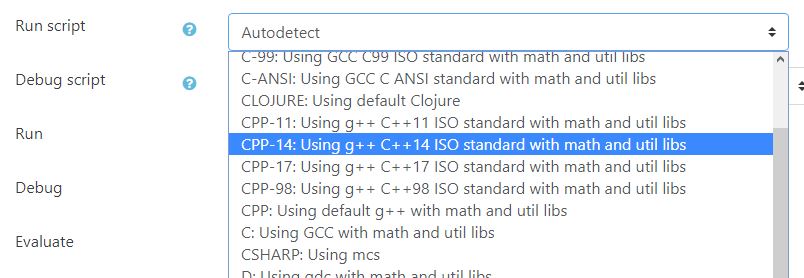
From VPL 3.3.1.
This release includes fixes for VPL 3.3 and support for the Safe Exam Browser.
The Safe Exam Browser (SEB) allows a controlled environment for exams. VPL activities now can require the use of SEB and/or the use of SEB with specific configuration by the "Browser Exam Key". See https://safeexambrowser.org
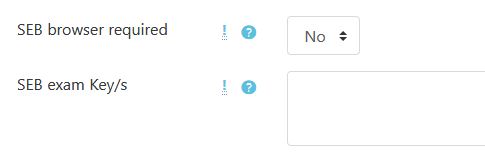
Has been fixes different bugs in the use of "group work" activities introduced in the V3.3. If you are using V3.3 and "group work" it is recommended to upgrade to V3.3.1.
New and improved features in VPL 3.3
Syntax highlighter
The server-based syntax highlighter has been removed, now all syntax highlighting is done in the browser using the Ace editor. This change extends to more than 50 the number of programming languages supported. This improvement also will reduce the CPU load on the server. It has also been developed the syntax highlighter for the test cases definition file.
Code editor
The editor has been updated using the last Ace code. This update will allow using basic autocompleting in all languages, snipes in many, and syntax checking in a few as PHP, JavaScript, and CSS.
- Now it’s possible to select the editor theme in the plugin setting.
- The menu has now a button to unfold and fold less used options.
- Now, it is possible to delete multiple files using the new multi-delete button.
- Now you can select the code font size. The size selected will be saved as a user preference.
- The activity description is now shown in a "Description" tab. The student can read the activity description while writing code in one window.
- The countdown timer can’t be hidden when the time left is less than five minutes.
- The evaluate button now gives information about the number of automatic evaluations done and the grade reduction definition.
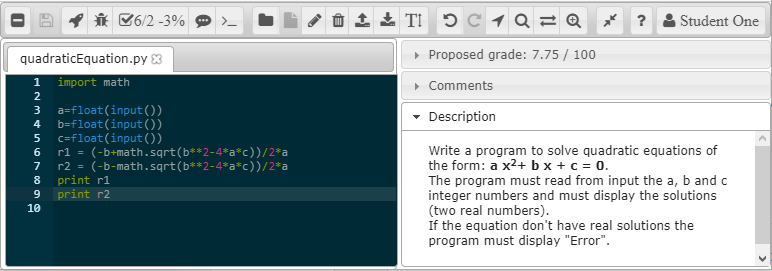
Default evaluation program
The default evaluation program has been improved, trying to accomplish the common requests of the users of VPL. The new instructions are:
- Fail message. This instruction sets the text to show when the case fails. The input and output information is omitted.
- Program to run: This instruction allows to replace, for this case, the student’s program for another one. For example, you can use this instruction to run a static/dynamic analysis of the student code.
- Program arguments. This instruction allows sending information to the student program (or "program to run") as command-line arguments. Notice that this instruction can be used with the input instruction.
- Expected exit code. This instruction sets the expected exit code of the program case execution. The test case is passed if the exit code match. Notice that the test case can also be passed if an output matches.
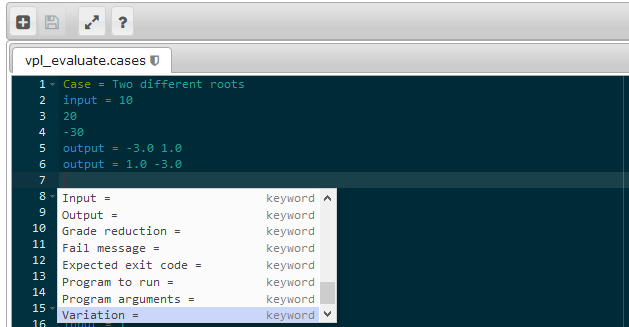
Reducing grading marks by the number of automatic evaluations
The grading system has been enhanced with a penalization by automatic evaluation requests. The number of free evaluations can also be configured. Once the student uses free evaluations, the grading system will start to reduce its current mark. The reduction value can be a fixed number or a percent. Every new evaluation will apply a further reduction to the current grade. These reductions are applied to manual and automatic assessments.
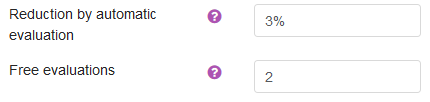
Group/team VPL activities redesigned
The pre v3.3 design of the team’s activities has a different drawback that needs to be resolved. The main problem is that if you change a student group after submissions, the submissions may be moved to another group with the student. In the new design, the submissions belong to the group and not to a student. Now it is safe to remove or add students to a group at any moment, and the submissions will remain in the group. The grade is assigned to the members of the group at the moment of been graded.
Check execution servers
Check execution servers now show the actual servers, including the locals, and based on ones. The report now also shows the list of current processes running in the course.
Diff files
The diff files code has been rewritten to support the Ace editor as the way to show files side by side.
Download submissions
The "download submissions" button has been moved to the "submission list" report. It has been added a new button to download all submissions, including old versions. The zip file format has changed to give more information, including the full name of the student, time of submission, and evaluation details.
Reducing the size of space used by submission
Due to how the submitted files are managed: created or deleted but not modified, this version includes the reuse of files of the previous submission. This is achieved by reusing (linking) files of the last submission with the same contents as new ones.
Using GUI programs
If you are planning to use languages with GUI capabilities as Java, C#, PHP, etc. it is highly recommended to use vncaccel to reduce the start time of the programs (see the release of execution server 2.2.2)
Testing VPL
VPL is now tested using travis-ci. The tests include PHP Lint, PHP Mess Detector, Moodle Code Checker, CSS Lint, JSHint, PHPUnit tests, and specific tests for the default Student's program tester. These tests alone do not correct bugs in the code but are a first step to detect them.

Translations
Has been added the Brazilian translation thanks to Gabriel P. Silva UFRJ
Bug fixes
- Adds timemodified field for compatibility with Moodle.
- Fixes drop and paste problems.
- Uses own copy of Jquery and Jquery-UI, this removes version problems.
- Fixes issues reordering files.
- Removes for students to view the hints of grade reduction at the end of the title line of grader comments. The students could see clues in HTML before JavaScript processes it.
- Fixes the problem that avoids saving new submissions when the name of requested files is changed.
- Has been modified the table vpl_jailservers to remove the key of the server URL. This key with a field of 255 chars generates an error that aborts the installation of VPL due to problems for reaching the limits of key size in MySQL with some charsets.
Updating VPL from a version previous to V3.3
IMPORTANT NOTE!: If you update or restore activities to VPL 3.3 or higher from a previous version and this action include teams’ activities with submissions, you need to go to the list of "Virtual Programming Lab" activities and click on the "Check all" button (at the bottom of the report). This process will assign groups to the submissions.

3.4.3 (2021052113)
3.4.3
Plugin type: Activities
Frankenstyle component name: mod_vpl
Version build number: 2021052113
Version release name: 3.4.3
Maturity: Stable
Supported Moodle versions: 3.10, 3.5, 3.6, 3.7, 3.8, 3.9
Repository URL (Git): https://github.com/jcrodriguez-dis/moodle-mod_vpl
Repository branch:
Repository tag: V3.4.3
Issue/bug tracker URL: https://github.com/jcrodriguez-dis/moodle-mod_vpl/issues
Release of VPL 3.4.3

This is a bug-fix release of VPL 3.4.2
Prerequisites
- Moodle 3.5 or higher
- PHP 7.2 or higher
New features of VPL 3.4
General functionalities
- Supports the General Data Protection Regulation (GDPR)
- To protect you from accidentally lost work when saving files, the system now asks for confirmation when you want to save a submission or configuration older than the current saved.
- Adds Chinese (simplified) translation thanks to the Computer Science Education group of Beijing Technology and Business University
- To improve the identification of directories when downloading student's submissions add the username field to the user directory name.
Interface
- Icons have been added to easier access to menus and options.
- Users can select themes for the editor and terminal.
- Terminal can be size reduced.
- Edition is available when running.
- The "Submissions list" now includes an "action menu" to the right of each row. The "action menu" of the heading allows accessing "Assessment report", "Download submissions", etc. The "action menu" of each submission allows access to "Submission view", "Previous submissions list", "Grade" and "Copy submission".
- The variation edition interface now allows using the HTML editor.
- Charts are now using the new Moodle API.
Programming languages
- Adds support for Kotlin adding a default run script. Kotlin is detected when using files with the kt file extension. Notice that the Jail servers do not support Snap packages, you must install Kotlin compiler manually or use jail server installer 2.7 or higher.
- Adds support for Minizinc adding a default run script. Minizinc is detected when using files with the mzn file extension.
- Adds support for Groovy adding a default run script. Groovy is detected when using files with the groovy file extension.
- Adds support for error messages from PHP and Perl.
- Adds new indexes to speedup DB access.
- Adds 'dll' extension to the list of binary file extensions.
Updating from versions previous
- VPL 3.4 is fully compatible with previous versions. For versions previous to VPL 3.3 see also V3.3 release note.
- Notice that in some cases, after the upgrade, the browser may not show the editor. Often, this is due to the browser cache system, leading to still use the old code, instead of the new one. To resolve this issue, you must hold the Ctrl key and click the Reload button on the navigation toolbar. This action will instruct the browser to fully reload the page, updating the cache.
Fixes and improves from version 3.4.2
- Fixes output type regular expression processing that avoids using '/' inside regular expressions.
- Fixes regular expression that avoids showing the full compilation result when "running".
- Adds icons to activity description.
- Removes hiding the evaluation action to teachers.
- Replaces obsolete function print_error.
- Avoid updating from no version. No action taken if the previous version number equals '0'.
- Adds the 'he' language code conversion from Moodle to Linux locale.
Fixes from 3.4.1
- Fixes spurious problem loading VNC code that avoids showing the editor.
- Reverts to previous behavior allowing non-alphanum chars in variation identification field.
- Fixes bug in variations logging
- Fixes import and drag and drop files on the editor
Fixes from 3.4.0
- Fixes a bug that prevents teachers from downloading all students' submissions as a zip file.
Fixes from 3.3.8
- The teachers with privileges can see the Jail server URL path, now the path is not shown.
- Detects if ws/wss protocol is not available at jail server to selects the correct one.
- Fixes error deleting variations.
- Avoid assigning variations on group activity.
From VPL 3.3.8
- Cron. The cron function is deprecated and has been replaced with a cron task.
- Similarity. This version resolves bugs in the normalization phase of code tokenizer of C, Java, and Python languages. Thanks to LennardF1989 at Github.
- Logs. This version resolves a bug in the URL in Logs. Thanks to Leônidas Brandão at Moodle.
- Submissions. This version resolves a bug in sharing the same files in different submissions that avoid sharing the first file.
From VPL 3.3.7
The bugs fixed and features improve are:
- Gradebook. The patch removes ghost empty grades appearing in the gradebook.
- Navigation. The action menu now appears in many of the activity settings.
- Non-editing teacher role. The patch fixes the allowed functionalities for the "non-editing teacher" role. If you are updating VPL from a previous version to 3.3.6, you must edit the definition of the "non-editing teacher" role setting the "Allow" value at the capability "mod/vpl:submit".
- Activity grade report. The grade reports Improve showing also the automatic evaluation.
- Similarity. The patch fixes the similarity search in group activities.
- Default evaluation program. The patch removes a compilation warning. The warning is harmless but uglies the evaluation output.
- Java. The default java scripts improve by searching and add the jar files to the CLASSPATH. This makes easy the use of java frameworks packed as jar files. The 3.3.7 version fixes a regression bug introduced in V3.3.6 with this feature.
- PHP. The patch fixes the use of the CLI version of PHP. This allows testing PHP programs for the console.
- Python. The patch fixes the detection and use of the tkinter library.
- Scala. The patch fixes a bug running scala programs.
From VPL 3.3.5
The main fixes and small features added are:
- Adds support for MathJax
- Fixes empty grading problem
- Fixes maximum similarity background-color
- Fixes Webservice
- Adds languages scripts from v3.4dev
- Fixes evaluation program
- Improves str i18n with parameter
- Fixes based-on localjailservers order
- Increases default memory to 128Mb (if updating, increase it manually)
- Increases default and maximum number of process to 200 (if updating, increase it manually)
Update notes:
- It is highly recommended to increase default memory to 128Mb
- It is highly recommended to increases the default and maximum number of process to 200 and 400
- If you are getting a hidden menu problem in full window mode. Please, clear your browser cache by doing a hard reload on the editing page. Ctl+Shit+R or Hold Shift and click the Reload button.
From VPL 3.3.4
- The full regular screen mode has been updated to the new standard Boost theme. The new code has been tested on Boost, Clear, More, and Essential themes.
- Fixes an error in background-color of similarity report.
- Tries to reduce terminal high load problem and blinking accuracy.
- Fixes a bug when resetting VPL instances.
- Adds check of directory and file creation. The plugin throws an exception if a file or directory cannot be created.
- Adds PHP file extension to similarity checks. The plugin uses the CPP parser to checks PHP. This is not a full solution, but it is better than nothing.
- The default running and debugging scripts of many programming languages have been fixes to select the first source file of the submission correctly.
Known issues
- Has been found a problem with the change of the grade hide/show state. If you hide the grade in the grade book and then unhide the grade in the VPL plugin, the activity grade state is changed to show, but the state for every student grade is still hidden. As a workaround, you can hide/show grades in the grade book or at the activity setting, do not mix this setting.
- Sometimes the terminal breaks the connection if it receives a huge number of newlines, e.g., running a program with an infinite loop printing newlines.
- There are some minor problems showing source code files using the Essential theme. These problems are about aesthetic decoration and do not reduce the functionalities.
From VPL 3.3.3
This is a bug fix release of VPL3.3.2. The fixes are:
- The evaluation process now asks for accepting certificates if the connection fails.
- Has been fixed a problem with grade form. This problem that appears in some themes and browser combinations leads to a continuous increase in the width of the text area field.
- Has been fixed a bug in the grade setting update. The problem was that VPL does not change the grade hide/show state. As a workaround, the changes would be done in the grade book.
From VPL 3.3.2
VPL 3.3.2 includes fixes for VPL 3.3 and adds a new feature.
This release fixes a bug that prevents the default evaluation program from using a maximum grade value different than the default (10 ).
Now you can let the system autodetects the programming language to use based on the filenames extension, or you can select the programming language or debugger to use. For example, you can select from python 2 or python 3, C ANSI or C ISO 11, etc.
From VPL 3.3.1.
This release includes fixes for VPL 3.3 and support for the Safe Exam Browser.
The Safe Exam Browser (SEB) allows a controlled environment for exams. VPL activities now can require the use of SEB and/or the use of SEB with specific configuration by the "Browser Exam Key". See https://safeexambrowser.org
Has been fixes different bugs in the use of "group work" activities introduced in the V3.3. If you are using V3.3 and "group work" it is recommended to upgrade to V3.3.1.
New and improved features in VPL 3.3
Syntax highlighter
The server-based syntax highlighter has been removed, now all syntax highlighting is done in the browser using the Ace editor. This change extends to more than 50 the number of programming languages supported. This improvement also will reduce the CPU load on the server. It has also been developed the syntax highlighter for the test cases definition file.
Code editor
The editor has been updated using the last Ace code. This update will allow using basic autocompleting in all languages, snipes in many, and syntax checking in a few as PHP, JavaScript, and CSS.
- Now it’s possible to select the editor theme in the plugin setting.
- The menu has now a button to unfold and fold less used options.
- Now, it is possible to delete multiple files using the new multi-delete button.
- Now you can select the code font size. The size selected will be saved as a user preference.
- The activity description is now shown in a "Description" tab. The student can read the activity description while writing code in one window.
- The countdown timer can’t be hidden when the time left is less than five minutes.
- The evaluate button now gives information about the number of automatic evaluations done and the grade reduction definition.
Default evaluation program
The default evaluation program has been improved, trying to accomplish the common requests of the users of VPL. The new instructions are:
- Fail message. This instruction sets the text to show when the case fails. The input and output information is omitted.
- Program to run: This instruction allows to replace, for this case, the student’s program for another one. For example, you can use this instruction to run a static/dynamic analysis of the student code.
- Program arguments. This instruction allows sending information to the student program (or "program to run") as command-line arguments. Notice that this instruction can be used with the input instruction.
- Expected exit code. This instruction sets the expected exit code of the program case execution. The test case is passed if the exit code match. Notice that the test case can also be passed if an output matches.
Reducing grading marks by the number of automatic evaluations
The grading system has been enhanced with a penalization by automatic evaluation requests. The number of free evaluations can also be configured. Once the student uses free evaluations, the grading system will start to reduce its current mark. The reduction value can be a fixed number or a percent. Every new evaluation will apply a further reduction to the current grade. These reductions are applied to manual and automatic assessments.
Group/team VPL activities redesigned
The pre v3.3 design of the team’s activities has a different drawback that needs to be resolved. The main problem is that if you change a student group after submissions, the submissions may be moved to another group with the student. In the new design, the submissions belong to the group and not to a student. Now it is safe to remove or add students to a group at any moment, and the submissions will remain in the group. The grade is assigned to the members of the group at the moment of been graded.
Check execution servers
Check execution servers now show the actual servers, including the locals, and based on ones. The report now also shows the list of current processes running in the course.
Diff files
The diff files code has been rewritten to support the Ace editor as the way to show files side by side.
Download submissions
The "download submissions" button has been moved to the "submission list" report. It has been added a new button to download all submissions, including old versions. The zip file format has changed to give more information, including the full name of the student, time of submission, and evaluation details.
Reducing the size of space used by submission
Due to how the submitted files are managed: created or deleted but not modified, this version includes the reuse of files of the previous submission. This is achieved by reusing (linking) files of the last submission with the same contents as new ones.
Using GUI programs
If you are planning to use languages with GUI capabilities as Java, C#, PHP, etc. it is highly recommended to use vncaccel to reduce the start time of the programs (see the release of execution server 2.2.2)
Testing VPL
VPL is now tested using travis-ci. The tests include PHP Lint, PHP Mess Detector, Moodle Code Checker, CSS Lint, JSHint, PHPUnit tests, and specific tests for the default Student's program tester. These tests alone do not correct bugs in the code but are a first step to detect them.
Translations
Has been added the Brazilian translation thanks to Gabriel P. Silva UFRJ
Bug fixes
- Adds timemodified field for compatibility with Moodle.
- Fixes drop and paste problems.
- Uses own copy of Jquery and Jquery-UI, this removes version problems.
- Fixes issues reordering files.
- Removes for students to view the hints of grade reduction at the end of the title line of grader comments. The students could see clues in HTML before JavaScript processes it.
- Fixes the problem that avoids saving new submissions when the name of requested files is changed.
- Has been modified the table vpl_jailservers to remove the key of the server URL. This key with a field of 255 chars generates an error that aborts the installation of VPL due to problems for reaching the limits of key size in MySQL with some charsets.
Updating VPL from a version previous to V3.3
IMPORTANT NOTE!: If you update or restore activities to VPL 3.3 or higher from a previous version and this action include teams’ activities with submissions, you need to go to the list of "Virtual Programming Lab" activities and click on the "Check all" button (at the bottom of the report). This process will assign groups to the submissions.
3.4.2 (2021033113)
3.4.2
Plugin type: Activities
Frankenstyle component name: mod_vpl
Version build number: 2021033113
Version release name: 3.4.2
Maturity: Stable
Supported Moodle versions: 3.10, 3.5, 3.6, 3.7, 3.8, 3.9
Repository URL (Git): https://github.com/jcrodriguez-dis/moodle-mod_vpl
Repository branch:
Repository tag: V3.4.2
Issue/bug tracker URL: https://github.com/jcrodriguez-dis/moodle-mod_vpl/issues
Release of VPL 3.4.2

This is a bug-fix release of VPL 3.4.1
Prerequisites
- Moodle 3.5 or higher
- PHP 7.2 or higher
New features of VPL 3.4
General functionalities
- Supports the General Data Protection Regulation (GDPR)
- To protect you from accidentally lost work when saving files, the system now asks for confirmation when you want to save a submission or configuration older than the current saved.
- Adds Chinese (simplified) translation thanks to the Computer Science Education group of Beijing Technology and Business University
- To improve the identification of directories when downloading student's submissions add the username field to the user directory name.
Interface
- Icons have been added to easier access to menus and options.
- Users can select themes for the editor and terminal.
- Terminal can be size reduced.
- Edition is available when running.
- The "Submissions list" now includes an "action menu" to the right of each row. The "action menu" of the heading allows accessing "Assessment report", "Download submissions", etc. The "action menu" of each submission allows access to "Submission view", "Previous submissions list", "Grade" and "Copy submission".
- The variation edition interface now allows using the HTML editor.
- Charts are now using the new Moodle API.
Programming languages
- Adds support for Kotlin adding a default run script. Kotlin is detected when using files with the kt file extension. Notice that the Jail servers do not support Snap packages, you must install Kotlin compiler manually or use jail server installer 2.7 or higher.
- Adds support for Minizinc adding a default run script. Minizinc is detected when using files with the mzn file extension.
- Adds support for Groovy adding a default run script. Groovy is detected when using files with the groovy file extension.
- Adds support for error messages from PHP and Perl.
- Adds new indexes to speedup DB access.
- Adds 'dll' extension to the list of binary file extensions.
Updating from versions previous to VPL 3.4
- VPL 3.4 is fully compatible with previous versions. For versions versions previous to VPL 3.3 see also V3.3 release note.
- Notice that in some cases, after the upgrade, the browser may not show the editor. Often, this is due to the browser cache system, leading to still use the old code, instead of the new one. To resolve this issue, you must hold the Ctrl key and click the Reload button on the navigation toolbar. This action will instruct the browser to fully reload the page, updating the cache.
Fixes from 3.4.1
- Fixes spurious problem loading VNC code that avoids showing the editor.
- Reverts to previous behavior allowing non-alphanum chars in variation identification field.
- Fixes bug in variations logging
- Fixes import and drag and drop files on the editor
Fixes from 3.4.0
- Fixes a bug that prevents teachers from downloading all students' submissions as a zip file.
Fixes from 3.3.8
- The teachers with privileges can see the Jail server URL path, now the path is not shown.
- Detects if ws/wss protocol is not available at jail server to selects the correct one.
- Fixes error deleting variations.
- Avoid assigning variations on group activity.
From VPL 3.3.8
- Cron. The cron function is deprecated and has been replaced with a cron task.
- Similarity. This version resolves bugs in the normalization phase of code tokenizer of C, Java, and Python languages. Thanks to LennardF1989 at Github.
- Logs. This version resolves a bug in the URL in Logs. Thanks to Leônidas Brandão at Moodle.
- Submissions. This version resolves a bug in sharing the same files in different submissions that avoid sharing the first file.
From VPL 3.3.7
The bugs fixed and features improve are:
- Gradebook. The patch removes ghost empty grades appearing in the gradebook.
- Navigation. The action menu now appears in many of the activity settings.
- Non-editing teacher role. The patch fixes the allowed functionalities for the "non-editing teacher" role. If you are updating VPL from a previous version to 3.3.6, you must edit the definition of the "non-editing teacher" role setting the "Allow" value at the capability "mod/vpl:submit".
- Activity grade report. The grade reports Improve showing also the automatic evaluation.
- Similarity. The patch fixes the similarity search in group activities.
- Default evaluation program. The patch removes a compilation warning. The warning is harmless but uglies the evaluation output.
- Java. The default java scripts improve by searching and add the jar files to the CLASSPATH. This makes easy the use of java frameworks packed as jar files. The 3.3.7 version fixes a regression bug introduced in V3.3.6 with this feature.
- PHP. The patch fixes the use of the CLI version of PHP. This allows testing PHP programs for the console.
- Python. The patch fixes the detection and use of the tkinter library.
- Scala. The patch fixes a bug running scala programs.
From VPL 3.3.5
The main fixes and small features added are:
- Adds support for MathJax
- Fixes empty grading problem
- Fixes maximum similarity background-color
- Fixes Webservice
- Adds languages scripts from v3.4dev
- Fixes evaluation program
- Improves str i18n with parameter
- Fixes based-on localjailservers order
- Increases default memory to 128Mb (if updating, increase it manually)
- Increases default and maximum number of process to 200 (if updating, increase it manually)
Update notes:
- It is highly recommended to increase default memory to 128Mb
- It is highly recommended to increases the default and maximum number of process to 200 and 400
- If you are getting a hidden menu problem in full window mode. Please, clear your browser cache by doing a hard reload on the editing page. Ctl+Shit+R or Hold Shift and click the Reload button.
From VPL 3.3.4
- The full regular screen mode has been updated to the new standard Boost theme. The new code has been tested on Boost, Clear, More, and Essential themes.
- Fixes an error in background-color of similarity report.
- Tries to reduce terminal high load problem and blinking accuracy.
- Fixes a bug when resetting VPL instances.
- Adds check of directory and file creation. The plugin throws an exception if a file or directory cannot be created.
- Adds PHP file extension to similarity checks. The plugin uses the CPP parser to checks PHP. This is not a full solution, but it is better than nothing.
- The default running and debugging scripts of many programming languages have been fixes to select the first source file of the submission correctly.
Known issues
- Has been found a problem with the change of the grade hide/show state. If you hide the grade in the grade book and then unhide the grade in the VPL plugin, the activity grade state is changed to show, but the state for every student grade is still hidden. As a workaround, you can hide/show grades in the grade book or at the activity setting, do not mix this setting.
- Sometimes the terminal breaks the connection if it receives a huge number of newlines, e.g., running a program with an infinite loop printing newlines.
- There are some minor problems showing source code files using the Essential theme. These problems are about aesthetic decoration and do not reduce the functionalities.
From VPL 3.3.3
This is a bug fix release of VPL3.3.2. The fixes are:
- The evaluation process now asks for accepting certificates if the connection fails.
- Has been fixed a problem with grade form. This problem that appears in some themes and browser combinations leads to a continuous increase in the width of the text area field.
- Has been fixed a bug in the grade setting update. The problem was that VPL does not change the grade hide/show state. As a workaround, the changes would be done in the grade book.
From VPL 3.3.2
VPL 3.3.2 includes fixes for VPL 3.3 and adds a new feature.
This release fixes a bug that prevents the default evaluation program from using a maximum grade value different than the default (10 ).
Now you can let the system autodetects the programming language to use based on the filenames extension, or you can select the programming language or debugger to use. For example, you can select from python 2 or python 3, C ANSI or C ISO 11, etc.
From VPL 3.3.1.
This release includes fixes for VPL 3.3 and support for the Safe Exam Browser.
The Safe Exam Browser (SEB) allows a controlled environment for exams. VPL activities now can require the use of SEB and/or the use of SEB with specific configuration by the "Browser Exam Key". See https://safeexambrowser.org
Has been fixes different bugs in the use of "group work" activities introduced in the V3.3. If you are using V3.3 and "group work" it is recommended to upgrade to V3.3.1.
New and improved features in VPL 3.3
Syntax highlighter
The server-based syntax highlighter has been removed, now all syntax highlighting is done in the browser using the Ace editor. This change extends to more than 50 the number of programming languages supported. This improvement also will reduce the CPU load on the server. It has also been developed the syntax highlighter for the test cases definition file.
Code editor
The editor has been updated using the last Ace code. This update will allow using basic autocompleting in all languages, snipes in many, and syntax checking in a few as PHP, JavaScript, and CSS.
- Now it’s possible to select the editor theme in the plugin setting.
- The menu has now a button to unfold and fold less used options.
- Now, it is possible to delete multiple files using the new multi-delete button.
- Now you can select the code font size. The size selected will be saved as a user preference.
- The activity description is now shown in a "Description" tab. The student can read the activity description while writing code in one window.
- The countdown timer can’t be hidden when the time left is less than five minutes.
- The evaluate button now gives information about the number of automatic evaluations done and the grade reduction definition.
Default evaluation program
The default evaluation program has been improved, trying to accomplish the common requests of the users of VPL. The new instructions are:
- Fail message. This instruction sets the text to show when the case fails. The input and output information is omitted.
- Program to run: This instruction allows to replace, for this case, the student’s program for another one. For example, you can use this instruction to run a static/dynamic analysis of the student code.
- Program arguments. This instruction allows sending information to the student program (or "program to run") as command-line arguments. Notice that this instruction can be used with the input instruction.
- Expected exit code. This instruction sets the expected exit code of the program case execution. The test case is passed if the exit code match. Notice that the test case can also be passed if an output matches.
Reducing grading marks by the number of automatic evaluations
The grading system has been enhanced with a penalization by automatic evaluation requests. The number of free evaluations can also be configured. Once the student uses free evaluations, the grading system will start to reduce its current mark. The reduction value can be a fixed number or a percent. Every new evaluation will apply a further reduction to the current grade. These reductions are applied to manual and automatic assessments.
Group/team VPL activities redesigned
The pre v3.3 design of the team’s activities has a different drawback that needs to be resolved. The main problem is that if you change a student group after submissions, the submissions may be moved to another group with the student. In the new design, the submissions belong to the group and not to a student. Now it is safe to remove or add students to a group at any moment, and the submissions will remain in the group. The grade is assigned to the members of the group at the moment of been graded.
Check execution servers
Check execution servers now show the actual servers, including the locals, and based on ones. The report now also shows the list of current processes running in the course.
Diff files
The diff files code has been rewritten to support the Ace editor as the way to show files side by side.
Download submissions
The "download submissions" button has been moved to the "submission list" report. It has been added a new button to download all submissions, including old versions. The zip file format has changed to give more information, including the full name of the student, time of submission, and evaluation details.
Reducing the size of space used by submission
Due to how the submitted files are managed: created or deleted but not modified, this version includes the reuse of files of the previous submission. This is achieved by reusing (linking) files of the last submission with the same contents as new ones.
Using GUI programs
If you are planning to use languages with GUI capabilities as Java, C#, PHP, etc. it is highly recommended to use vncaccel to reduce the start time of the programs (see the release of execution server 2.2.2)
Testing VPL
VPL is now tested using travis-ci. The tests include PHP Lint, PHP Mess Detector, Moodle Code Checker, CSS Lint, JSHint, PHPUnit tests, and specific tests for the default Student's program tester. These tests alone do not correct bugs in the code but are a first step to detect them.
Translations
Has been added the Brazilian translation thanks to Gabriel P. Silva UFRJ
Bug fixes
- Adds timemodified field for compatibility with Moodle.
- Fixes drop and paste problems.
- Uses own copy of Jquery and Jquery-UI, this removes version problems.
- Fixes issues reordering files.
- Removes for students to view the hints of grade reduction at the end of the title line of grader comments. The students could see clues in HTML before JavaScript processes it.
- Fixes the problem that avoids saving new submissions when the name of requested files is changed.
- Has been modified the table vpl_jailservers to remove the key of the server URL. This key with a field of 255 chars generates an error that aborts the installation of VPL due to problems for reaching the limits of key size in MySQL with some charsets.
Updating VPL from a version previous to V3.3
IMPORTANT NOTE!: If you update or restore activities to VPL 3.3 or higher from a previous version and this action include teams’ activities with submissions, you need to go to the list of "Virtual Programming Lab" activities and click on the "Check all" button (at the bottom of the report). This process will assign groups to the submissions.
3.4.1 (2021030820)
3.4.1
Plugin type: Activities
Frankenstyle component name: mod_vpl
Version build number: 2021030820
Version release name: 3.4.1
Maturity: Stable
Supported Moodle versions: 3.10, 3.5, 3.6, 3.7, 3.8, 3.9
Repository URL (Git): https://github.com/jcrodriguez-dis/moodle-mod_vpl
Repository branch: v3.4.1
Repository tag: V3.4.1
Issue/bug tracker URL: https://github.com/jcrodriguez-dis/moodle-mod_vpl/issues
Release of VPL 3.4.1

This is a major release of VPL. The release includes improvements a new features.
Prerequisites
- Moodle 3.5 or higher
- PHP 7.3 or higher
New features of VPL 3.4.1
General functionalities
- Supports the General Data Protection Regulation (GDPR)
- To protect you from accidentally lost work when saving files, the system now asks for confirmation when you want to save a submission or configuration older than the current saved.
- Adds Chinese (simplified) translation thanks to the Computer Science Education group of Beijing Technology and Business University
- To improve the identification of directories when downloading student's submissions add the username field to the user directory name.
Interface
- Icons have been added to easier access to menus and options.
- Users can select themes for the editor and terminal.
- Terminal can be size reduced.
- Edition is available when running.
- The "Submissions list" now includes an "action menu" to the right of each row. The "action menu" of the heading allows accessing "Assessment report", "Download submissions", etc. The "action menu" of each submission allows access to "Submission view", "Previous submissions list", "Grade" and "Copy submission".
- The variation edition interface now allows using the HTML editor.
- Charts are now using the new Moodle API.
Programming languages
- Adds support for Kotlin adding a default run script. Kotlin is detected when using files with the kt file extension. Notice that the Jail servers do not support Snap packages, you must install Kotlin compiler manually or use jail server installer 2.7 or higher.
- Adds support for Minizinc adding a default run script. Minizinc is detected when using files with the mzn file extension.
- Adds support for Groovy adding a default run script. Groovy is detected when using files with the groovy file extension.
- Adds support for error messages from PHP and Perl.
- Adds new indexes to speedup DB access.
- Adds 'dll' extension to the list of binary file extensions.
Updating from previous versions to VPL 3.4.1
- VPL 3.4.1 is fully compatible with previous versions.
- Notice that in some cases, after the upgrade, the browser may not show the editor. This is due to the use by the browser of cached JavaScript code instead of the new one. To resolve this issue you must hold the Ctrl key and click the Reload button on the navigation toolbar. This action will instruct the browser to fully reload the page without using cache.
Fixes from 3.4.0
- Fixes a bug that prevents teachers from downloading all students' submissions as a zip file.
Fixes from 3.3.8
- The teachers with privileges can see the Jail server URL path, now the path is not shown.
- Detects if ws/wss protocol is not available at jail server to selects the correct one.
- Fixes error deleting variations.
- Avoid assigning variations on group activity.
From VPL 3.3.8
- Cron. The cron function is deprecated and has been replaced with a cron task.
- Similarity. This version resolves bugs in the normalization phase of code tokenizer of C, Java, and Python languages. Thanks to LennardF1989 at Github.
- Logs. This version resolves a bug in the URL in Logs. Thanks to Leônidas Brandão at Moodle.
- Submissions. This version resolves a bug in sharing the same files in different submissions that avoid sharing the first file.
From VPL 3.3.7
The bugs fixed and features improve are:
- Gradebook. The patch removes ghost empty grades appearing in the gradebook.
- Navigation. The action menu now appears in many of the activity settings.
- Non-editing teacher role. The patch fixes the allowed functionalities for the "non-editing teacher" role. If you are updating VPL from a previous version to 3.3.6, you must edit the definition of the "non-editing teacher" role setting the "Allow" value at the capability "mod/vpl:submit".
- Activity grade report. The grade reports Improve showing also the automatic evaluation.
- Similarity. The patch fixes the similarity search in group activities.
- Default evaluation program. The patch removes a compilation warning. The warning is harmless but uglies the evaluation output.
- Java. The default java scripts improve by searching and add the jar files to the CLASSPATH. This makes easy the use of java frameworks packed as jar files. The 3.3.7 version fixes a regression bug introduced in V3.3.6 with this feature.
- PHP. The patch fixes the use of the CLI version of PHP. This allows testing PHP programs for the console.
- Python. The patch fixes the detection and use of the tkinter library.
- Scala. The patch fixes a bug running scala programs.
From VPL 3.3.5
The main fixes and small features added are:
- Adds support for MathJax
- Fixes empty grading problem
- Fixes maximum similarity background-color
- Fixes Webservice
- Adds languages scripts from v3.4dev
- Fixes evaluation program
- Improves str i18n with parameter
- Fixes based-on localjailservers order
- Increases default memory to 128Mb (if updating, increase it manually)
- Increases default and maximum number of process to 200 (if updating, increase it manually)
Update notes:
- It is highly recommended to increase default memory to 128Mb
- It is highly recommended to increases the default and maximum number of process to 200 and 400
- If you are getting a hidden menu problem in full window mode. Please, clear your browser cache by doing a hard reload on the editing page. Ctl+Shit+R or Hold Shift and click the Reload button.
From VPL 3.3.4
- The full regular screen mode has been updated to the new standard Boost theme. The new code has been tested on Boost, Clear, More, and Essential themes.
- Fixes an error in background-color of similarity report.
- Tries to reduce terminal high load problem and blinking accuracy.
- Fixes a bug when resetting VPL instances.
- Adds check of directory and file creation. The plugin throws an exception if a file or directory cannot be created.
- Adds PHP file extension to similarity checks. The plugin uses the CPP parser to checks PHP. This is not a full solution, but it is better than nothing.
- The default running and debugging scripts of many programming languages have been fixes to select the first source file of the submission correctly.
Known issues
- Has been found a problem with the change of the grade hide/show state. If you hide the grade in the grade book and then unhide the grade in the VPL plugin, the activity grade state is changed to show, but the state for every student grade is still hidden. As a workaround, you can hide/show grades in the grade book or at the activity setting, do not mix this setting.
- Sometimes the terminal breaks the connection if it receives a huge number of newlines, e.g., running a program with an infinite loop printing newlines.
- There are some minor problems showing source code files using the Essential theme. These problems are about aesthetic decoration and do not reduce the functionalities.
From VPL 3.3.3
This is a bug fix release of VPL3.3.2. The fixes are:
- The evaluation process now asks for accepting certificates if the connection fails.
- Has been fixed a problem with grade form. This problem that appears in some themes and browser combinations leads to a continuous increase in the width of the text area field.
- Has been fixed a bug in the grade setting update. The problem was that VPL does not change the grade hide/show state. As a workaround, the changes would be done in the grade book.
From VPL 3.3.2
VPL 3.3.2 includes fixes for VPL 3.3 and adds a new feature.
This release fixes a bug that prevents the default evaluation program from using a maximum grade value different than the default (10 ).
Now you can let the system autodetects the programming language to use based on the filenames extension, or you can select the programming language or debugger to use. For example, you can select from python 2 or python 3, C ANSI or C ISO 11, etc.
From VPL 3.3.1.
This release includes fixes for VPL 3.3 and support for the Safe Exam Browser.
The Safe Exam Browser (SEB) allows a controlled environment for exams. VPL activities now can require the use of SEB and/or the use of SEB with specific configuration by the "Browser Exam Key". See https://safeexambrowser.org
Has been fixes different bugs in the use of "group work" activities introduced in the V3.3. If you are using V3.3 and "group work" it is recommended to upgrade to V3.3.1.
New and improved features in VPL 3.3
Syntax highlighter
The server-based syntax highlighter has been removed, now all syntax highlighting is done in the browser using the Ace editor. This change extends to more than 50 the number of programming languages supported. This improvement also will reduce the CPU load on the server. It has also been developed the syntax highlighter for the test cases definition file.
Code editor
The editor has been updated using the last Ace code. This update will allow using basic autocompleting in all languages, snipes in many, and syntax checking in a few as PHP, JavaScript, and CSS.
- Now it’s possible to select the editor theme in the plugin setting.
- The menu has now a button to unfold and fold less used options.
- Now, it is possible to delete multiple files using the new multi-delete button.
- Now you can select the code font size. The size selected will be saved as a user preference.
- The activity description is now shown in a "Description" tab. The student can read the activity description while writing code in one window.
- The countdown timer can’t be hidden when the time left is less than five minutes.
- The evaluate button now gives information about the number of automatic evaluations done and the grade reduction definition.
Default evaluation program
The default evaluation program has been improved, trying to accomplish the common requests of the users of VPL. The new instructions are:
- Fail message. This instruction sets the text to show when the case fails. The input and output information is omitted.
- Program to run: This instruction allows to replace, for this case, the student’s program for another one. For example, you can use this instruction to run a static/dynamic analysis of the student code.
- Program arguments. This instruction allows sending information to the student program (or "program to run") as command-line arguments. Notice that this instruction can be used with the input instruction.
- Expected exit code. This instruction sets the expected exit code of the program case execution. The test case is passed if the exit code match. Notice that the test case can also be passed if an output matches.
Reducing grading marks by the number of automatic evaluations
The grading system has been enhanced with a penalization by automatic evaluation requests. The number of free evaluations can also be configured. Once the student uses free evaluations, the grading system will start to reduce its current mark. The reduction value can be a fixed number or a percent. Every new evaluation will apply a further reduction to the current grade. These reductions are applied to manual and automatic assessments.
Group/team VPL activities redesigned
The pre v3.3 design of the team’s activities has a different drawback that needs to be resolved. The main problem is that if you change a student group after submissions, the submissions may be moved to another group with the student. In the new design, the submissions belong to the group and not to a student. Now it is safe to remove or add students to a group at any moment, and the submissions will remain in the group. The grade is assigned to the members of the group at the moment of been graded.
Check execution servers
Check execution servers now show the actual servers, including the locals, and based on ones. The report now also shows the list of current processes running in the course.
Diff files
The diff files code has been rewritten to support the Ace editor as the way to show files side by side.
Download submissions
The "download submissions" button has been moved to the "submission list" report. It has been added a new button to download all submissions, including old versions. The zip file format has changed to give more information, including the full name of the student, time of submission, and evaluation details.
Reducing the size of space used by submission
Due to how the submitted files are managed: created or deleted but not modified, this version includes the reuse of files of the previous submission. This is achieved by reusing (linking) files of the last submission with the same contents as new ones.
Using GUI programs
If you are planning to use languages with GUI capabilities as Java, C#, PHP, etc. it is highly recommended to use vncaccel to reduce the start time of the programs (see the release of execution server 2.2.2)
Testing VPL
VPL is now tested using travis-ci. The tests include PHP Lint, PHP Mess Detector, Moodle Code Checker, CSS Lint, JSHint, PHPUnit tests, and specific tests for the default Student's program tester. These tests alone do not correct bugs in the code but are a first step to detect them.
Translations
Has been added the Brazilian translation thanks to Gabriel P. Silva UFRJ
Bug fixes
- Adds timemodified field for compatibility with Moodle.
- Fixes drop and paste problems.
- Uses own copy of Jquery and Jquery-UI, this removes version problems.
- Fixes issues reordering files.
- Removes for students to view the hints of grade reduction at the end of the title line of grader comments. The students could see clues in HTML before JavaScript processes it.
- Fixes the problem that avoids saving new submissions when the name of requested files is changed.
- Has been modified the table vpl_jailservers to remove the key of the server URL. This key with a field of 255 chars generates an error that aborts the installation of VPL due to problems for reaching the limits of key size in MySQL with some charsets.
Updating VPL
If VPL is updated, it is highly recommended to clean the browser's cache. The cache can mix JavaScript files from the previous version and generate errors for a while.
IMPORTANT NOTE!: If you update or restore activities to VPL 3.3 or higher from a previous version and this action include teams’ activities with submissions, you need to go to the list of "Virtual Programming Lab" activities and click on the "Check all" button (at the bottom of the report). This process will assign groups to the submissions.
3.4.0 (2021011014)
3.4.0
Plugin type: Activities
Frankenstyle component name: mod_vpl
Version build number: 2021011014
Version release name: 3.4.0
Maturity: Stable
Supported Moodle versions: 3.10, 3.5, 3.6, 3.7, 3.8, 3.9
Repository URL (Git): https://github.com/jcrodriguez-dis/moodle-mod_vpl
Repository branch: v3.4.0
Repository tag: v3.4.0
Issue/bug tracker URL: https://github.com/jcrodriguez-dis/moodle-mod_vpl/issues
Release of VPL 3.4.0

This is a major release of VPL. The release includes improvements a new features.
Prerequisites
- Moodle 3.5 or higher
- PHP 7.3 or higher
New features of VPL 3.4.0
General functionalities
- Supports the General Data Protection Regulation (GDPR)
- To protect you from accidentally lost work when saving files, the system now asks for confirmation when you want to save a submission or configuration older than the current saved.
- Adds Chinese (simplified) translation thanks to the Computer Science Education group of Beijing Technology and Business University
- To improve the identification of directories when downloading student's submissions add the username field to the user directory name.
Interface
- Icons have been added to easier access to menus and options.
- Users can select themes for the editor and terminal.
- Terminal can be size reduced.
- Edition is available when running.
- The "Submissions list" now includes an "action menu" to the right of each row. The "action menu" of the heading allows accessing "Assessment report", "Download submissions", etc. The "action menu" of each submission allows access to "Submission view", "Previous submissions list", "Grade" and "Copy submission".
- The variation edition interface now allows using the HTML editor.
- Charts are now using the new Moodle API.
Programming languages
- Adds support for Kotlin adding a default run script. Kotlin is detected when using files with the kt file extension. Notice that the Jail servers do not support Snap packages, you must install Kotlin compiler manually or use jail server installer 2.7 or higher.
- Adds support for Minizinc adding a default run script. Minizinc is detected when using files with the mzn file extension.
- Adds support for Groovy adding a default run script. Groovy is detected when using files with the groovy file extension.
- Adds support for error messages from PHP and Perl.
- Adds new indexes to speedup DB access.
- Adds 'dll' extension to the list of binary file extensions.
Fixes from 3.3.8
- The teachers with privileges can see the Jail server URL path, now the path is not shown.
- Detects if ws/wss protocol is not available at jail server to selects the correct one.
- Fixes error deleting variations.
- Avoid assigning variations on group activity.
Updating from previous versions
- VPL 3.4.0 is fully compatible with previous versions.
- Notice that in some cases, after the upgrade, for a while the clients can use their cached JavaScript code instead of the new one. To resolve this issue you must hold the Ctrl key and click the Reload button on the navigation toolbar.
From VPL 3.3.8
- Cron. The cron function is deprecated and has been replaced with a cron task.
- Similarity. This version resolves bugs in the normalization phase of code tokenizer of C, Java, and Python languages. Thanks to LennardF1989 at Github.
- Logs. This version resolves a bug in URL in Logs. Thanks to Leônidas Brandão at Moodle.
- Submissions. This version resolves a bug in sharing the same files in different submissions that avoid sharing the first file.
From VPL 3.3.7
The bugs fixed and features improve are:
- Gradebook. The patch removes ghost empty grades appearing in the gradebook.
- Navigation. The action menu now appears in many of the activity settings.
- Non-editing teacher role. The patch fixes the allowed functionalities for the "non-editing teacher" role. If you are updating VPL from a previous version to 3.3.6, you must edit the definition of the "non-editing teacher" role setting the "Allow" value at the capability "mod/vpl:submit".
- Activity grade report. The grade reports Improve showing also the automatic evaluation.
- Similarity. The patch fixes similarity search in group activities.
- Default evaluation program. The patch removes a compilation warning. The warning is harmless but uglies the evaluation output.
- Java. The default java scripts improve by searching and add the jar files to the CLASSPATH. This makes easy the use of java frameworks packed as jar files. The 3.3.7 version fixes a regression bug introduced in V3.3.6 with this feature.
- PHP. The patch fixes the use of the CLI version of PHP. This allows testing PHP programs for the console.
- Python. The patch fixes the detection and use of the tkinter library.
- Scala. The patch fixes a bug running scala programs.
From VPL 3.3.5
The main fixes and small features added are:
- Adds support for MathJax
- Fixes empty grading problem
- Fixes maximum similarity background-color
- Fixes Webservice
- Adds languages scripts from v3.4dev
- Fixes evaluation program
- Improves str i18n with parameter
- Fixes based-on localjailservers order
- Increases default memory to 128Mb (if updating, increase it manually)
- Increases default and maximum number of process to 200 (if updating, increase it manually)
Update notes:
- It is highly recommended to increase default memory to 128Mb
- It is highly recommended to increases the default and maximum number of process to 200 and 400
- If you are getting a hidden menu problem in full window mode. Please, clear your browser cache doing a hard reload at the editing page. Ctl+Shit+R or Hold Shift and click the Reload button.
From VPL 3.3.4
- The full regular screen mode has been updated to the new standard Boost theme. The new code has been tested on Boost, Clear, More, and Essential themes.
- Fixes error in background-color of similarity report.
- Tries to reduce terminal high load problem and blinking accuracy.
- Fixes a bug when resetting VPL instances.
- Adds check of directory and file creation. The plugin throws an exception if a file or directory cannot be created.
- Adds PHP file extension to similarity checks. The plugin uses the CPP parser to checks PHP. This is not a full solution, but it is better than nothing.
- The default running and debugging scripts of many programming languages have been fixes to select the first source file of the submission correctly.
Known issues
- Has been found a problem with the change of the grade hide/show state. If you hide the grade in the grade book and then unhide the grade in the VPL plugin, the activity grade state is changed to show, but the state for every student grade is still hidden. As a workaround, you can hide/show grade at the grade book or at the activity setting, do not mix this setting.
- Sometimes the terminal breaks the connection if it receives a huge number of newlines, e.g., running a program with an infinite loop printing newlines.
- There are some minor problems showing source code files using the Essential theme. These problems are about aesthetic decoration and do not reduce the functionalities.
From VPL 3.3.3
This is a bug fix release of VPL3.3.2. The fixes are:
- The evaluation process now asks for accepting certificates if the connection fails.
- Has been fixed a problem with grade form. This problem that appears in some themes and browser combination leads to a continuous increase in the width of the text area field.
- Has been fixed a bug in the grade setting update. The problem was that VPL does not change the grade hide/show state. As a workaround, the changes would be done in the grade book.
From VPL 3.3.2
VPL 3.3.2 includes fixes for VPL 3.3 and adds a new feature.
This release fixes a bug that prevents the default evaluation program using a maximum grade value different than the default (10 ).
Now you can let the system autodetects the programming language to use based on the filenames extension, or you can select the programming language or debugger to use. For example, you can select from python 2 or python 3, C ANSI or C ISO 11, etc.
From VPL 3.3.1.
This release includes fixes for VPL 3.3 and support for the Safe Exam Browser.
The Safe Exam Browser (SEB) allows a controlled environment for exams. VPL activities now can require the use of SEB and/or the use of SEB with specific configuration by the "Browser Exam Key". See https://safeexambrowser.org
Has been fixes different bugs in the use of "group work" activities introduced in the V3.3. If you are using V3.3 and "group work" it is recommended to upgrade to V3.3.1.
New and improved features in VPL 3.3
Syntax highlighter
The server-based syntax highlighter has been removed, now all syntax highlighting is done in the browser using the Ace editor. This change extends to more than 50 the number of programming languages supported. This improves also will reduce the CPU load on the server. It has also been developed the syntax highlighter for the test cases definition file.
Code editor
The editor has been updated using the last Ace code. This update will allow using basic autocompleting in all languages, snipes in many, and syntax checking in a few as PHP, JavaScript, and CSS.
- Now it’s possible to select the editor theme in the plugin setting.
- The menu has now a button to unfold and fold less used options.
- Now, it is possible to delete multiple files using the new multi-delete button.
- Now you can select the code font size. The size selected will be saved as a user preference.
- The activity description is now shown in a "Description" tab. The student can read the activity description while writing code in one window.
- The countdown timer can’t be hidden when the time left is less than five minutes.
- The evaluate button now gives information about the number of automatic evaluations done and the grade reduction definition.
Default evaluation program
The default evaluation program has been improved, trying to accomplish the common requests of the users of VPL. The new instructions are:
- Fail message. This instruction sets the text to show when the case fails. The input and output information is omitted.
- Program to run: This instruction allows to replace, for this case, the student’s program for another one. For example, you can use this instruction to run a static/dynamic analysis of the student code.
- Program arguments. This instruction allows sending information to the student program (or "program to run") as command-line arguments. Notice that this instruction can be used with the input instruction.
- Expected exit code. This instruction set the expected exit code of the program case execution. The test case is passed if the exit code match. Notice that the test case can also be passed if an output match.
Reducing grading marks by the number of automatic evaluations
The grading system has been enhanced with a penalization by automatic evaluation requests. The number of free evaluations can also be configured. Once the student uses free evaluations, the grading system will start to reduce its current mark. The reduction value can be a fixed number or a percent. Every new evaluation will apply a further reduction to the current grade. These reductions are applied to manual and automatic assessment.
Group/team VPL activities redesigned
The pre v3.3 design of team’s activities has a different drawback that need to be resolved. The main problem is that if you change a student group after submissions, the submissions may be moved to another group with the student. In the new design, the submissions belong to the group and not to a student. Now it is safe to remove or add students to a group at any moment, and the submissions will remain in the group. The grade is assigned to the members of the group at the moment of been graded.
Check execution servers
Check execution servers now show the actual servers, including the locals and based on ones. The report now also shows the list of current processes running in the course.
Diff files
The diff files code has been rewritten to support the Ace editor as the way to show files side by side.
Download submissions
The "download submissions" button has been moved to the "submission list" report. It has been added a new button to download all submissions, including old versions. The zip file format has changed to give more information, including the full name of the student, time of submission, and evaluation details.
Reducing the size of space used by submission
Due to how the submitted files are managed: created or deleted but not modified, this version includes the reuse of files of the previous submission. This is achieved by reusing (linking) files of the last submission with the same contents as new ones.
Using GUI programs
If you are planning to use languages with GUI capabilities as Java, C#, PHP, etc. it is highly recommended to use vncaccel to reduce the start time of the programs (see the release of execution server 2.2.2)
Testing VPL
VPL is now tested using travis-ci. The tests include PHP Lint, PHP Mess Detector, Moodle Code Checker, CSS Lint, JSHint, PHPUnit tests, and specific tests for the default Student's program tester. These tests alone do not correct bugs in the code but are a first step to detect them.
Translations
Has been added the Brazilian translation thanks to Gabriel P. Silva UFRJ
Bug fixes
- Adds timemodified field for compatibility with Moodle.
- Fixes drop and paste problems.
- Uses own copy of Jquery and Jquery-UI, this removes version problems.
- Fixes issues reordering files.
- Removes for students view the hints of grade reduction at the end of titles line of grader comments. The students could see clues in HTML before JavaScript processes it.
- Fixes the problem that avoid saving new submissions when the name of requested files is changed.
- Has been modified the table vpl_jailservers to remove the key of the server URL. This key with a field of 255 chars generates an error than abort the installation of VPL due to problems for reaching the limits of key size in MySQL with some charsets.
Updating VPL
If VPL is updated, it is highly recommended to clean the browser's cache. The cache can mix JavaScript files from the previous version and generate errors for a while.
IMPORTANT NOTE!: If you update or restore activities to VPL 3.3 or higher from a previous version and this action include teams’ activities with submissions, you need to go to the list of "Virtual Programming Lab" activities and click on the "Check all" button (at the bottom of the report). This process will assign groups to the submissions.
3.3.8 (2020080218)
3.3.8
Plugin type: Activities
Frankenstyle component name: mod_vpl
Version build number: 2020080218
Version release name: 3.3.8
Maturity: Stable
Supported Moodle versions: 2.7, 2.8, 2.9, 3.0, 3.1, 3.2, 3.3, 3.4, 3.5, 3.6, 3.7, 3.8, 3.9
Repository URL (Git): https://github.com/jcrodriguez-dis/moodle-mod_vpl
Repository branch:
Repository tag: V3.3.8
Issue/bug tracker URL: https://github.com/jcrodriguez-dis/moodle-mod_vpl/issues
Release of VPL 3.3.8
The development team of Virtual Programming Lab (VPL) for Moodle presents the 3.3.8 version of this plugin.
This is a bug fix release of VPL 3.3.7. The release resolves bugs and a compatibility issue with Moodle 3.9.
The bugs fixed are:
- Cron. The cron function is deprecated and has been replaced with a cron task.
- Similarity. This version resolves bugs in the normalization phase of code tokenizer of C, Java, and Python languages. Thanks to LennardF1989 at Github.
- Logs. This version resolves a bug in URL in Logs. Thanks to Leônidas Brandão at Moodle.
- Submissions. This version resolves a bug in sharing the same files in different submissions that avoid sharing the first file.
From VPL 3.3.7
The bugs fixed and features improve are:
- Gradebook. The patch removes ghost empty grades appearing in the gradebook.
- Navigation. The action menu now appears in many of the activity settings.
- Non-editing teacher role. The patch fixes the allowed functionalities for the "non-editing teacher" role. If you are updating VPL from a previous version to 3.3.6, you must edit the definition of the "non-editing teacher" role setting the "Allow" value at the capability "mod/vpl:submit".
- Activity grade report. The grade reports Improve showing also the automatic evaluation.
- Similarity. The patch fixes similarity search in group activities.
- Default evaluation program. The patch removes a compilation warning. The warning is harmless but uglies the evaluation output.
- Java. The default java scripts improve by searching and add the jar files to the CLASSPATH. This makes easy the use of java frameworks packed as jar files. The 3.3.7 version fixes a regression bug introduced in V3.3.6 with this feature.
- PHP. The patch fixes the use of the CLI version of PHP. This allows testing PHP programs for the console.
- Python. The patch fixes the detection and use of the tkinter library.
- Scala. The patch fixes a bug running scala programs.
From VPL 3.3.5
The main fixes and small features added are:
- Adds support for MathJax
- Fixes empty grading problem
- Fixes maximum similarity background-color
- Fixes Webservice
- Adds languages scripts from v3.4dev
- Fixes evaluation program
- Improves str i18n with parameter
- Fixes based-on localjailservers order
- Increases default memory to 128Mb (if updating, increase it manually)
- Increases default and maximum number of process to 200 (if updating, increase it manually)
Update notes:
- It is highly recommended to increase default memory to 128Mb
- It is highly recommended to increases the default and maximum number of process to 200 and 400
- If you are getting a hidden menu problem in full window mode. Please, clear your browser cache doing a hard reload at the editing page. Ctl+Shit+R or Hold Shift and click the Reload button.
From VPL 3.3.4
- The full regular screen mode has been updated to the new standard Boost theme. The new code has been tested on Boost, Clear, More, and Essential themes.
- Fixes error in background-color of similarity report.
- Tries to reduce terminal high load problem and blinking accuracy.
- Fixes a bug when resetting VPL instances.
- Adds check of directory and file creation. The plugin throws an exception if a file or directory cannot be created.
- Adds PHP file extension to similarity checks. The plugin uses the CPP parser to checks PHP. This is not a full solution, but it is better than nothing.
- The default running and debugging scripts of many programming languages have been fixes to select the first source file of the submission correctly.
Known issues
- Has been found a problem with the change of the grade hide/show state. If you hide the grade in the grade book and then unhide the grade in the VPL plugin, the activity grade state is changed to show, but the state for every student grade is still hidden. As a workaround, you can hide/show grade at the grade book or at the activity setting, do not mix this setting.
- Sometimes the terminal breaks the connection if it receives a huge number of newlines, e.g., running a program with an infinite loop printing newlines.
- There are some minor problems showing source code files using the Essential theme. These problems are about aesthetic decoration and do not reduce the functionalities.
From VPL 3.3.3
This is a bug fix release of VPL3.3.2. The fixes are:
- The evaluation process now asks for accepting certificates if the connection fails.
- Has been fixed a problem with grade form. This problem that appears in some themes and browser combination leads to a continuous increase in the width of the text area field.
- Has been fixed a bug in the grade setting update. The problem was that VPL does not change the grade hide/show state. As a workaround, the changes would be done in the grade book.
From VPL 3.3.2
VPL 3.3.2 includes fixes for VPL 3.3 and adds a new feature.
This release fixes a bug that prevents the default evaluation program using a maximum grade value different than the default (10 ).
Now you can let the system autodetects the programming language to use based on the filenames extension, or you can select the programming language or debugger to use. For example, you can select from python 2 or python 3, C ANSI or C ISO 11, etc.
From VPL 3.3.1.
This release includes fixes for VPL 3.3 and support for the Safe Exam Browser.
The Safe Exam Browser (SEB) allows a controlled environment for exams. VPL activities now can require the use of SEB and/or the use of SEB with specific configuration by the "Browser Exam Key". See https://safeexambrowser.org
Has been fixes different bugs in the use of "group work" activities introduced in the V3.3. If you are using V3.3 and "group work" it is recommended to upgrade to V3.3.1.
New and improved features in VPL 3.3
Syntax highlighter
The server-based syntax highlighter has been removed, now all syntax highlighting is done in the browser using the Ace editor. This change extends to more than 50 the number of programming languages supported. This improves also will reduce the CPU load on the server. It has also been developed the syntax highlighter for the test cases definition file.
Code editor
The editor has been updated using the last Ace code. This update will allow using basic autocompleting in all languages, snipes in many, and syntax checking in a few as PHP, JavaScript, and CSS.
- Now it’s possible to select the editor theme in the plugin setting.
- The menu has now a button to unfold and fold less used options.
- Now, it is possible to delete multiple files using the new multi-delete button.
- Now you can select the code font size. The size selected will be saved as a user preference.
- The activity description is now shown in a "Description" tab. The student can read the activity description while writing code in one window.
- The countdown timer can’t be hidden when the time left is less than five minutes.
- The evaluate button now gives information about the number of automatic evaluations done and the grade reduction definition.
Default evaluation program
The default evaluation program has been improved, trying to accomplish the common requests of the users of VPL. The new instructions are:
- Fail message. This instruction sets the text to show when the case fails. The input and output information is omitted.
- Program to run: This instruction allows to replace, for this case, the student’s program for another one. For example, you can use this instruction to run a static/dynamic analysis of the student code.
- Program arguments. This instruction allows sending information to the student program (or "program to run") as command-line arguments. Notice that this instruction can be used with the input instruction.
- Expected exit code. This instruction set the expected exit code of the program case execution. The test case is passed if the exit code match. Notice that the test case can also be passed if an output match.
Reducing grading marks by the number of automatic evaluations
The grading system has been enhanced with a penalization by automatic evaluation requests. The number of free evaluations can also be configured. Once the student uses free evaluations, the grading system will start to reduce its current mark. The reduction value can be a fixed number or a percent. Every new evaluation will apply a further reduction to the current grade. These reductions are applied to manual and automatic assessment.
Group/team VPL activities redesigned
The pre v3.3 design of team’s activities has a different drawback that need to be resolved. The main problem is that if you change a student group after submissions, the submissions may be moved to another group with the student. In the new design, the submissions belong to the group and not to a student. Now it is safe to remove or add students to a group at any moment, and the submissions will remain in the group. The grade is assigned to the members of the group at the moment of been graded.
Check execution servers
Check execution servers now show the actual servers, including the locals and based on ones. The report now also shows the list of current processes running in the course.
Diff files
The diff files code has been rewritten to support the Ace editor as the way to show files side by side.
Download submissions
The "download submissions" button has been moved to the "submission list" report. It has been added a new button to download all submissions, including old versions. The zip file format has changed to give more information, including the full name of the student, time of submission, and evaluation details.
Reducing the size of space used by submission
Due to how the submitted files are managed: created or deleted but not modified, this version includes the reuse of files of the previous submission. This is achieved by reusing (linking) files of the last submission with the same contents as new ones.
Using GUI programs
If you are planning to use languages with GUI capabilities as Java, C#, PHP, etc. it is highly recommended to use vncaccel to reduce the start time of the programs (see the release of execution server 2.2.2)
Testing VPL
VPL is now tested using travis-ci. The tests include PHP Lint, PHP Mess Detector, Moodle Code Checker, CSS Lint, JSHint, PHPUnit tests, and specific tests for the default Student's program tester. These tests alone do not correct bugs in the code but are a first step to detect them.
Translations
Has been added the Brazilian translation thanks to Gabriel P. Silva UFRJ
Bug fixes
- Adds timemodified field for compatibility with Moodle.
- Fixes drop and paste problems.
- Uses own copy of Jquery and Jquery-UI, this removes version problems.
- Fixes issues reordering files.
- Removes for students view the hints of grade reduction at the end of titles line of grader comments. The students could see clues in HTML before JavaScript processes it.
- Fixes the problem that avoid saving new submissions when the name of requested files is changed.
- Has been modified the table vpl_jailservers to remove the key of the server URL. This key with a field of 255 chars generates an error than abort the installation of VPL due to problems for reaching the limits of key size in MySQL with some charsets.
Updating VPL
If VPL is updated, it is highly recommended to clean the browser's cache. The cache can mix JavaScript files from the previous version and generate errors for a while.
IMPORTANT NOTE!: If you update or restore activities to VPL 3.3 or higher from a previous version and this action include teams’ activities with submissions, you need to go to the list of "Virtual Programming Lab" activities and click on the "Check all" button (at the bottom of the report). This process will assign groups to the submissions.
3.3.7 (2020041317)
3.3.7
Plugin type: Activities
Frankenstyle component name: mod_vpl
Version build number: 2020041317
Version release name: 3.3.7
Maturity: Stable
Supported Moodle versions: 2.7, 2.8, 2.9, 3.0, 3.1, 3.2, 3.3, 3.4, 3.5, 3.6, 3.7, 3.8
Repository URL (Git): https://github.com/jcrodriguez-dis/moodle-mod_vpl
Repository branch: v3.3.7
Repository tag: V3.3.7
Issue/bug tracker URL: https://github.com/jcrodriguez-dis/moodle-mod_vpl/issues
Release of VPL 3.3.7
The development team of Virtual Programming Lab (VPL) for Moodle presents the 3.3.7 version of this plugin.
This is a bug fix release of VPL v3.3.6 and v3.3.5. The release includes little improvements for some features.
The bugs fixed and features improve are:
- Gradebook. The patch removes ghost empty grades appearing in the gradebook.
- Navigation. The action menu now appears in many of the activity settings.
- Non-editing teacher role. The patch fixes the allowed functionalities for the "non-editing teacher" role. If you are updating VPL from a previous version to 3.3.6, you must edit the definition of the "non-editing teacher" role setting the "Allow" value at the capability "mod/vpl:submit".
- Activity grade report. The grade reports Improve showing also the automatic evaluation.
- Similarity. The patch fixes similarity search in group activities.
- Default evaluation program. The patch removes a compilation warning. The warning is harmless but uglies the evaluation output.
- Java. The default java scripts improve by searching and add the jar files to the CLASSPATH. This makes easy the use of java frameworks packed as jar files. The 3.3.7 version fixes a regression bug introduced in V3.3.6 with this feature.
- PHP. The patch fixes the use of the CLI version of PHP. This allows testing PHP programs for the console.
- Python. The patch fixes the detection and use of the tkinter library.
- Scala. The patch fixes a bug running scala programs.
From VPL 3.3.5
The main fixes and small features added are:
- Adds support for MathJax
- Fixes empty grading problem
- Fixes maximum similarity background-color
- Fixes Webservice
- Adds languages scripts from v3.4dev
- Fixes evaluation program
- Improves str i18n with parameter
- Fixes based-on localjailservers order
- Increases default memory to 128Mb (if updating, increase it manually)
- Increases default and maximum number of process to 200 (if updating, increase it manually)
Update notes:
- It is highly recommended to increase default memory to 128Mb
- It is highly recommended to increases the default and maximum number of process to 200 and 400
- If you are getting a hidden menu problem in full window mode. Please, clear your browser cache doing a hard reload at the editing page. Ctl+Shit+R or Hold Shift and click the Reload button.
From VPL 3.3.4
- The full regular screen mode has been updated to the new standard Boost theme. The new code has been tested on Boost, Clear, More, and Essential themes.
- Fixes error in background-color of similarity report.
- Tries to reduce terminal high load problem and blinking accuracy.
- Fixes a bug when resetting VPL instances.
- Adds check of directory and file creation. The plugin throws an exception if a file or directory cannot be created.
- Adds PHP file extension to similarity checks. The plugin uses the CPP parser to checks PHP. This is not a full solution, but it is better than nothing.
- The default running and debugging scripts of many programming languages have been fixes to select the first source file of the submission correctly.
Known issues
- Has been found a problem with the change of the grade hide/show state. If you hide the grade in the grade book and then unhide the grade in the VPL plugin, the activity grade state is changed to show, but the state for every student grade is still hidden. As a workaround, you can hide/show grade at the grade book or at the activity setting, do not mix this setting.
- Sometimes the terminal breaks the connection if it receives a huge number of newlines, e.g., running a program with an infinite loop printing newlines.
- There are some minor problems showing source code files using the Essential theme. These problems are about aesthetic decoration and do not reduce the functionalities.
From VPL 3.3.3
This is a bug fix release of VPL3.3.2. The fixes are:
- The evaluation process now asks for accepting certificates if the connection fails.
- Has been fixed a problem with grade form. This problem that appears in some themes and browser combination leads to a continuous increase in the width of the text area field.
- Has been fixed a bug in the grade setting update. The problem was that VPL does not change the grade hide/show state. As a workaround, the changes would be done in the grade book.
From VPL 3.3.2
VPL 3.3.2 includes fixes for VPL 3.3 and adds a new feature.
This release fixes a bug that prevents the default evaluation program using a maximum grade value different than the default (10 ).
Now you can let the system autodetects the programming language to use based on the filenames extension, or you can select the programming language or debugger to use. For example, you can select from python 2 or python 3, C ANSI or C ISO 11, etc.
From VPL 3.3.1.
This release includes fixes for VPL 3.3 and support for the Safe Exam Browser.
The Safe Exam Browser (SEB) allows a controlled environment for exams. VPL activities now can require the use of SEB and/or the use of SEB with specific configuration by the "Browser Exam Key". See https://safeexambrowser.org
Has been fixes different bugs in the use of "group work" activities introduced in the V3.3. If you are using V3.3 and "group work" it is recommended to upgrade to V3.3.1.
New and improved features in VPL 3.3
Syntax highlighter
The server-based syntax highlighter has been removed, now all syntax highlighting is done in the browser using the Ace editor. This change extends to more than 50 the number of programming languages supported. This improves also will reduce the CPU load on the server. It has also been developed the syntax highlighter for the test cases definition file.
Code editor
The editor has been updated using the last Ace code. This update will allow using basic autocompleting in all languages, snipes in many, and syntax checking in a few as PHP, JavaScript, and CSS.
- Now it’s possible to select the editor theme in the plugin setting.
- The menu has now a button to unfold and fold less used options.
- Now, it is possible to delete multiple files using the new multi-delete button.
- Now you can select the code font size. The size selected will be saved as a user preference.
- The activity description is now shown in a "Description" tab. The student can read the activity description while writing code in one window.
- The countdown timer can’t be hidden when the time left is less than five minutes.
- The evaluate button now gives information about the number of automatic evaluations done and the grade reduction definition.
Default evaluation program
The default evaluation program has been improved, trying to accomplish the common requests of the users of VPL. The new instructions are:
- Fail message. This instruction sets the text to show when the case fails. The input and output information is omitted.
- Program to run: This instruction allows to replace, for this case, the student’s program for another one. For example, you can use this instruction to run a static/dynamic analysis of the student code.
- Program arguments. This instruction allows sending information to the student program (or "program to run") as command-line arguments. Notice that this instruction can be used with the input instruction.
- Expected exit code. This instruction set the expected exit code of the program case execution. The test case is passed if the exit code match. Notice that the test case can also be passed if an output match.
Reducing grading marks by the number of automatic evaluations
The grading system has been enhanced with a penalization by automatic evaluation requests. The number of free evaluations can also be configured. Once the student uses free evaluations, the grading system will start to reduce its current mark. The reduction value can be a fixed number or a percent. Every new evaluation will apply a further reduction to the current grade. These reductions are applied to manual and automatic assessment.
Group/team VPL activities redesigned
The pre v3.3 design of team’s activities has a different drawback that need to be resolved. The main problem is that if you change a student group after submissions, the submissions may be moved to another group with the student. In the new design, the submissions belong to the group and not to a student. Now it is safe to remove or add students to a group at any moment, and the submissions will remain in the group. The grade is assigned to the members of the group at the moment of been graded.
Check execution servers
Check execution servers now show the actual servers, including the locals and based on ones. The report now also shows the list of current processes running in the course.
Diff files
The diff files code has been rewritten to support the Ace editor as the way to show files side by side.
Download submissions
The "download submissions" button has been moved to the "submission list" report. It has been added a new button to download all submissions, including old versions. The zip file format has changed to give more information, including the full name of the student, time of submission, and evaluation details.
Reducing the size of space used by submission
Due to how the submitted files are managed: created or deleted but not modified, this version includes the reuse of files of the previous submission. This is achieved by reusing (linking) files of the last submission with the same contents as new ones.
Using GUI programs
If you are planning to use languages with GUI capabilities as Java, C#, PHP, etc. it is highly recommended to use vncaccel to reduce the start time of the programs (see the release of execution server 2.2.2)
Testing VPL
VPL is now tested using travis-ci. The tests include PHP Lint, PHP Mess Detector, Moodle Code Checker, CSS Lint, JSHint, PHPUnit tests, and specific tests for the default Student's program tester. These tests alone do not correct bugs in the code but are a first step to detect them.
Translations
Has been added the Brazilian translation thanks to Gabriel P. Silva UFRJ
Bug fixes
- Adds timemodified field for compatibility with Moodle.
- Fixes drop and paste problems.
- Uses own copy of Jquery and Jquery-UI, this removes version problems.
- Fixes issues reordering files.
- Removes for students view the hints of grade reduction at the end of titles line of grader comments. The students could see clues in HTML before JavaScript processes it.
- Fixes the problem that avoid saving new submissions when the name of requested files is changed.
- Has been modified the table vpl_jailservers to remove the key of the server URL. This key with a field of 255 chars generates an error than abort the installation of VPL due to problems for reaching the limits of key size in MySQL with some charsets.
Updating VPL
If VPL is updated, it is highly recommended to clean the browser's cache. The cache can mix JavaScript files from the previous version and generate errors for a while.
IMPORTANT NOTE!: If you update or restore activities to VPL 3.3 or higher from a previous version and this action include teams’ activities with submissions, you need to go to the list of "Virtual Programming Lab" activities and click on the "Check all" button (at the bottom of the report). This process will assign groups to the submissions.
3.3.5 (2019102116)
3.3.5
Plugin type: Activities
Frankenstyle component name: mod_vpl
Version build number: 2019102116
Version release name: 3.3.5
Maturity: Stable
Supported Moodle versions: 2.7, 2.8, 2.9, 3.0, 3.1, 3.2, 3.3, 3.4, 3.5, 3.6, 3.7, 3.8
Repository URL (Git): https://github.com/jcrodriguez-dis/moodle-mod_vpl
Repository branch:
Repository tag: V3.3.5
Issue/bug tracker URL: https://github.com/jcrodriguez-dis/moodle-mod_vpl/issues
Release of VPL 3.3.5
The development team of Virtual Programming Lab (VPL) for Moodle presents the 3.3.5 version of this plugin.
This is a bug fix release of VPL3.3.4.
The main fixes and small features added are:
- Adds support for MathJax
- Fixes empty grading problem
- Fixes maximum similarity background-color
- Fixes Webservice
- Adds languages scripts from v3.4dev
- Fixes evaluation program
- Improves str i18n with parameter
- Fixes based-on localjailservers order
- Increases default memory to 128Mb (if updating, increase it manually)
- Increases default and maximum number of process to 200 (if updating, increase it manually)
Update notes:
- It is highly recommended to increase default memory to 128Mb
- It is highly recommended to increases the default and maximum number of process to 200 and 400
- If you are getting a hidden menu problem in full window mode. Please, clear your browser cache doing a hard reload at the editing page. Ctl+Shit+R or Hold Shift and click the Reload button.
From VPL 3.3.4
- The full regular screen mode has been updated to the new standard Boost theme. The new code has been tested on Boost, Clear, More, and Essential themes.
- Fixes error in background-color of similarity report.
- Tries to reduce terminal high load problem and blinking accuracy.
- Fixes a bug when resetting VPL instances.
- Adds check of directory and file creation. The plugin throws an exception if a file or directory cannot be created.
- Adds PHP file extension to similarity checks. The plugin uses the CPP parser to checks PHP. This is not a full solution, but it is better than nothing.
- The default running and debugging scripts of many programming languages have been fixes to select the first source file of the submission correctly.
Known issues
- Has been found a problem with the change of the grade hide/show state. If you hide the grade in the grade book and then unhide the grade in the VPL plugin, the activity grade state is changed to show, but the state for every student grade is still hidden. As a workaround, you can hide/show grade at the grade book or at the activity setting, do not mix this setting.
- Sometimes the terminal breaks the connection if it receives a huge number of newlines, e.g., running a program with an infinite loop printing newlines.
- There are some minor problems showing source code files using the Essential theme. These problems are about aesthetic decoration and do not reduce the functionalities.
From VPL 3.3.3
This is a bug fix release of VPL3.3.2. The fixes are:
- The evaluation process now asks for accepting certificates if the connection fails.
- Has been fixed a problem with grade form. This problem that appears in some themes and browser combination leads to a continuous increase in the width of the text area field.
- Has been fixed a bug in the grade setting update. The problem was that VPL does not change the grade hide/show state. As a workaround, the changes would be done in the grade book.
From VPL 3.3.2
VPL 3.3.2 includes fixes for VPL 3.3 and adds a new feature.
This release fixes a bug that prevents the default evaluation program using a maximum grade value different than the default (10 ).
Now you can let the system autodetects the programming language to use based on the filenames extension, or you can select the programming language or debugger to use. For example, you can select from python 2 or python 3, C ANSI or C ISO 11, etc.
From VPL 3.3.1.
This release includes fixes for VPL 3.3 and support for the Safe Exam Browser.
The Safe Exam Browser (SEB) allows a controlled environment for exams. VPL activities now can require the use of SEB and/or the use of SEB with specific configuration by the "Browser Exam Key". See https://safeexambrowser.org
Has been fixes different bugs in the use of "group work" activities introduced in the V3.3. If you are using V3.3 and "group work" it is recommended to upgrade to V3.3.1.
New and improved features in VPL 3.3
Syntax highlighter
The server-based syntax highlighter has been removed, now all syntax highlighting is done in the browser using the Ace editor. This change extends to more than 50 the number of programming languages supported. This improves also will reduce the CPU load on the server. It has also been developed the syntax highlighter for the test cases definition file.
Code editor
The editor has been updated using the last Ace code. This update will allow using basic autocompleting in all languages, snipes in many, and syntax checking in a few as PHP, JavaScript, and CSS.
- Now it’s possible to select the editor theme in the plugin setting.
- The menu has now a button to unfold and fold less used options.
- Now, it is possible to delete multiple files using the new multi-delete button.
- Now you can select the code font size. The size selected will be saved as a user preference.
- The activity description is now shown in a "Description" tab. The student can read the activity description while writing code in one window.
- The countdown timer can’t be hidden when the time left is less than five minutes.
- The evaluate button now gives information about the number of automatic evaluations done and the grade reduction definition.
Default evaluation program
The default evaluation program has been improved, trying to accomplish the common requests of the users of VPL. The new instructions are:
- Fail message. This instruction sets the text to show when the case fails. The input and output information is omitted.
- Program to run: This instruction allows to replace, for this case, the student’s program for another one. For example, you can use this instruction to run a static/dynamic analysis of the student code.
- Program arguments. This instruction allows sending information to the student program (or "program to run") as command-line arguments. Notice that this instruction can be used with the input instruction.
- Expected exit code. This instruction set the expected exit code of the program case execution. The test case is passed if the exit code match. Notice that the test case can also be passed if an output match.
Reducing grading marks by the number of automatic evaluations
The grading system has been enhanced with a penalization by automatic evaluation requests. The number of free evaluations can also be configured. Once the student uses free evaluations, the grading system will start to reduce its current mark. The reduction value can be a fixed number or a percent. Every new evaluation will apply a further reduction to the current grade. These reductions are applied to manual and automatic assessment.
Group/team VPL activities redesigned
The pre v3.3 design of team’s activities has a different drawback that need to be resolved. The main problem is that if you change a student group after submissions, the submissions may be moved to another group with the student. In the new design, the submissions belong to the group and not to a student. Now it is safe to remove or add students to a group at any moment, and the submissions will remain in the group. The grade is assigned to the members of the group at the moment of been graded.
Check execution servers
Check execution servers now show the actual servers, including the locals and based on ones. The report now also shows the list of current processes running in the course.
Diff files
The diff files code has been rewritten to support the Ace editor as the way to show files side by side.
Download submissions
The "download submissions" button has been moved to the "submission list" report. It has been added a new button to download all submissions, including old versions. The zip file format has changed to give more information, including the full name of the student, time of submission, and evaluation details.
Reducing the size of space used by submission
Due to how the submitted files are managed: created or deleted but not modified, this version includes the reuse of files of the previous submission. This is achieved by reusing (linking) files of the last submission with the same contents as new ones.
Using GUI programs
If you are planning to use languages with GUI capabilities as Java, C#, PHP, etc. it is highly recommended to use vncaccel to reduce the start time of the programs (see the release of execution server 2.2.2)
Testing VPL
VPL is now tested using travis-ci. The tests include PHP Lint, PHP Mess Detector, Moodle Code Checker, CSS Lint, JSHint, PHPUnit tests, and specific tests for the default Student's program tester. These tests alone do not correct bugs in the code but are a first step to detect them.
Translations
Has been added the Brazilian translation thanks to Gabriel P. Silva UFRJ
Bug fixes
- Adds timemodified field for compatibility with Moodle.
- Fixes drop and paste problems.
- Uses own copy of Jquery and Jquery-UI, this removes version problems.
- Fixes issues reordering files.
- Removes for students view the hints of grade reduction at the end of titles line of grader comments. The students could see clues in HTML before JavaScript processes it.
- Fixes the problem that avoid saving new submissions when the name of requested files is changed.
- Has been modified the table vpl_jailservers to remove the key of the server URL. This key with a field of 255 chars generates an error than abort the installation of VPL due to problems for reaching the limits of key size in MySQL with some charsets.
Updating VPL
If VPL is updated, it is highly recommended to clean the browser's cache. The cache can mix JavaScript files from the previous version and generate errors for a while.
IMPORTANT NOTE!: If you update or restore activities to VPL 3.3 or higher from a previous version and this action include teams’ activities with submissions, you need to go to the list of "Virtual Programming Lab" activities and click on the "Check all" button (at the bottom of the report). This process will assign groups to the submissions.
3.2.4 (2016122912)
3.2.4
Plugin type: Activities
Frankenstyle component name: mod_vpl
Version build number: 2016122912
Version release name: 3.2.4
Maturity: Stable
Supported Moodle versions: 2.7, 2.8, 2.9, 3.0, 3.1, 3.2
Repository URL (Git): https://github.com/jcrodriguez-dis/moodle-mod_vpl
Repository branch:
Repository tag: v3.2.4
Issue/bug tracker URL: https://github.com/jcrodriguez-dis/moodle-mod_vpl/issues
Release of VPL 3.2.4
This is the bug fix release of the VPL 3.2 version.
New features from the VPL 3.1 serie
- Supports of binary files
- Improved the default scripts to run, debug and evaluate programming languages
- Added script to check all supported languages (using ".all" extension)
- Selection of ws or wss protocol has been moved to the client side
- New edit features
- Supports uploading by dropping files
- Supports of keyboard shortcuts in editor
- Added panel of list of files
- List of keyboard shortcuts in "About"
- Supports of decompression of zip files
- Shows countdown of time remaining
- Shows image files
- Removed the size limits of VNC client
- Added support for tablets and mobiles in editor and console allowing the use of virtual keyboard (keyboard in screen)
- Added support for clipboard in text console allowing copy and paste.
- Added support for clipboard in VNC client. Available if using TigerVNC server.
- Added support for comments in submissions
- Used new version of ACE editor, including auto-completion feature.
- Tested in Moodle 3.2 and Boost theme
For more detail access the web site http://vpl.dis.ulpgc.es
Bug fixes:
- https://github.com/jcrodriguez-dis/moodle-mod_vpl/releases/tag/V3.2.1
- https://github.com/jcrodriguez-dis/moodle-mod_vpl/releases/tag/V3.2.2
- https://github.com/jcrodriguez-dis/moodle-mod_vpl/releases/tag/V3.2.3
- https://github.com/jcrodriguez-dis/moodle-mod_vpl/releases/tag/V3.2.4
3.1.5 (2016071800)
3.1.5
Plugin type: Activities
Frankenstyle component name: mod_vpl
Version build number: 2016071800
Version release name: 3.1.5
Maturity: Stable
Supported Moodle versions: 2.7, 2.8, 2.9, 3.0, 3.1
Repository URL (Git): https://github.com/jcrodriguez-dis/moodle-mod_vpl
Repository branch:
Repository tag: v3.1.5
Issue/bug tracker URL: https://github.com/jcrodriguez-dis/moodle-mod_vpl/issues
Virtual Programming Laboratory (VPL) for Moodle
This is a bug fix release with few small improvements. This code has been tested in Moodle 3.1 and PHP7.
Changes from VPL 3.1.4
- Adds MOODLE_USER_ID and MOODLE_USER_NAME environment variables in the execution process. You must execute vpl_enviroment.sh to get this variables.
- Updates the C# default script using "mcs" command instead of "gmcs" (deprecated)
- Removes unneeded space round the editor box.
- Adds a link to the user profile from the user name.
- Adds user based similarity process
- Improve the similarity process
- Fixes error when using ZIP files as source in diff
- Improves diff view with essential theme
- Fixes bug when forcing the use of wss protocol in the VNC client.
- Fixes DB error when updating the table 'jailservers'. The field "laststrerror" is truncated when needed
- Added support for editing source files of Verilog (detecting 'v' extension)
- Added support to localized float numbers in grade
- Fixes bug. Restored activities lost the images in description
3.0.1 (2014032712)
3.0.1
Plugin type: Activities
Frankenstyle component name: mod_vpl
Version build number: 2014032712
Version release name: 3.0.1
Maturity: Stable
Supported Moodle versions: 2.3, 2.4, 2.5, 2.6
Repository URL (Git): https://github.com/jcrodriguez-dis/vpl
Repository branch:
Repository tag:
Issue/bug tracker URL: https://github.com/jcrodriguez-dis/moodle-mod_vpl/issues
This is a fix release of VPL v3.0
The main issues resolved are the followings:
- Fix activity of type "example"
- Remove PHP short tags
- Fix Matlab/Octave script
- Fix error in editor that stop AJAX actions (run/debug/evaluate) , due use of an incorrect use of callback functions to close the progress bar
- Add code to avoid conflicts of JQuery with others versions in the same page
- Add buffer to data write to terminal avoiding that the terminal hangs (e.g. an infinite output loop)
News and improvements in version 3.0
- The editor and console based on Java applet has been replaced by software that uses JavaScriipt, Ajax, HTML5 and WebSocket
- The new editor supports syntax highlighting for many languages.
- Use graphical environment for executing Java and C# applications that require it.
- Can be used directories on the required files, execution files or the files submitted by students
- Now ddd is the default debugger for C, C++ and Java.
- Has been removed the need to open ports on the Moodle server, allowing to use the VPL module without changes on the host system.
- The new system supports clusters of servers without any special configuration.
- The control of the execution is now asynchronous, reducing drastically the server workload.
- It is possible to run graphical applications using an integrated VNC client.
- It is possible to use encrypted connections (https and wss) with execution servers (jail servers)
- Improved the way that is limited the memory used in executions.
- Removed the use of xinetd.
Compatibility and Update
The module is compatible with Moodle 2.3, 2.4, 2.5 and 2.6. VPL version 3.0 is compatible at data level and backups, with the 2.X versions of VPL. This new version requires execution servers with vpl-jail-system 2.0. To update the module can simply follow the usual steps when updating a module in Moodle. For execution servers it is recommended to reinstall from scratch. There should be no inconsistency in the default or specific scripts existing in activities, but it is recommended to make appropriate checks before set the activities available to students.
IMPORTANT: VPL 3.X requires that the browser connects to the execution/jail server to monitor the process. VPL 2.X kept a connection from the Moodle server to the execution server with a high resource use. In VPL 3 all the execution servers must be reachable from internet. Only the service ports (http/ws and https/wss) of the servers need to be reachable.
Requirements
A basic system that allows editing and execution of programs required a Moodle server with VPL module installed and at least one execution server (jail server) with vpl-jail-system 2.0. Editing code and execution on client requires a browser that supports HTML5 and WebSocket. The module has been successfully tested on the latest versions of IExplorer, Chrome, FireFox, Opera and Safari. The service of execution (vpl-jail-system 2.0) is compatible with the latest versions of Ubuntu and CentOS and has been tested on Ubuntu 10.x, 12.x 13.xy in CentOS 6.5, both 32 and 64 bits.
known Issues
- The encrypted connection with self-signed certificates don't work in IExplorer and Safari.
- In tablets and phones, although editing and execution of textual and graphical programs are possible, text input during execution is unavailable because the keyboard is not displayed.
2.0.3 (2013071112)
2.0.3
Plugin type: Activities
Frankenstyle component name: mod_vpl
Version build number: 2013071112
Version release name: 2.0.3
Maturity: Stable
Supported Moodle versions: 2.3, 2.4, 2.5
Repository URL (Git):
Repository branch:
Repository tag:
Issue/bug tracker URL: https://github.com/jcrodriguez-dis/moodle-mod_vpl/issues
This version incorporates new features and fixes some errors of VPL 2.0. The bug fixes and new features are the followings:
- "Activity description page" shows relevant activity settings and execution files to teachers.
- At similarity page, the teachers can get all the students’ submissions in a zip file.
- At grade page, the teachers can "Copy" current submission to its work area. This allows modifying and testing student’s submissions easily.
- Now shows or hides the grades as set in gradebook
- Add syntax highlighting for Scala language (1)
- Add similarity checks for Scala and Python languages (1)
- Fix and improve syntax highlighting for Matlab
- Fix syntax highlighting for Scheme
- Add code to default scripts to decode base64 (b64) files. This is an easy way to send binary files to jail servers.
- Add the German translation (1)
- Update the Catalan translation (2)
- Update the Japanese translation (3)
- Add the Estonian translation (4)
- Fix security check of group work for managers to allow editing and uploading work group submissions.
(1) Thanks to Lang Michael, Lückl Bernd and Lang Johannes
(2) Thanks to Antonio Piedras Morente
(3) Thanks to Imaizumi Takashi
(4) Thanks to Aivar Annamaa
This new version of VPL is accompanied by the release of AcodeEditor 1.3.1. AcodeEditor is the applet that let edit the code and run the programs in a text console. The bug fixes and new features that came with this new version are the followings:
- Add syntax highlighting for Scala language (1)
- Update the Java reserved words
- Fix minor errors in syntax highlighting of test cases
- Fix syntax highlighting of Matlab strings
- Fix the auto remove spaces with backspace key
- Fix cut operation
- Deactivate Drag and Drop when in restricted mode
- Released source code under GPL 3
IMPORTANT NOTICE: Due to the security issues emerged in the last two years in the Java Applet technology, the behavior of the Java plug-in has changed trying to avoid the execution of malicious Java code. These changes require (for a smooth operation) that you keep updated Java to the last version. The source code of ACodeEditor is available under GPL3 from the download page.