
Question Practice icon

Question Practice

Maintained by Marcus Green
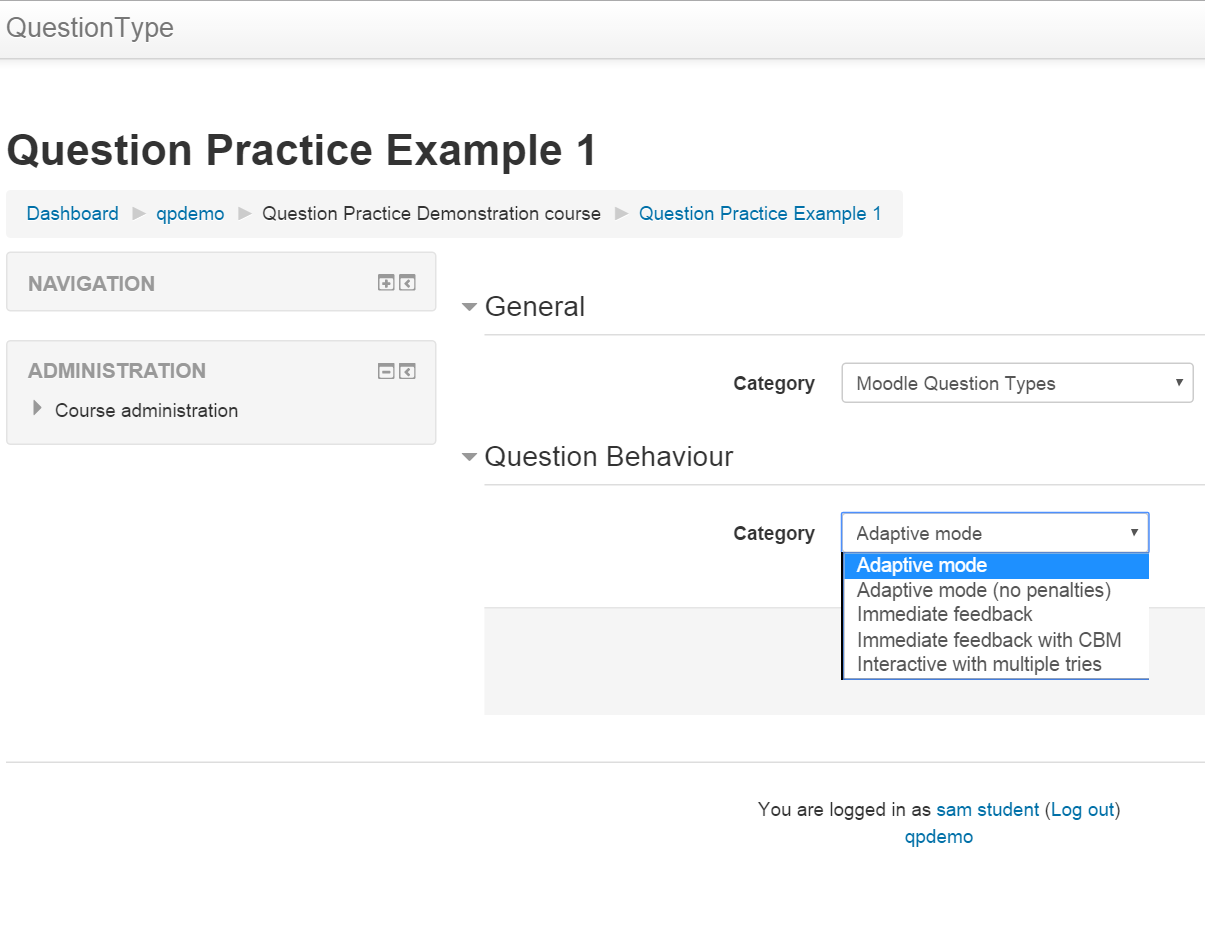
A teacher sets up a bank of questions organised into categories. Then the student can then choose what categories they want to practice when.
Price option: Free

Supports Moodle 2.5-5.2 See all versions
Latest release: 3 months ago
Installations: 42
Downloads (last 90 days): 114

Frankenstyle name: mod_qpractice
Activities

Comments

Comments are no longer open for new posts. Existing comments remain available to read.

Hello Marcus, thanks for this plugin! Will it still be maintained, or has it been superseded by another plugin?
Can you email me directly at marcusgreen at mailbox.org. When you do could you elaborate, i.e. you are getting the same sequence of questions each time?
Hi Marcus,
It appears I cant shuffle the qpractise questions choices. Is this to do with your plugin, or should this functionality work?
Hi Lucia, did you get it working? If not email me directly at marcusavgreen at gmail.com
Hi Marcus,
My moodle version is
$version = 2016052300.00; // 20160523 = branching date YYYYMMDD - do
I installed that Monday.
I attempted to install Qpractice by clicking "install now" from model org. ( Specifically https://moodle.org/plugins/report/index.php?report=user_sites&pluginid=831 )
I did a double upgrade on Monday because I had to go from 2.5.?? to 2.7.?? before I could go to 3.1, so it is possible I have files wrong. Is there someplace I can go hunting?
How are you installing it and on what version of Moodle. That sounds like you may have the files in the wrong folder
Hi, I'm having trouble installing.
I'm getting an error when I try to validate. It says
"Validating mod_qpractice" . . . Error.
[OK] Name of the plugin to be installed [qpractice] (?)
[Error] Unsupported syntax detected in version.php file [$module].
Installation aborted due to validation failure.
Tip?
OK, I will add some more images and description.

Hi Marcus. May I suggest to extend a bit the plugin description here and add more screenshots that would better illustrate the student's workflow.

Greetings,
please do you plan to adapt Qpractice module for Moodle 2.7/2.8 ?
Best, Miro
Hello Carl LeBlond,
First of all thank you for using Qpractice module.It was good to hear that the module was of great use to you.
I am quite new to open source, so while it is great you want to contribute, i am not very experienced at recieving contributions, so please be patient.
The whole idea of module is to ask random questions to students. If we were to control the questions being asked then it will be almost similar to Quiz module.We are working on algorithm that will ask questions randomly but in an efficient manner.
Nice contribution guys, I've been using it heavily. I thought it would be nice if we could control the order in which questions are shown to student so i made some mods to it. I also combined the create session and session history pages to simplify it a bit. I'd like to contribute to this project, so if you think any of this is of value let me know. I've fixed the upgrade.php install.xml etc so it does a clean install. Luck++
Thanks for helping me to understand how this works. I'm going to go ahead and approve this now that the URLs are available and it is generally working. It would be good if we could take care of adding release and maturity variables to version.php for the next version added to Moodle plugins. Peace - Anthony
Tim - OK, now I understand how it is designed to work. I had not noticed the additional default question category for the qpractice activity. I think what is unclear is when or where to add questions or select the category. There is not a place on the initial creation of the qpractice to do so, perhaps that might be added or perhaps the next step would be to take the user to the question bank page for the activity (for example, http://localhost/m25/question/edit.php?cmid=596). The current flow seems to allow you to create a qpractice and then the only options are to start a session or review. Perhaps if the user has the capability to add questions we might add a link to the question bank to the question bank edit page. At some point, I suspect teachers will want to be able to review the sessions of the students too. In any case, I understand what was causing the error and I think it can be improved. Some confusion may arise from the distinction between the qpractice activity's question bank and the course's question bank. We may want to think about how to make that distinction apparent to the user. Peace - Anthony
Ah, I see the problem:
1. Create a new practice.
2. Don't add any questions to the question bank.
3. Click the Create a new session link.
Actual result: You get the start session form with an empty Categories drop-down.
Expected result: The Create a new session link should now appear if there are no questions in the question bank yet. Instead we should display a message something like "No questions have been added to the question bank yet."