Grade Me
Maintained by
Tyler Bannister, Logan Reynolds, James McQuillan
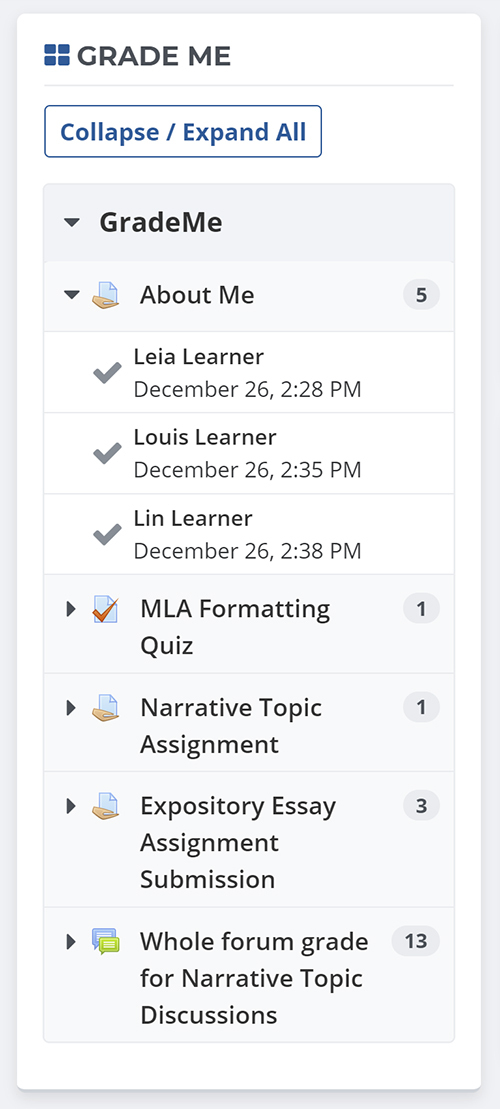
Shows a teacher all of the assignments and manual quiz questions (essays and file responses) that have been submitted, but not graded.
Comments
Comments are no longer open for new posts. Existing comments remain available to read.
Help?
We noticed that if an instructor enters comments/feedback for an assignment, but they don't enter a grade for the item, the item is still removed from the grade me block. The items still shows up in the Assignment activity grader summary as "Needs grading" and in the annotation grader view as "Requires grading", but it's gone from the Grade me block. Just wondering if this issues has been brought up?
Thanks!
We have been using this plugin for about two years now and its great, however it is making Moodle really slow to open. It takes about 3-4 minutes for Moodle to start up once logged in and I had someone at Wise.Net (SMS) look at why and they stated that it was due to the GradeMe plugin logic. Is anyone else having this issue, and if so, how can I fix this?
To answer your question "what do teachers do who don't have this plugin?" A lot of our teachers use the Recent activity block. It will tell you what has been turned in, but it is only convenient if you are grading all of your work every time a you log into your class. If a teacher is grading work every few days, they would then have to use the full report of the Recent activity block, which can be very cumbersome to look through, especially since it shows both automatically and manually graded work.
Using the email notification option is not really a good option for us. Our average teacher has about 225 - 250 students. If each student is turning in about 3 manually graded assignments per week, that would mean the teacher would be receiving up to 750 individual emails for manually graded work. Our school model allows students to turn in late work all semester. This means it could be the last week of the semester and students may be turning in work from the first month of that semester, so obviously it is not convenient for teachers to open every single manually graded assignment each week to hunt for ungraded work.
Since Moodle does not really have a good option for showing teachers what is ungraded, here is what a lot of our teachers do:
-Go to a course
-Go to the Recent activity block
-Click on 'Full report of recent activity'
-Deselect the date (next to enable)
-Click 'Show recent activity'
-Use ctrl-F and search for 'Grade: -'
-This will highlight all ungraded work.
Yes, this is cumbersome, but it seems to be the best built-in option in Moodle.
Incidentally, the notification button in the upper right of Moodle 3.1 and up only notifies you when someone submits an assignment. It does not provide a notification for when someone submits a quiz. unless I am missing it....?
This was one of the most used blocks by our faculty, so they are quite dissatisfied that the Grade Me block has not been working for so long. Any assistance in finding a solution for getting the Grade Me block working properly on Moodle 3.1.3 would be greatly appreciated.
Thank you.
$graderroles = array();
foreach ($enabledplugins as $plugin => $a) {
foreach (array_keys(get_roles_with_capability($a['capability'])) as $role) {
$graderroles[$role] = true;
}
}
foreach ($graderroles as $roleid => $value) {
if (user_has_role_assignment($USER->id, $roleid) or is_siteadmin()) {
$showempty = true;
} else {
$showempty = false;
}
}
if (!empty($this->content->text)) {
// Expand/Collapse button.
$expand = ''.get_string('expand','block_grade_me').'';
$this->content->text = '
} else if (empty($this->content->text) && $showempty) {
$this->content->text .= '
$OUTPUT->pix_icon('s/smiley', get_string('alt_smiley', 'block_grade_me')).' '.
get_string('nothing', 'block_grade_me').'
}
return $this->content;