Grade Me
Maintained by
Tyler Bannister, Logan Reynolds, James McQuillan
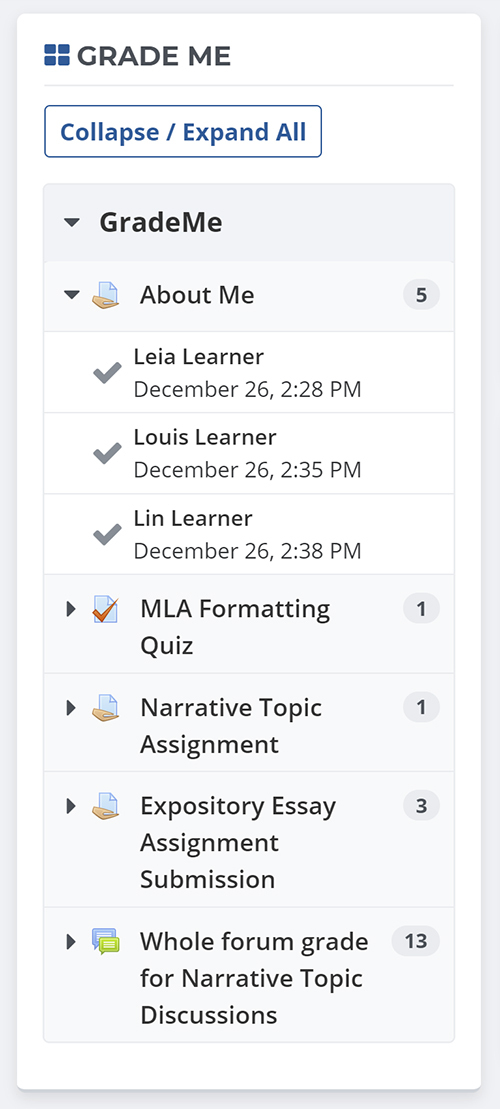
Shows a teacher all of the assignments and manual quiz questions (essays and file responses) that have been submitted, but not graded.
Comments
Comments are no longer open for new posts. Existing comments remain available to read.
1) We will indeed be publishing an updated 30 stable Grade Me version within the coming weeks.
2) There is not currently any built-in functionality within Grade Me block for CSV export, as this would depend on the particular data needed and could vary between users. Cases like this would typically be handled by a separate reporting solution that allows query data to be exported to multiple formats.
1) The plugin does not handle lessons at the moment.
2) If you see "nothing to grade" and you're sure there are assignments to grade, that probably means the Moodle cron hasn't been run. The Grade Me section of the Moodle cron will search your site for gradeable assignments, quizs and other items (as configured), and make ungraded submissions available through the Grade Me block.
I have installed this plugin in order to see all assignments that have been submitted by my students but it always tells me "Nothing to grade" even though there are assignements that have to be graded. Can you help me here?
We recently investigated a similar problem for a client and it turned out that they had somehow accumulated a large number of duplicate entries in the Grade Me database table. To fix the speed problem, we truncated the the mdl_block_grade_me table. Once the Moodle cron was finishes running they had the same functionality but at a much faster speed, so you may want to check that table and see if it has duplicate entries.
Our last release of Grade Me included a patch that should prevent duplicate entries from being generated again, so if your Grade Me block has been updated to the latest version, and you have duplicate entries truncating that table may be the simplest way to fix the problem. The cron job for Grade Me finds all of the currently gradeable assignments (and other some other gradeables when configured to look at them) and adds the ones that aren't present in the table. Truncating the table will empty it, however since it looks for all of the gradeables it will only make your next cron run a bit longer as it recreates the missing entries. Once the cron is done you should have the same functionality but the duplicate entries should be gone. If there were many duplicates, getting rid of them can speed up the Grade Me block considerably.
Thanks again!
I think I found the problem, in \moodle\blocks\grade_me\plugins\assign\assign_plugin.php in the query:
$query = ", asgn_sub.id submissionid, asgn_sub.userid, asgn_sub.timemodified timesubmitted
FROM {assign_submission} asgn_sub
JOIN {assign} a ON a.id = asgn_sub.assignment
LEFT JOIN {block_grade_me} bgm ON bgm.courseid = a.course AND bgm.iteminstance = a.id
LEFT JOIN {assign_grades} ag ON ag.assignment = asgn_sub.assignment AND ag.userid = asgn_sub.userid AND asgn_sub.attemptnumber = ag.attemptnumber
WHERE asgn_sub.userid $insql AND asgn_sub.status = 'submitted' AND a.grade <> 0
AND (ag.id IS NULL OR asgn_sub.timemodified > ag.timemodified)";
the last line refers to the field [assign_grades.id] and compares it to NULL, but I think it should say:
AND (ag.grade IS NULL ....
I'm testing the block in Moodle 2.7.5
When a teacher clicks on the red check mark which takes them to the student submission page and does not put a score but the teacher clicks on the 'Save changes' button, that submission disappears from the Grade me block.
However, the teacher still see that there is a submission that 'Needs grading' in the Assignment page (eg. /moodle/mod/assign/view.php?id=333)
It seems that the block Grade me is not coordinated with the assignments that need a grade.
I have run the cron
Thank you, Erika
We are having lengthy start-up times of about 1 - 4 mins when we login to Moodle. I firstly logged a support request with our Moodle provider and they have said it is due to the logic in the GradeMe plugin. We are on Moodle 2.7. - This plugin is great and my teachers love it, however are you please able to shed some light on the issue and/or assist me in fixing it?
Thank you, Andrew
But, if a student uploads a PDF file as their assignment, the assign module puts an entry into the assign_grades table with a grade of -1 - this means that the assignment no longer appears in the block. So if the teacher simply views an assignment that had a PDF file uploaded it now disappears from the block altogether as if it has been graded even though it has not been.
I have checked on the forum for the assign module and apparently pdf files are treated differently than other files and this behaviour is expected. The problem is that the grade me block is thinking the assignment is not outstanding even though it is.
Can some kind of fix be done so that regardless of the file type that is uploaded by the student, the assignment remains on the grade me block until it is actually graded? this is causing a huge problem for my teachers as they cannot find assignments after they go to view them and we cannot stop students from creating pdf files for their assignments.
Thanks! Nikki