Grade Me

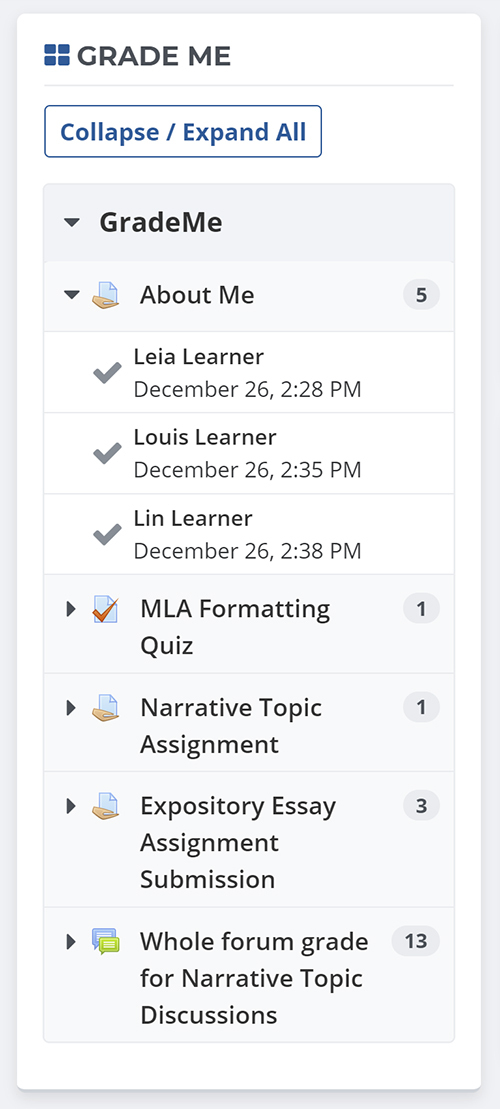
Shows a teacher all of the assignments and manual quiz questions (essays and file responses) that have been submitted, but not graded.
Price option: Free

Supports Moodle 2.3-4.5 See all versions
Latest release: 1 year ago
Installations: 3456
Downloads (last 90 days): 774

Frankenstyle name: block_grade_me
Blocks

Comments

Comments are no longer open for new posts. Existing comments remain available to read.

Hi Marc, please make sure you run the Moodle cron at least once after installing Grade Me. The Moodle cron will find markable assignments (and other activities based on settings) and set up the Grade Me block so it can display assignments waiting for marking.
I guess I spoke too soon. I have not been able to get the Grade Me block to work on my 2.9+ Moodle Version. I have tried everything. Making sure teacher and students are in the same group, changing course formats, looking from a teacher rather than administrator point of view. No matter what I always get "nothing to grade". Is there some secret I'm missing for this block to work or do I just need to wait until a newer version of the block comes out?
I have found what I think is an inconsistency between the Grade Me block and the way Moodle Assignments are handled. When a teacher goes to view an assignment and clicks Edit and then Grade, the assignment module inserts a record into the assign_grades table for that students assignment, setting the grade to -1. This happens just by clicking Edit and Grade, before the assignment is actually graded. However, the Grade Me block is seeing that grade of -1 and then not displaying the assignment in the block as outstanding.
My teachers are clicking on the red check mark which takes them to ../mod/assign/view and as a result of that action, sets the grade to -1. If they do not grade the assignment immediately, when they go back into Moodle the assignment has disappeared from the Grade Me block. I need the block to continue displaying the assignment as outstanding until it has actually been graded. The teachers usually open the assignment and download it and have a few days before they are ready to give a grade - but when they go back in the block does not show the assignment any longer and they have to go through and manually locate them. Interestingly, this does not happen on assignments that I converted from pre Moodle 2.3, only on ones I have created since then.
I am using Moodle 2.8 and the Grade Me version 2.8.0.5 and the assignments are set up with a customized scale that has two grades possible - 1 for resubmit and 2 for completed.
I'm having some issues where one item to be graded shows multiple times on the Grade Me block. I'm looking at one right now where the student submitted one rtf file, yet the submission shows 3 identical entries in Grade Me, all for the same assignment at the same time from the same student.
The assignment uses a rubric for grading.
Moodle 2.7.7+ (Build: 20150505), Grade Me 2.7.1.6 2014051206
Any thoughts?
Thanks!
Is it possible to get Grade Me to only show unmarked work in the Group that the Lecturer belongs to in a course? We have multiple lecturers sharing the same course. They use Groups and Groupings to ensure only the relevant lecturer receives email notifications of submissions. However, Grade Me is showing all work awaiting grading in their shared courses.
Thanks for Grade Me. Such a neat add on to simplify life for our lecturers.
Can you let me know if this block works with the marking workflow and, more specifically, the allocated marking or if it works on the cangrade permission?
Hi,
Using Moodle 2.8.5 Installed version 2.8.0.5 of this plugin. When i add the block , it only gets added to the view(url) wherein editing is turned on. If i turn off editing block is not visible. Please help.
I just upgraded the 2.9.0.0 Grade_me block onto my noodle 2.9+ version. It seems to be working correctly but I do have the following debugging lines at the top of the page.
line 103 of /blocks/grade_me/block_grade_me.php: call to has_capability()
line 288 of /blocks/moodleblock.class.php: call to block_grade_me->get_content()
line 230 of /blocks/moodleblock.class.php: call to block_base->formatted_contents()
line 971 of /lib/blocklib.php: call to block_base->get_content_for_output()
line 1023 of /lib/blocklib.php: call to block_manager->create_block_contents()
line 473 of /lib/outputrenderers.php: call to block_manager->ensure_content_created()
line 37 of /theme/essential/layout/includes/header.php: call to core_renderer->standard_head_html()
line 27 of /theme/essential/layout/columns3.php: call to require_once()
line 1015 of /lib/outputrenderers.php: call to include()
line 945 of /lib/outputrenderers.php: call to core_renderer->render_page_layout()
line 244 of /course/view.php: call to core_renderer->header()
I've added the v2.9.0.0 release to the downloads page.
Does anybody know if there are plans to update this to be compatible with 2.9? This could be a make or break with staff during our upcoming upgrade!
I managed to work out how to add dataforms in for myself. If anyone else wants those modifications, just message me. smile
Yes, this is a very handy plugin. Is there a reason why the Lesson activity is excluded? Can it be added?
This is a great plugin! Any chance of it being expanded to allow dataforms to be included?
Interestingly, it WILL allow me to add the block to the "Default My home page" under Administration > Appearance > Default My home page. So if I add it there, and I reset My Home to the default, the block does appear.
Actually, I am running Moodle 2.7.8 and have installed Grade Me v2.7.1.6, and I am also having the problem that it won't let me put the block on the My Home page. It allows me to add it to a course page, but not My Home. I have checked the block/grade_me:myaddinstance permission, and it's set to "Allow" for Authenticated User, so I can't figure out why it's not showing up in the list of blocks I can add to My Home. Thanks for your help.
I tried it on another installation of Moodle, which is version 2.7.1, and it works there. Could it be my Moodle version that's the problem?