Supervised access rule
Maintained by
Oleg Sychev
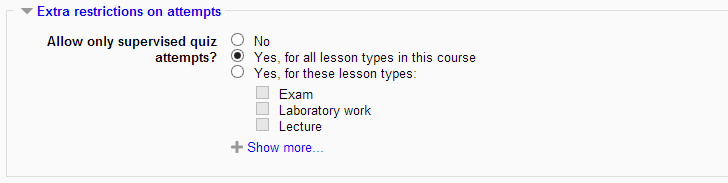
Allows restrict quiz access to supervised sessions only. Block "supervised" is used to track such sessions.
Comments
Product ratings and reviews are coming to Moodle Marketplace. Until then, existing comments remain available to read, but new posts have been disabled.
Session time : Default: 90
Number of days to show sessions : Default: 7
Then save cganges button.. i cant able to see the options to create session type or anything can anyone plese help me to solve this problem iam new to moodle..
I do not know about screenshots: quizz access rule is quite a silent plugin, it only adds a small part to the quiz editing form and one string message in case it blocks user from quiz.
Many thanks for sharing this plugin with the Moodle community.
Similar to my comments on the block, I am not clear as to the additional functionality that this adds. Some further explanation in the documents would be helpful. Also, I would suggest changing the source URL to https://code.google.com/p/oasychev-moodle-plugins/source/browse/#hg%2Fmod%2Fquiz%2Faccessrule%2Fsupervisedcheck so that it points directly to the code for the access rule.
Please consider adding a screenshot of your plugin to help folks get an idea of what it looks like when installed (I think the ones listed in the documentation are fine but would add the access rule related screenshot this plugin entry.
For now, I am going to mark this plugin as needing more work until we get the issues resolved with https://moodle.org/plugins/view.php?plugin=block_supervised. Overall, thing look good but I want to see some clarification as to the added functionality. Thanks for you patience with the review and approval process.
Peace - Anthony