All-or-Nothing Multiple Choice

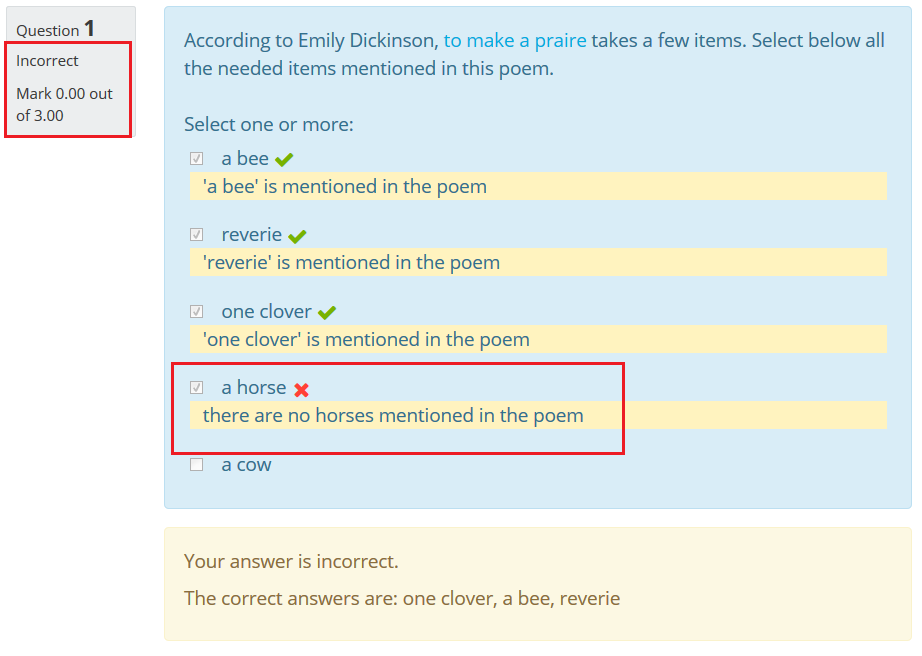
The all-or-nothing multiple choice question is a version of the core multi-answer multiple choice question with modified grading. In an all-or-nothing multiple choice question, a respondent can choose one or more answers. If the chosen answers correspond exactly to the correct choices defined in the question, the respondent gets 100%. If he/she chooses any incorrect choices or does not select all of the correct choices, the grade is 0%.
Price option: Free

Supports Moodle 2.6-4.0 See all versions
Latest release: 3 years ago
Installations: 4092
Downloads (last 90 days): 541

Frankenstyle name: qtype_multichoiceset
Question types

Comments

Comments are no longer open for new posts. Existing comments remain available to read.

Thank you. You could consider marking it as a favourite if you like it. You might also like two related plugins for Atto and Books. cf. https://moodle.org/plugins/browse.php?list=set&id=82
To Eoin, I have just had a look at the moodle2word stuff, it is brilliant! You have to do some customising of ordered lists, tables etc but that is a small price to pay for the other benefits.
Regarding batch uploading of multichoiceset questions, you can create questions in Microsoft Word and import them using the https://moodle.org/plugins/qformat_wordtable plugin. A Word template to support creating questions is available for download at http://www.moodle2word.net/
Yes, I can now confirm that the plugin works with the mobile app version 3.5 and that is excellent. Thanks to all the contributors (Jean-Michel and Eoin) and especially to Zvonko Martinovic.
This question type now supports the Moodle mobile app version 3.5 (I think) and 3.6, when running Moodle 3.5 or Moodle 3.6, thanks to code contributed by Zvonko Martinovic.
Hello,
Some answers to recent comments:
To Bozan Zugec: sorry but this part of the plugin was contributed by somebody else, I know nothing about the mobile app, I don't have it running so I am unable to help fixing that problem
To Cameron Hallowell: There is no easy way to upload multichoiceset questions using the GIFT format because this format is not "open": it wasn't created to easily allow new question types. On the contrary the Moodle XML format is more open and extensible. and I have created a plugin that import all multichoice questions as all or nothing questions, see https://moodle.org/plugins/qformat_multichoiceset. So maybe you could try to create your questions as ordinary multichoice questions in a GIFT file, import the result into Moodle, export it as a Moodle XML file and re-import the result using qformat_multichoiceset. Of course this introduce more step to the process but maybe if you have a large number of questions to import that would result in a more rapid process than creating the questions one by one.
To Alexander Okon: Sorry you have problem with the last update, but I can't see how the changes introduced by Eoin Campbell in the last version could cause that kind of problem. Maybe something has go wrong in the upgrade process and one of your files is corrupted ? try to replace all files in the question/type/multichoiceset subfolder by new ones freshly downloaded from the plugin directory. If this doesn't solve your problem go to the site administration and activate debugging to see if any error message is displayed that would help to diagnoze the problem.
As a general note: If you want some help, it would be a lot better to post a message in the Quiz forum, answering to your comments on this page is very painful for me as there is no formatting, no way to include images or to attach files. Thanks
Unfortunately after upgrading to the latest version login to the moodle-Page is not longer possible for admins. There is no such problem for the students. But for admin the page after login (/admin/index.php) is completely blank / empty. Any ideas how to fix that issue?
Is there an effective way to batch upload multichoiceset questions in a GIFT format. If not, what are my alternatives other than cut and paste?
Greetings to all! Thanks for taking care of this plugin and keeping it up to date. This latest update works excellent on the website but, unfortunately, I still can't make it to work with the latest mobile app. I thought it was me, so I installed another question type plugin that should work with the app: Gapfill, https://moodle.org/plugins/qtype_gapfill. However, this Gapfill plugin works ok with the app and our plugin still doesn't. Could someone please help me with this issue? Thanks in advance!
Thanks Jean-Michel, I have implemented this fix and it seems to work fine. I released v1.6.2
Hello Cameron,
to make the all or nothing question type respect your choice of answernumbering, you can do the following change
In the question/type/multichoiceset/edit_multichoiceset_form.php file
Change the line:
$mform->setDefault('answernumbering', 'abc');
to:
$mform->setDefault('answernumbering', get_config('qtype_multichoice', 'answernumbering'));
I am no more maintaining this question type but that seems as a sensible change to me. Maybe You can ask Eoin Campbell, the new maintainer to do that change in the plugin ?
I have changed our default settings to turn automatic numbering off (no numbering) when we import GIFT or create new questions. When creating new All-or-nothing questions the default setting for "number the choices" is set to a,b,c and not "no numbering". How can I change the default setting to be no numbering?
I'm on it, but it looks like the new "simpler" API is not suitable for qtype_multichoiceset. Since from the app point of view it behaves exactly like a common qtype_multichoice (the evaluation is done serverside). According to Juan Leyva's release notes the old concept of remote add-ons should still work if the add-on is ported to ionic 3. But so far I wasn't able to figure out how to bundle the ported add-on.
That would be very nice indeed, and on a brief look at the documentation, it now seems more feasible. However, I'm very busy with the start of the new academic year at the moment, so it will be a while before I can take it on.
Hello to all. I'm using this plugin frequently on my website. I have installed the latest Moodle app on my phone, but this All-or-Nothing plugin doesn't work. It would be phenomenal if someone could make it work with the mobile app. There are instructions here https://docs.moodle.org/dev/Mobile_support_for_plugins on how to adjust plugins to work with the latest app, but I still don't feel confident enough to dive into this adjustment.