Course checker info icon

Course checker info

This Moodle block plugin displays the current status of course checks performed by the local_course_checker plugin. It provides quick access to the latest results, timestamps, and rerun options directly from the course page.
Price option: Free

Supports Moodle 4.4-5.2 See all versions
Latest release: 8 months ago
Installations: 14
Downloads (last 90 days): 16

Frankenstyle name: block_course_checker_info
Blocks

Description

Course Checker Info Moodle Plugin CI

This Moodle block plugin displays the current status of course checks performed by the local_course_checker plugin. It provides quick access to the latest results, timestamps, and rerun options directly from the course page.


🧰 Features

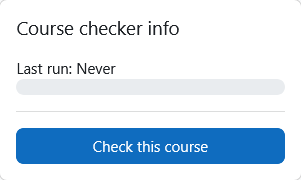
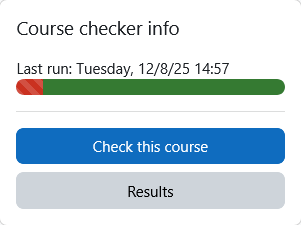
  • Displays timestamp of last checker run.
  • Shows percentage breakdown of check result statuses (successful, warning, failed, error).
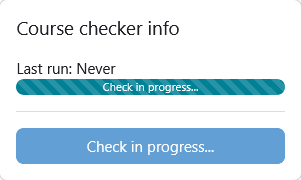
  • Indicates whether a check run is currently in progress.

🧩 Dependencies

This plugin requires the following to function properly:


📁Installing via uploaded ZIP file

  1. Log in to your Moodle site as an admin and go to Site administration > Plugins > Install plugins.
  2. Upload the ZIP file with the plugin code. You should only be prompted to add extra details if your plugin type is not automatically detected.
  3. Check the plugin validation report and finish the installation.

📁Installing manually

The plugin can be also installed by putting the contents of this directory to

{your/moodle/dirroot}/blocks/course_checker_info

Afterwards, log in to your Moodle site as an admin and go to Site administration > Notifications to complete the installation.

Alternatively, you can run

php admin/cli/upgrade.php

to complete the installation from the command line.

📦 Installing via GitHub

Clone the plugin into your Moodle instance:

cd /path/to/moodle
git clone https://github.com/ffhs/moodle-block_course_checker_info.git blocks/course_checker_info

Run the upgrade script:

php admin/cli/upgrade.php

Or complete the installation via the Moodle web interface: Site administration > Notifications


🚀 Usage

Once installed:

  1. Go to a course page.
  2. Add the block via "Add a block" ' "Course Checker Info".
  3. The block will display the latest checker results and options.

Contributors

Awards

Privacy friendly
Early bird 5.2