Joseph Thibault
Lead maintainer

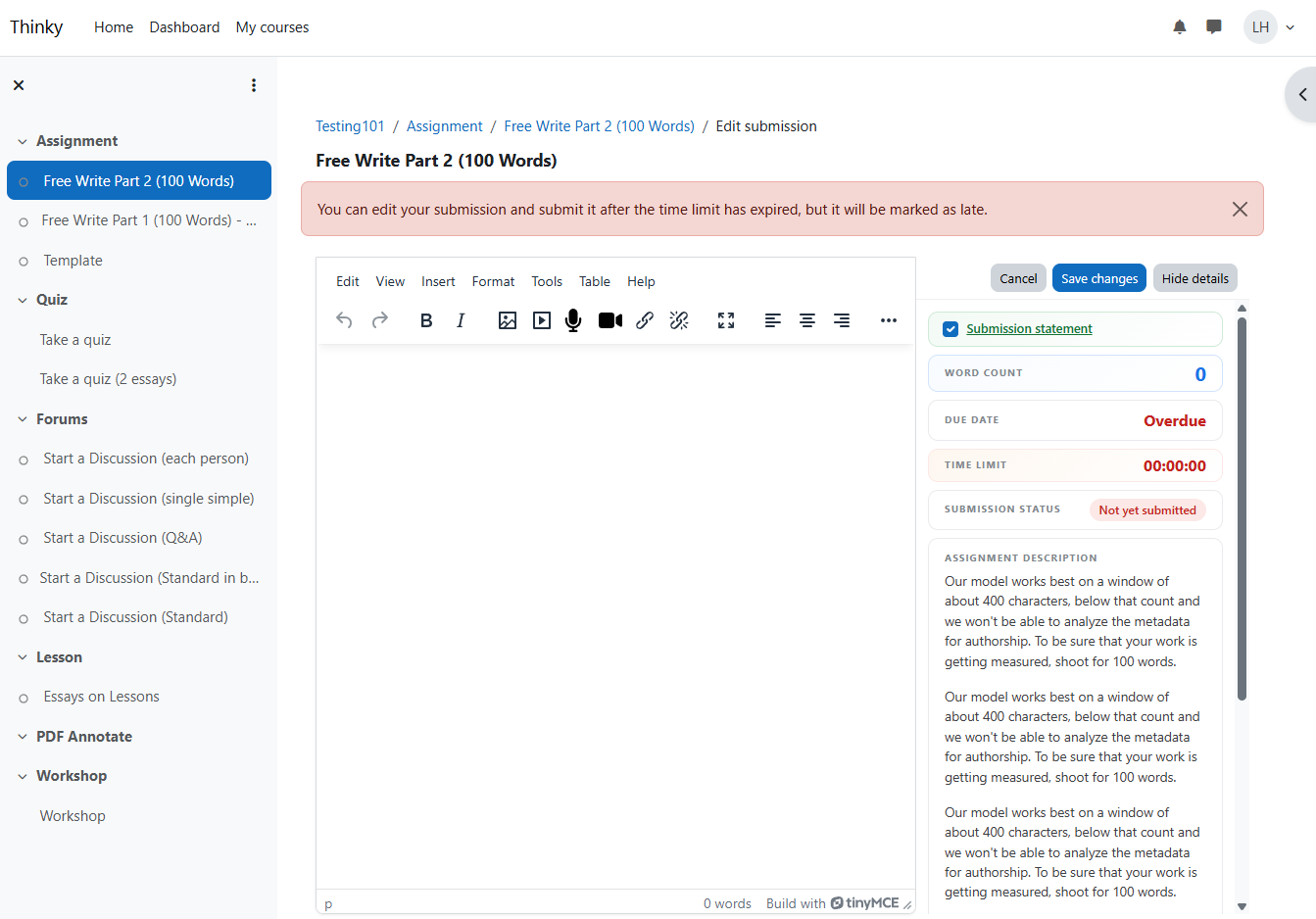
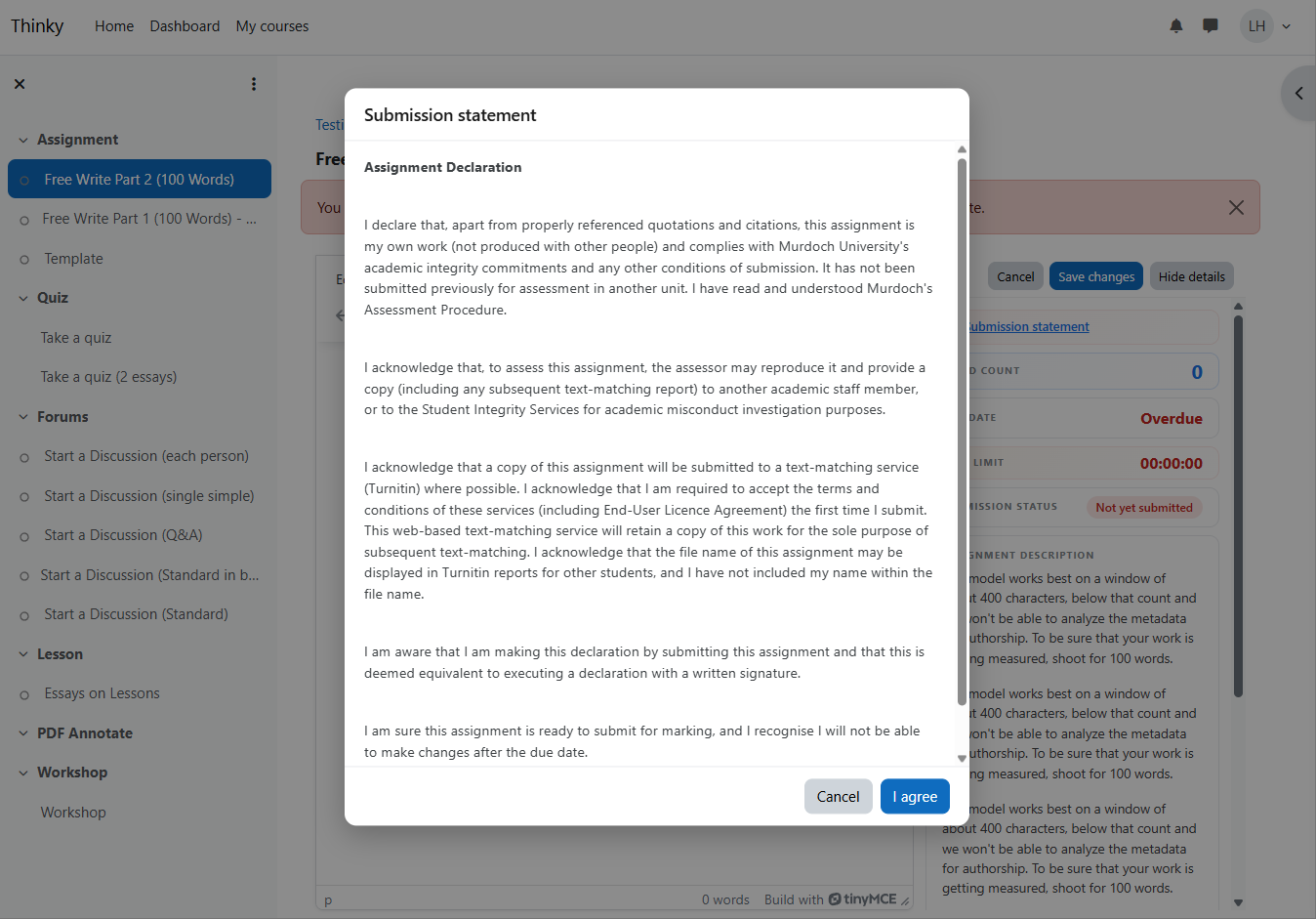
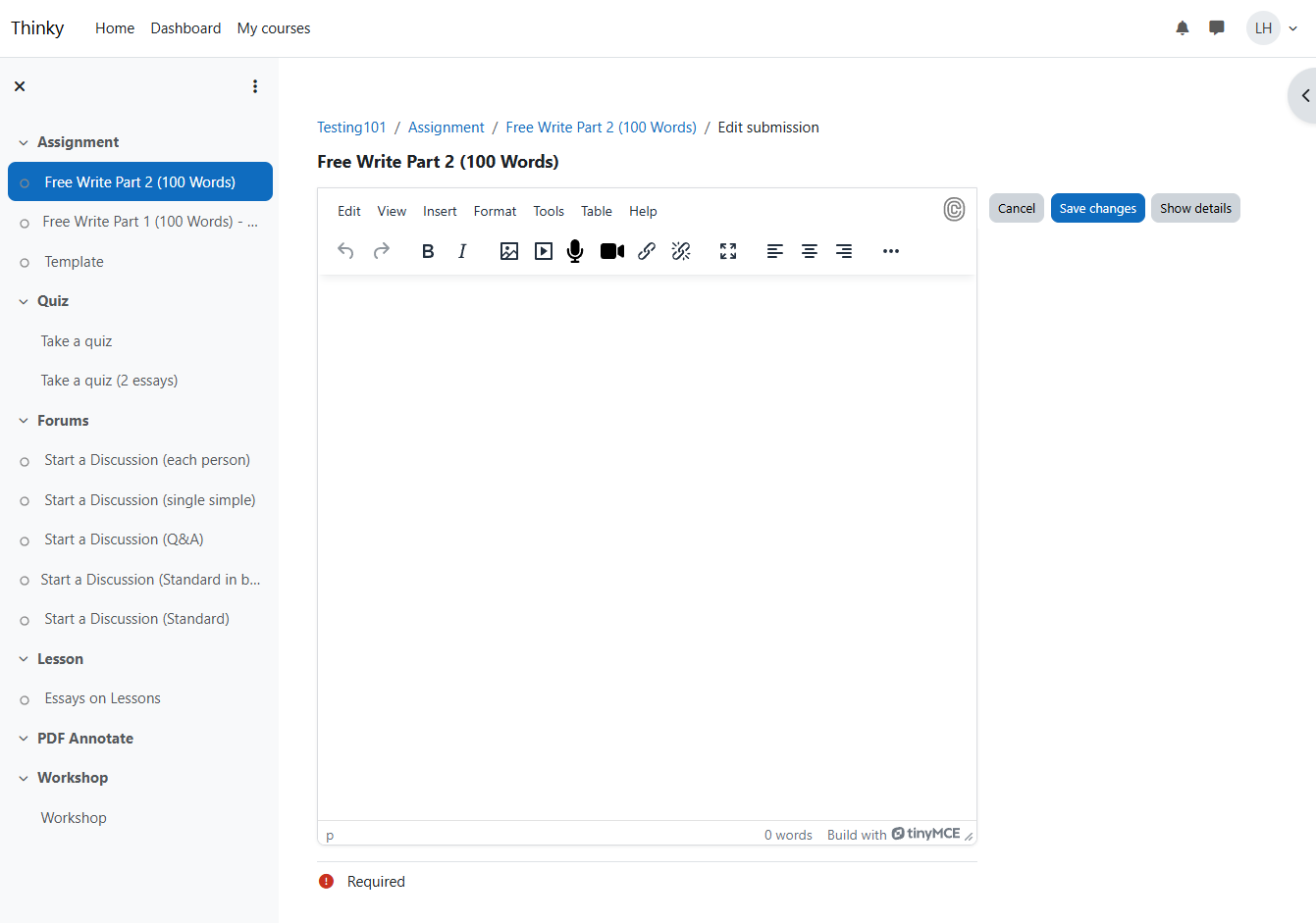
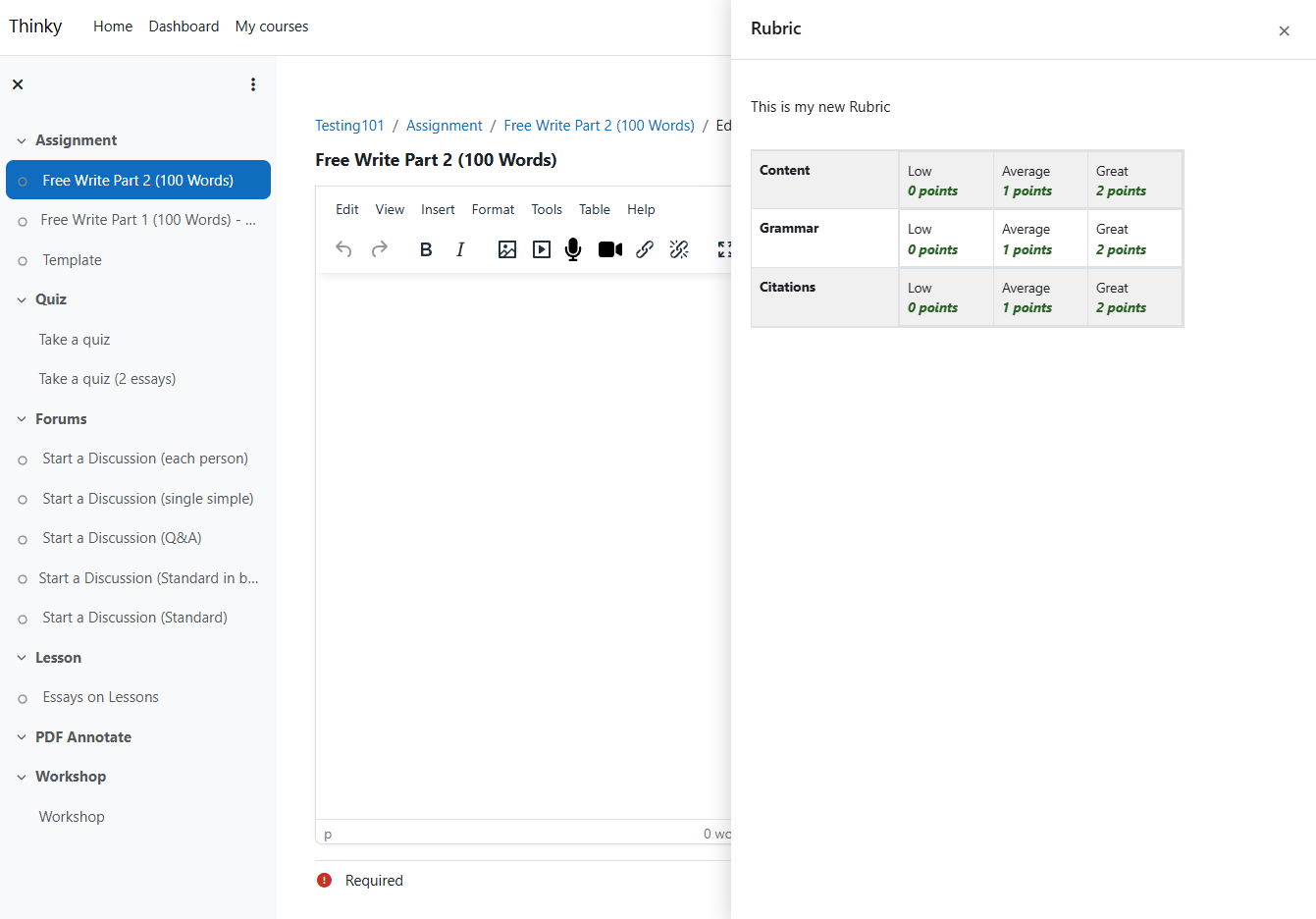
A local plugin that transforms the Moodle assignment submission page into a focused writing experience with a Google Docs-ish layout that observes the constraints of Moodle core.
When enabled, Writer View replaces the default assignment submission page that centers focus on the writing canvas without hiding the important instructions or information from the student:
Site Administration > Plugins > Local plugins > Writer View
Toggle "Enable by default" to activate Writer View for all assignments. Teachers can override per-assignment.
Students will see the enhanced layout on the submission page when enabled.
| Feature | Description |
|---|---|
| Word count | Live word count, updates as you type |
| Due date | Countdown timer (e.g., "1d 4h 30m"), hidden if not set |
| Time limit | Mirrors Moodle's assignment timer block, hidden if not set |
| Submission status | Color-coded badge (red = not submitted, yellow = draft, green = submitted) |
| Assignment description | Full description from assignment settings |
| Activity instructions | Shown when set by teacher (separate from description) |
| Rubric | Slide-over panel with full rubric table, triggered by Show button |
| Sidebar collapse | "Hide details" / "Show details" toggle |
| Save/Cancel | Buttons pinned in sidebar header, always visible |
| No double scroll | Page locked to viewport, only editor content scrolls |
| Fullscreen | TinyMCE fullscreen mode works, sidebar hides automatically |
mod-assign-editsubmission page type. It does not affect file-only submissions, grading views, or other activity types.