Proctoring for Moodle icon

Proctoring for Moodle

Certified Integration Certified Partner Plugin
Maintained by Brain Station 23
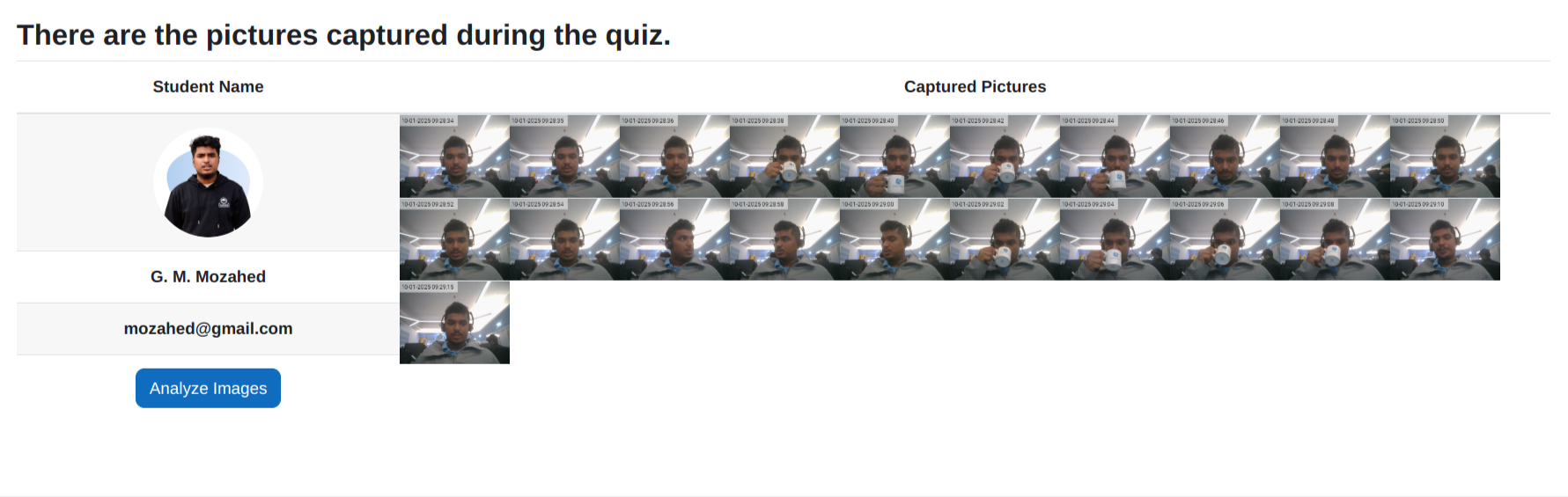
The Moodle Proctoring plugin is a Quiz Access plugin designed to capture a user's picture via webcam to identify the individual attempting the Moodle quiz. It automatically captures images from the user's webcam at 30-second intervals (or any configurable time gap) and stores them as PNG files. Admins can analyze these images after the exam for verification purposes using the BS Face Matching API. This plugin enables the capture of random images via webcam while the student or user is attempting a quiz.
Price option: Free
Download for free Contact seller
Contact the seller to learn more about additional features or services.
Supports Moodle 3.7-5.2 See all versions

Latest release: 2 months ago
Installations: 2104
Downloads (last 90 days): 1175

Frankenstyle name: quizaccess_proctoring
Quiz access rules

Description

Proctoring for Moodle

The Moodle Proctoring plugin is a Quiz Access plugin designed to capture a user's picture via webcam to identify the individual attempting the Moodle quiz. It automatically captures images from the user's webcam at 30-second intervals (or any configurable time gap) and stores them as PNG files. Admins can analyze these images after the exam for verification purposes using the BS Face Matching API.

This plugin enables the capture of random images via webcam while the student or user is attempting a quiz

Click here for plugin demo.

Features

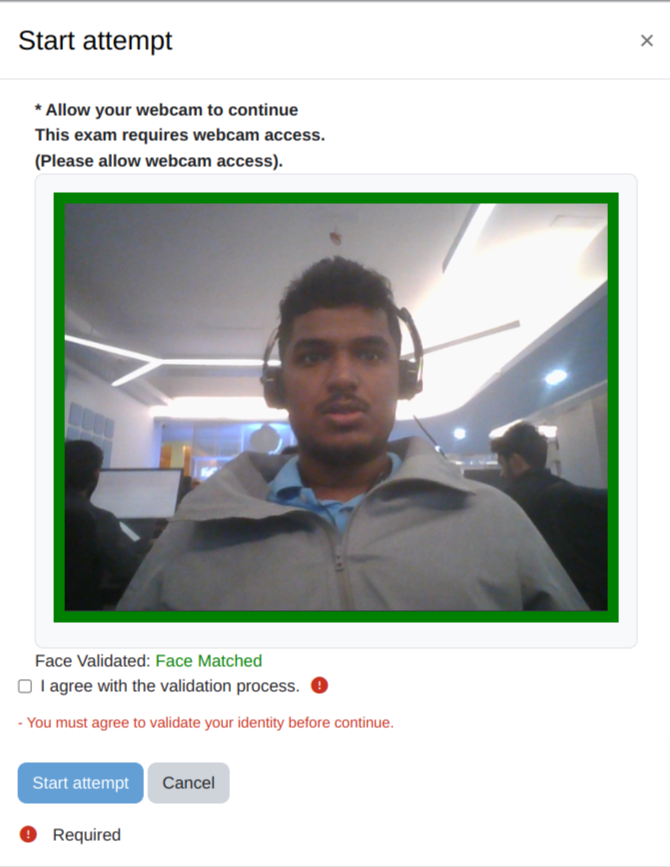
  • Automatically captures user/student images via a webcam during a quiz.
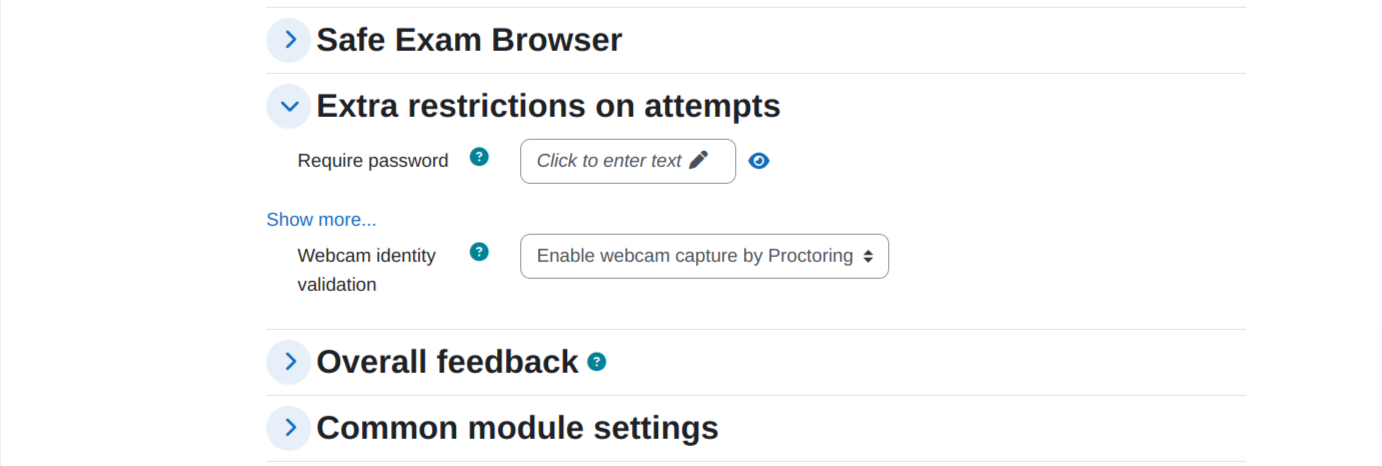
  • Prevents quiz access if the user does not allow camera permissions.
  • Admins can view reports to identify suspicious activities.
  • Works seamlessly with the existing Question Bank and Quiz modules.
  • Stores images in Moodledata as compact PNG files.
  • Provides options to delete images individually or in bulk.
  • Includes proctoring log reports with advanced search capabilities.
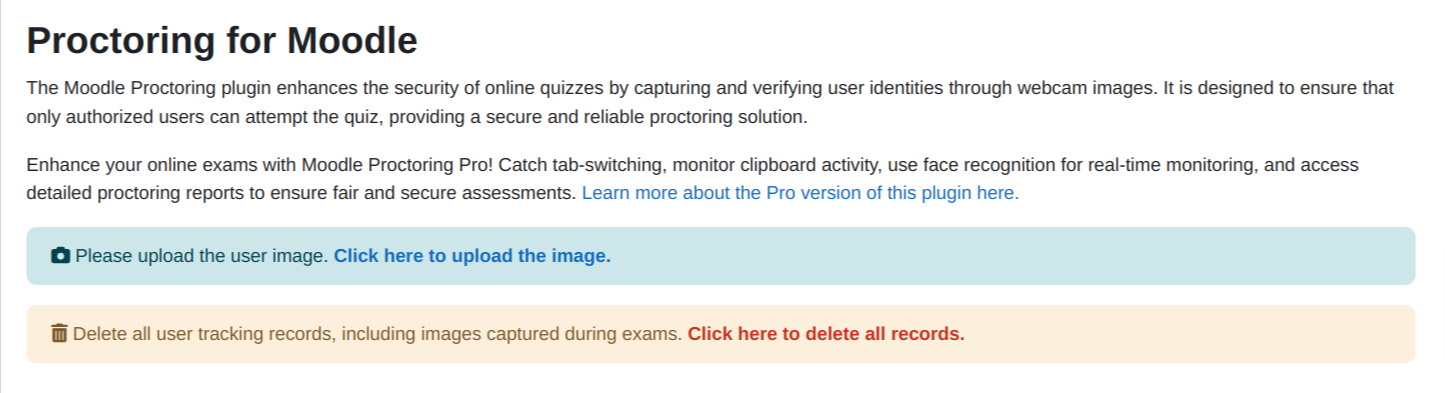
  • Allows admins to upload base images for user face recognition.
  • Supports face validation before quiz attempts.
  • Configurable image resolution and capture interval.
  • Face Recognition service(BS). [This feature validates the user image with an uploaded image. You can use Brain Station Face Recognition service. Please contact us (elearning@brainstation-23.com) if you want to obtain API Key for Brain Station face recognition service]

Installation and Configuration

Please the follow the GitHub Readme for updated installation and configuration process.

 
Proctoring Pro is available now! 🎉


Get the Proctoring Pro plugin now.


Our Flagship Plugins

Name Description Get More Info
Proctoring Pro for Moodle Proctoring Pro: Auto-captures webcam photos using BS Face Recognition in quizzes. Proctoring Pro
Alap Schedular for Moodle  Alap Scheduler: Enables students to book teacher slots via a calendar, facilitating Zoom meetings Alap Schedular
Interactive PDF for Moodle Interactive PDF: Enables teacher to add question between texts Interactive PDF
Interviewer for Moodle Interview: Enables teacher to interview/viva with student and mark them. Can be used for job interviews Interviewer

For any Moodle related services, Contact us at elearning@brainstation-23.com

FAQ’s

1. How can I upload a user image? 
> From the settings of the proctoring plugin, there is an option for uploading user images.
2. Why does the analyze image button give a red mark for all the images? 
> Check whether the credentials for the face match methods are correct and the user’s image is uploaded by the admin.
3. Can the students upload their own images? 
> No, only admins can access.
4. Where can I get the BS Service API credentials? 
> Please contact here: elearning@brainstation-23.com for details. 
5. Is the screenshot feature available? 
> No, it is removed because of browser limitation.
6. How can I report an issue regarding this plugin?
> Please raise an issue in this link: GitHub Issues
7. Why is my moodle stuck while validating the face?
> Please check whether the credentials for the face match methods are correct
8. Why can’t I upload some of the user images? 
> Every user image needs to have a face that can be detect. Please make sure the image is bright enough and there is no multiple face in that image. Otherwise, it can’t be uploaded.
9. As a student, why can’t I validate my face before starting a quiz? 
> Student’s image must be uploaded by an admin in the moodle to validate their face before an attempt.
10. What does the yellow mark around the image mean? 
> Case 1: Please check whether the user image is uploaded in moodle.
> Case 2: Images captured with previous version of proctoring plugin can’t be analyzed by the current version of proctoring plugin because it lacks some meta data.

License

This program is free software: you can redistribute it and/or modify it under the terms of the GNU General Public License as published by the Free Software Foundation, either version 3 of the License, or (at your option) any later version. This program is distributed in the hope that it will be useful, but WITHOUT ANY WARRANTY; without even the implied warranty of MERCHANTABILITY or FITNESS FOR A PARTICULAR PURPOSE. See the GNU General Public License for more details. You should have received a copy of the GNU General Public License along with this program. If not, see <http://www.gnu.org/licenses/>.

Contributors

Awards

Privacy friendly
Automated testing support
Early bird 4.5
Early bird 5.0
Early bird 5.2