Comparison with the weightiest assessment
Maintained by
Albert Gasset, David Pinyol Gras
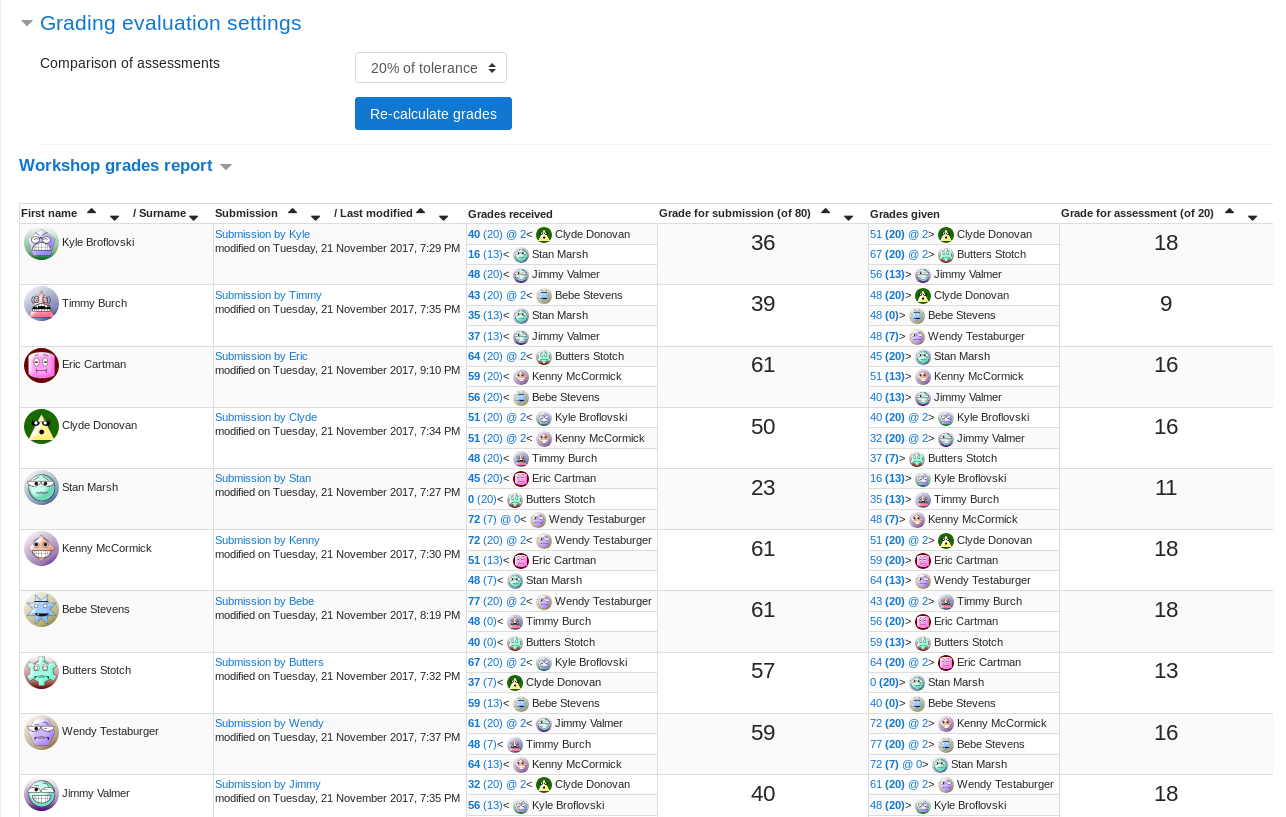
Evaluation method for Moodle Workshop that uses the assessments with highest weight as reference for evaluating other assessments.
Comments
Product ratings and reviews are coming to Moodle Marketplace. Until then, existing comments remain available to read, but new posts have been disabled.
Would it be possible to update the master branch of your GitLab repository? It currently points to the v1.3 tag, but it looks like it should point to v1.4 instead.
We automate our update flow using Git, so having the correct branch reference would be really helpful.
Thanks in advance!
$distance += abs($agrade - $rgrade) * $weight;
Or even this
$distance += $weight * 100 * (abs($agrade - $rgrade) - $settings->comparison * 10) / (100 - $settings->comparison * 10);
In this sense, the score would be proportional to the distance to the "good" assessment, similary to "comparison with the best assessment".
Because I could not find any documentation of the plugin behaviour, I will try to formulate something here. Please correct me if I'm wrong!
By trial and error, I conclude that the weights that I assign to the peer assessments equal the weights in the weighted average that forms the grade of the original submission, for instance: One submission receives the peer grades 64, 80, 77, 80. The teacher gives the first submission weight 5 without touching the other weights; this results in grade (5*64+2*80+77)/8=69.625, or approximately 70, for the submission.
By inspecting the source code of the plugin, mainly the file lib.php, I conclude that the impact, of the weights that I assign, on the grading of the peer assessment is the following: Each individual peer assessment of a given submission is compared to all weightiest assessments of that submission, and the full score minus the shortest distance becomes the score for the peer assessment. The percentage tolerance under "Comparison of assessments" determines how much two assessments in a dimension need to differ in order to be considered "different", so that differences equalling the tolerance exactly are considered equal.
Thanks.
My experience says that it is crucial for users (especially for students) to understand how grade calculation works. I think it's necessary to provide a good explanation - e.g. here at the plugin description field (as mentioned above in the plugin check results).
With the hope the reported plugin check results will be addressed soon, you are cleared to land. Welcome to the Plugins directory.