
Chemistry editor
Maintained by
Geoffrey Rowland
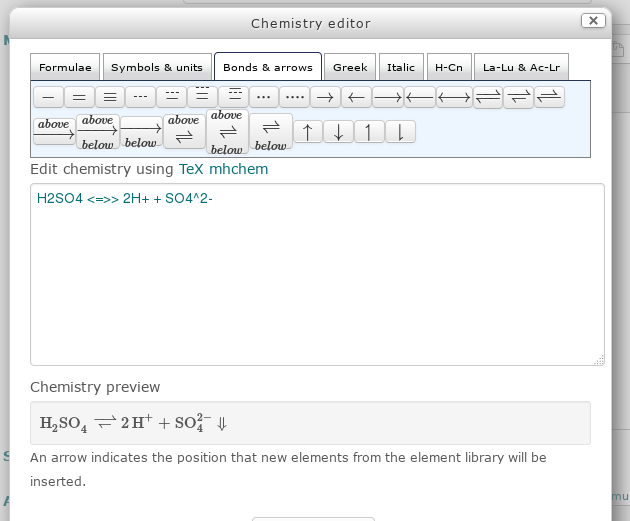
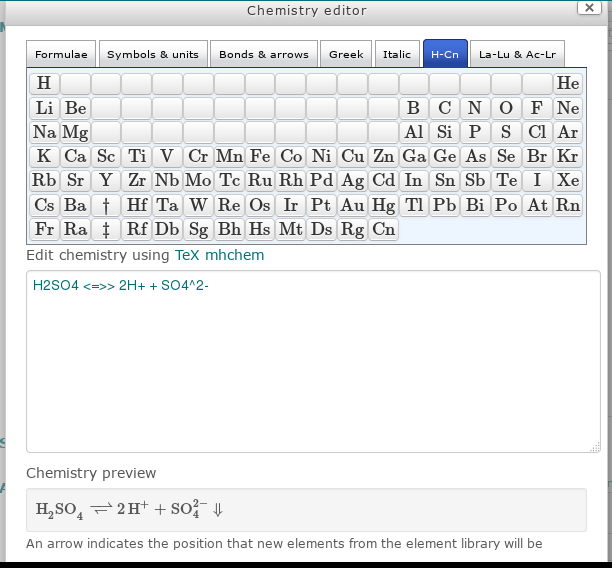
Edit chemistry equations in Moodle 2.7, or later, using the mhchem extension to the MathJax or TeX filter. Useful for full and ionic equations, isotopes, equilibrium reactions, thermochemistry and reaction kinetics. Includes a periodic table of element symbols.
Comments
Product ratings and reviews are coming to Moodle Marketplace. Until then, existing comments remain available to read, but new posts have been disabled.
Thanks for reviewing this so quickly. As requested, I'll update the description.
I'll also work on getting the icon to display properly. Currently needs to be copied from the plugin pix/e/ location to moodle core pix/e/ folder.
The empty lines are intentional. They are required for empty buttons to act as spacers to give the periodic table layout. I'm sure this could be done more elegantly, but was a simple way to use the existing editor button layout.
I had troubles having the button icon displayed correctly. I think that there should be a code like
iconComponent: COMPONENTNAME,added below https://github.com/geoffrowland/moodle-editor_atto-chemistry/blob/master/yui/src/button/js/button.js#L174 as Moodle searches for the icon in the core locations without success. Also, the SVG icon provided does not seem to contain the correct icon. Rather than relying on a font, it would be better to provide plain SVG with the flask shape. Currently, it displays an U+F0C3 character for me for some reason.Other thing I noticed are empty lines at https://github.com/geoffrowland/moodle-editor_atto-chemistry/blob/master/settings.php#L301 and below. I'm not sure they are intentional and if so, why.
The rest of the code looks ok to me. With the hope the issues raised above will be addressed soon, you are cleared to land now. Welcome to the Plugins directory!