
Maintained by
Marc Català, Albert Gasset
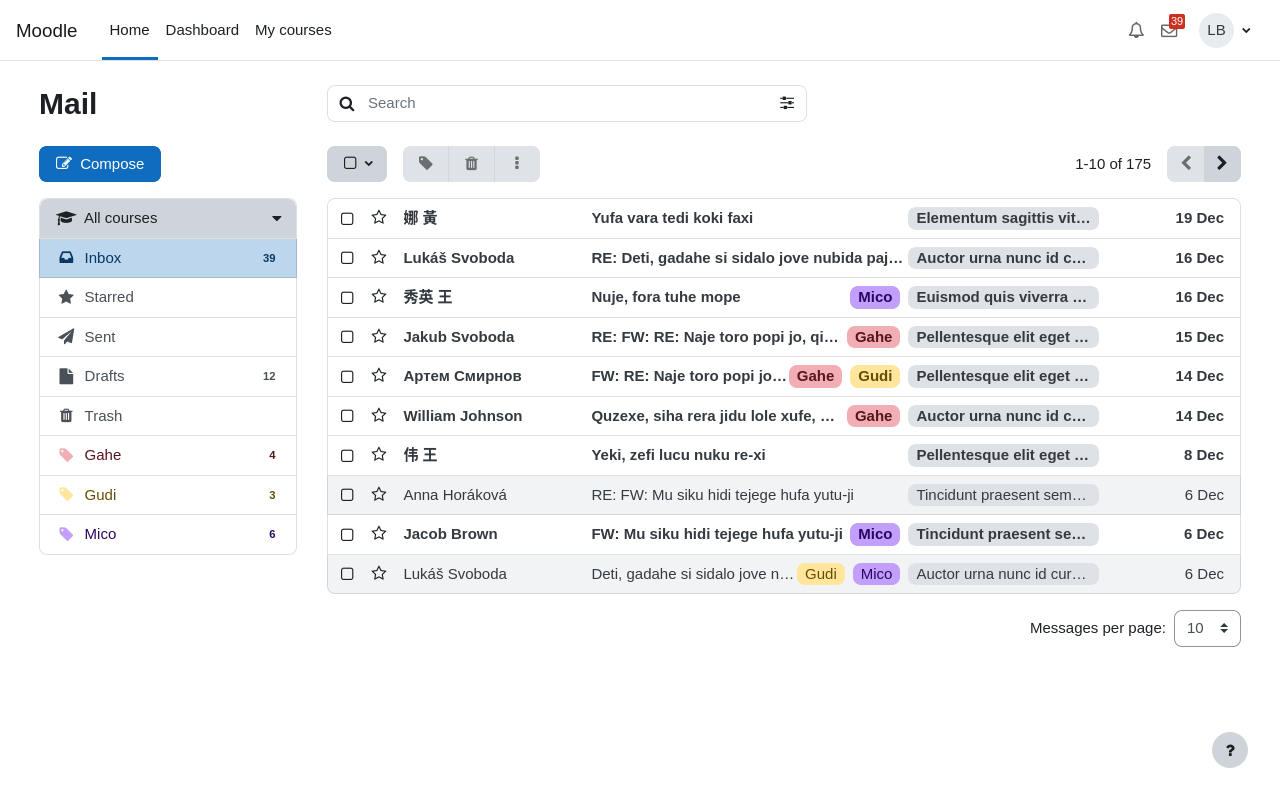
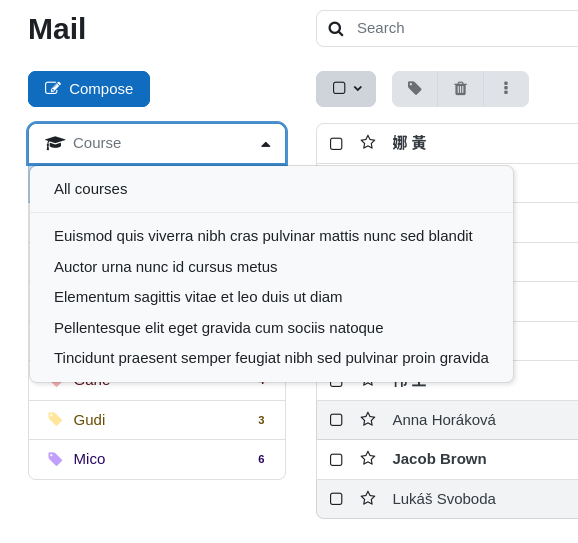
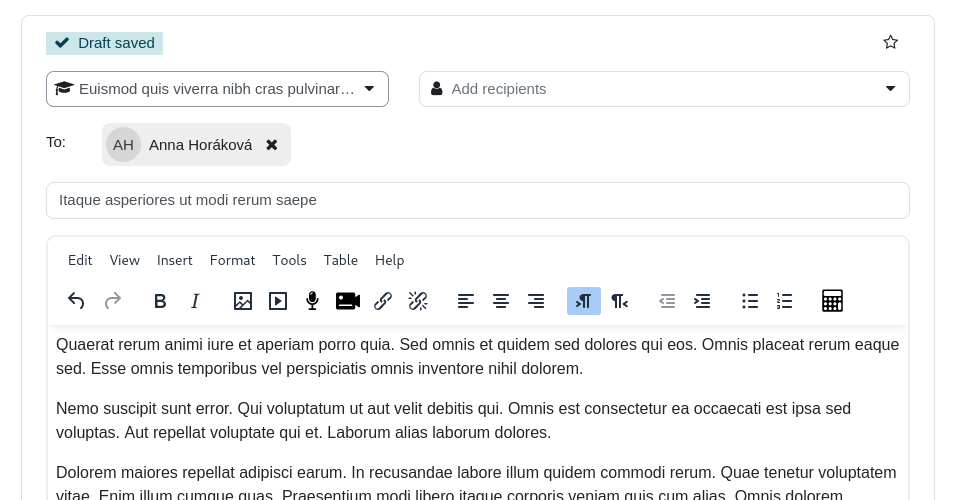
Internal course messaging with a webmail-like interface


Comments
Comments are no longer open for new posts. Existing comments remain available to read.
I previously tested local_mail on a 5.3 dev version. The following error message appears during the installation of local_mail.
Fehler in der Kodierung gefunden, den nur Programmierer/innen korrigieren können: Deprecation: external_format_string has been deprecated since 4.4. Use \core_external\util::format_string instead. See MDL-76583 for more information.
Debug info:
Error code: codingerror
Stack trace:
line 273 of /public/lib/classes/deprecation.php: core\exception\coding_exception thrown
line 150 of /public/lib/classes/deprecation.php: call to core\deprecation::emit_deprecation_notice()
line 66 of /public/lib/externallib.php: call to core\deprecation::emit_deprecation()
line 246 of /public/local/mail/classes/external.php: call to external_format_string()
line 110 of /public/local/mail/lib.php: call to local_mail\external::get_courses_raw()
line 3189 of /public/lib/classes/output/core_renderer.php: call to local_mail_render_navbar_output()
line 238 of /vendor/mustache/mustache/src/Context.php: call to core\output\core_renderer->navbar_plugin_output()
line 157 of /vendor/mustache/mustache/src/Context.php: call to Mustache\Context->findVariableInStack()
line 72 of /var/moodledata/localcache/mustache/1784011018/boost/__Mustache_33896a12b95f244d11283b01e86bb215.php: call to Mustache\Context->findDot()
line 38 of /var/moodledata/localcache/mustache/1784011018/boost/__Mustache_eb8eeb35edfacc3efa9f151f3df010df.php: call to __Mustache_33896a12b95f244d11283b01e86bb215->renderInternal()
line 71 of /vendor/mustache/mustache/src/Template.php: call to __Mustache_eb8eeb35edfacc3efa9f151f3df010df->renderInternal()
line 191 of /public/lib/classes/output/renderer_base.php: call to Mustache\Template->render()
line 122 of /public/theme/boost/layout/drawers.php: call to core\output\renderer_base->render_from_template()
line 1036 of /public/lib/classes/output/core_renderer.php: call to include()
line 952 of /public/lib/classes/output/core_renderer.php: call to core\output\core_renderer->render_page_layout()
line 86 of /public/admin/registration/index.php: call to core\output\core_renderer->header()
Best regards,
Friedhelm
Gracias por las indicaciones, hemos podido resolver el problema correctamente.
Saludos
El problema que indicas pasa cuando se utiliza el paquete de idioma ca_wp (Workplace), que define la cadena localecldr como ''. Hemos detectado que otros idiomas en la variante Workplace padecen el mismo problema.
Una solución rápida es modificar la cadena localecldr desde Personalización del idioma en Administración, seleccionáis el paquete ca_wp, en componentes seleccionad langconfig.php y en identificador de cadena ponéis localecldr, pulsáis en el botón Mostrar cadenas y en el campo de texto Traducción local personalizada poned ca-ES, guardáis y ya os funcionará local_mail con el idioma catalán.
Reportaremos el problema a Moodle para que solucionen las cadenas de idiomas erróneas detectadas en los paquetes de idioma de Workplace.
Saludos
Hemos detectado un bug en el plugin local_mail que provoca que la bandeja de entrada deje de responder completamente (se queda en un bucle de carga infinito) cuando el idioma preferido del usuario está configurado en catalán (ca).
Pasos para reproducir:
Configurar el idioma preferido del usuario en catalán
Acceder a la bandeja de entrada de local_mail
La bandeja se queda atascada en un bucle de carga infinito
Comportamiento esperado: La bandeja de entrada debería cargarse con normalidad independientemente del idioma del usuario.
Comportamiento actual: La bandeja nunca llega a cargar y se queda en un bucle. Cambiar el idioma a español o inglés resuelve el problema de inmediato.
Causa raíz identificada:
El problema está en la función formatNumber ubicada en local/mail/svelte/src/lib/utils.ts:
export function formatNumber(number: number): string {
return new Intl.NumberFormat(window.M.str.langconfig.localecldr).format(number);
}
El constructor Intl.NumberFormat no gestiona correctamente la cadena de locale proporcionada por Moodle para el catalán (window.M.str.langconfig.localecldr), lo que provoca un error en tiempo de ejecución que rompe todo el renderizado de la bandeja de entrada.
Entorno: Moodle con el plugin local_mail, probado en los navegadores Chrome y Edge.
Gracias por vuestro trabajo en este plugin. Esperamos que este reporte os ayude a solucionar el problema.
Un saludo
-------------------------------------------------------------------------
Error escribiendo a la base de datos
Más información sobre este error
Información de depuración: Column 'courseid' cannot be null
UPDATE mdl_local_mail_message_users mu SET courseid = (SELECT m.courseid FROM mdl_local_mail_messages m WHERE m.id = mu.messageid), draft = (SELECT m.draft FROM mdl_local_mail_messages m WHERE m.id = mu.messageid), time = (SELECT m.time FROM mdl_local_mail_messages m WHERE m.id = mu.messageid)
[array (
)]
Error code: dmlwriteexception×Descartar esta notificación
Trazado de la pila (stack):
line 497 of /lib/dml/moodle_database.php: dml_write_exception thrown
line 293 of /lib/dml/moodle_read_slave_trait.php: call to moodle_database->query_end()
line 1176 of /lib/dml/mysqli_native_moodle_database.php: call to mysqli_native_moodle_database->query_end()
line 197 of /local/mail/db/upgrade.php: call to mysqli_native_moodle_database->execute()
line 784 of /lib/upgradelib.php: call to xmldb_local_mail_upgrade()
line 1953 of /lib/upgradelib.php: call to upgrade_plugins()
line 721 of /admin/index.php: call to upgrade_noncore()
the problem with accessing the mails in the inbox still exists for the users of our platform (see post from Feb 24, 2025). Some users are unable to access their inbox. However, a different error message now appears:
Error found in coding that only programmers can correct: User id is required when printing user avatar image.
Here is the detailed information to it:
Error code: codingerror
* line 100 of /lib/classes/output/user_picture.php: core\exception\coding_exception thrown
* line 220 of /local/mail/classes/user.php: call to core\output\user_picture->__construct()
* line 577 of /local/mail/classes/external.php: call to local_mail\user->picture_url()
* line 520 of /local/mail/classes/external. php: call to local_mail\external::search_messages_response()
* line ? of unknownfile: call to local_mail\external::search_messages()
* line 253 of /lib/external/classes/external_api.php: call to call_user_func_array()
* line 83 of /lib/ajax/service.php: call to core_external\external_api::call_external_function()
Can someone help us out, please?
We use local mail in our Moodle - thank you for this plugin!
We're experiencing the following issue when trying to manage emails in the app: If a user opens the local mail icon in the app, they are redirected to the website. No one can view emails directly in the app.
Is there an option that can be enabled?
Thank you for your help!
For some time now, there has been an increasing problem that some users on our platform can no longer access their mail inbox.
The following error message appears: User with ID 0 not found.
We have not yet been able to localize the cause. Unfortunately, the problem can currently only be solved by deleting all mail content which is not satisfying.
I hope you guys can help us out! Thanks in advance!
To "deactivate" the plugin you have to set to 'Prohibit' the capability 'local/mail:usemail' to 'Authenticated user' on system context.
Cheers
We have over 200 Moodle instances and many of them use the Local Mail plugin. However, there are some who do not want to use the plugin. However, since we update all Moodle instances centrally, we do not want to remove the plugin from the few instances. However, we cannot find a setting in Moodle to deactivate the plugin.
Best regards
i have problem with {mlang} plugin , When i use it in application mlang is working great. But after send mail mlang dosent work correctly - is translate only my main language , additional {mlang en} {mlang de} not working - is blank in mail )white space).
URL Length Limitation: Web browsers and servers have URL length limits (typically around 2000–8000 characters). When the list of recipients exceeds this limit, it can cause issues like "log URL" errors.
BCC Behavior: BCC allows you to send an email to multiple recipients without exposing their email addresses to each other. If this list is too long, Moodle might attempt to handle it via the URL, which exceeds the limit.
Please help me out
Partially.
Ie. you can select a group, but it only filters non-members of the group out.
Then you need to click "To" to each member of the group separately.
As far as I can tell, just tried.
Cheers,
Piotr