A2FA (Another 2-Factor Auth)
Maintained by
Jérôme Mouneyrac, Sam Battat
Two-factor authentication method. Using Google Authentication mobile app
Comments
Comments are no longer open for new posts. Existing comments remain available to read.
Ken
I am sorry I had to abandon this, but very happy it helped someone securing their Moodle
I will probably be retiring this since there is a more updated version
But thanks for this module! It has helped us secure our server for 5 years.
My organisation was involved in funding the last update of this plugin. I have been in touch with Jerome who did this work, but I cannot contact Sam Battat. We particularly used this to provide more secure logon for administrators on sites with open access, but we found that the interaction between multiple authentication methods in newer versions of Moodle mean that an administrator can sometime log on by a less secure method, even if they have 2 factor set up.
The functionality of this plugin has now been replaced by “Multi-factor authentication” plugin available here https://moodle.org/plugins/tool_mfa and this implementation does not have the same limitations and indeed has a lot of extra funtionality.
Thanks to Sam for originally creating this plugin and to Jerome for updating it, and to the creators of mfa for taking this further forward still.
Ken
I downloaded the plugin and put it in the auth folder after that when back to my site a message appear to me that apache http server has stopped working .
if I delete the plugin everything works fine
any solution?
thanks
It is a great plugin! I have a question: For all the existing users, instead of asking each user go into profile to generate the secret code, is there a way to generate the secret code in batch, so we can email it to each user?
Thanks.
1. I followed instructions on https://github.com/hbattat/moodle-a2fa for installing and configuration.
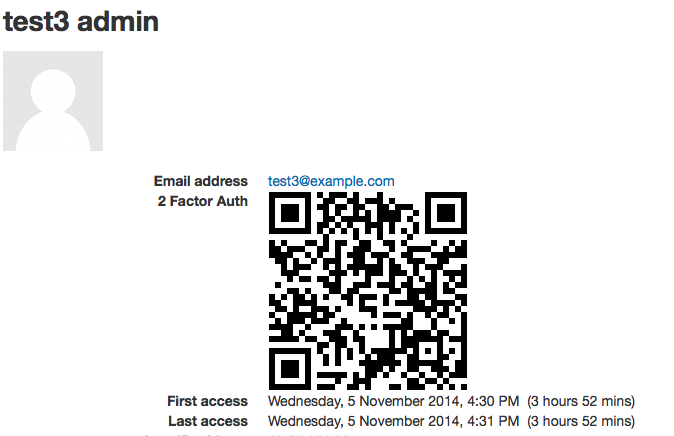
2. Nothing displayed in user's profile field https://www.screencast.com/t/kSelyGPWKEku
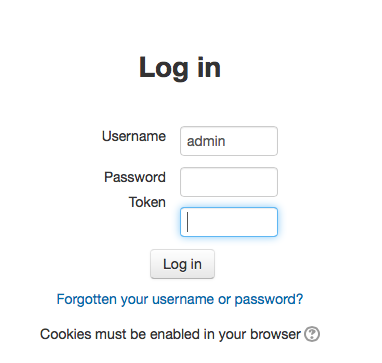
3. Login page looks like https://www.screencast.com/t/dRTMqnncO Token - nothing
4. On login - nothing rather than https://www.screencast.com/t/hX1iw4BTq