A2FA (Another 2-Factor Auth)

Two-factor authentication method. Using Google Authentication mobile app
Price option: Free

Supports Moodle 2.7-3.7 See all versions
Latest release: 6 years ago
Installations: 109
Downloads (last 90 days): 21

Frankenstyle name: auth_a2fa
Authentication

Comments

Comments are no longer open for new posts. Existing comments remain available to read.

I installed a2fa on a empty Moodle 3.7 latest test system and I got it to work right out of the box. Super! I noticed 3 things: (1) I can activate a2fa as as authentication method for a specific user. This is good. This way I can use it to secure the site admin accounts. (2) An account that authenticates via a2fa needs to login via ./auth/a2fa/login.php, not the normal login page. (3) An account that authenticates via a2fa CANNOT use the Moodle android app as there is no way to type inn a token. This is however no problem as I want the site admin accounts ONLY to be used for site administration and not for interactions in a given course.
Thank you for a superbe plugin!
I dont know if you can make it works with the Moodle mobile app as the plugin has its own separate login page. But I have watched a video (SSO related) where the Moodle mobile app redirects to a site to process to the login so maybe there is a possibility using this Moodle SSO support: https://www.google.com/url?sa=t&source=web&rct=j&url=https://docs.moodle.org/en/Moodle_app_additional_features&ved=2ahUKEwirv7zj54_kAhXPbSsKHelKBu8QFjAAegQICBAC&usg=AOvVaw2-H6i1pMe3A4x6KwlfHdrT
I am glad that this important plugin is alive again. I consider testing it until Moodle 3.7.
My question: Does A2FA support the Moodle smartphone app? Assuming that I set up A2FA and that a user has correctly configured the secret in Google Authenticator, can a user log him/herself in using the Moodle Android app?
The plugin uses a specific login page (refer to some previous comments)
Cheers
Jerome
Is there any advancement regarding this plugin? I would love to use this plugin.
I can enable this plugin but I couldn't make the plugin work.
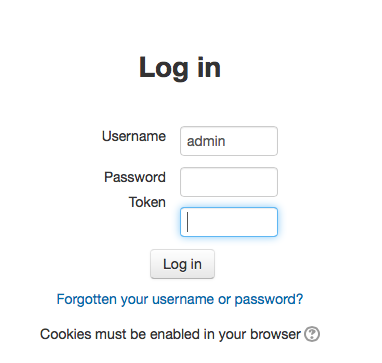
At the time of user enter user and password he does not show the option to enter the token
"Only works in HTTPS moodle sites." => I can not think of any good reasons to let people use 2fa with an unsecured http site. But if people really want it, and explain why, we could remove the https check. But I feel it makes people think that 2fa is enough. And I feel it would be a bad decision to allow it.
Only works in HTTPS moodle sites.
Hi, I have been doing some work with Jerome and hopefully a 3.6 and 3.7 compatible version will be available soon.
Ken
Hi, really want to use this plugin, but I get the same as Olli 'Entered username and password and code provided by Google authenticator at auth/a2fa/login.php. Login fails.'
I am failing logging a test user in with this plugin at auth/a2fa/login.php on a vanilla Moodle 3.5 site.
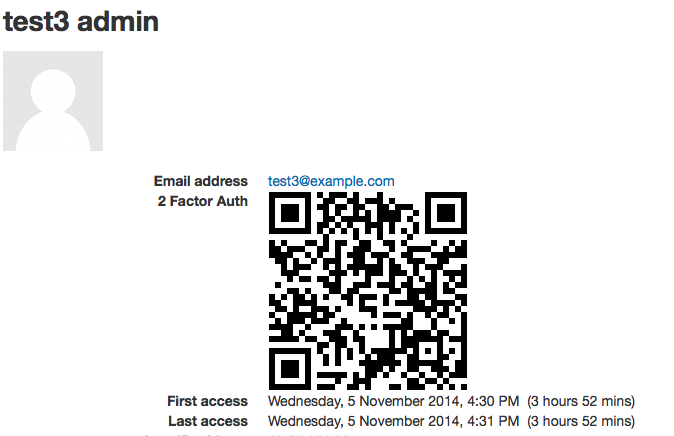
I enabled 2fa for the user, generated a secret successfully and saved it to user's profile, copy pasted the secret to Google Authenticator.
Entered username and password and code provided by Google authenticator at auth/a2fa/login.php. Login fails.
Any ideas?
Hi Sam,
I have installed this plugin and its super useful! There are two issues that I am having: one is that the Change Password in Moodle does not allow entry of a token to change the password. To overcome this, I am using the Forgot Password in the login page. It will be nice for the user to click Change Password and change his password using his login credentials including token.
The other issue is about the Generate New Secret on the create a new user page. This button apparently works only for admin level permissions. We have a situation where Managers have been given the right to register new users but with the A2FA plugin, they cannot because the Generate Secret button doesn't generate the mix of characters in the box for the registration to complete.
Is there a work around this please?
I also consider using it for administrators and teachers, on a Moodle 3.5 system.
So I am also looking forward to see an upgraded version of this very useful plugin.
Hi Sam. I am looking into this plugin, trying to get it working on 3.3. Do you plan to continue supporting the plugin?
Sounds great!
Hi all,
I did receive a few messages about the plugin, and it still seems to be attracting more interests.
So I will be updating it to include the plans I originally had for this plugin.
I left the university where I created this plugin for, thats the reason I have not needed to update it or add more features. But, I do have plans for nice features to integrate with other services.
Stay tuned.
Thanks,
Sam