A2FA (Another 2-Factor Auth)
Maintained by
Jérôme Mouneyrac, Sam Battat
Two-factor authentication method. Using Google Authentication mobile app
Comments
Comments are no longer open for new posts. Existing comments remain available to read.
Good news: I successfully set up the Moodle Android app for a2fa under Moodle 3.7.2.
Under Site administration/Mobile App/Mobile settings I set
Enable web services for mobile devices = Yes
Under Mobile authenticatation I set:
login = via an embedded browser
N. B. Leave "URL scheme" empty.
One extra detail:
You then need to add the following line to Moodle's config.php:
$CFG->alternateloginurl = 'https:///auth/a2fa/login.php';
Then all logins will be directed to the a2fa login page.
To gain access via the app, the user has to type in the full path to the moodle root. The 'https://' preceding the URL is optional as the app will prefer https over http.
Then the login works even via the embedded browser, which gives the most consistent user interface.
N.B. If some users still use manual login, you should set
login = "Via a browser window (for SSO plugin).
In this case, an external browser will be opened and the user has to manually navigate to the correct login URL, i. e. 'https:///auth/a2fa/login.php';
When creating the custom profile field "a2fasecret" you MUST choose:
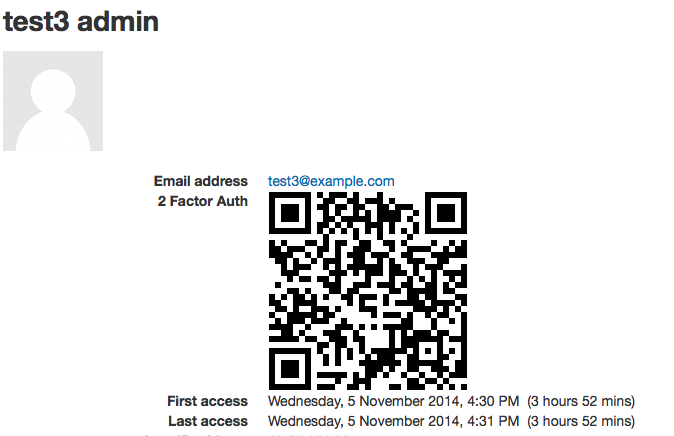
Short name = "a2fasecret", Name = "a2fasecret" ... Who is this field visible to? = "Visible to user". If the setting is left at the default which is "Visible to everyone" than EVERYONE looking at my user profile in Moodle will see my a2fa secret QR-code.
It would also be good if the qr generation was local(for better privacy), with something like PHP QR Code or even node-qrcode as a last resort.
It would be nice to also have longer secret keys and a stronger lookup table(for extra security).
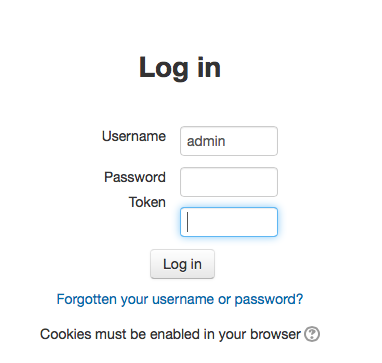
You would need to change the mobile authentication under Site Administration to "Via an Embedded Browser (for SSO plugins)". When you do this, the mobile app opens up the required page for logging in with username, password and token. What it does is points the login to the page you have chosen which is auth/a2fa/login.php
You would need to change the mobile authentication under Site Administration to "Via an Embedded Browser (for SSO plugins)". When you do this, the mobile app opens up the required page for logging in with username, password and token. What it does is points the login to the page you have chosen which is auth/a2fa/login.php
How do you do this in the Android app? I do not find any corresponding setting that would change the behaviour of the app. There is however a workaround: Log in via your user account while authentication is still set to manual. Then upgrade your account with A2FA. The app will still connect with the Moodle server. There is no major risk involved as all site administration tasks are not available via the app, and if you launch the web view from the app you have to log on as usual.
The other issue is about the Generate New Secret on the create a new user page. This button apparently works only for admin level permissions. We have a situation where Managers have been given the right to register new users but with the A2FA plugin, they cannot because the Generate Secret button doesn't generate the mix of characters in the box for the registration to complete.
Any fix for these two issues?